Overview
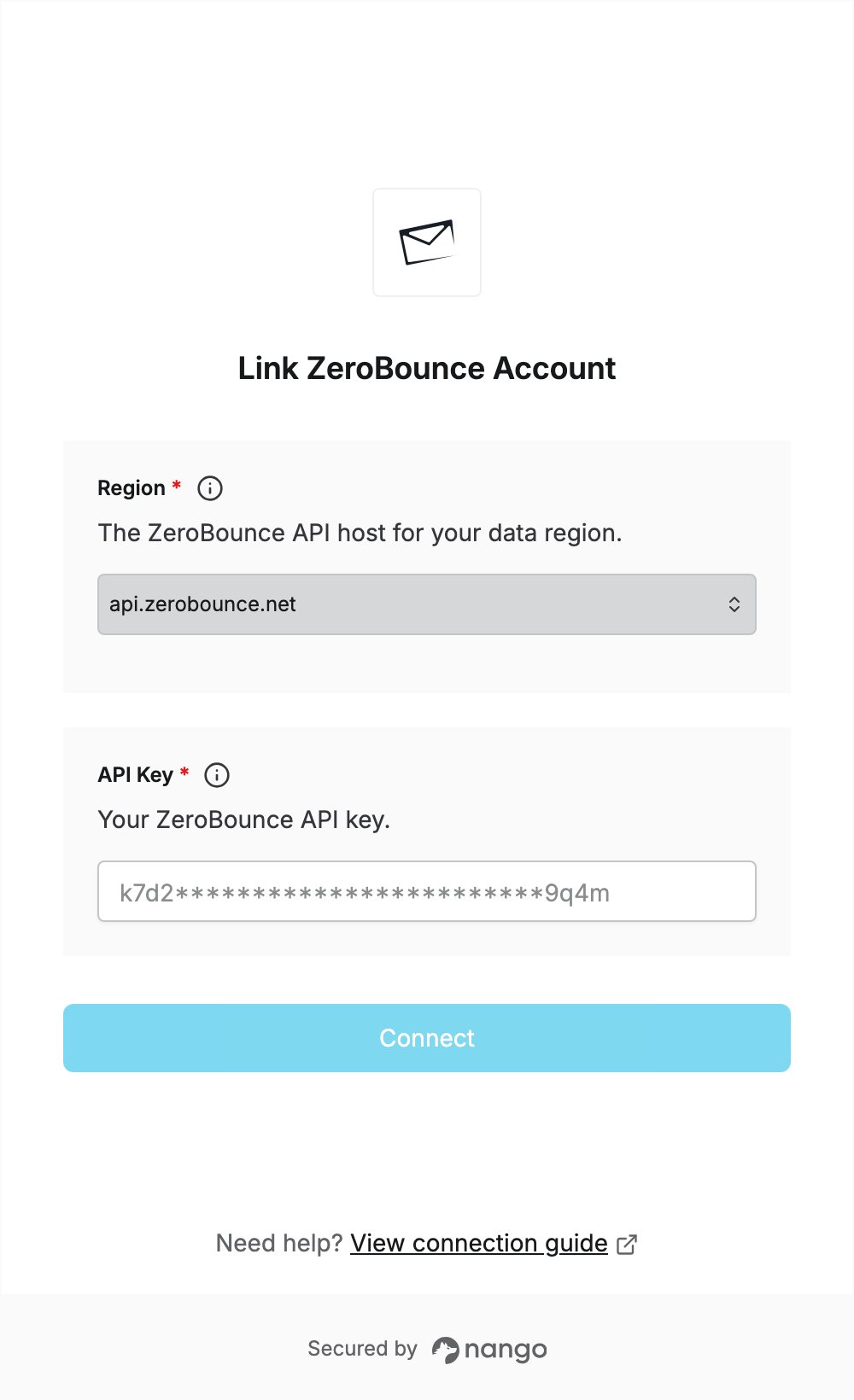
To authenticate with ZeroBounce, you need:- Region — the ZeroBounce API host where your requests are processed.
- API Key — a ZeroBounce API key.
Prerequisites
- A ZeroBounce account. You can sign up for free.
Step 1: Choose your region
ZeroBounce has one API host per data location. Select the one where your validations should be processed:
See API Endpoints for details.
Step 2: Create an API key
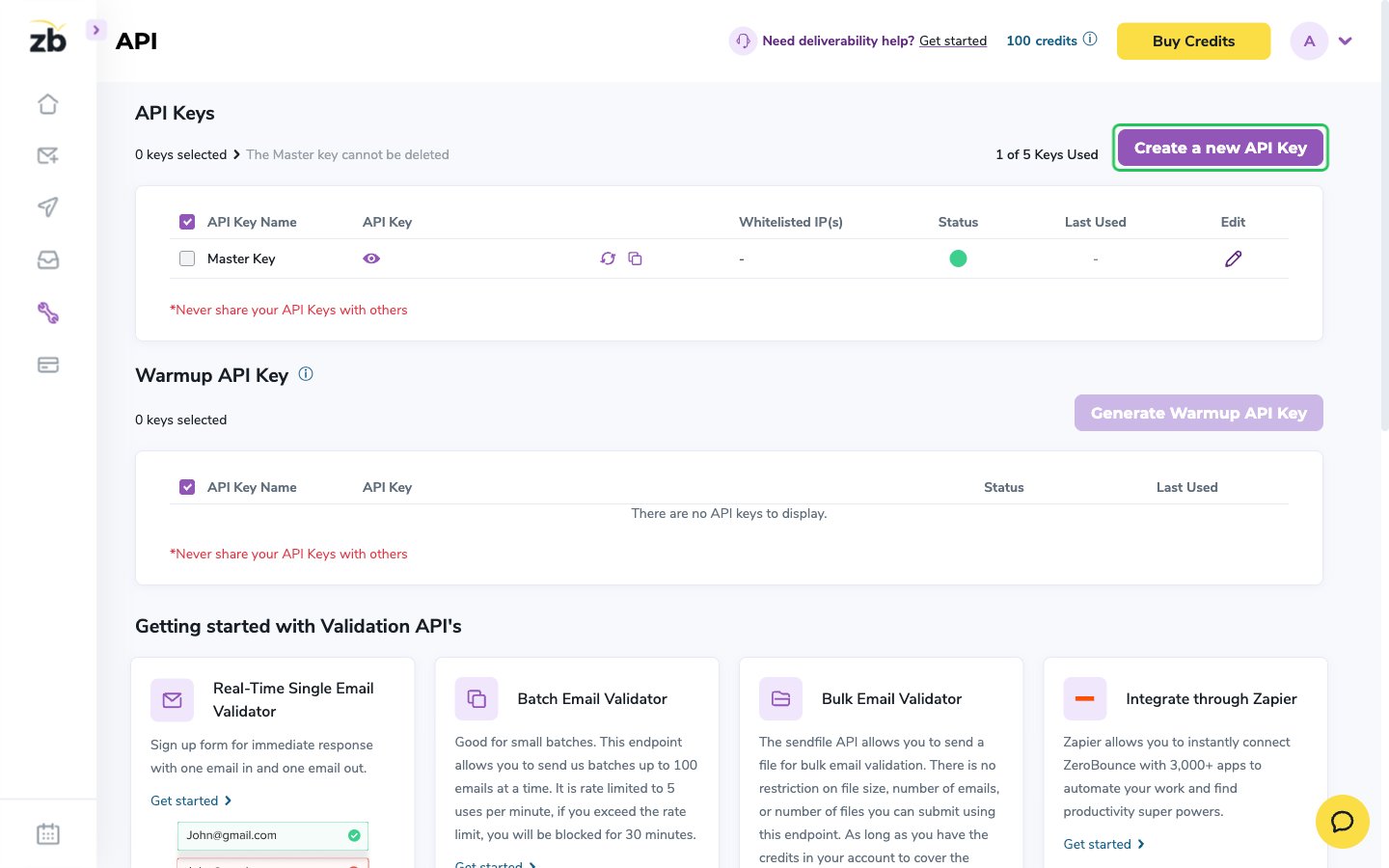
- Sign in to your ZeroBounce account and open the API page from the left sidebar.
- In the API Keys section, click Create a new API Key.
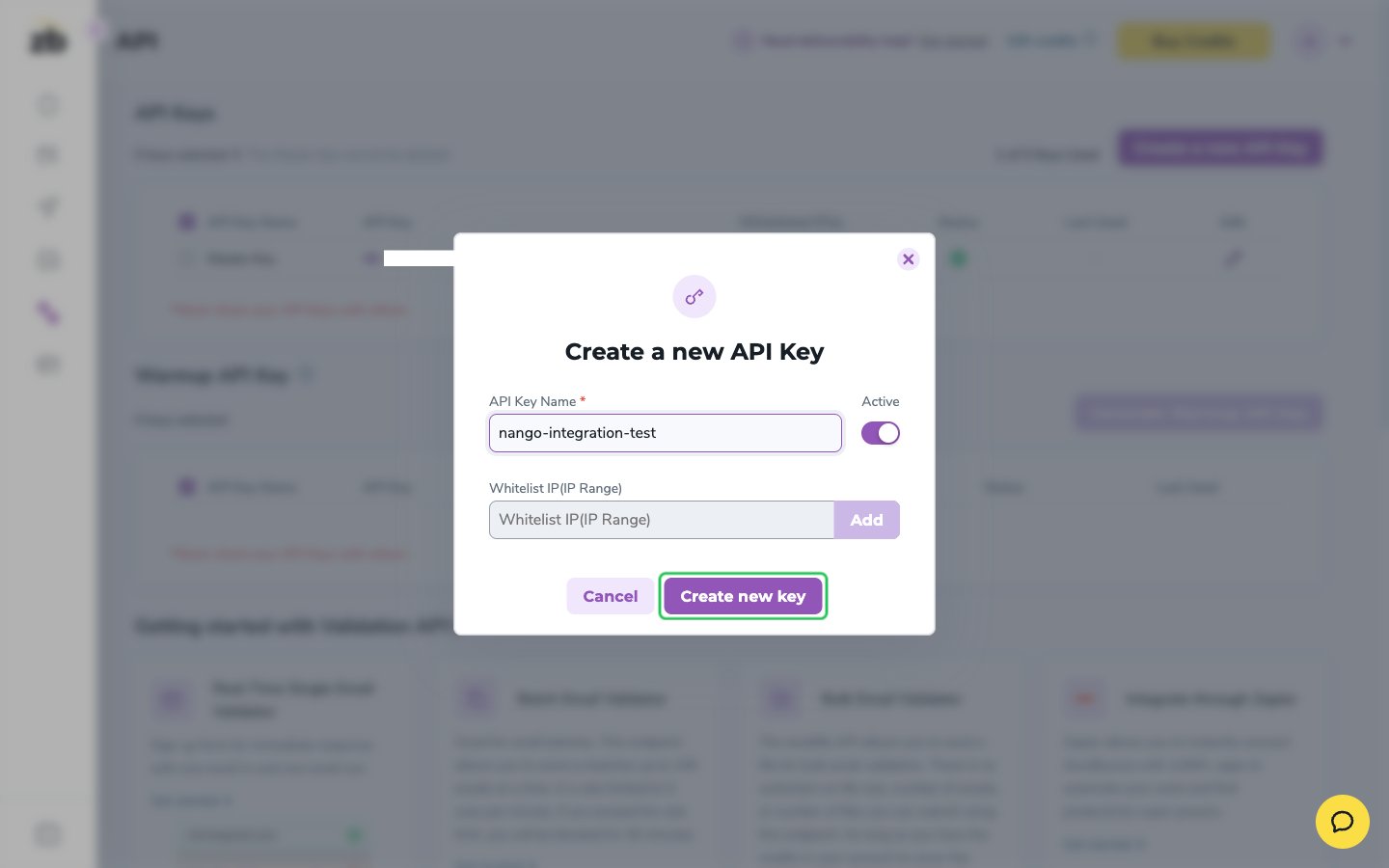
- Enter a name for the key, leave Active switched on, then click Create new key.
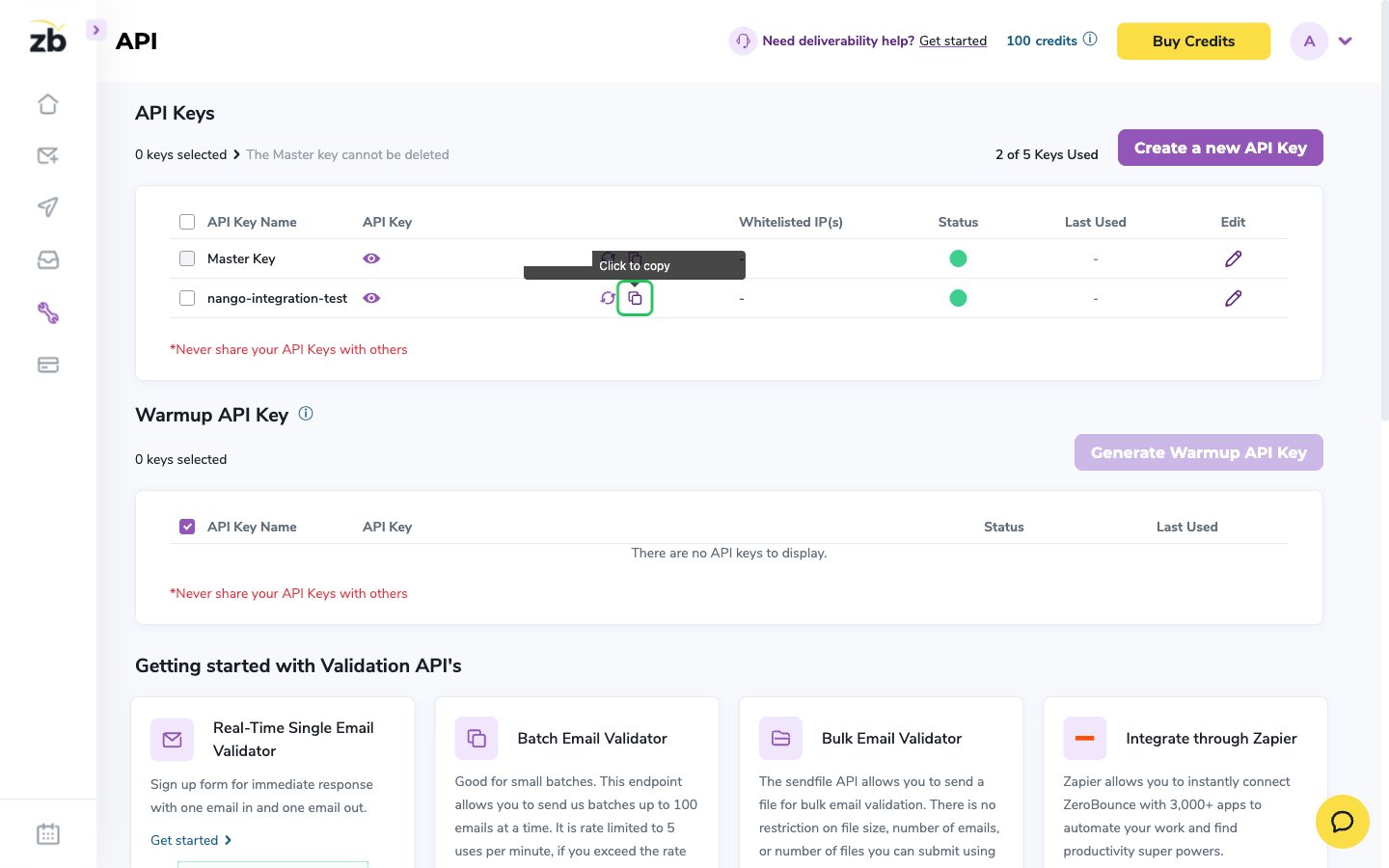
- Find the new key in the API Keys list and click its copy icon to copy the key.
Step 3: Enter your credentials in the Connect UI
- Open the form where you need to authenticate with ZeroBounce.
- Select your Region and enter your API Key in the designated fields.
- Submit the form, and you should be successfully authenticated.