Overview
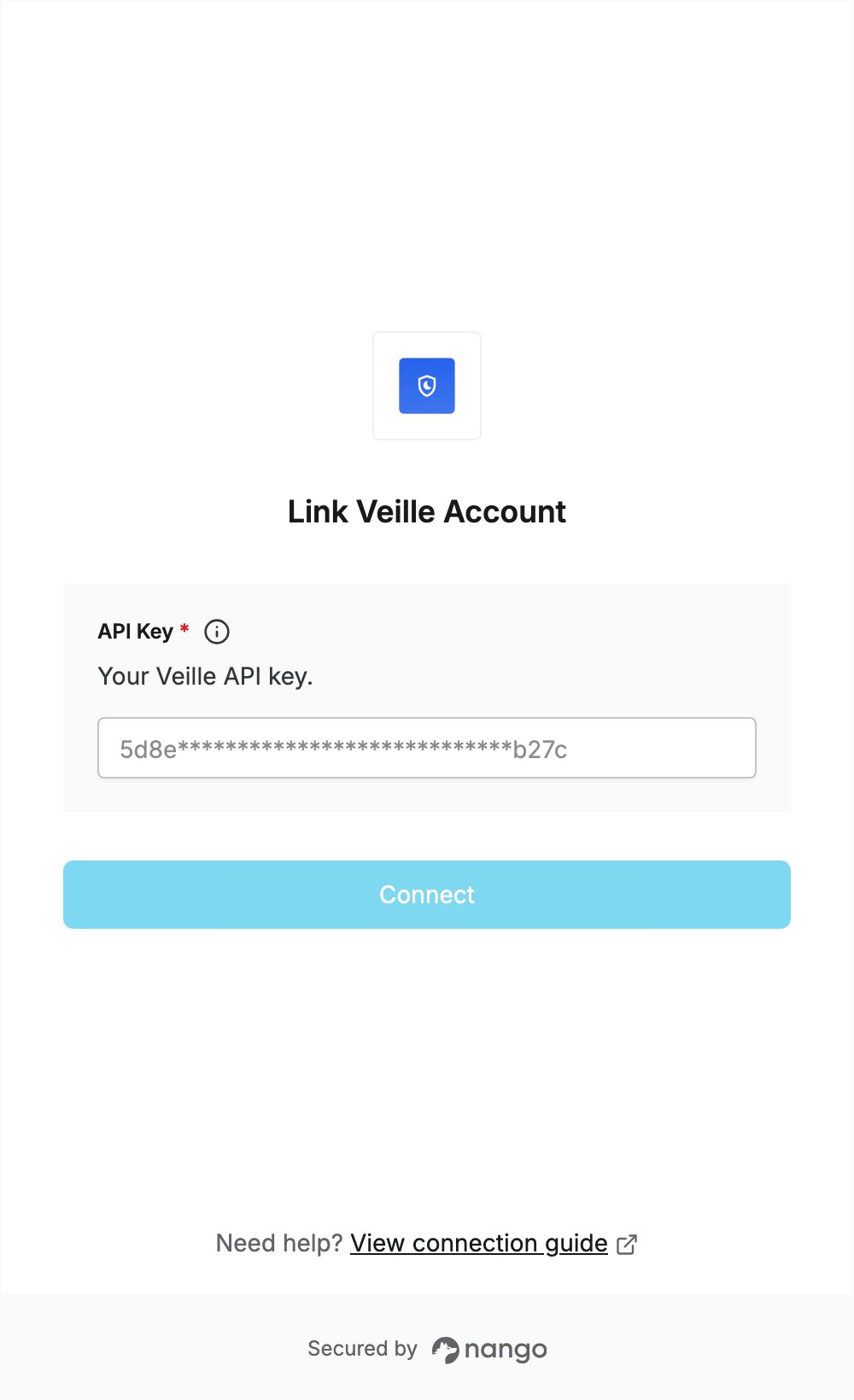
To authenticate with Veille, you need:- API Key — an API key from your Veille dashboard.
Prerequisites
- A Veille account. Sign up if you don’t have one.
Step 1: Create an API key
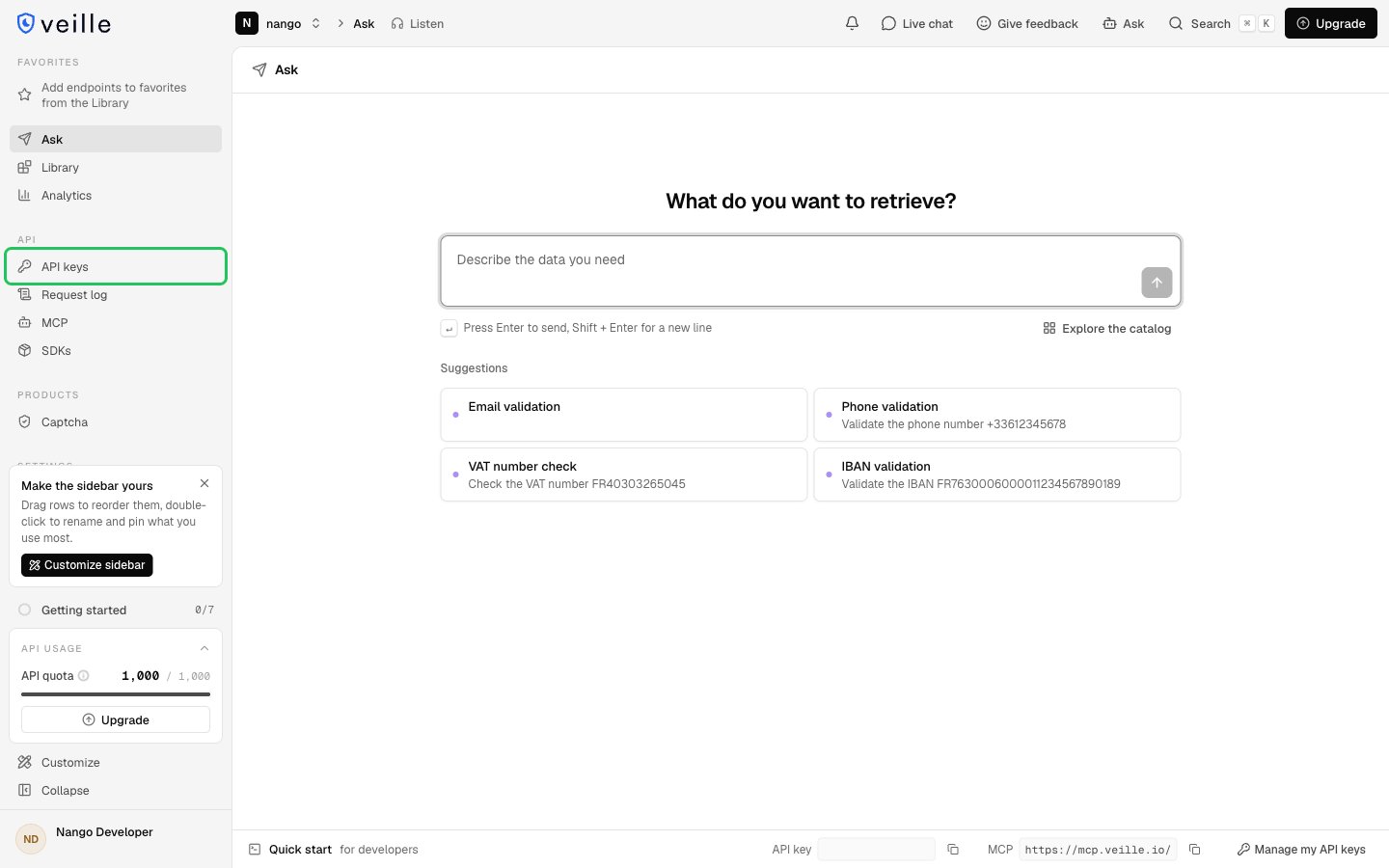
- Log in to the Veille dashboard. In the left sidebar, under API, click API keys.
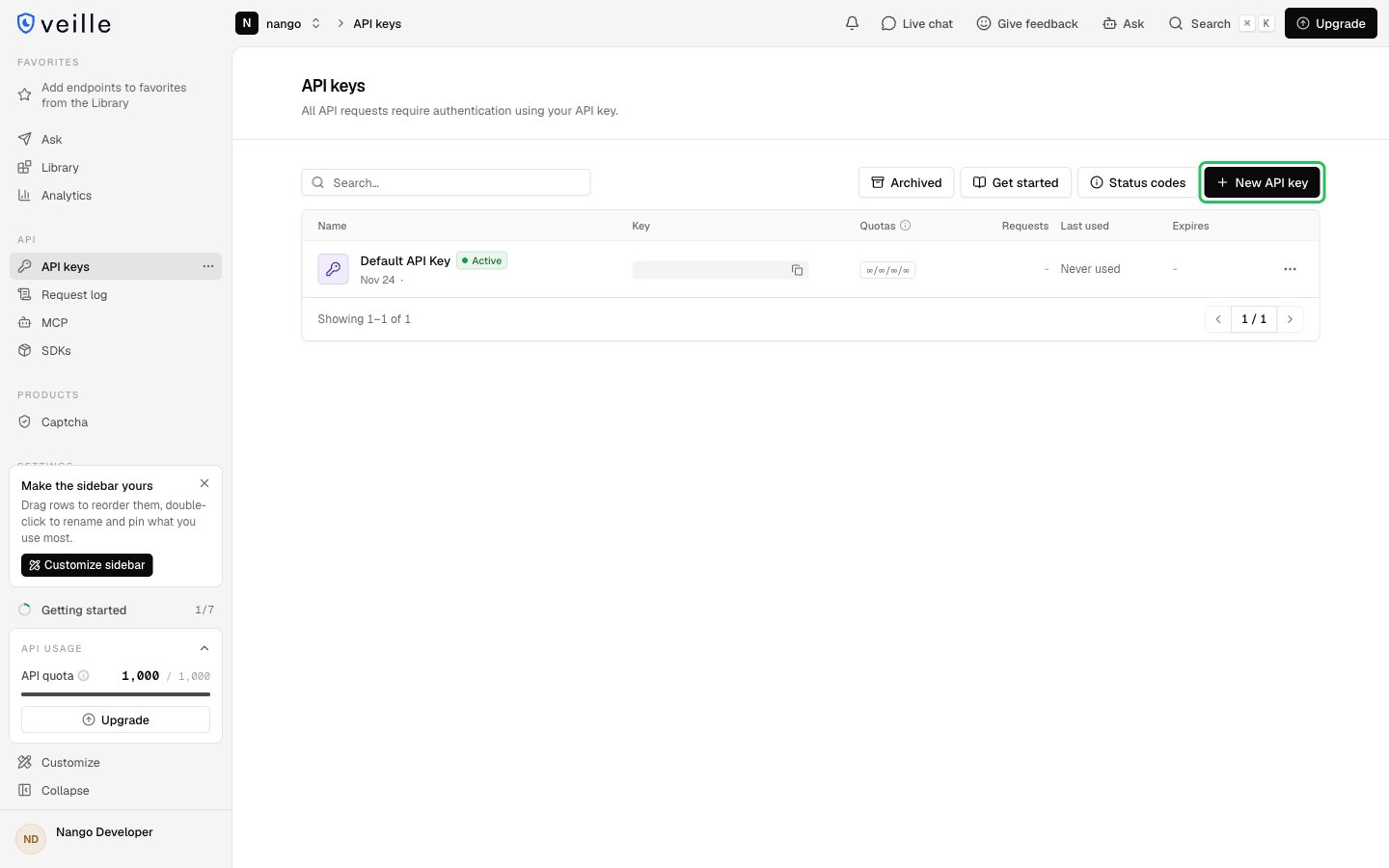
- On the API keys page, click New API key. Your account also comes with a Default API Key that you can copy from this page instead.
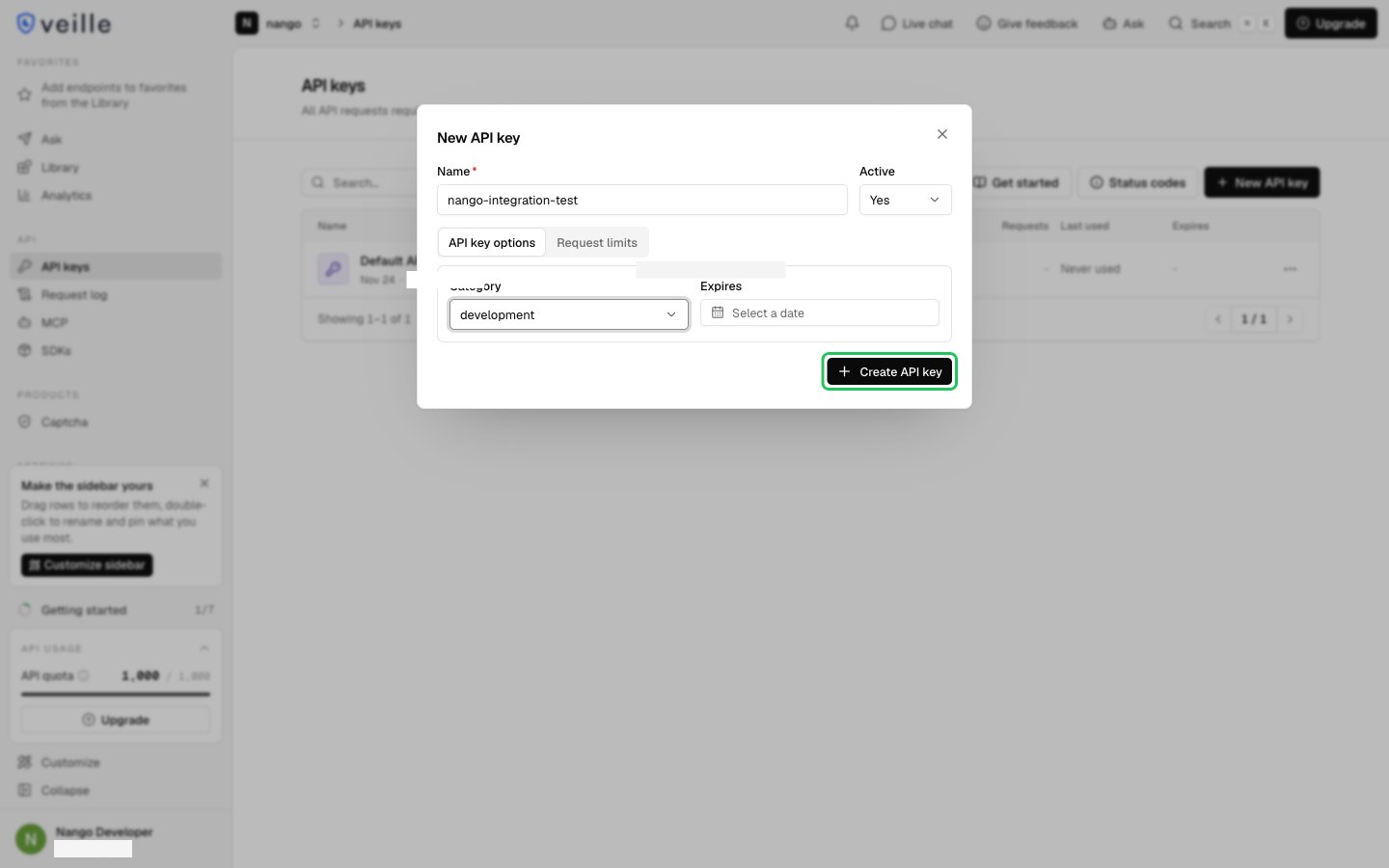
- Enter a unique Name and pick a Category on the API key options tab. Expires and Request limits are optional. Click Create API key.
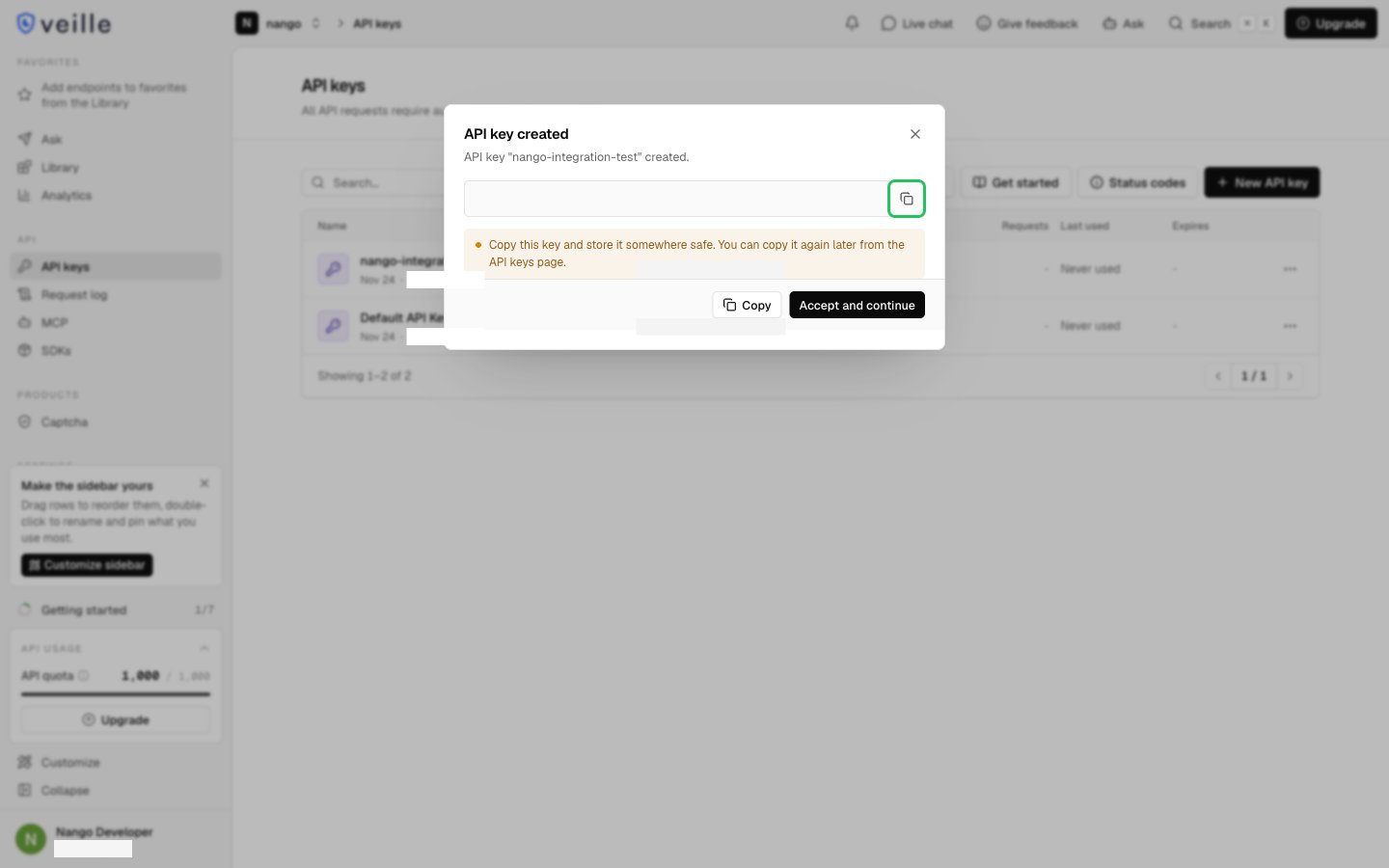
- In the API key created window, click Copy to copy the key, then click Accept and continue.
Step 2: Enter your API key in the Connect UI
- Open the form where you need to authenticate with Veille.
- Enter your key in the API Key field.
- Submit the form, and you should be successfully authenticated.