Overview
To authenticate with Tripletex you need:- Consumer Token — provided to you by the developer of the integration. It identifies the integration, not your account.
- Employee Token — generated by you inside your Tripletex tenant. It controls which data the integration can read or write on your behalf.
Prerequisites
- A Tripletex account. Nango supports both the production environment (
tripletex.no) and the sandbox (api-test.tripletex.tech); you choose which one to connect to in Step 1. - The consumer token and the integration’s application name, both supplied by the developer.
Instructions
The steps are identical for both environments — only the host differs. Generate the tokens inside the tenant you plan to connect (production at
tripletex.no or the sandbox at api-test.tripletex.tech), then select that same environment in Step 1. The production consumer token comes from a Tripletex-registered partner application rather than a free test account.Step 1: Selecting your environment
Pick the Tripletex host you want to connect to from the Environment dropdown:tripletex.no— production.api-test.tripletex.tech— sandbox / test accounts.
Step 2: Obtain the consumer token
The consumer token is shared once across all customers of an integration. The developer of the integration sends it to you, along with the application name registered with Tripletex.Step 3: Generate an employee token
- Log in to your Tripletex tenant.
- Click the avatar in the top-right corner and pick My profile.
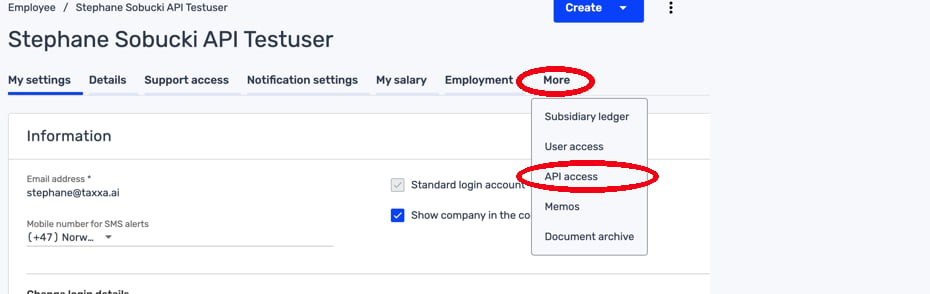
- Above the profile pane, click More ▾ and choose API access.
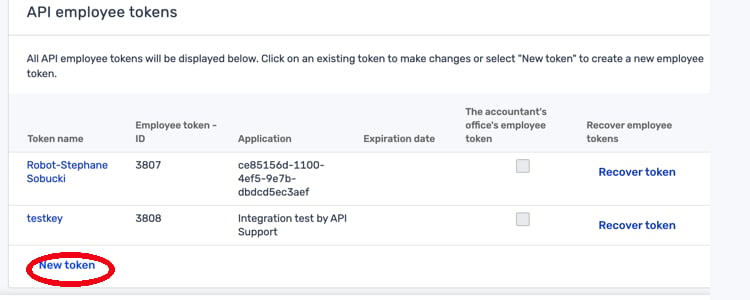
- On the API employee tokens page, click New token at the bottom of the list.
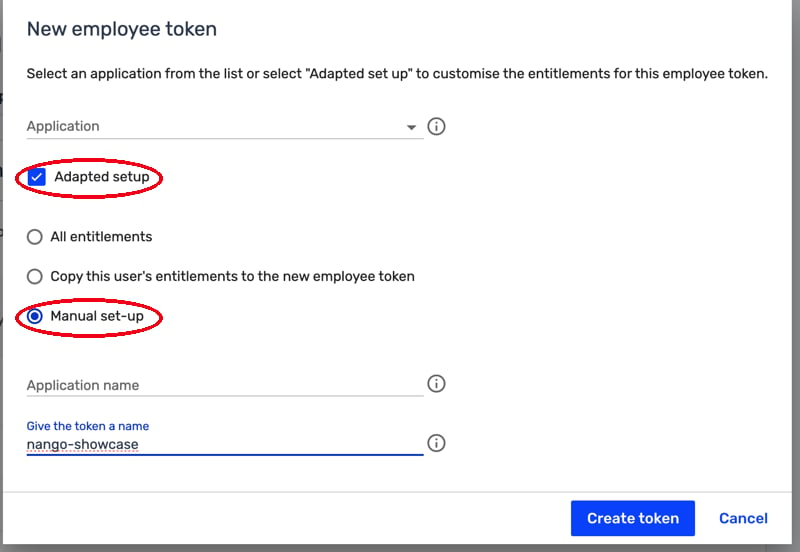
- In the New employee token dialog, pick the developer’s integration from the Application dropdown, or tick Adapted setup to configure the token yourself.
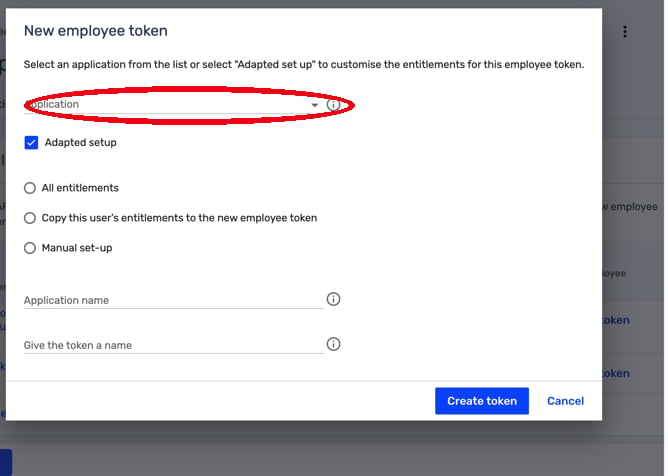
- To control exactly what the integration can access, tick Adapted setup and select Manual set-up. This grants granular, per-module entitlements instead of all-or-nothing access.
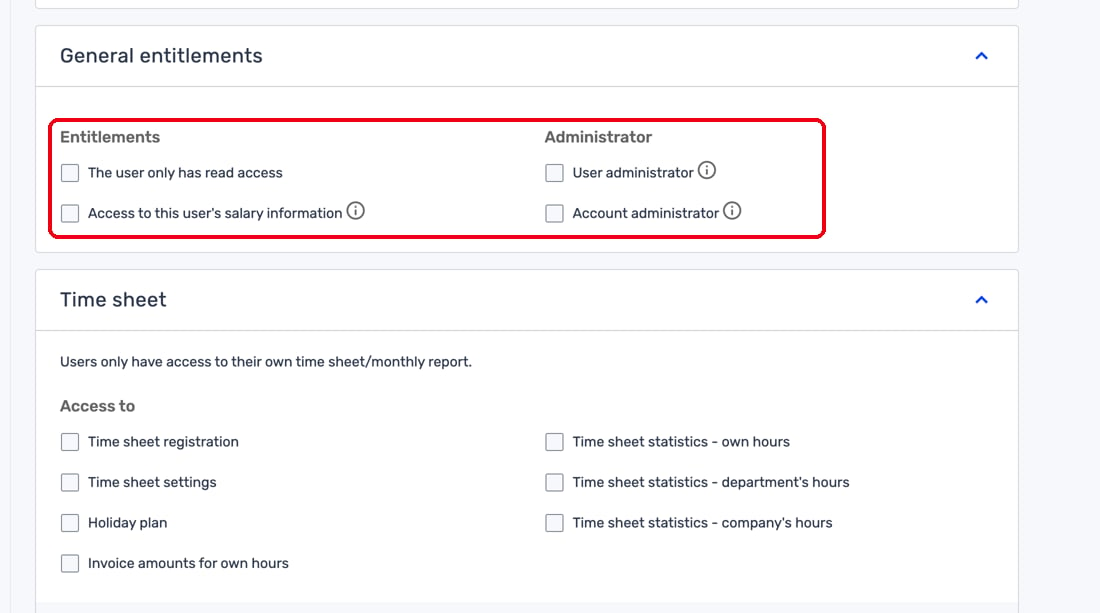
- Tripletex groups entitlements by module (general access, time sheet, invoicing, accounting, salary, and more). Enable only the scopes the integration needs.
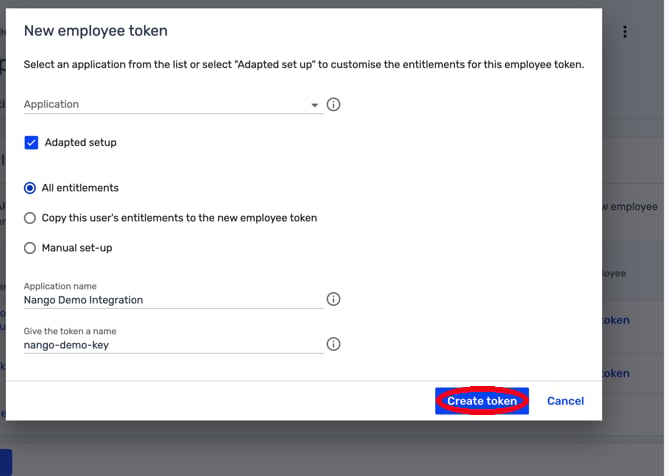
- Give the token a memorable name and click Create token.
- Tripletex shows the generated employee token in a one-time popup. Copy it immediately — it cannot be recovered. If you misplace it, generate a new one (which invalidates the old one).
Step 4: Set the proxy company ID
Leave this at0 unless the integration developer specifically told you otherwise. A non-zero value is only required for accountant-token flows where one token spans multiple client tenants.
Step 5: Enter credentials in the Connect UI
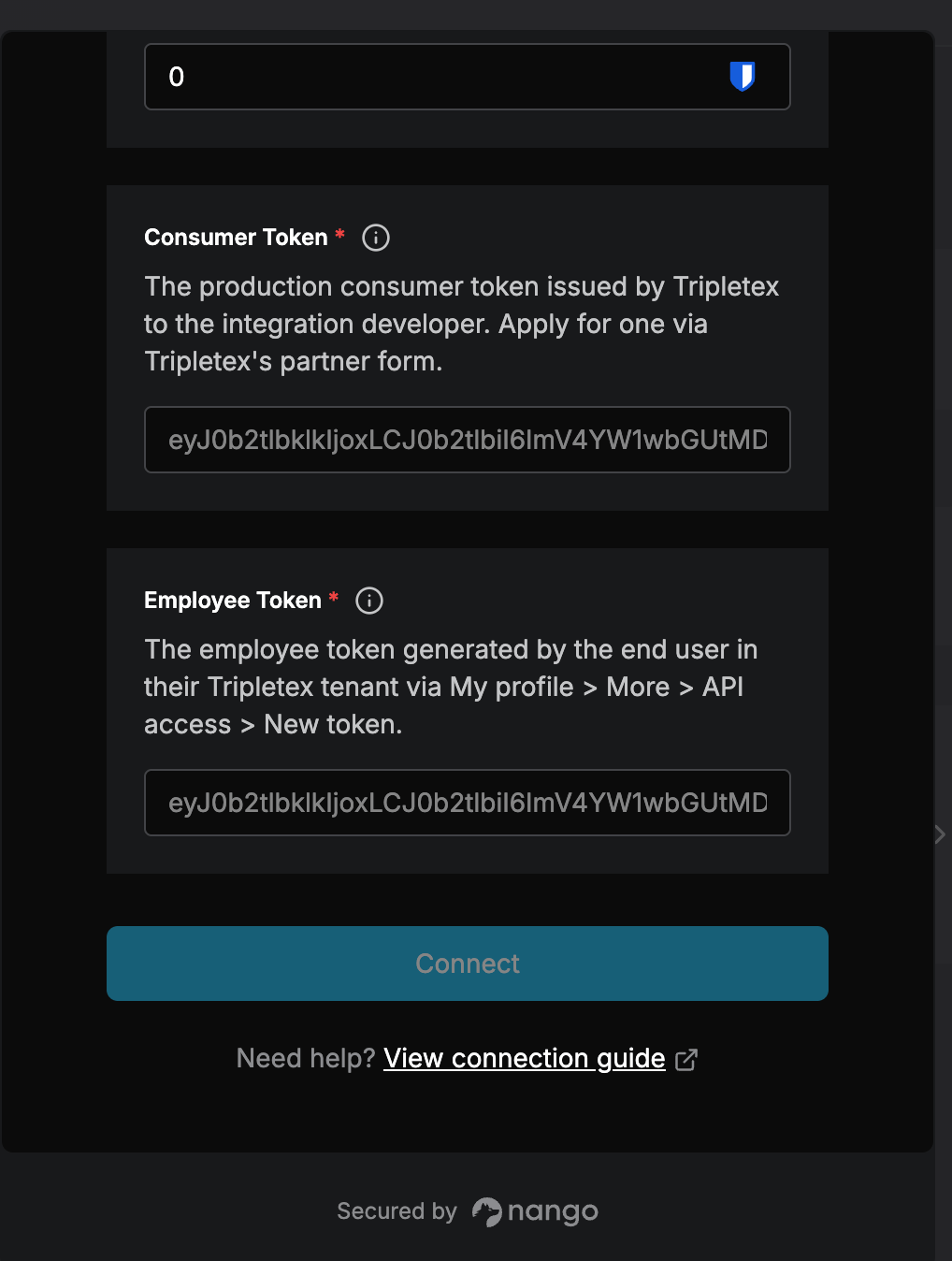
Once you have your Environment, Consumer Token, Employee Token, and Proxy Company ID:- Open the form where you need to authenticate with Tripletex.
- Select your Environment, enter your Consumer Token and Employee Token, and set the Proxy Company ID in their respective fields.
- Submit the form, and you should be successfully authenticated.