Overview
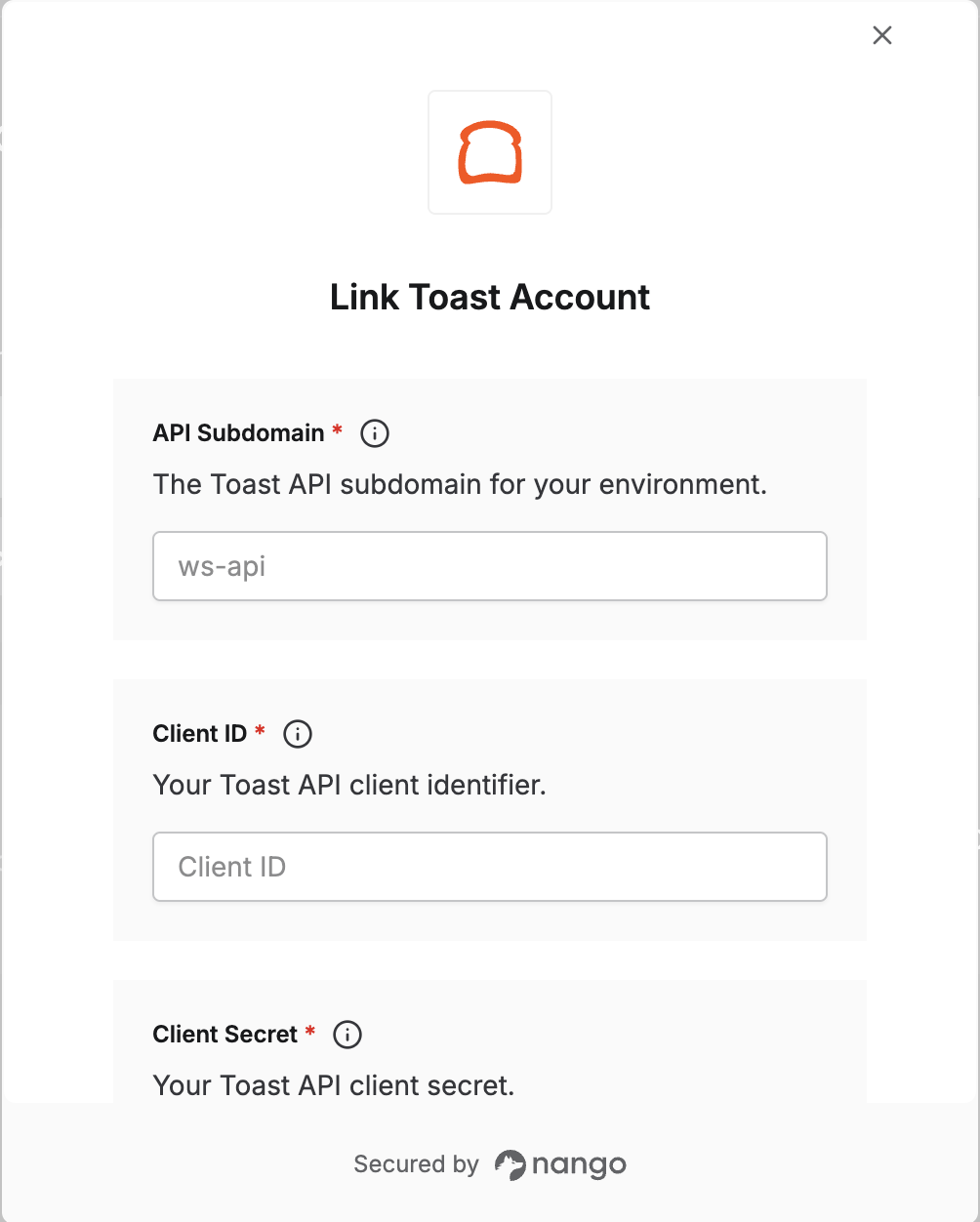
To authenticate with Toast, you need:- Client ID - Your Toast API client identifier.
- Client Secret - Your Toast API client secret.
- API Subdomain - The subdomain of your Toast API environment
- Restaurant External ID (optional) - The Toast GUID for the restaurant you want to access.
Prerequisites
- An active Toast account with API access. Credentials are issued by the Toast integrations team (for partner and custom integrations) or created by you through Toast Web (for standard and analytics API access).
Step 1: Obtain your API credentials
How you obtain credentials depends on your integration type:
To create credentials in Toast Web:
- Log in to your Toast admin account.
- Navigate to Manage credentials page.
-
Select the API type that matches your use case:
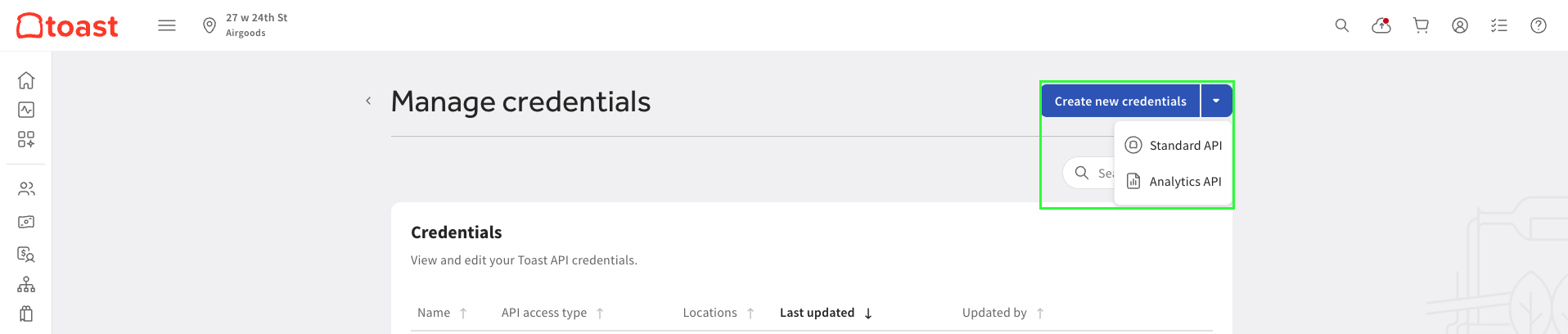
- Fill in the required fields per API type and submit. Toast generates your credentials immediately.
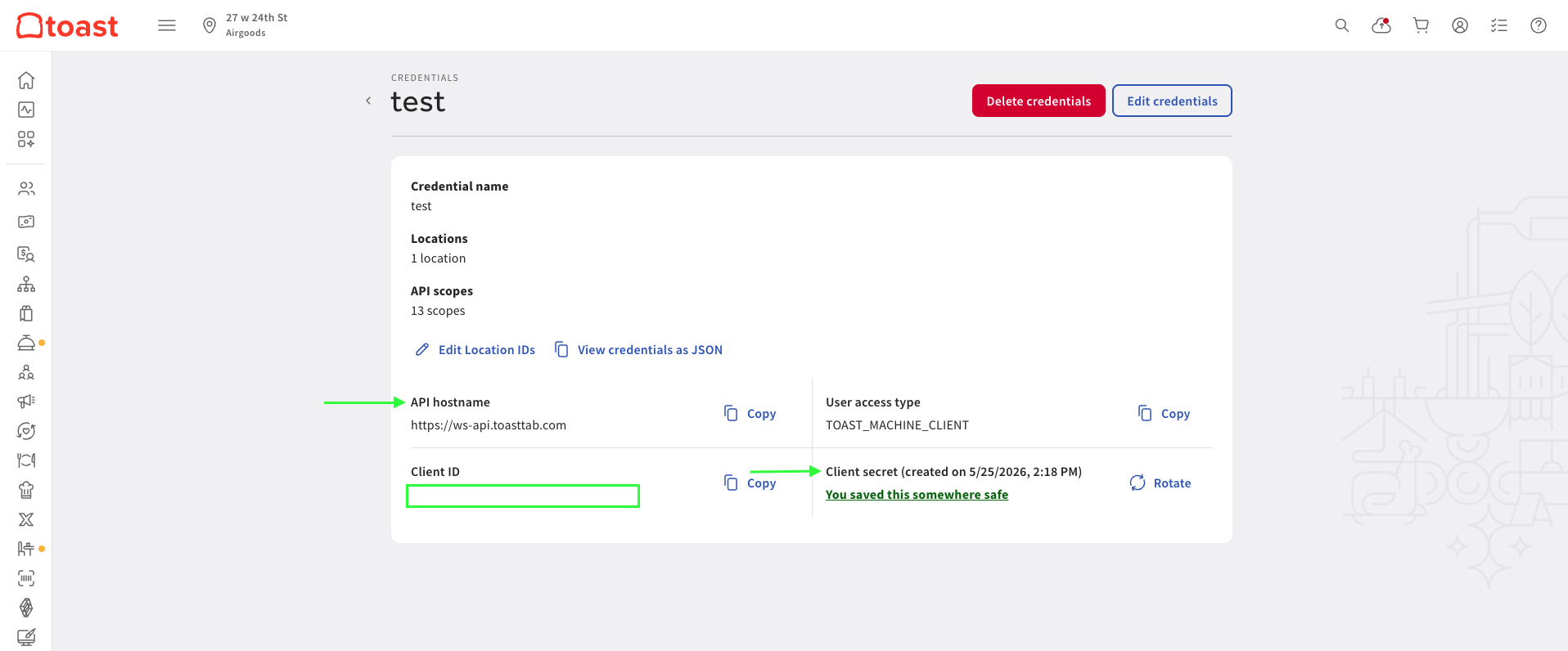
- Copy your API Subdomain, Client ID, and Client Secret — the secret is only shown once. The subdomain is the part before
.toasttab.comand afterhttps://in your API hostname.
Step 2: Find your Restaurant External ID (optional)
The Restaurant External ID is the Toast GUID for the restaurant you want to access. This field is optional. After standard API credentials are activated, you receive a confirmation email listing the names and GUIDs of your locations. The GUID follows the format:xxxxxxxx-xxxx-xxxx-xxxx-xxxxxxxxxxxx
Step 3: Enter credentials in the Connect UI
Once you have your credentials:- Open the form where you need to authenticate with Toast.
- Enter your Client ID and Client Secret.
- Enter your API Subdomain.
- Enter the Restaurant External ID for the restaurant you want to access.
- Submit the form to complete authentication.