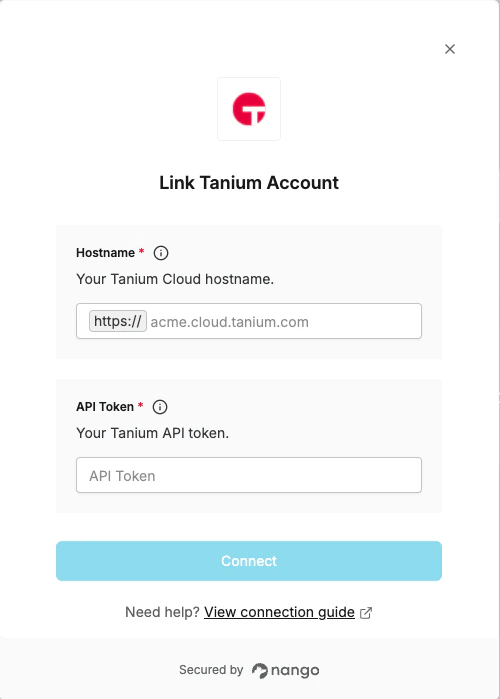
Overview
To authenticate with Tanium, you will need:- API Token — an API token generated from the Tanium Console.
- Hostname — your Tanium Cloud API hostname (e.g.
acme-api.cloud.tanium.com).
Prerequisites
- You must have administrator access to the Tanium Console.
Instructions
Step 1: Generate an API token
- Log in to the Tanium Console as an administrator.
- Navigate to Administration > Permissions > API Tokens.
- Click New API Token.
- Optionally scope the token to specific roles. For full access, assign the Administrator role.
- Copy the generated token value, it is shown only once and cannot be retrieved again.
Step 2: Find your hostname
- Tanium Cloud uses a separate hostname for API access. Take the domain you use to access the Tanium Console (for example
acme.cloud.tanium.com) and append-apito the subdomain:acme-api.cloud.tanium.com. - For Tanium Cloud for U.S. Government, use
-api.cloud.taniumfed.cominstead of-api.cloud.tanium.com.
Step 3: Enter credentials in the Connect UI
Once you have your API Token and Hostname:- Open the form where you need to authenticate with Tanium.
- Enter your API Token and Hostname in their respective fields.
- Submit the form, and you should be successfully authenticated.