Overview
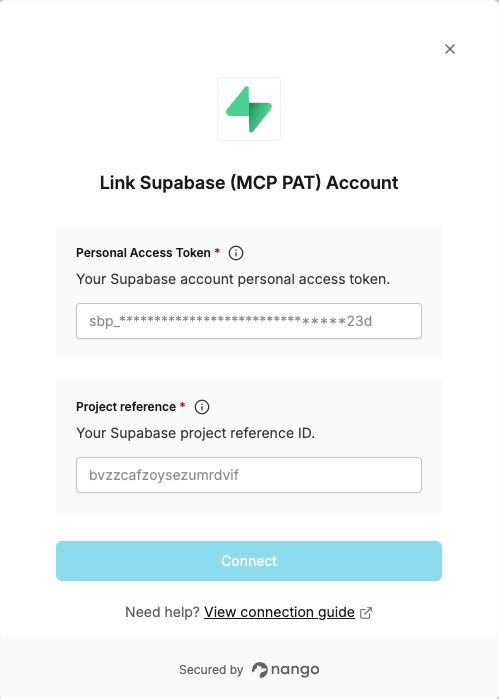
To connect Supabase (MCP) with Nango you need:- Project reference — The 20-character ID of your Supabase project.
- Personal Access Token — A token from your Supabase account used to authenticate with the MCP server.
Prerequisites
- A Supabase account and at least one project
Instructions:
Step 1: Finding your project reference
Your project reference is the 20-character ID that identifies your Supabase project:- Open the Supabase Dashboard and select your project.
- Obtain the ID from the project URL:
https://supabase.com/dashboard/project/<project-ref>/...in your browser address bar.
Step 2: Obtaining your Personal Access Token
- In the Supabase dashboard, open your Account preferences.
- Go to Access tokens.
- Click Generate new token.
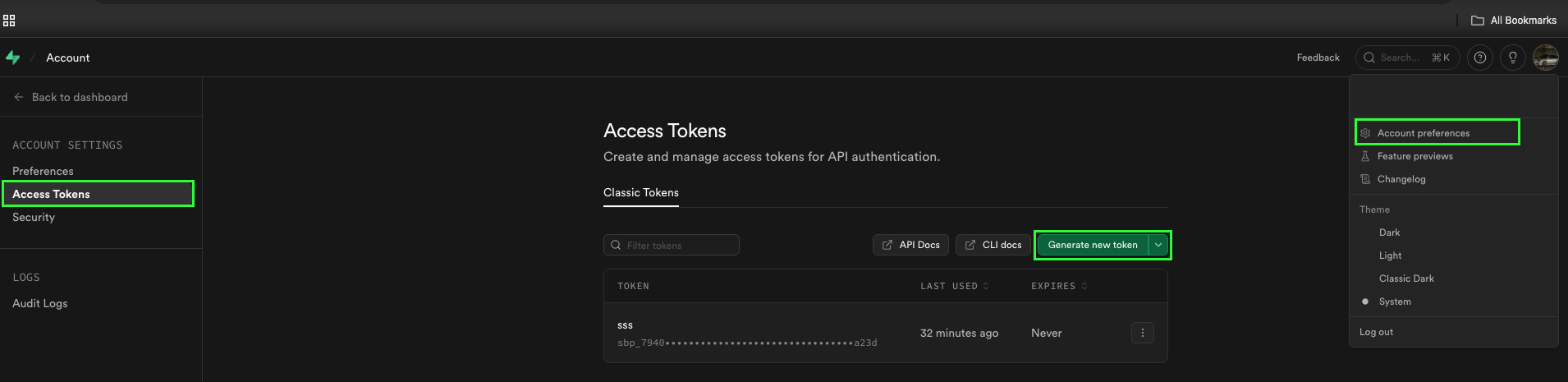
- Give the token a name, and select the Expires in time and submit the form to create it.
Step 3: Enter credentials in the Connect UI
Once you have your Project reference and Personal Access Token:- Open the form where you need to authenticate with Supabase (MCP).
- Enter both Project reference and Personal Access Token in their respective fields.
- Submit the form, and you should be successfully authenticated.