Overview
To connect Streamline AI, you need:- An Ed25519 Auth Key registered in your Streamline AI instance.
- Your Streamline AI customer subdomain and environment (production or demo/sandbox).
Prerequisites
- Admin access to your organization’s Streamline AI instance.
Instructions
Step 1: Generate and register an auth key
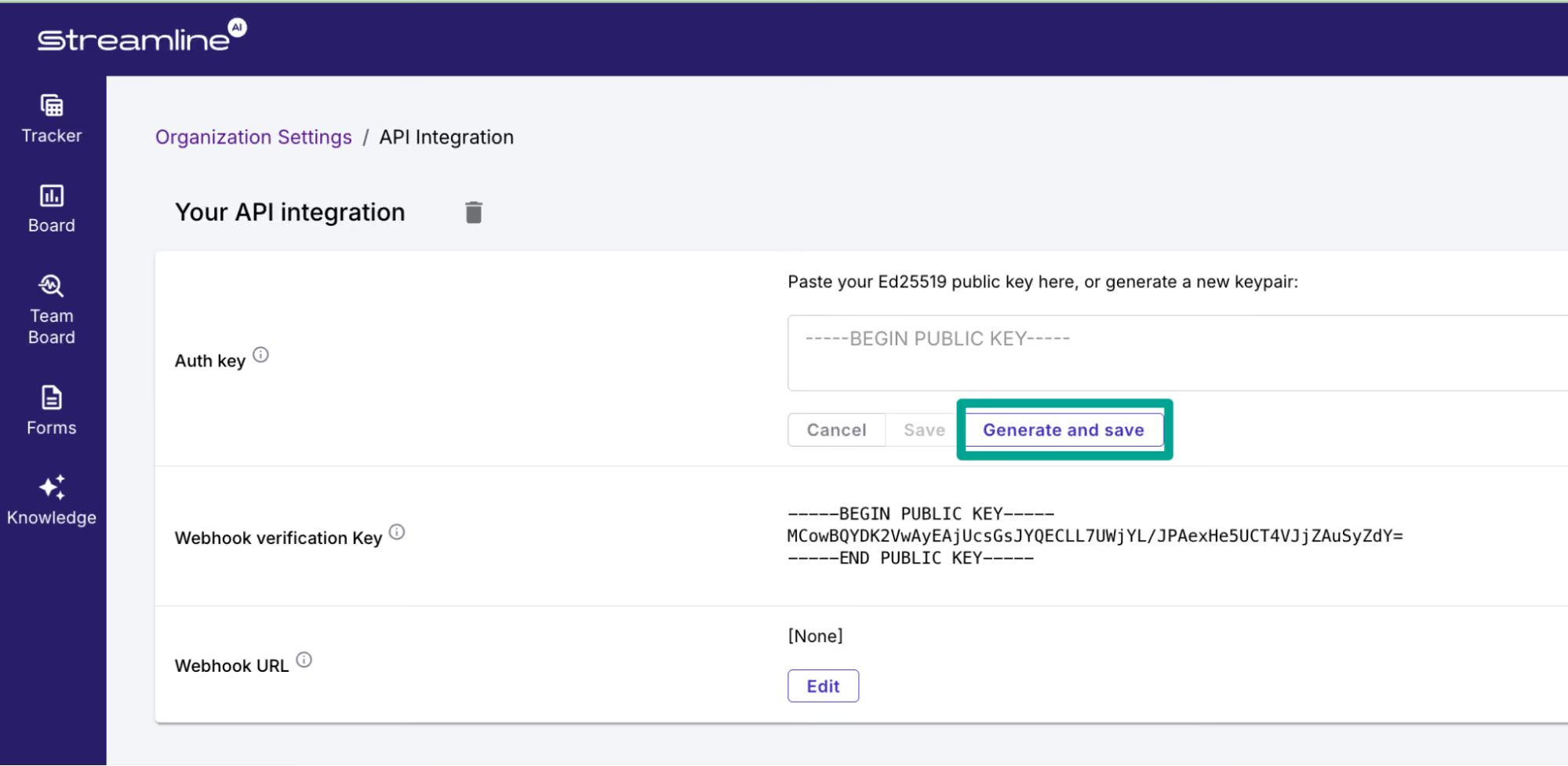
- In Streamline AI, go to Settings → Integrations → API.
- Either generate a new Ed25519 keypair in the browser — you’ll be prompted to download the private key — or paste a public key you generated elsewhere.
- Copy the Auth Key ID Streamline AI shows you afterwards, and keep the private key file handy.
Step 2: Find your customer subdomain
Your customer subdomain is the part of your Streamline AI URL before the environment domain. If you access Streamline AI athttps://acme.streamline.ai, your customer subdomain is acme and your environment is production (streamline.ai). If you access a demo/sandbox workspace at https://acme.demo.streamline.ai, your subdomain is still acme and your environment is demo (demo.streamline.ai).
Step 3: Enter connection details
- Open the Connect form.
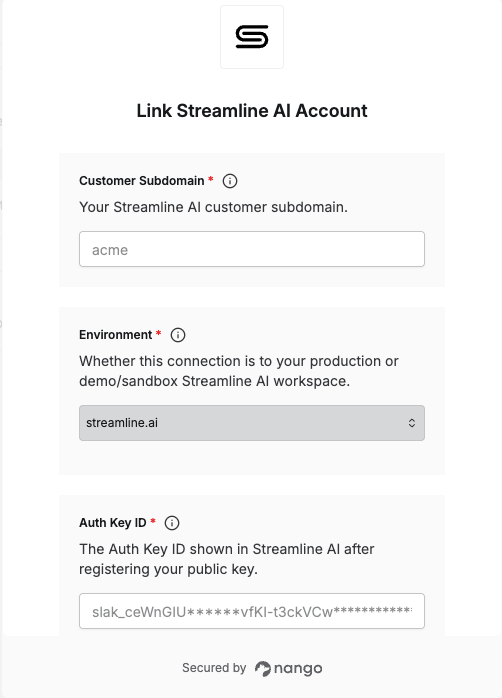
- Enter your Customer Subdomain, Environment, Auth Key ID and Private Key in their respective fields.
- Submit the form, and you should be successfully authenticated.