Overview
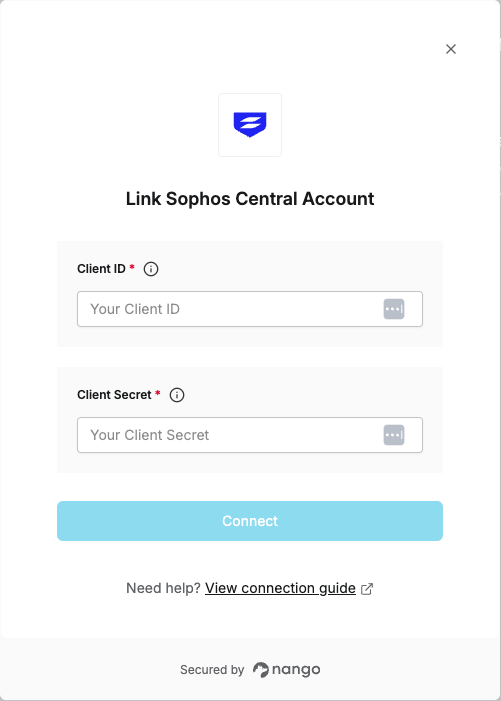
To authenticate with Sophos Central, you will need:- Client ID - The Client ID from your API credentials in Sophos Central.
- Client Secret - The Client Secret associated with your API credentials.
Prerequisites:
- You must have admin access to your Sophos Central account.
Instructions:
Step 1: Generate Client Credentials
- Sign in to Sophos Central Admin.
- Click Global Settings and then click the API Credentials link.
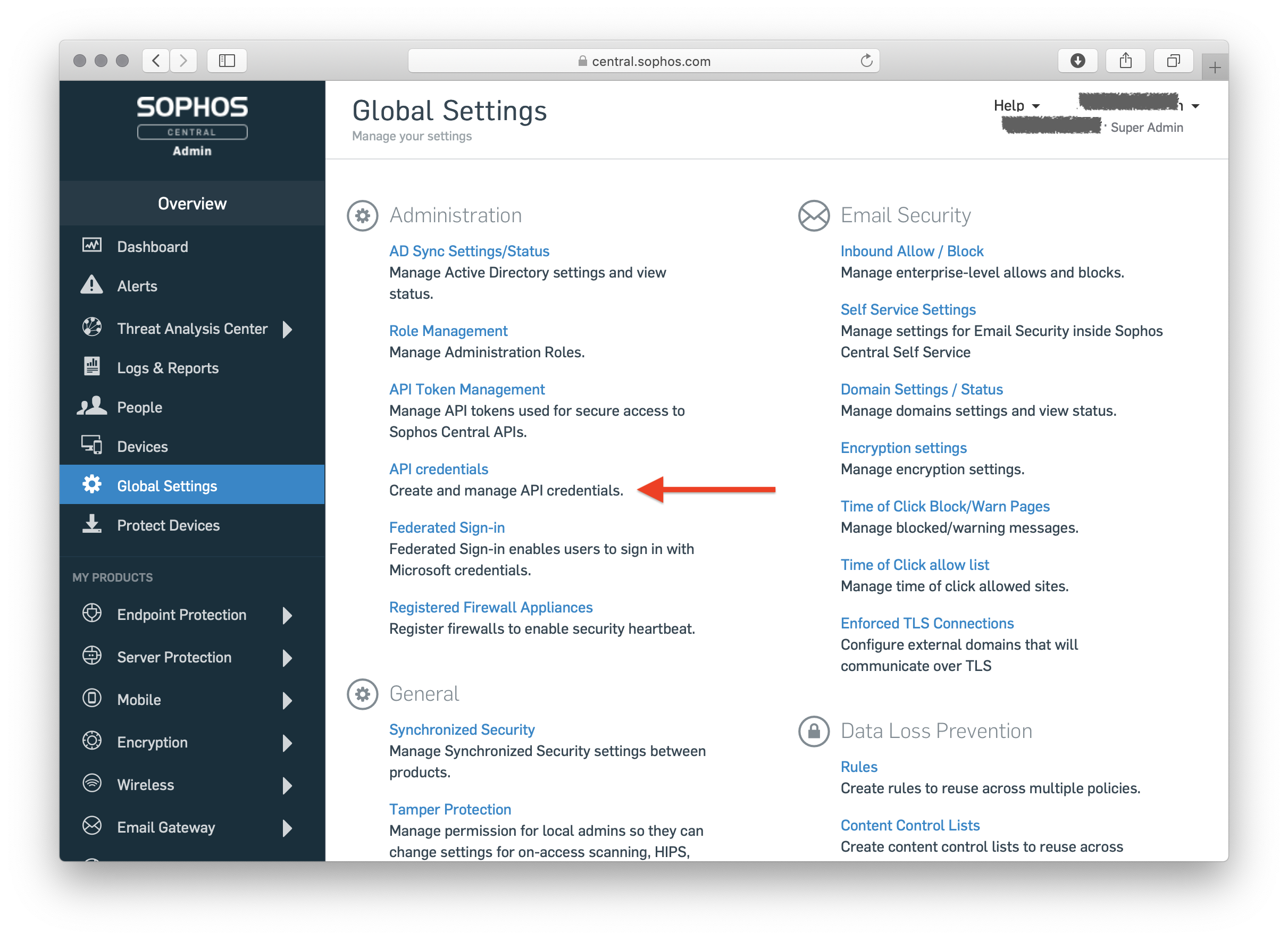
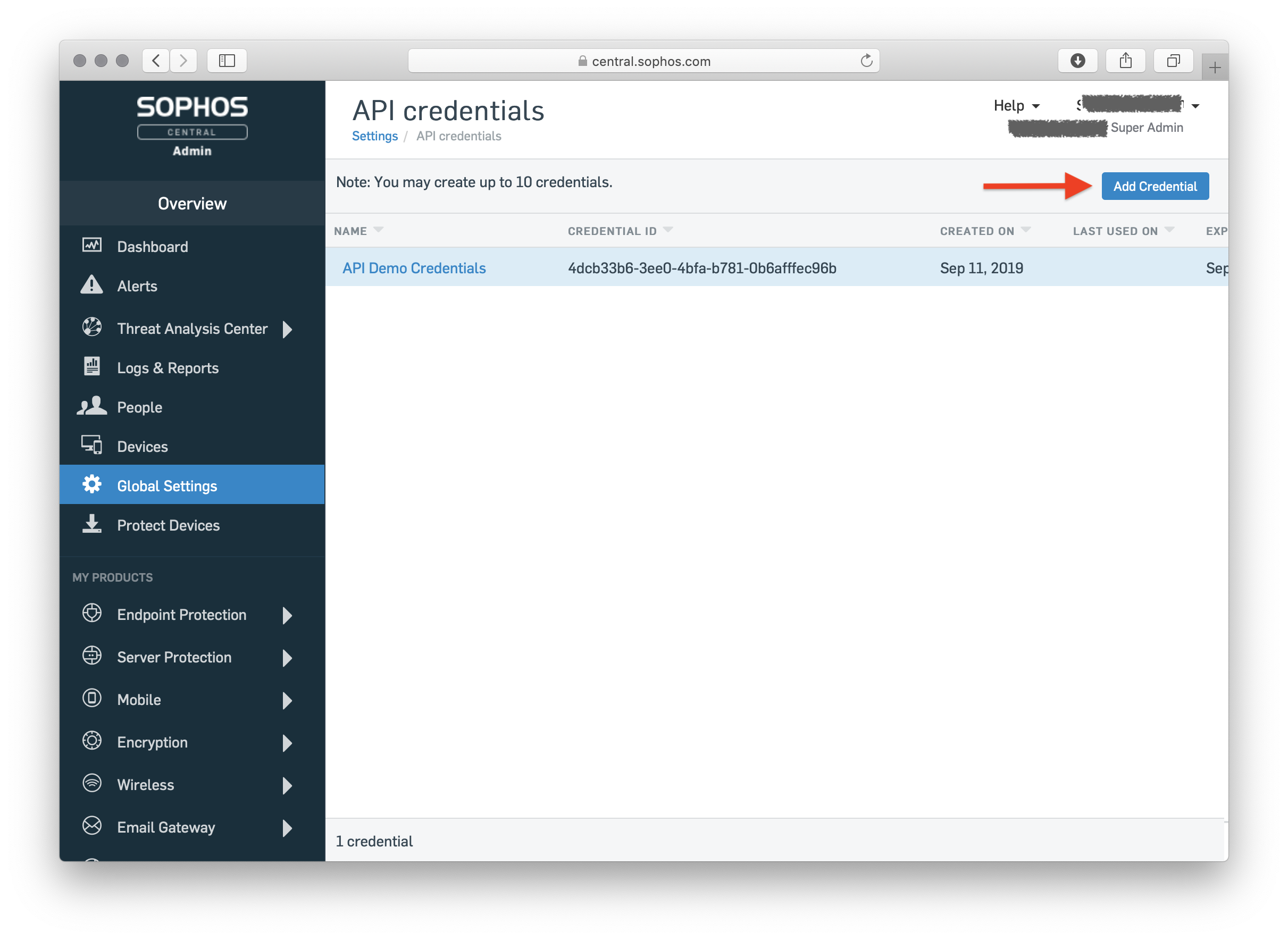
- Click Add Credential to create a new set of credentials.
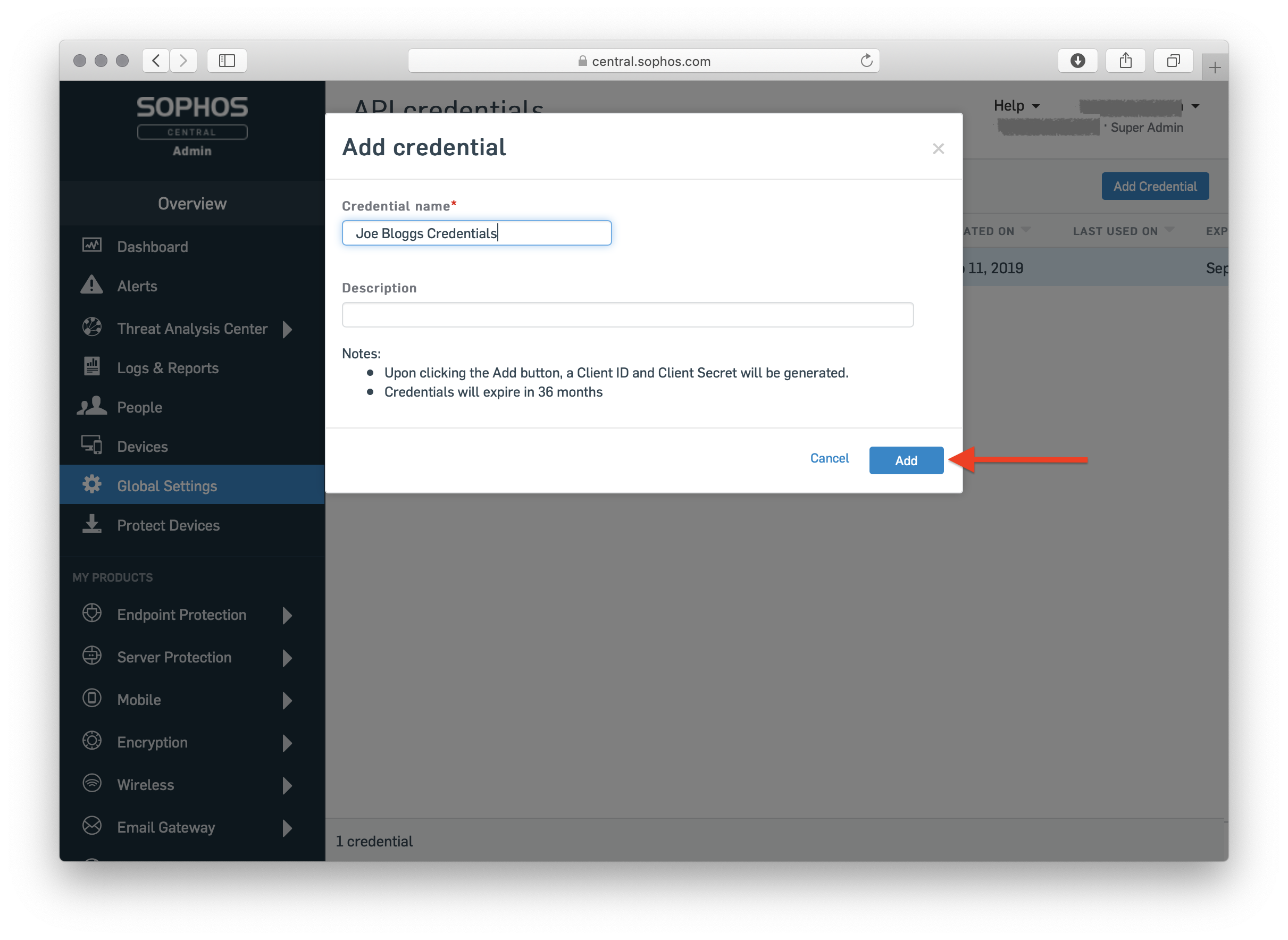
- Supply a name for your credential set and a description, then click Add.
- Click Copy to note down the Client ID.
- Click Show Client Secret to reveal the Client Secret, then click Copy to note it down.

Step 2: Enter credentials in the Connect UI
Once you have your Client ID and Client Secret:- Open the form where you need to authenticate with Sophos Central.
- Enter your Client ID and Client Secret in their respective fields.
- Submit the form, and you should be successfully authenticated.