Overview
To authenticate with Shorten.REST, you need:- API Key — an API key from your Shorten.REST account.
Prerequisites
- A Shorten.REST account. If you don’t have one, sign up.
Step 1: Copy your API key
- Sign in to Shorten.REST Dash and click API Keys under Settings in the left sidebar. Shorten.REST creates an API key for you when you sign up, so the API key management table already lists one.
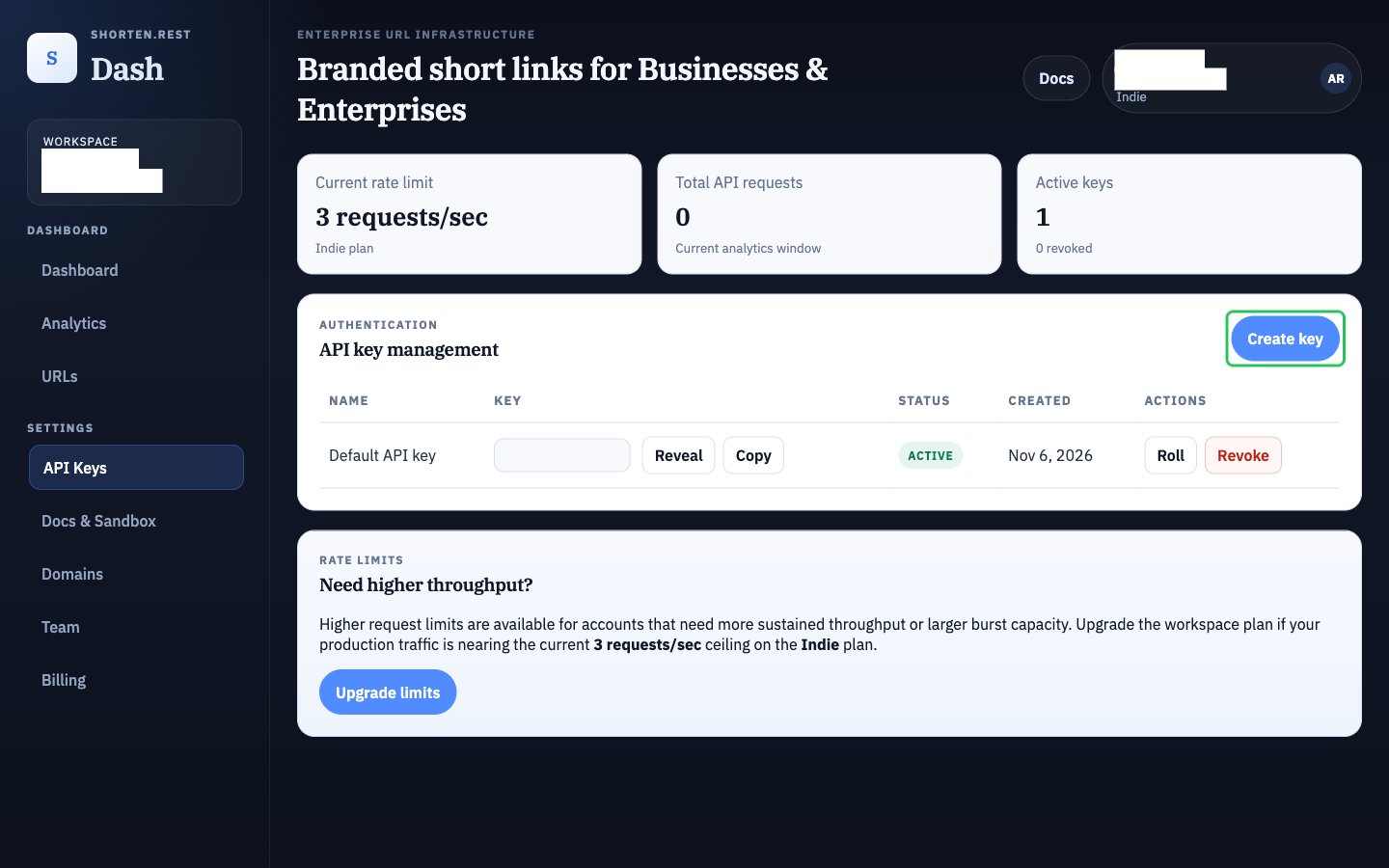
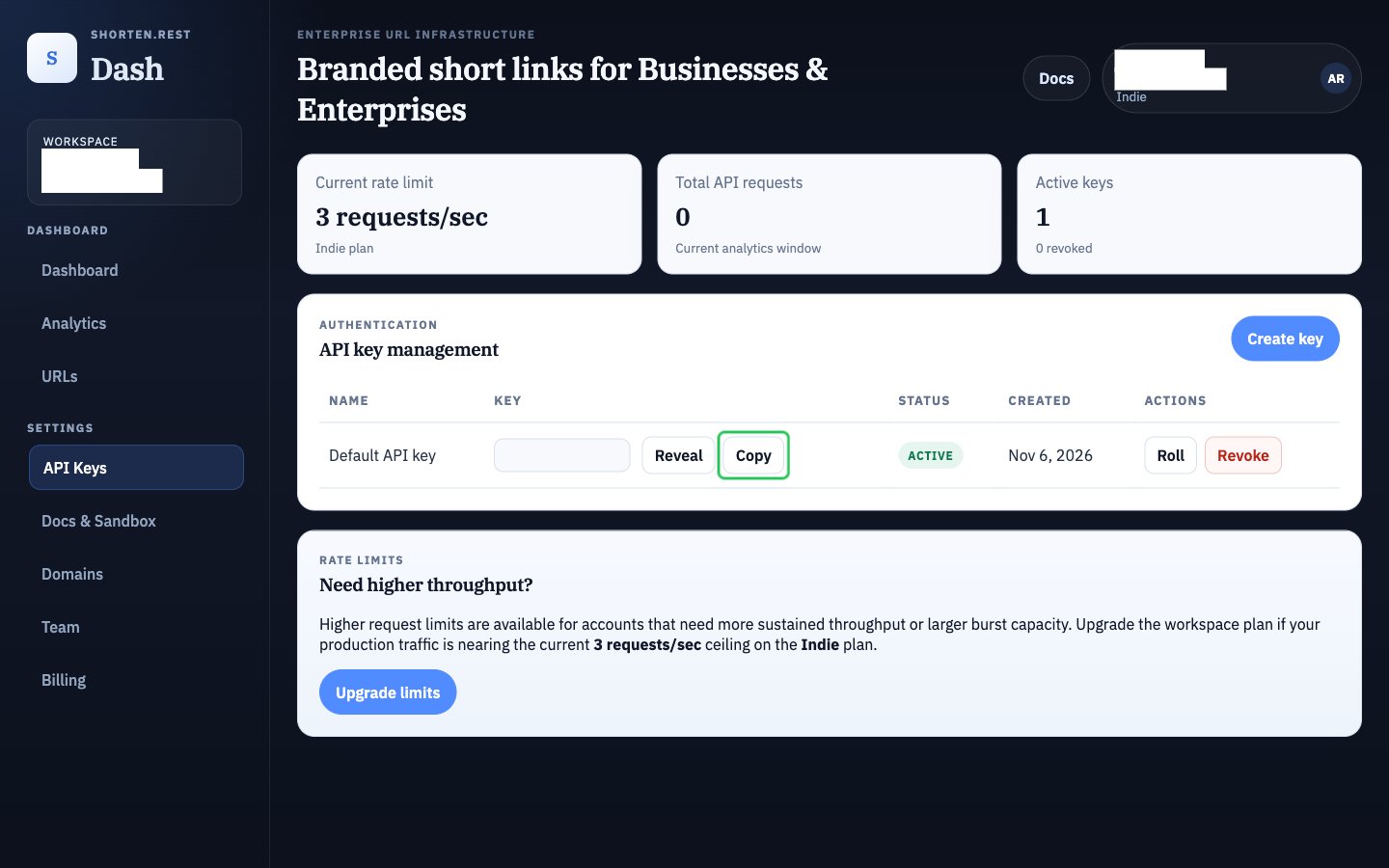
- Click Copy next to the key you want to use.
Step 2: Enter your API key in the Connect UI
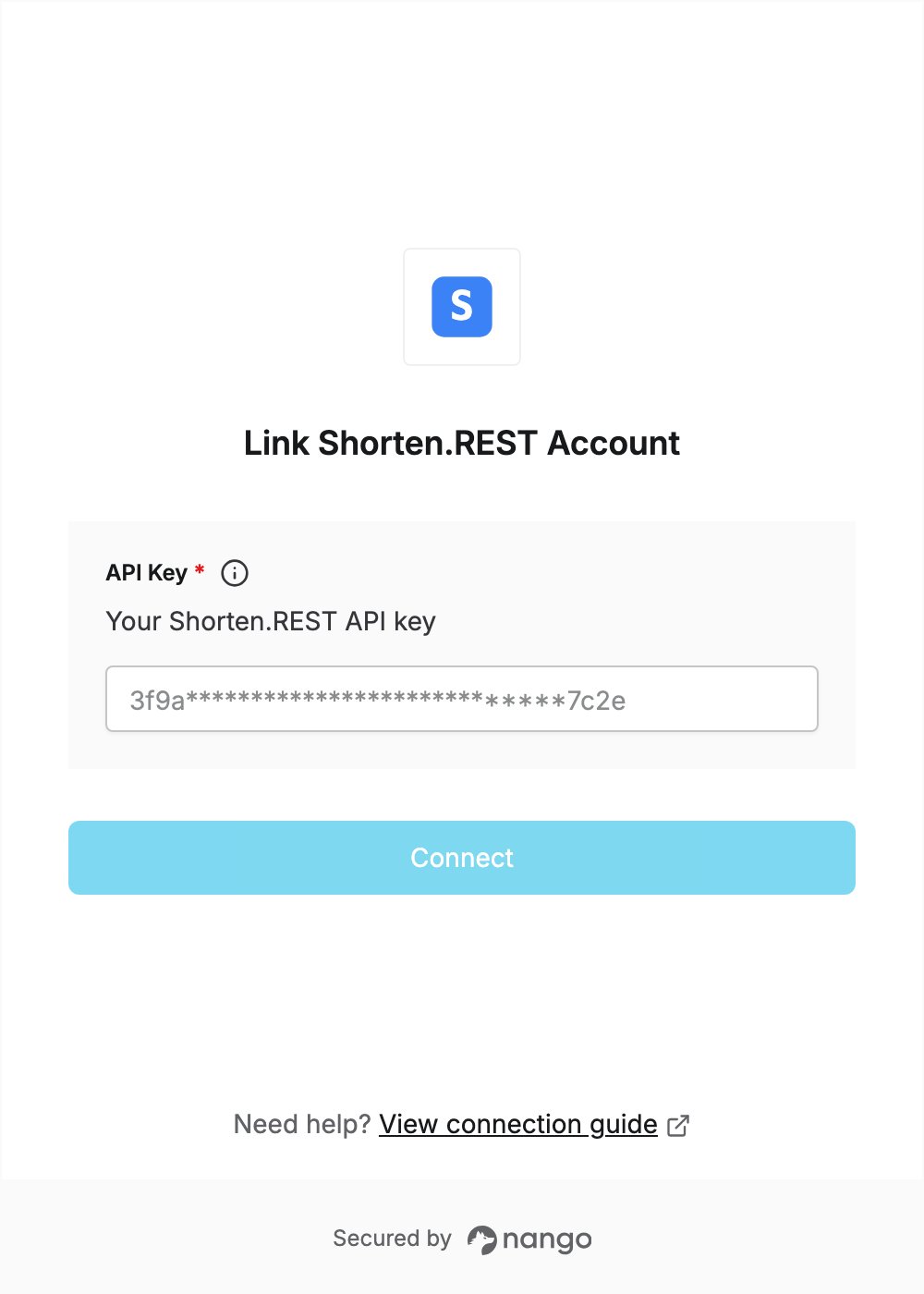
- Open the form where you need to authenticate with Shorten.REST.
- Enter your API key in the API Key field.
- Submit the form, and you should be successfully authenticated.