Overview
To authenticate with Shipday, you need:- API Key — the API key of your Shipday account, from the Shipday Dispatch dashboard.
Prerequisites
- A Shipday account. If you don’t have one, sign up. You can try the full platform free for 14 days with no credit card required.
Step 1: Copy your API key
- Sign in to the Shipday Dispatch dashboard.
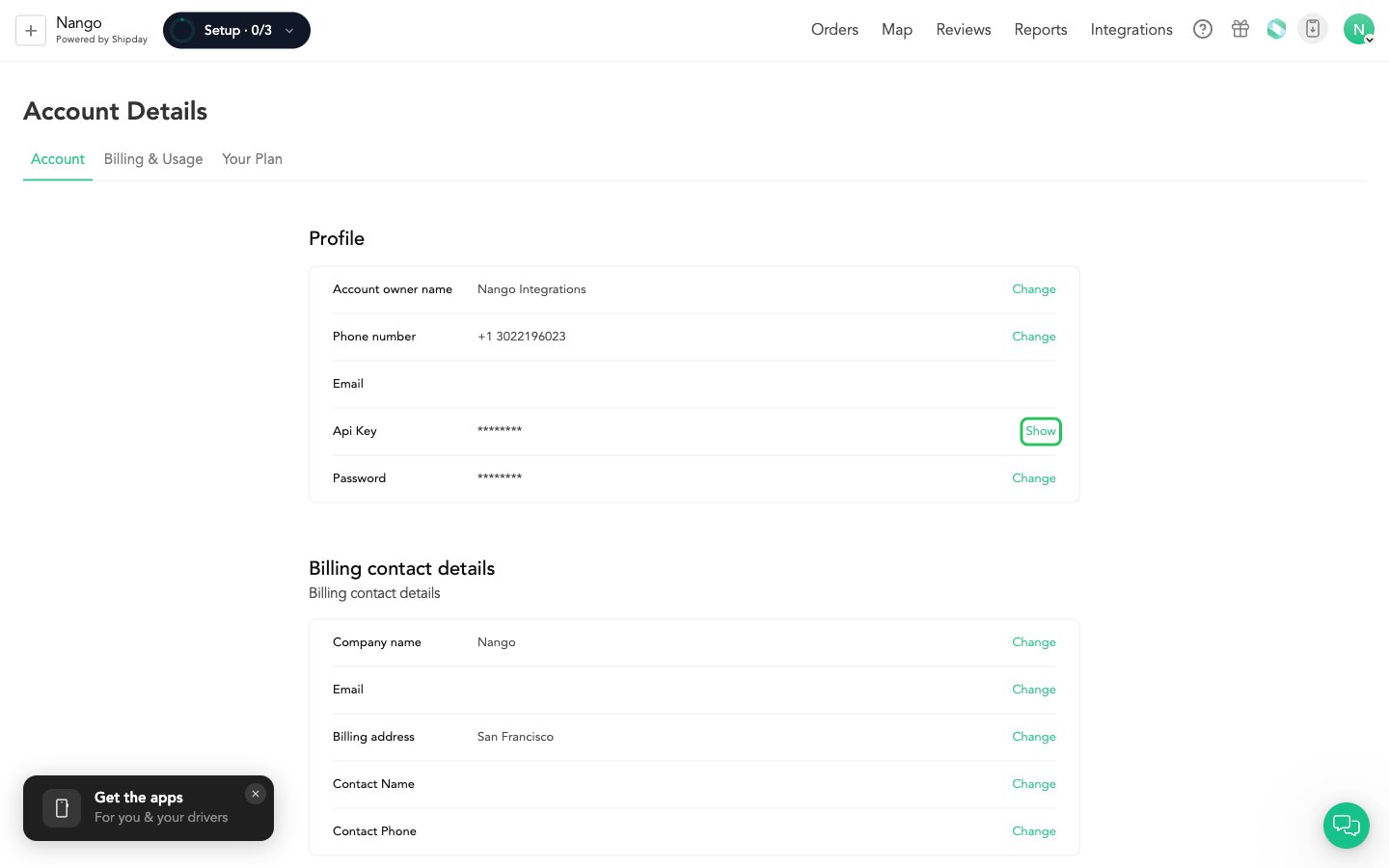
- Open your account menu (your avatar, top right) and choose Account Details, or go straight to Account Info.
- On the Account tab, find the Api Key row in the Profile section and click Show. Shipday may ask for your account password first.
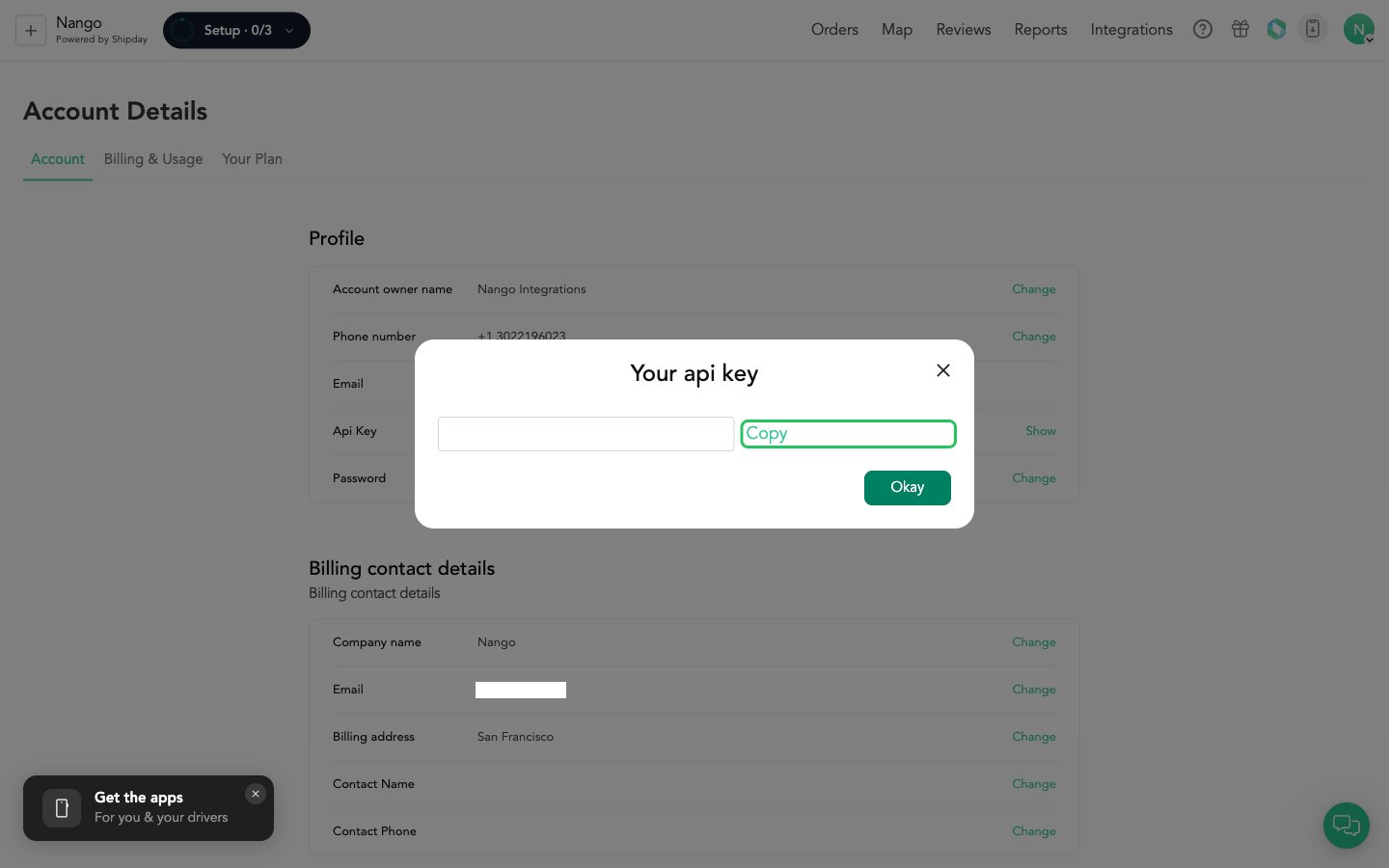
- In the Your api key dialog, click Copy to copy the key.
Step 2: Enter your API key in the Connect UI
- Open the form where you need to authenticate with Shipday.
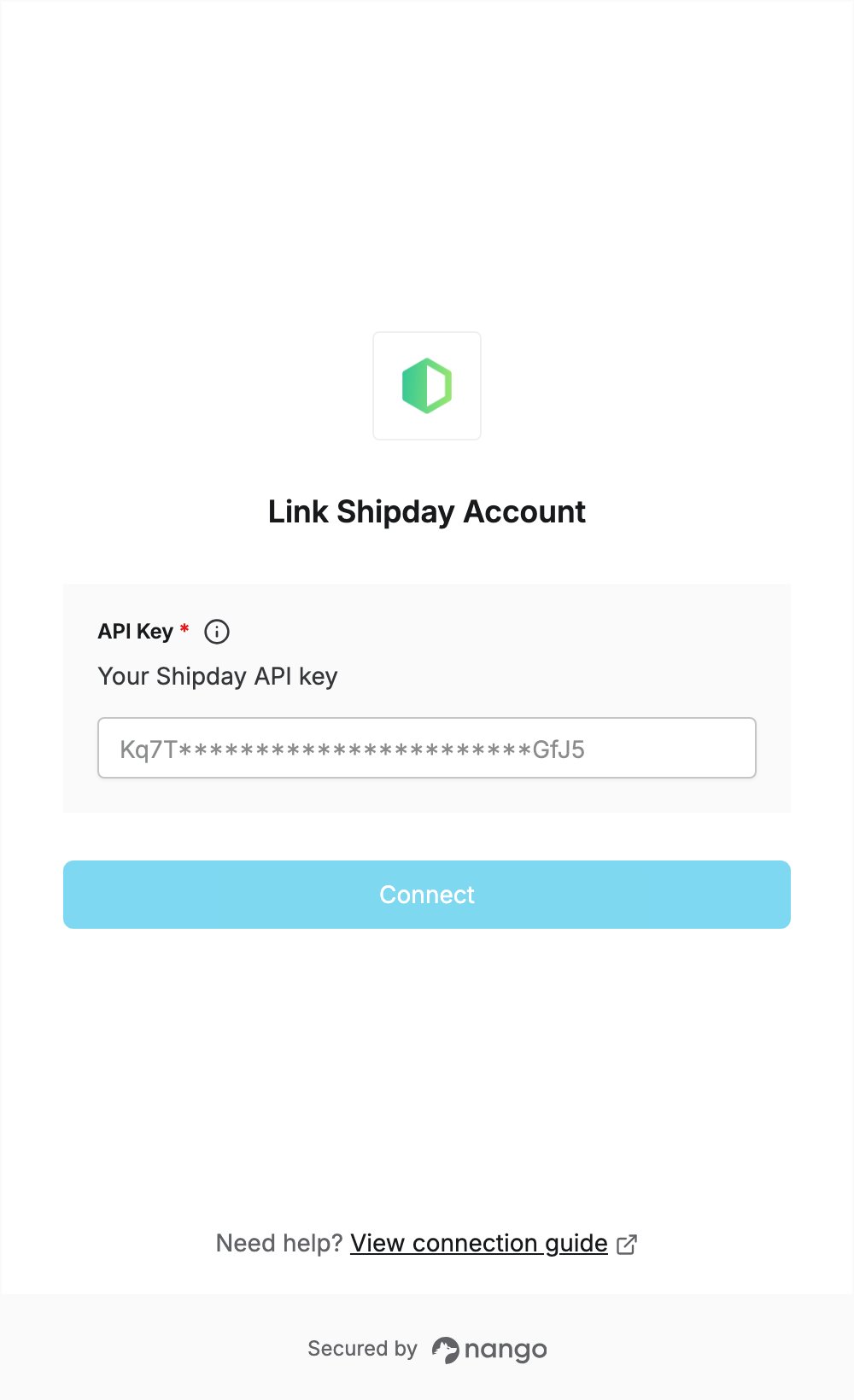
- Enter your API key in the API Key field.
- Submit the form, and you should be successfully authenticated.