Overview
To authenticate with Seamless.AI, you need:- API Key - A Seamless.AI API key that lets Nango call the Seamless.AI API on behalf of your organization.
Prerequisites
- A Seamless.AI account with Public API access. The API settings page appears only if your account has Public API access.
Step 1: Create an API key
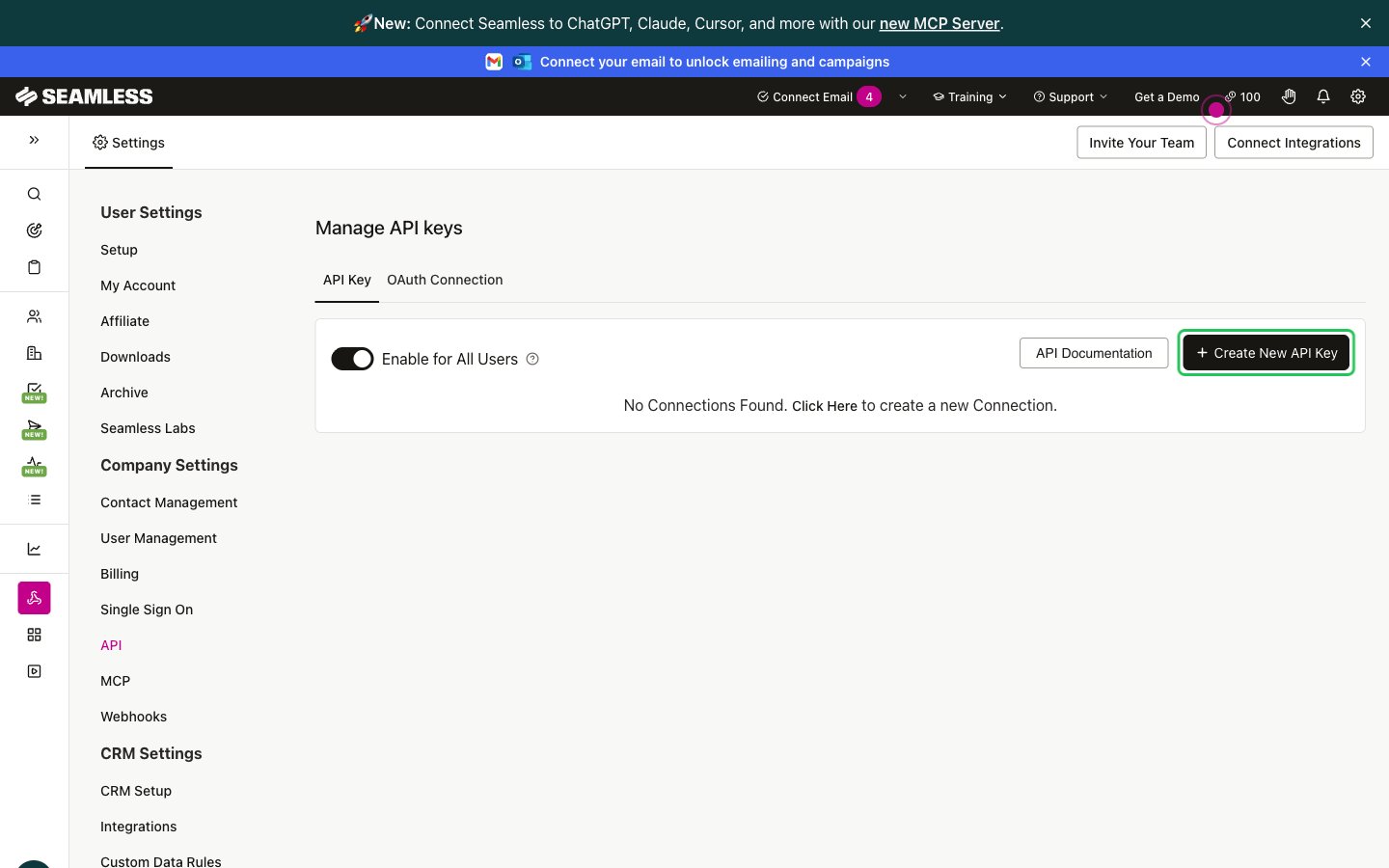
- Sign in to Seamless.AI and go to Settings -> API (under Company Settings).
- Stay on the API Key tab and click Create New API Key.
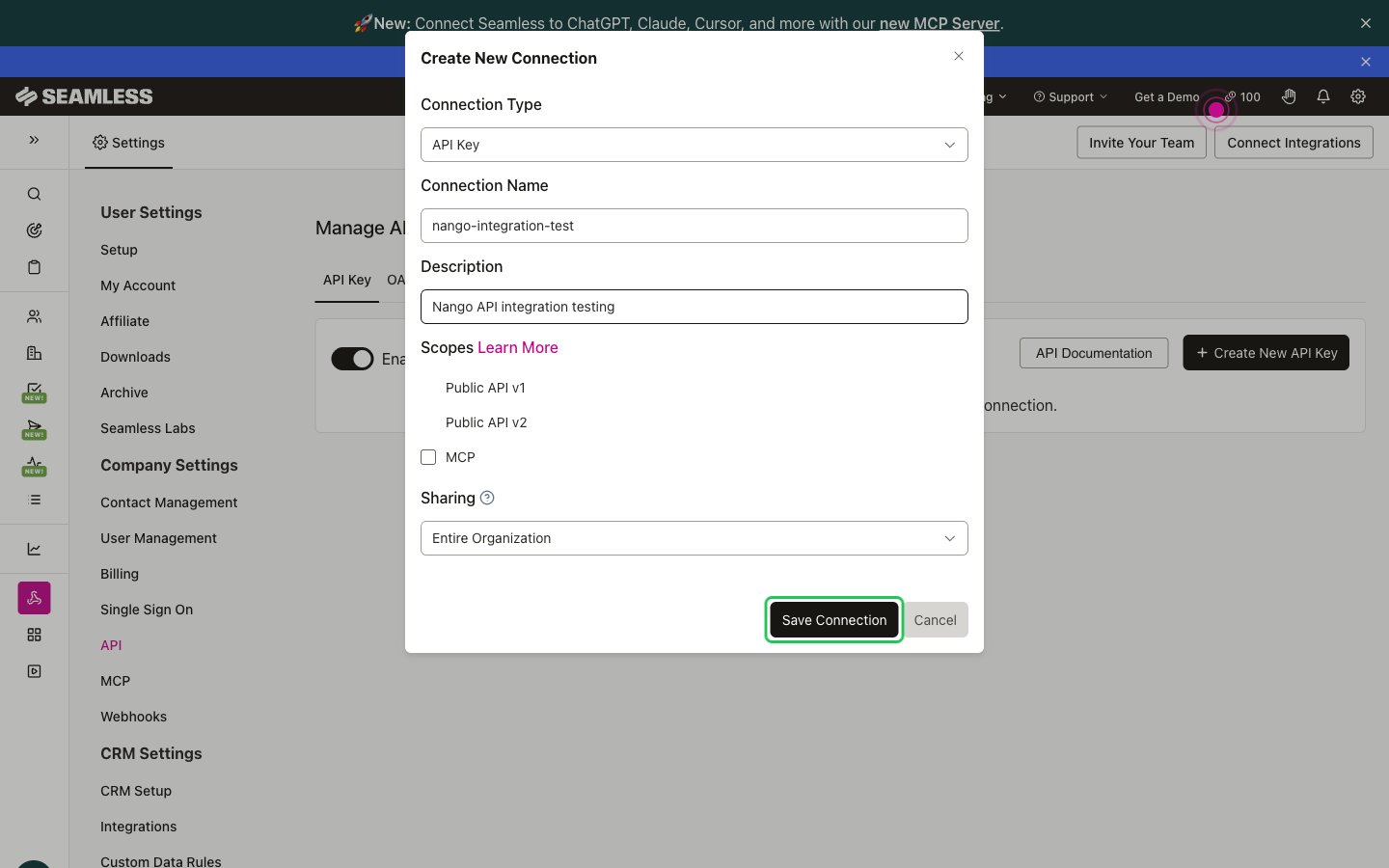
- In Create New Connection, keep the connection type API Key and enter a Connection Name (for example,
nango). Keep the Public API v1 scope checked; check MCP only if you also use the key for the Seamless.AI MCP server. Click Save Connection.
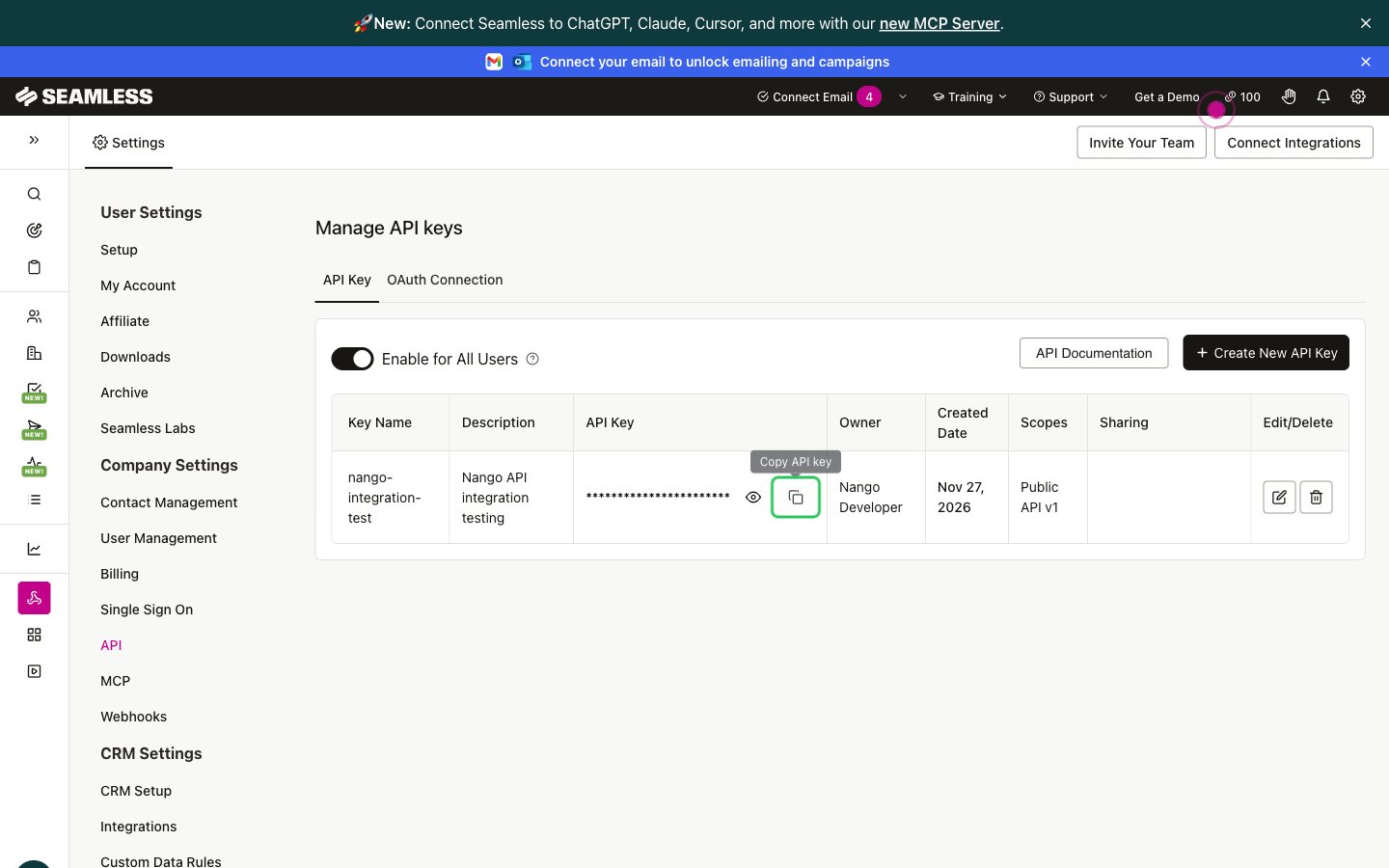
- The new key appears in the Manage API keys table. Click the copy icon in the API Key column to copy it, and store it somewhere safe.
Step 2: Enter your API key in the Connect UI
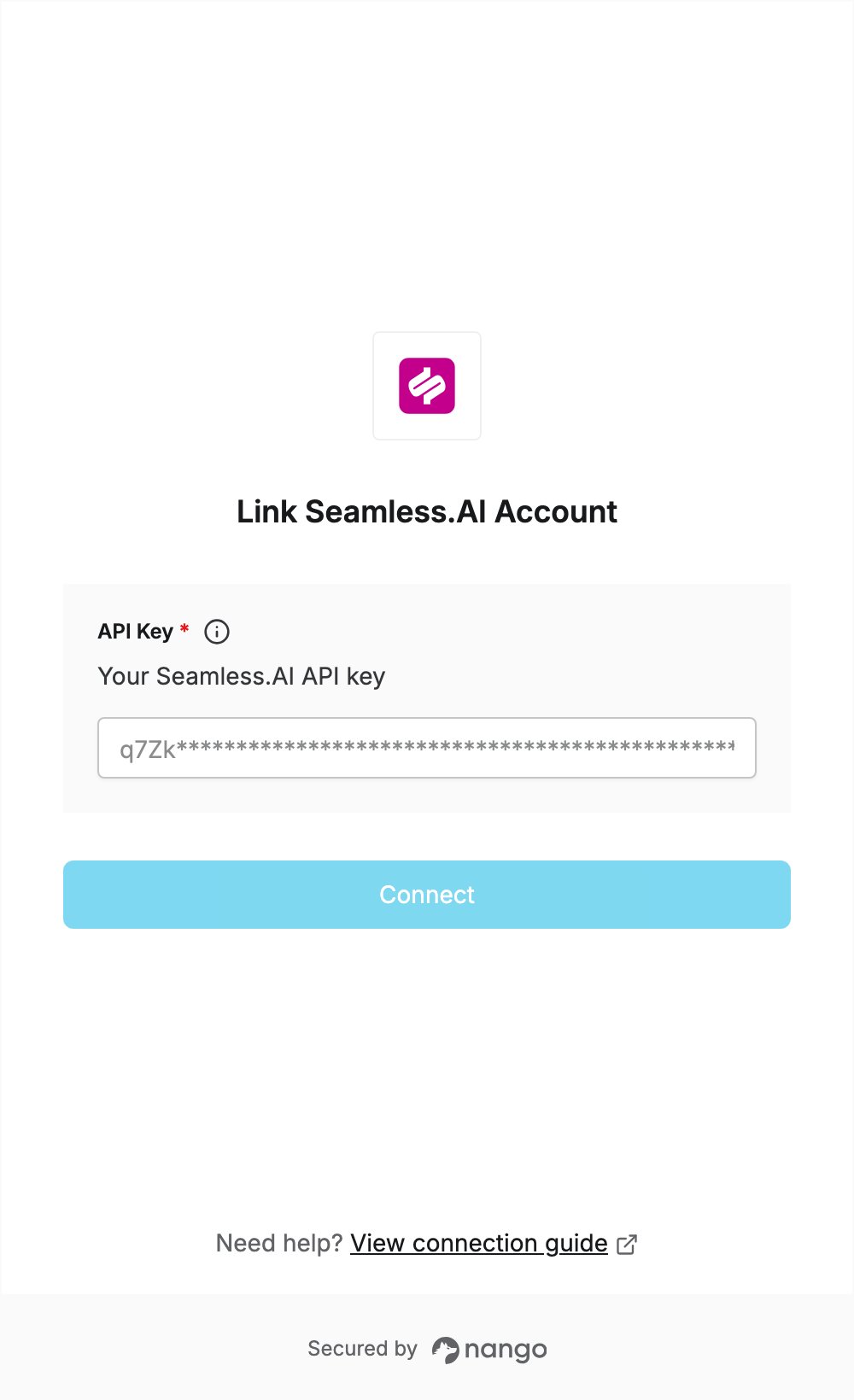
- Open the form where you need to authenticate with Seamless.AI.
- Enter your API Key in the designated field.
- Submit the form, and you should be successfully authenticated.