Overview
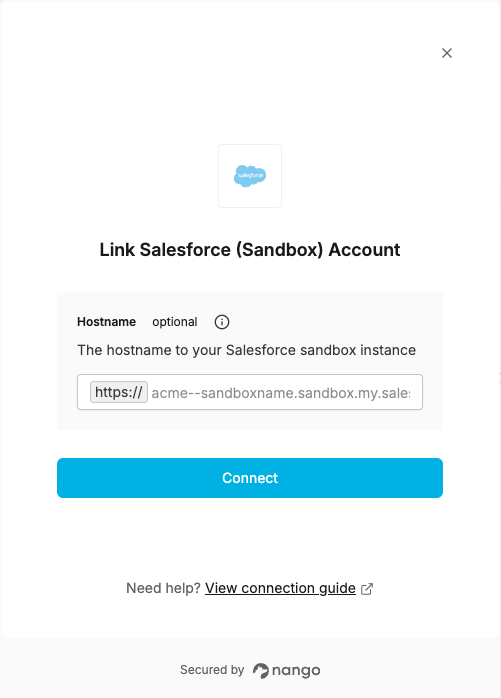
To authenticate with Salesforce Sandbox, you will need:- Hostname (optional) — Your Salesforce sandbox instance hostname.
Prerequisites
- A Salesforce sandbox account
Instructions
Step 1: Finding your Hostname
- Log in to your Salesforce sandbox account.
- Once logged in, click on your profile to view your hostname (e.g.
acme--sandboxname.sandbox.my.salesforce.com).
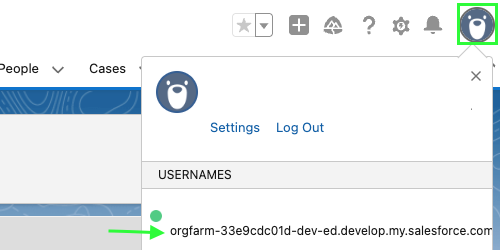
The hostname is optional. If not provided, Nango uses Salesforce’s default sandbox login endpoint (
test.salesforce.com).Step 2: Enter credentials in the Connect UI
Once you have your Hostname (optional):- Open the form where you need to authenticate with Salesforce Sandbox.
- Enter your Hostname in the respective field, or leave it blank to use the default sandbox login endpoint.
- Submit the form, and you should be successfully authenticated.