Overview
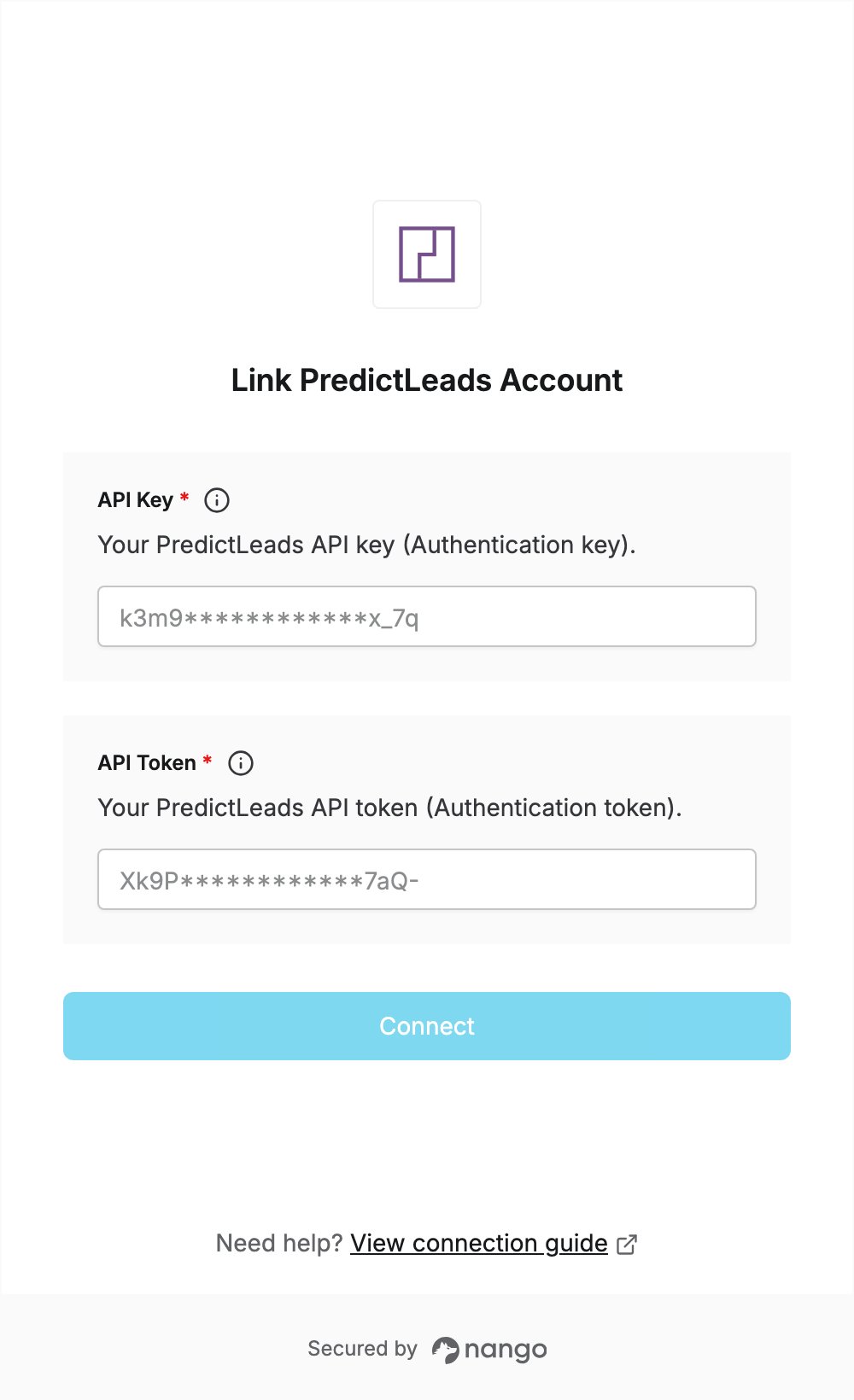
To authenticate with PredictLeads, you need:- API Key - the Authentication key of your PredictLeads API subscription.
- API Token - the Authentication token of your PredictLeads API subscription.
Prerequisites
- A PredictLeads account. If you don’t have one, sign up and confirm your email address: the free plan includes up to 100 API calls per month.
Step 1: Copy your API key and API token
- Sign in to PredictLeads.
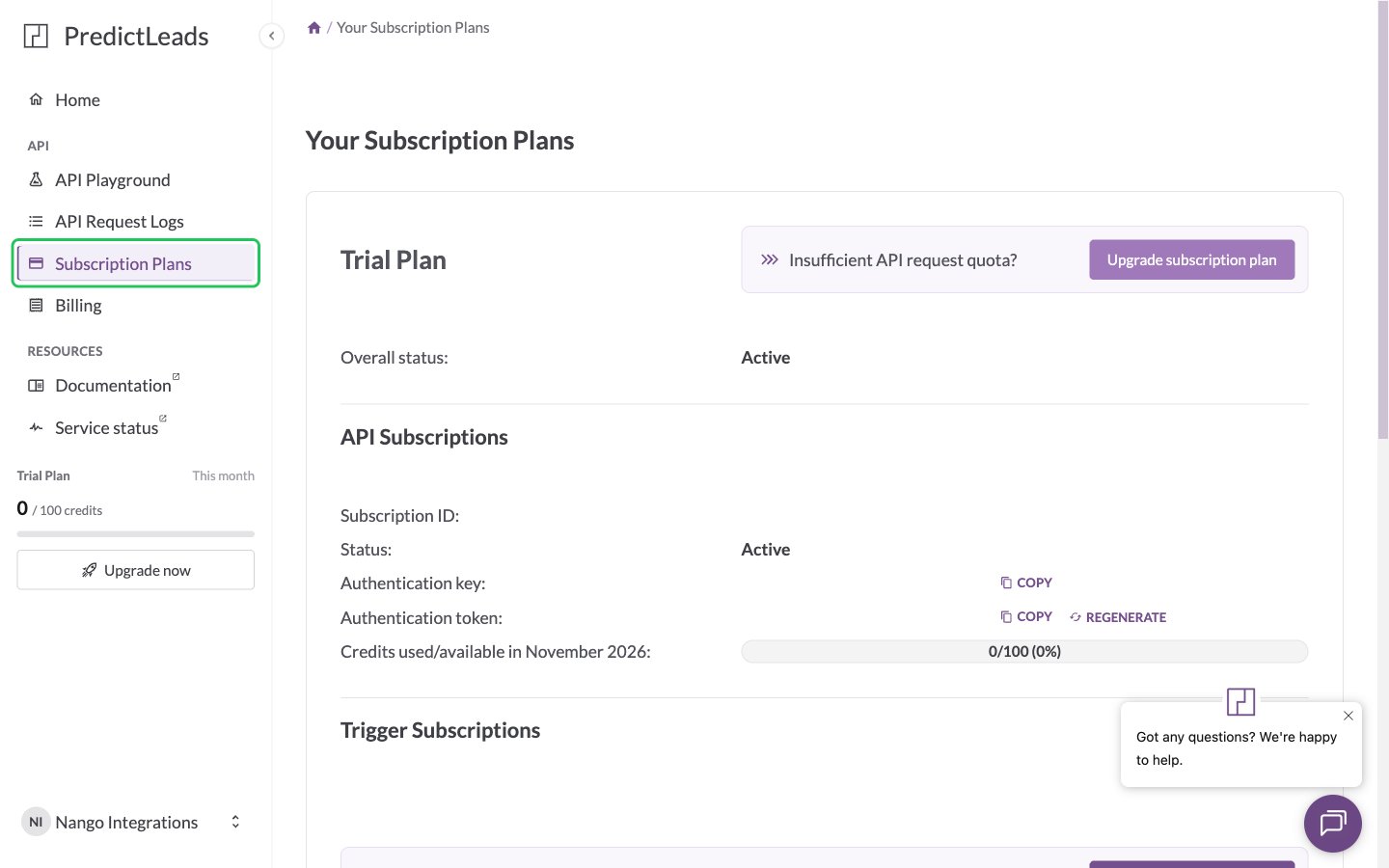
- In the sidebar, click Subscription Plans.
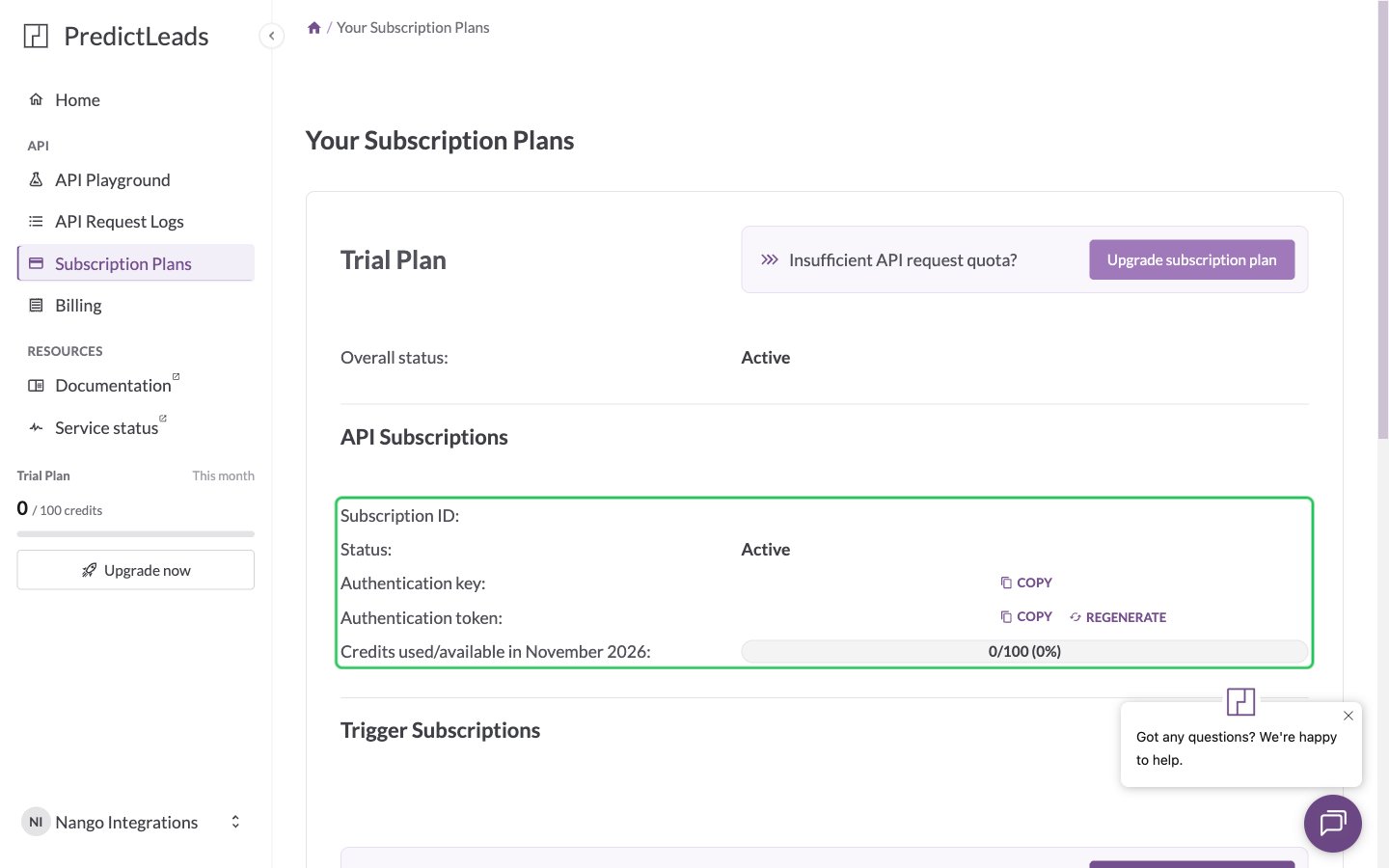
- In the API Subscriptions section, click Copy next to Authentication key. This is your API key.
- Click Copy next to Authentication token. This is your API token. Do not click Regenerate, which replaces the token.
Step 2: Enter your credentials in the Connect UI
- Open the form where you need to authenticate with PredictLeads.
- Paste the Authentication key in the API Key field.
- Paste the Authentication token in the API Token field.
- Submit the form, and you should be successfully authenticated.