Overview
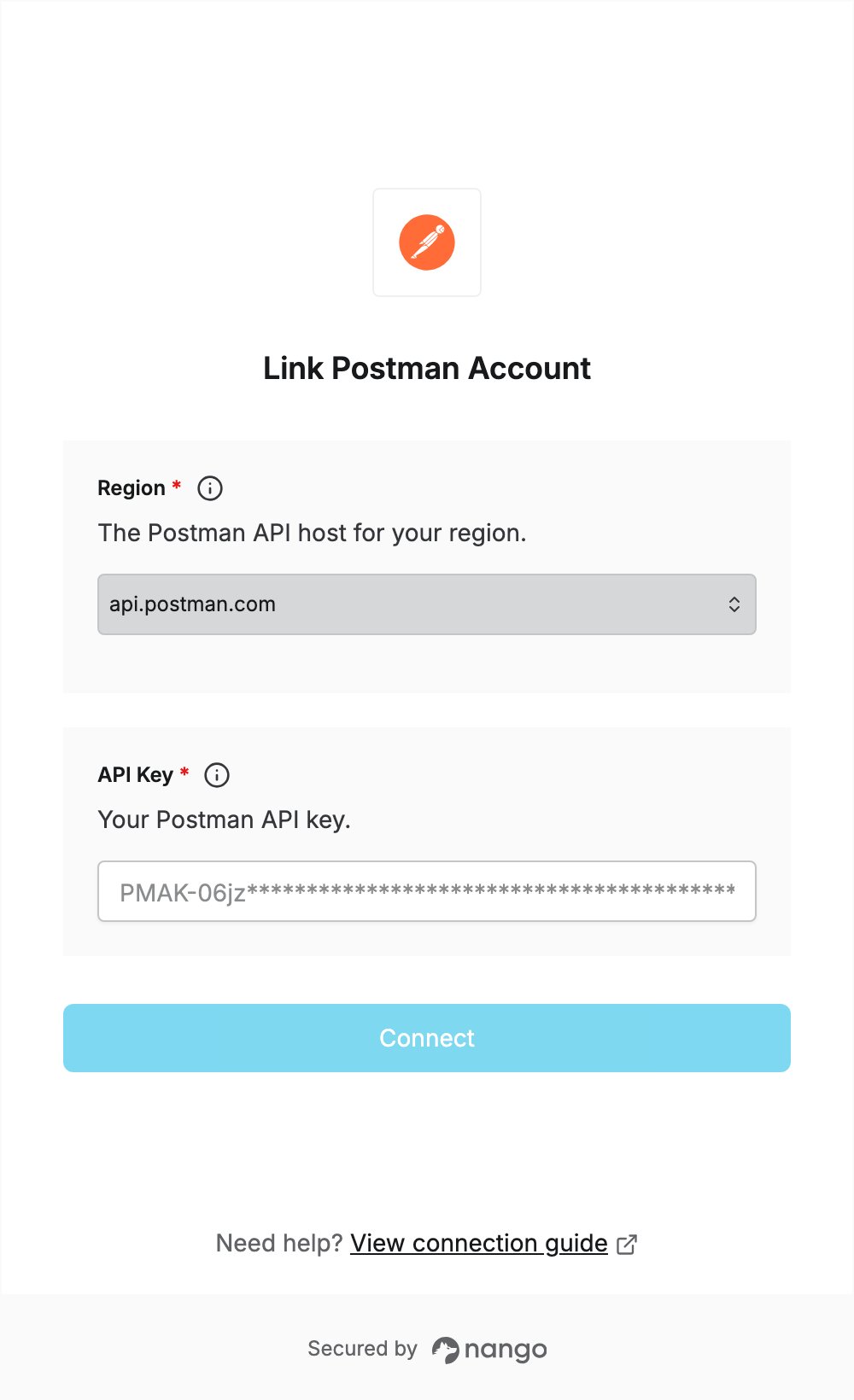
To authenticate with Postman, you need:- Region — the Postman API host your account uses.
- API Key — a Postman API key.
Prerequisites
- A Postman account. You can sign up for free at identity.getpostman.com.
Step 1: Choose your region
Select the Postman API host for your account in the Region field:
Postman uses
api.eu.postman.com for users in the EU with Enterprise plans. Everyone else uses api.postman.com.
Step 2: Generate an API key
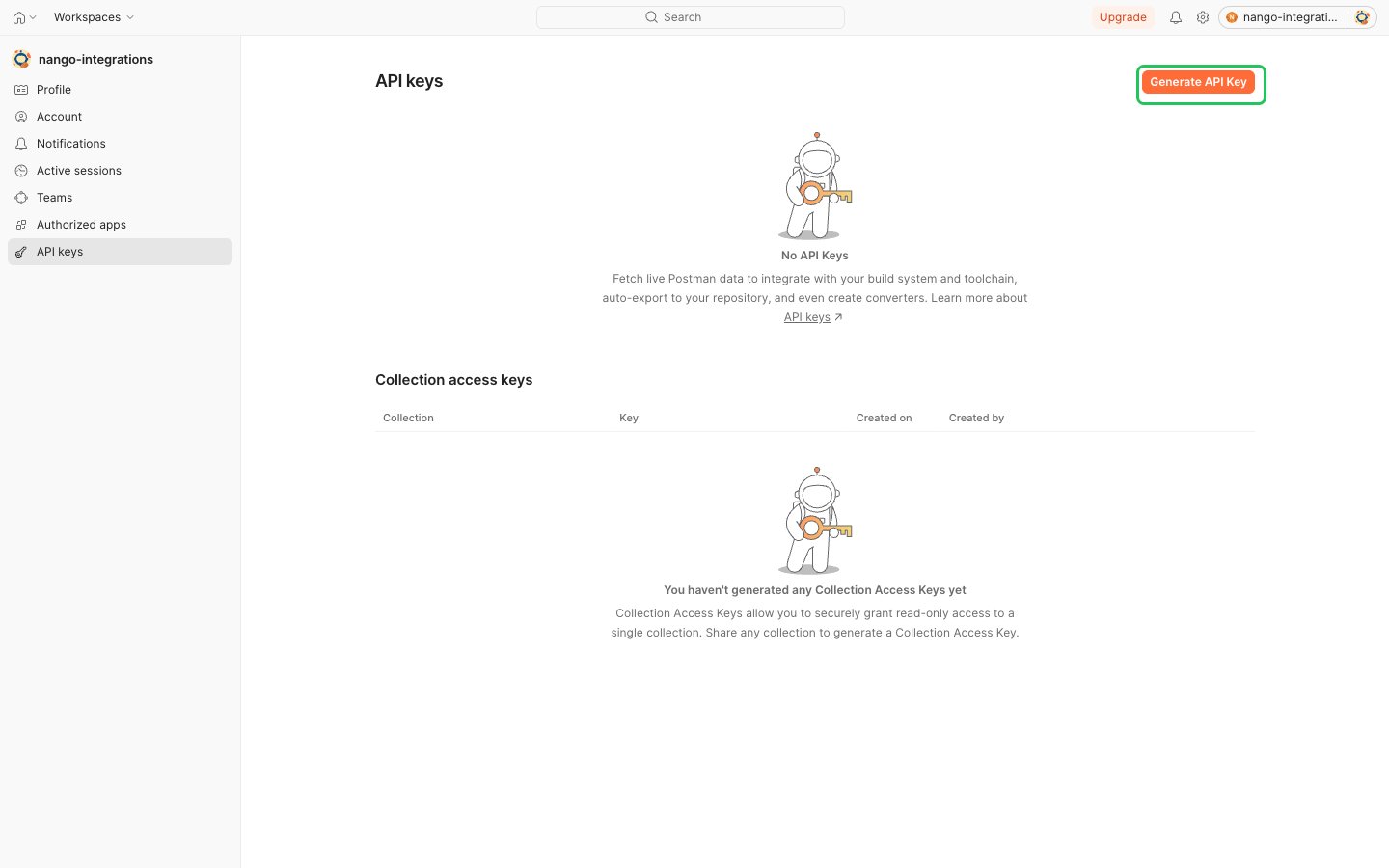
- Sign in to Postman. In the top right of the Postman header, click Settings > Account settings, then click API keys. You can also go straight to the API keys page.
- Click Generate API Key.
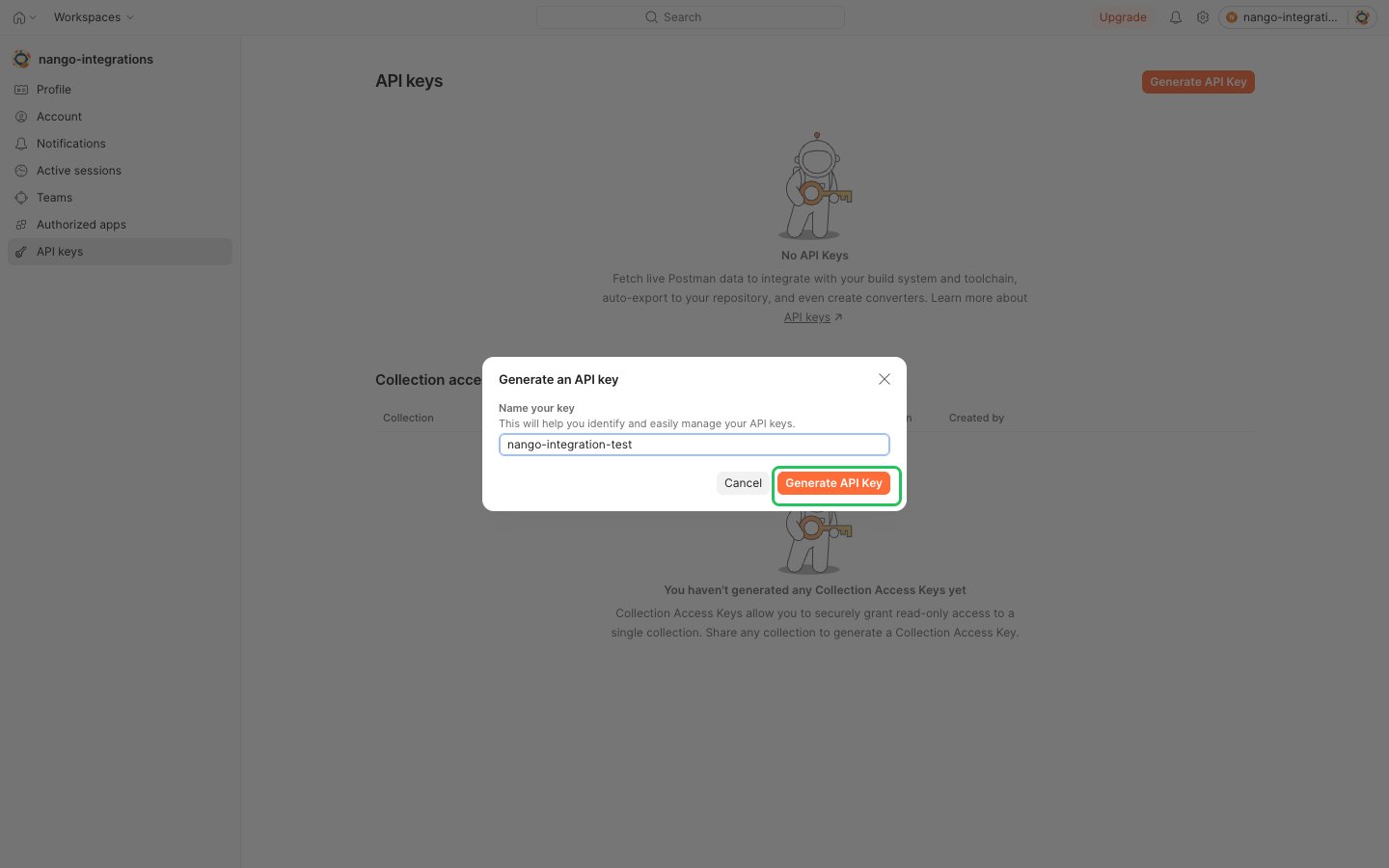
- Enter a name for your key and click Generate API Key.
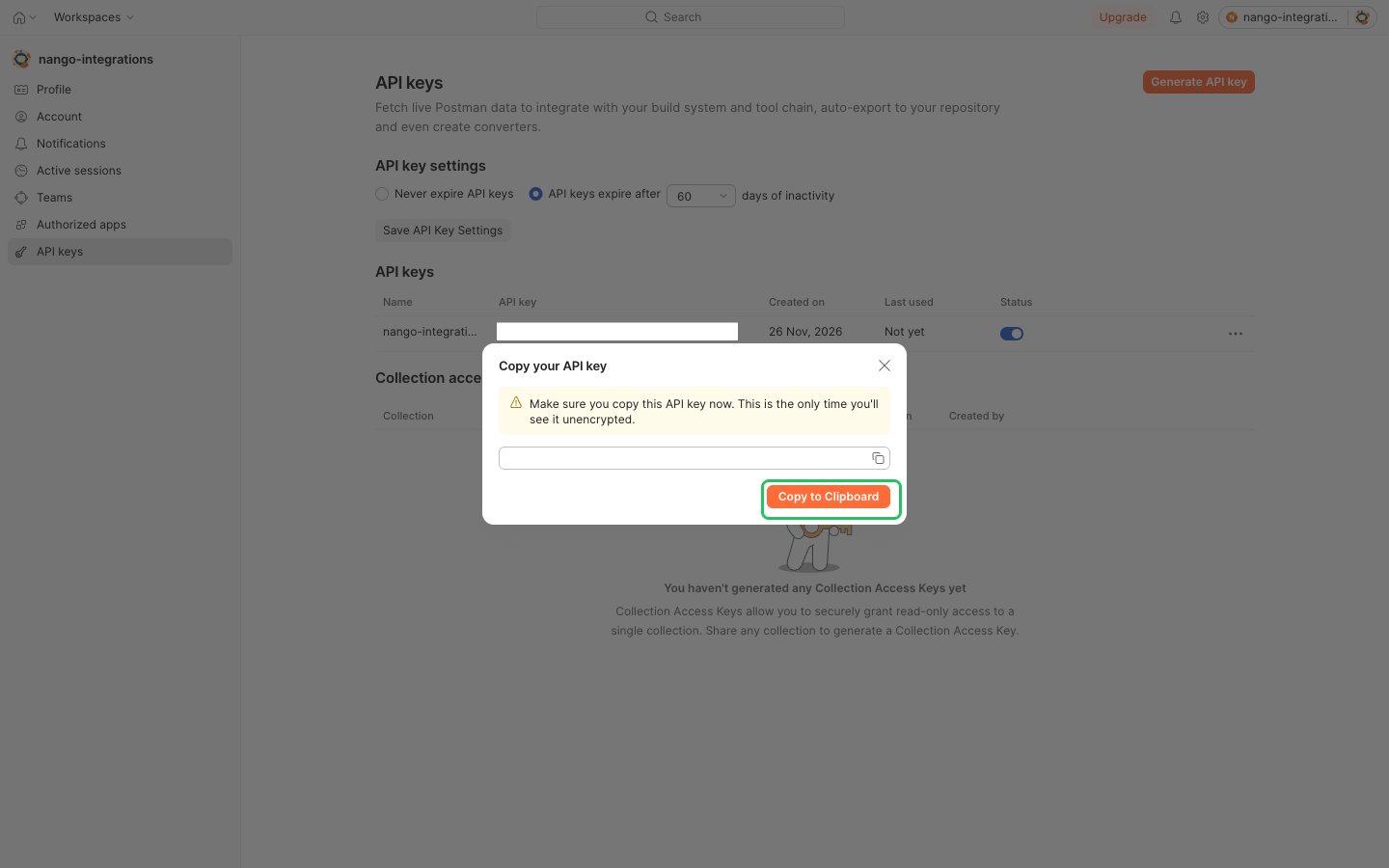
- Click Copy to Clipboard to copy your key. Postman shows the key only once.
Step 3: Enter your credentials in the Connect UI
- Open the form where you need to authenticate with Postman.
- Select your Region, then enter your API Key in the designated field.
- Submit the form, and you should be successfully authenticated.