

Overview
To authenticate with Perdoo, you will need:- API Token - A 64-character hexadecimal key that grants secure access to the Perdoo API, enabling authorized applications to interact with your OKRs, KPIs, and organizational data.
Prerequisites:
- You must have an active Perdoo account
- Access to Personal Settings in Perdoo
Instructions:
Step 1: Generating Your API Token
- Log in to your Perdoo account at https://web.perdoo.com
- Click on your profile icon in the top right corner
- Select Personal Settings from the dropdown menu
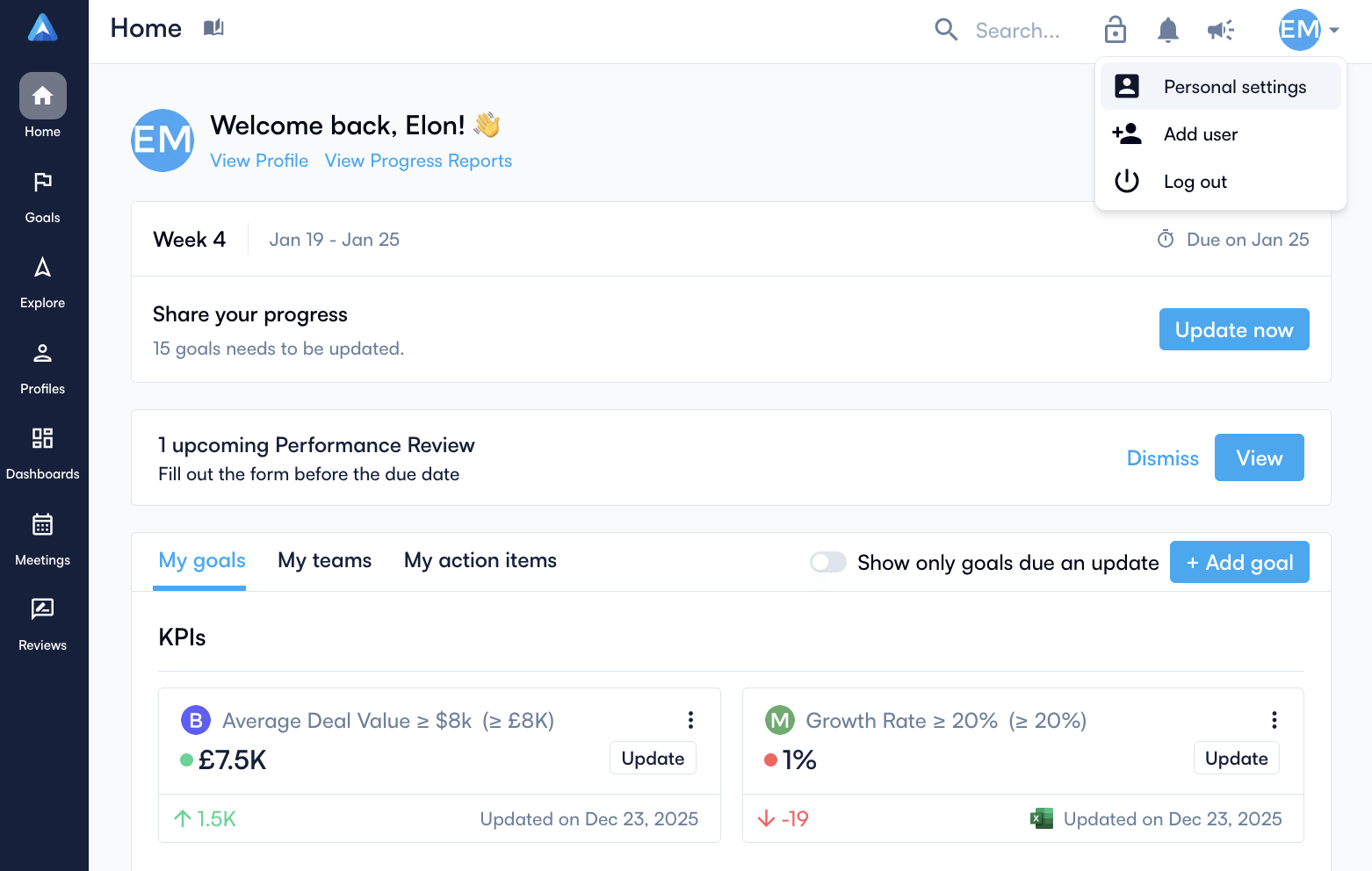
- Click on the API Tokens tab
- Give your token a descriptive name (e.g., “Nango Integration”)
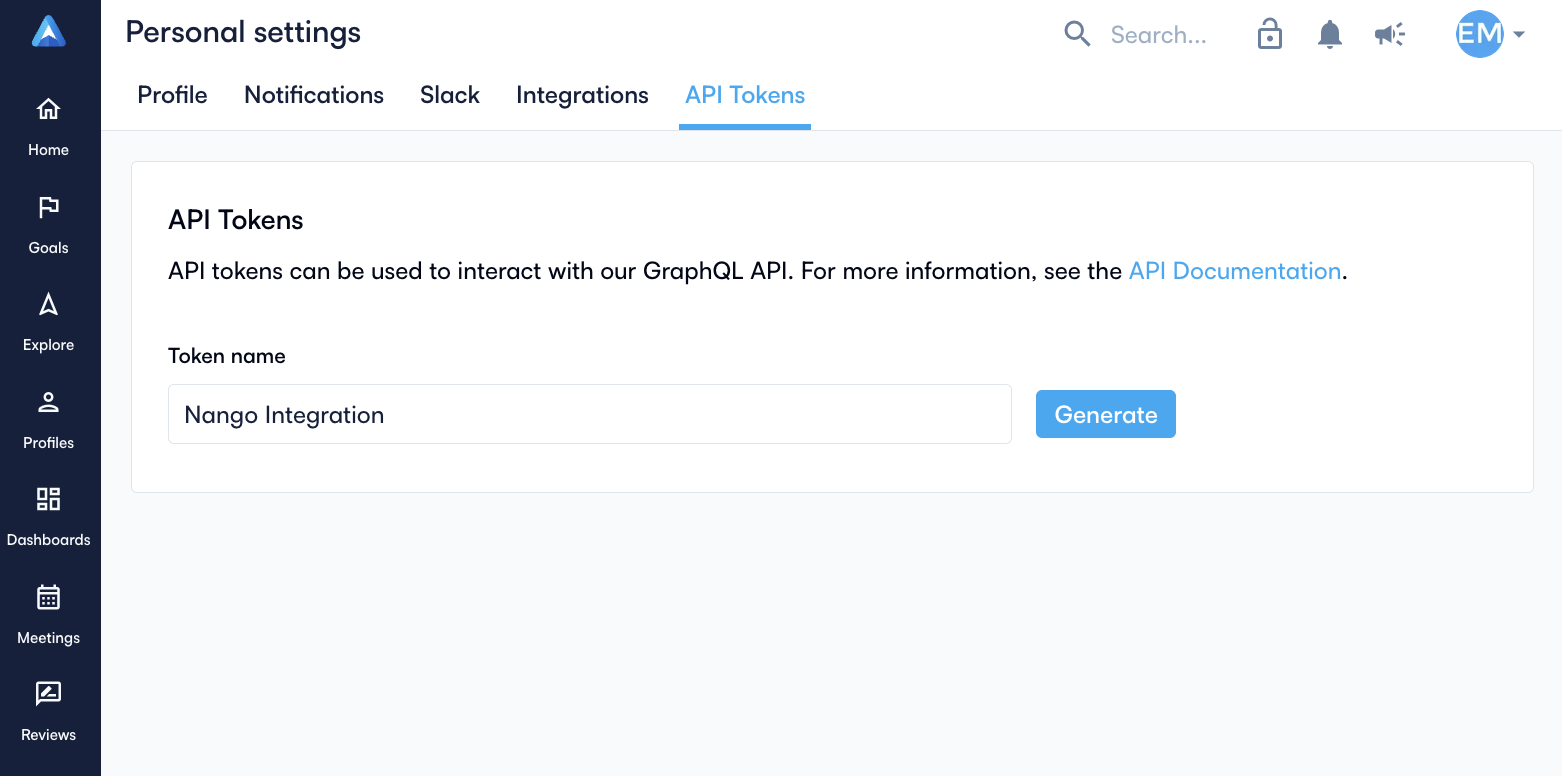
- Click Generate
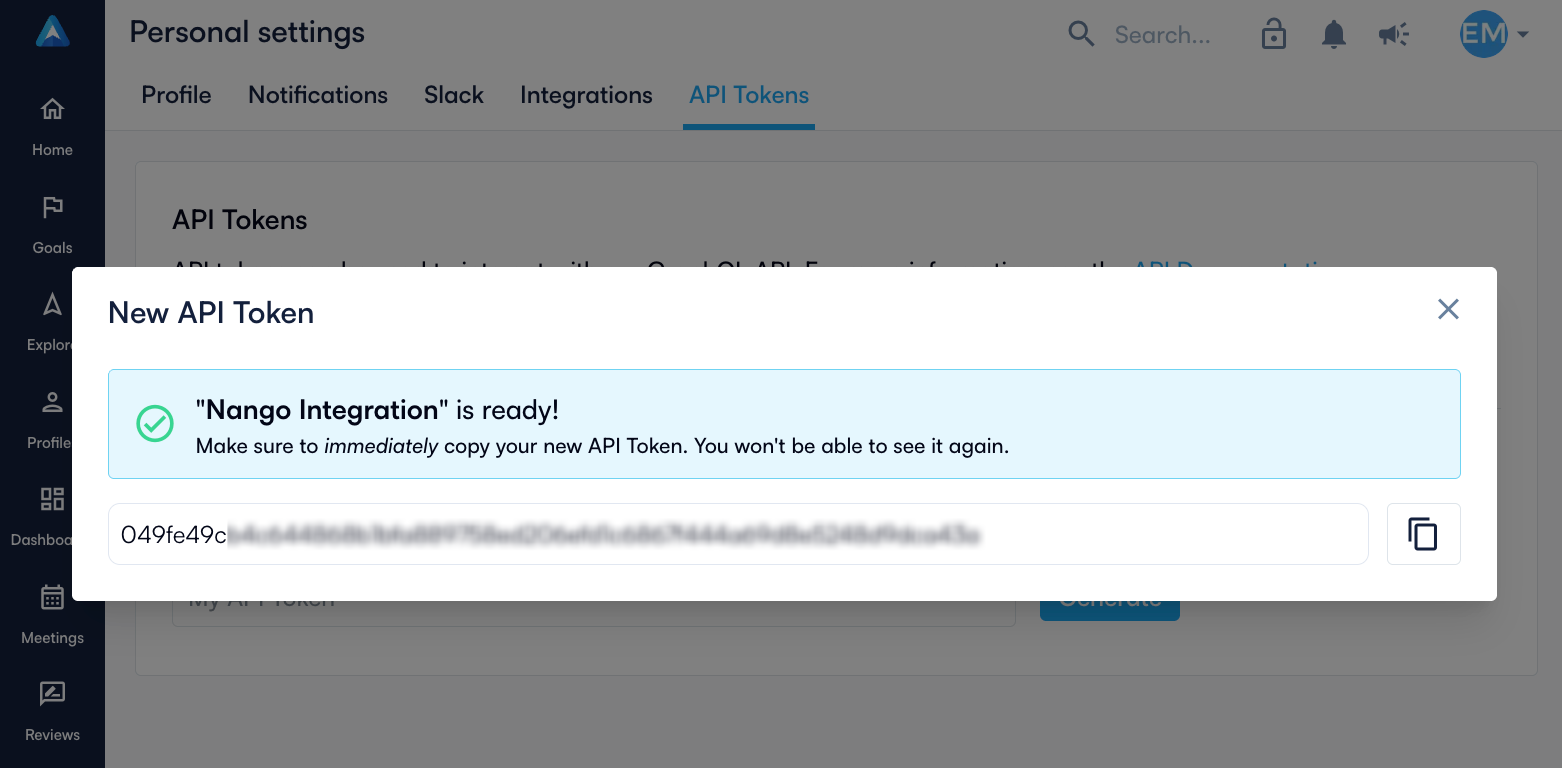
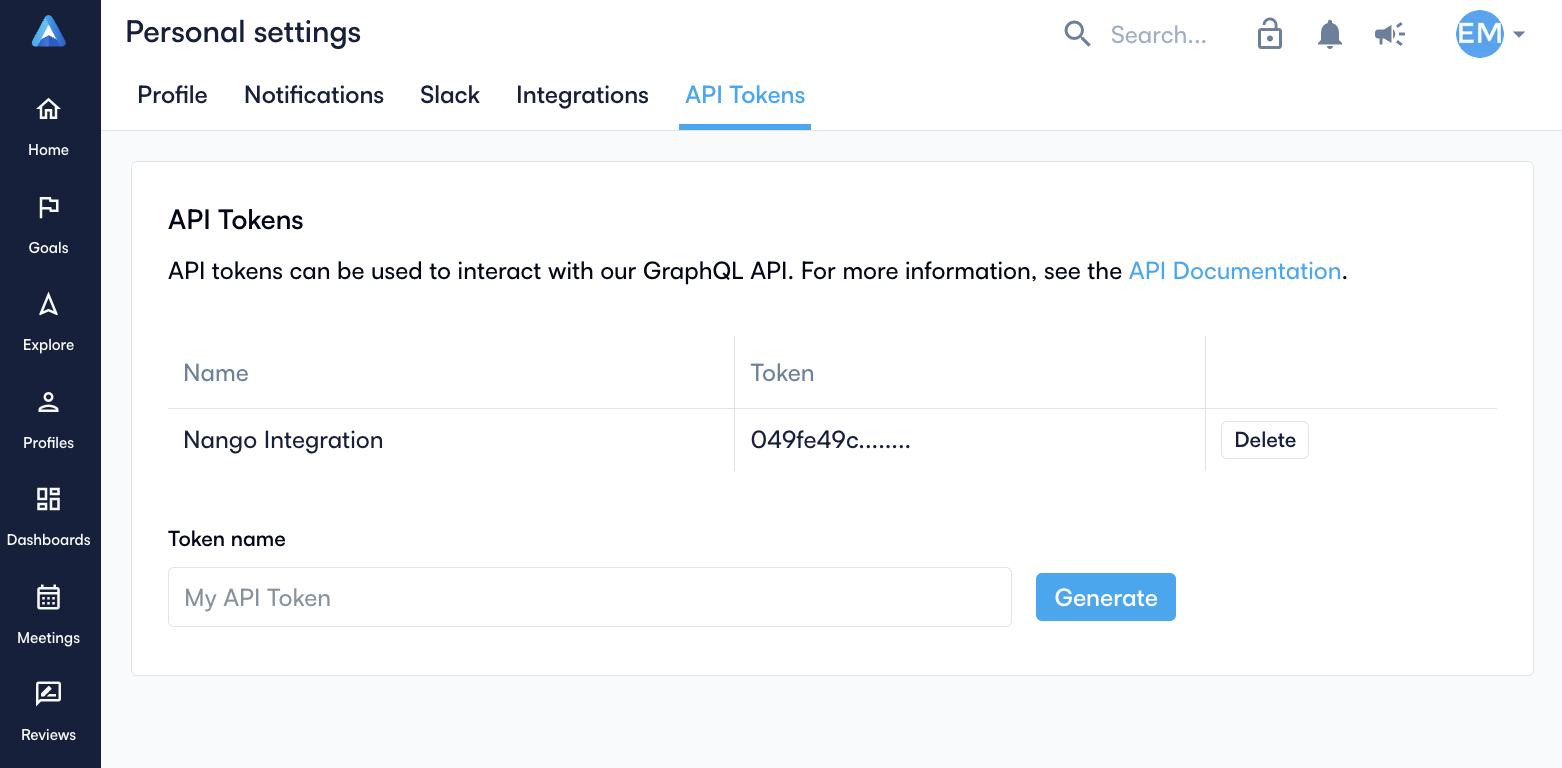
- Copy the generated token immediately
Step 2: Enter credentials in the Connect UI
Once you have your API Token:
- Open the form where you need to authenticate with Perdoo.
- Enter your API Token in its respective field.
- Submit the form, and you should be successfully authenticated.