Overview
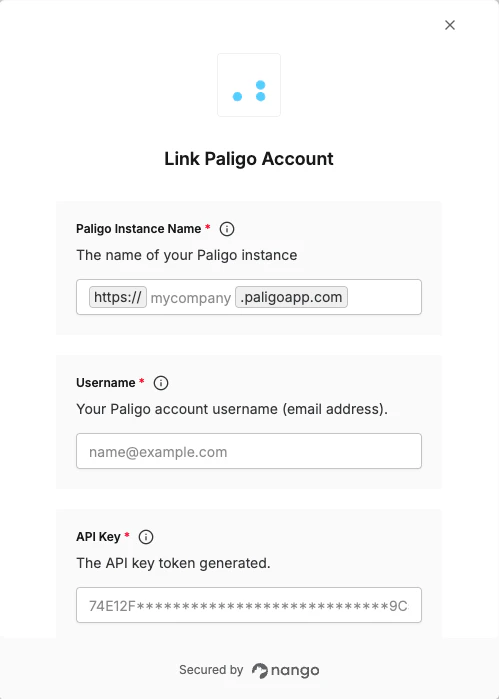
To authenticate with Paligo, you will need:- Instance Name - The name of your Paligo instance (subdomain).
- Username - Your Paligo account email address.
- API Key - A key that grants Nango permission to interact with the Paligo API.
Prerequisites:
- You must have a registered Paligo account.
- You must be an admin user in Paligo — only admin users can access the API.
- The Paligo API is a public interface that provides access to several of Paligo’s core features. Developers can use it to get external applications to interact with Paligo. You can find more information, including details of its endpoints, in the Paligo API documentation.
Instructions:
Step 1: Find your Paligo instance name
- Log in to your Paligo account.
- Check the URL in your browser’s address bar. Your Instance Name is the text that appears after
https://and before.paligoapp.com.- For example, if the URL is
https://mycompany.paligoapp.com, your Instance Name ismycompany.
- For example, if the URL is
Step 2: Create an API key
- Select the avatar in the top-right corner to open the user menu.
- Select My Profile.
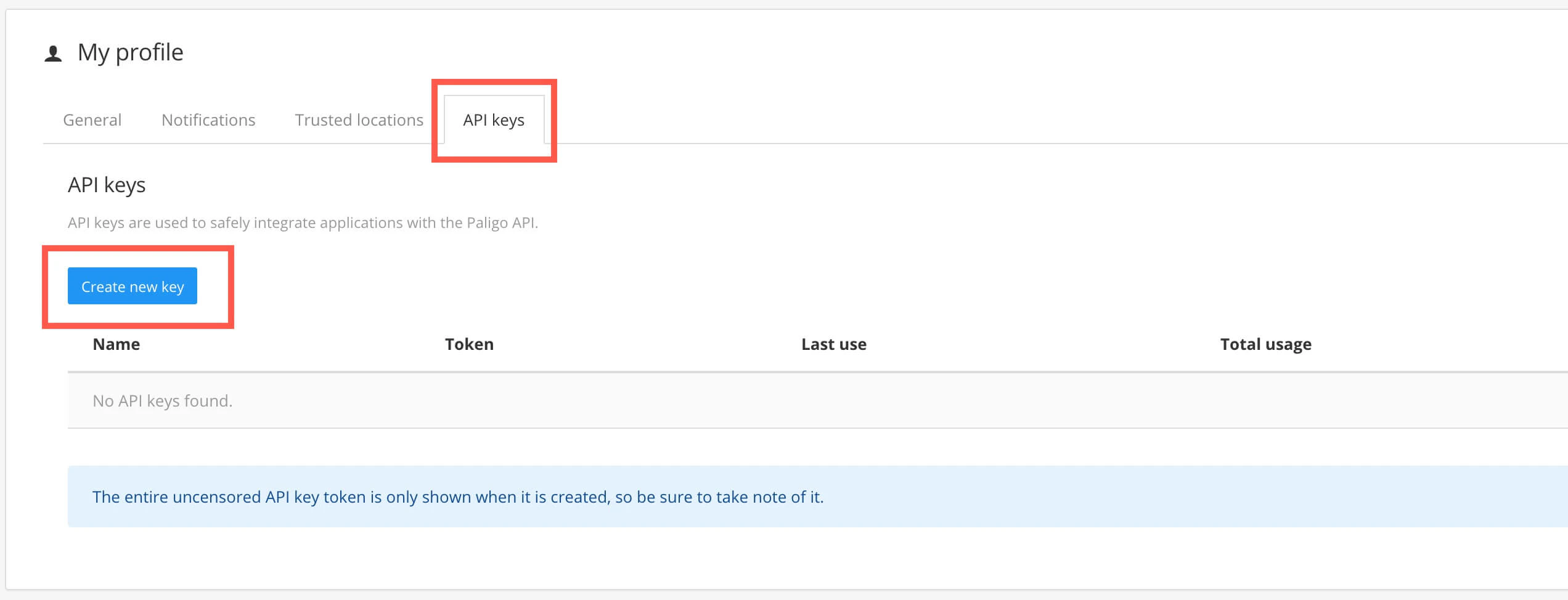
- Select the API Keys tab.
- Select Create New Key.
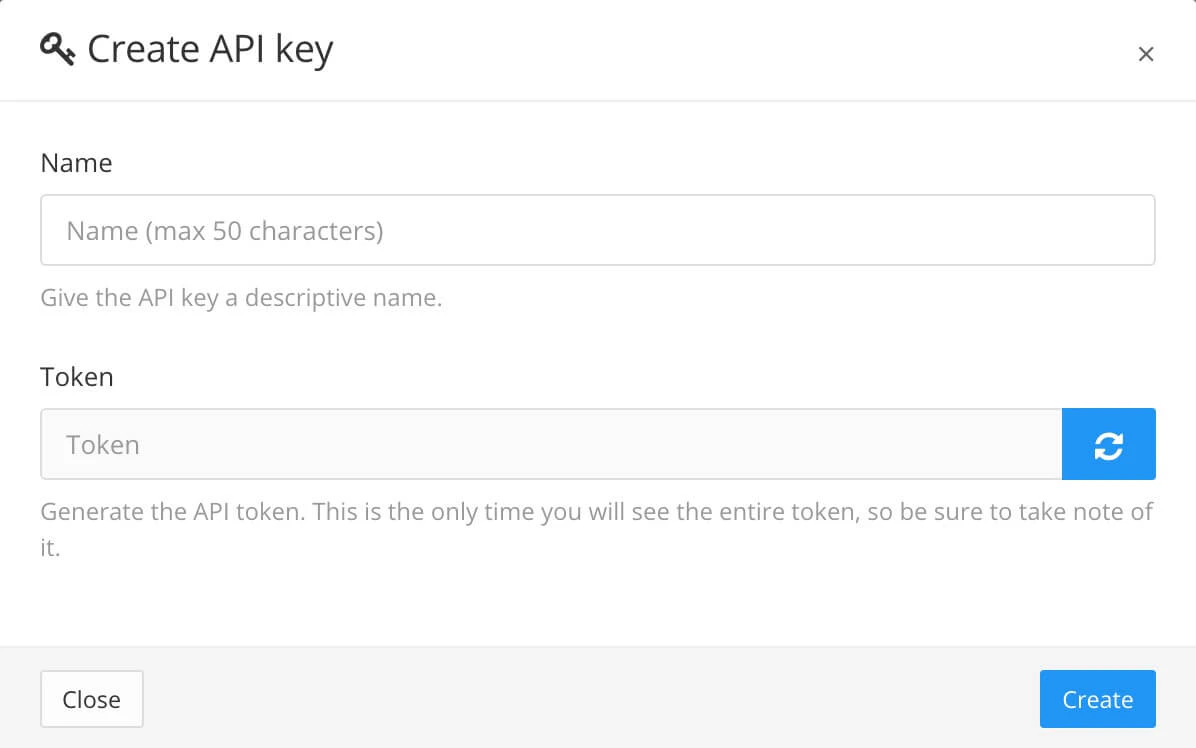
- Enter a descriptive Name for the key.
- Select the refresh button on the Token field to generate the key token.
- Copy and save the token somewhere secure, this is the only time you will see the full key.
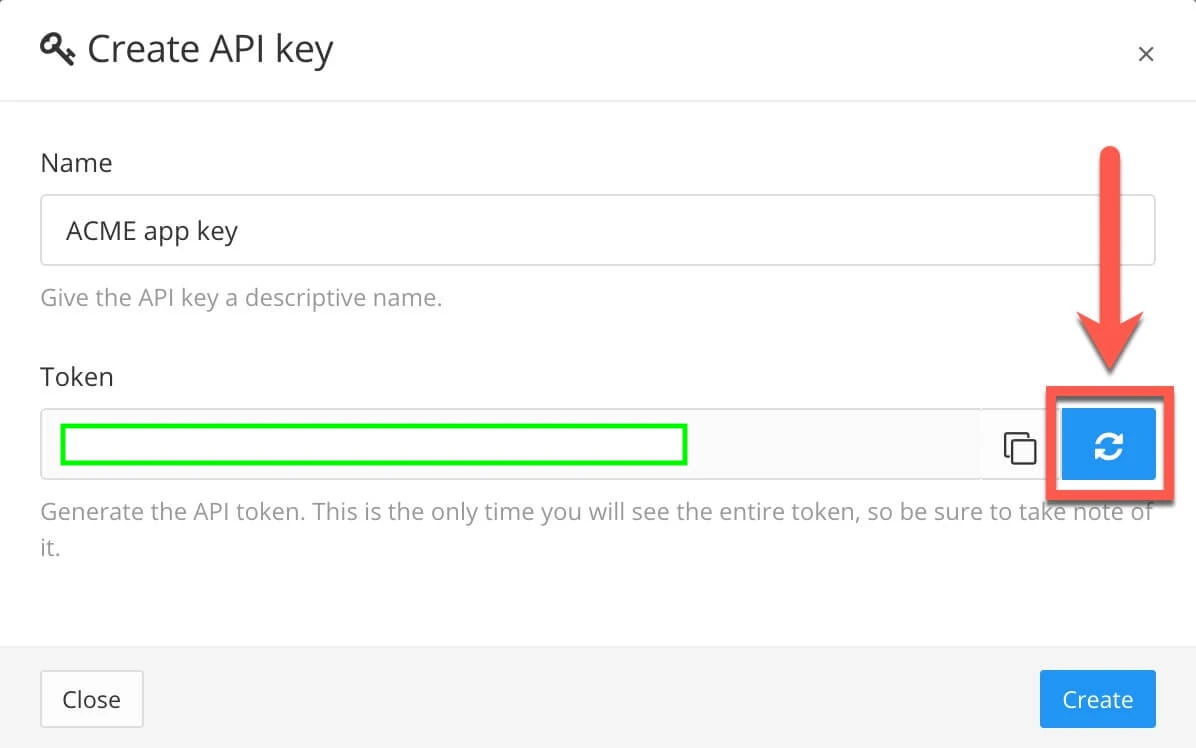
- Select Create.
Step 3: Enter credentials in the Connect UI
Once you have the Instance Name, Username, and API Key:- Open the form where you need to authenticate with Paligo.
- Enter your Instance Name, Username (email address), and API Key in their respective fields.
- Submit the form, and you should be successfully authenticated.