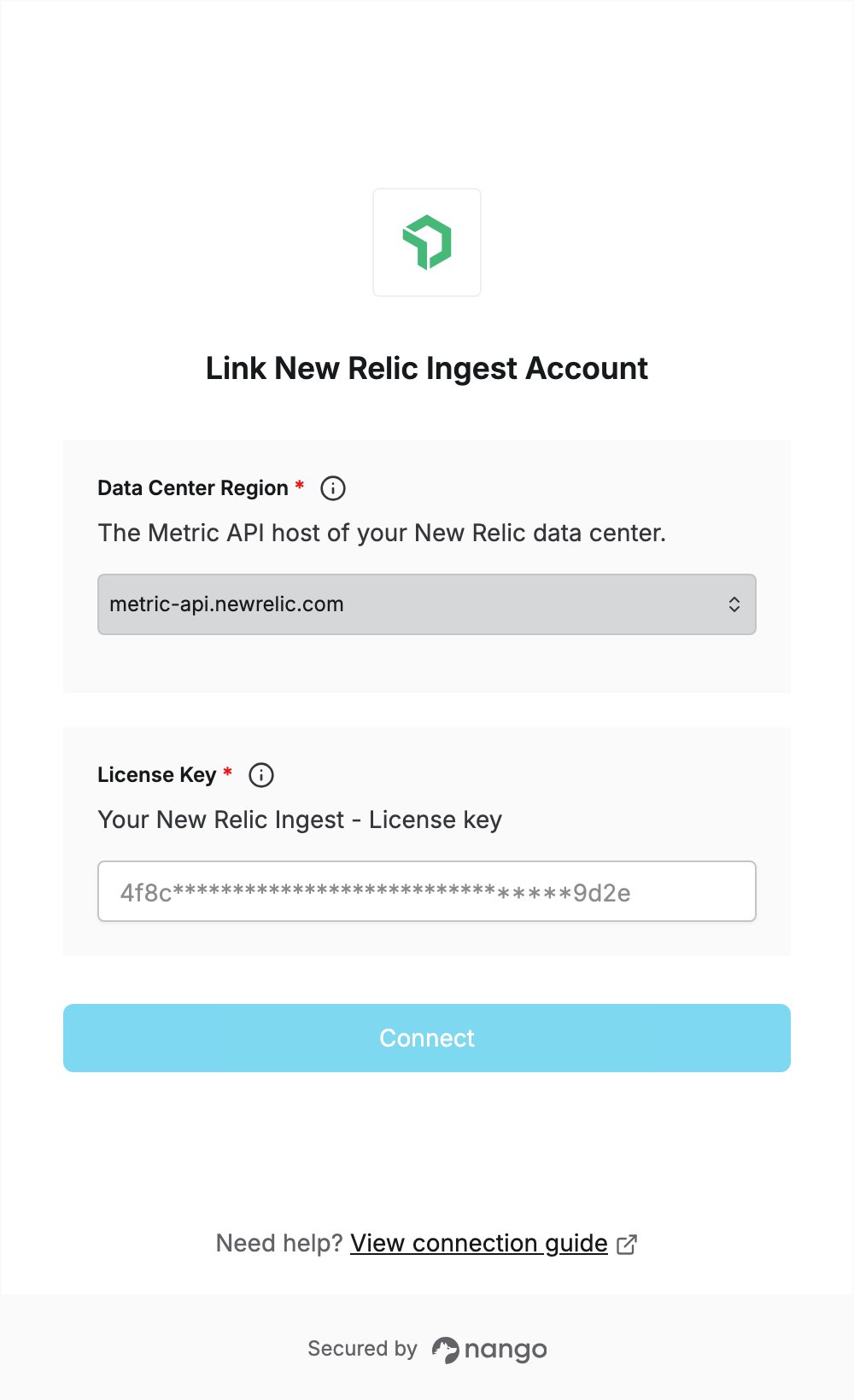
Overview
To authenticate with New Relic Ingest, you need:- Data Center Region — the New Relic data center that hosts your account (US, EU or JP).
- License Key — a New Relic key of the Ingest - License type.
Prerequisites
- A New Relic account. If you don’t have one, sign up for free.
Step 1: Find your data center region
Your data center is the one your account was created in. Check the address you use to log in to New Relic and pick the matching region:Step 2: Create a license key
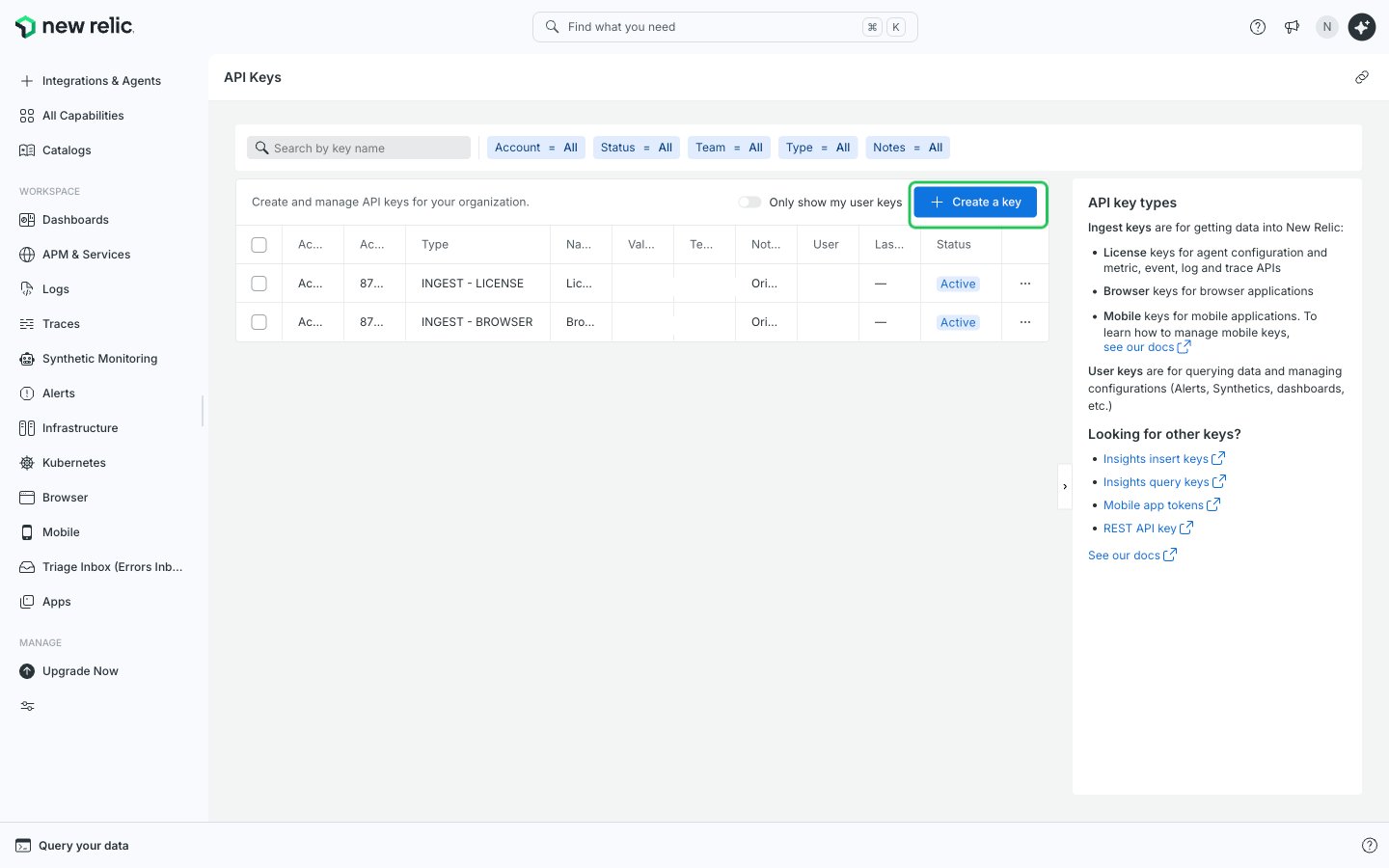
- Log in to New Relic, open the user menu and go to Administration > API Keys.
- Click Create a key in the top-right corner.
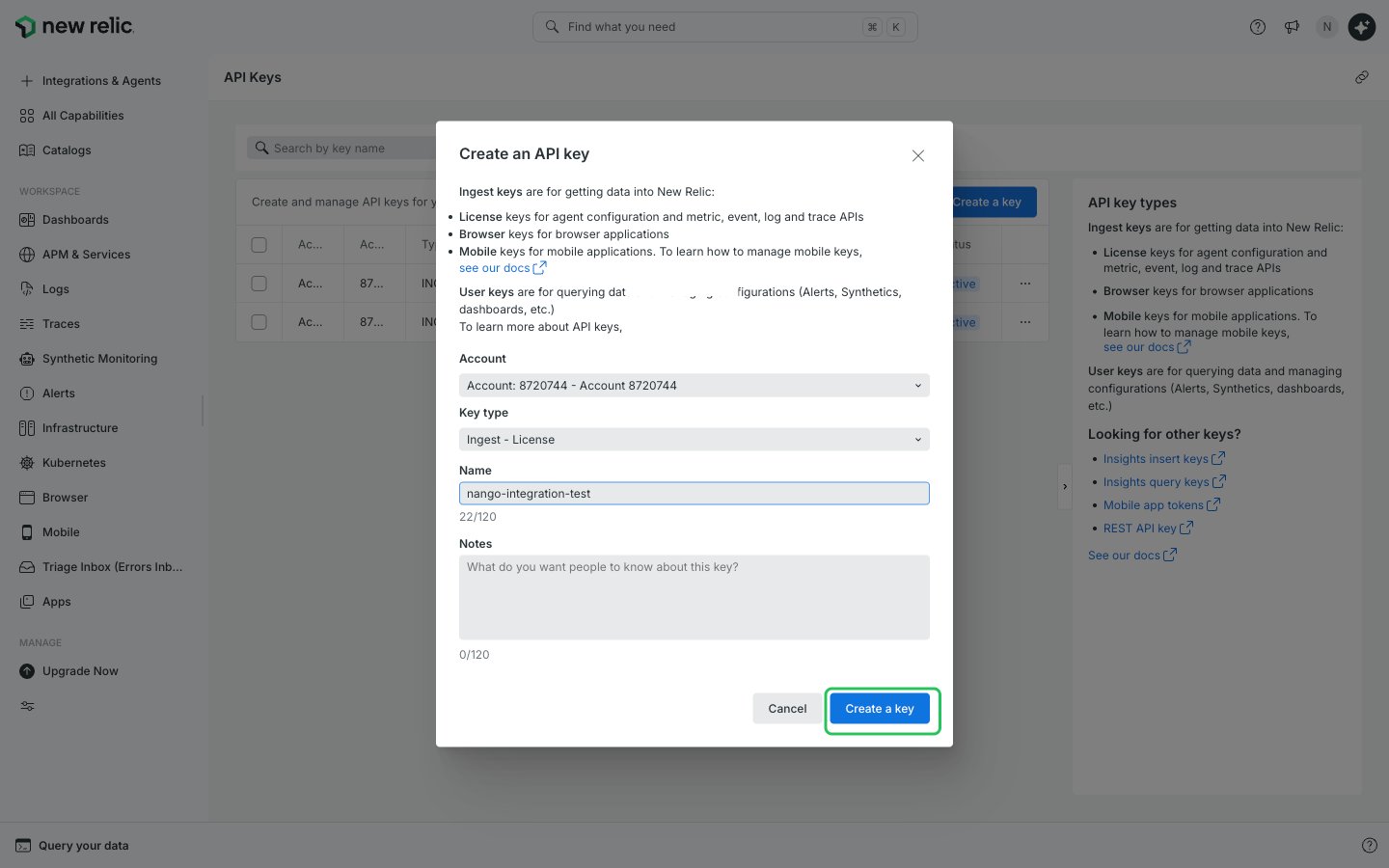
- Choose the account, select Ingest - License as the Key type, enter a name and optional notes, then click Create a key.
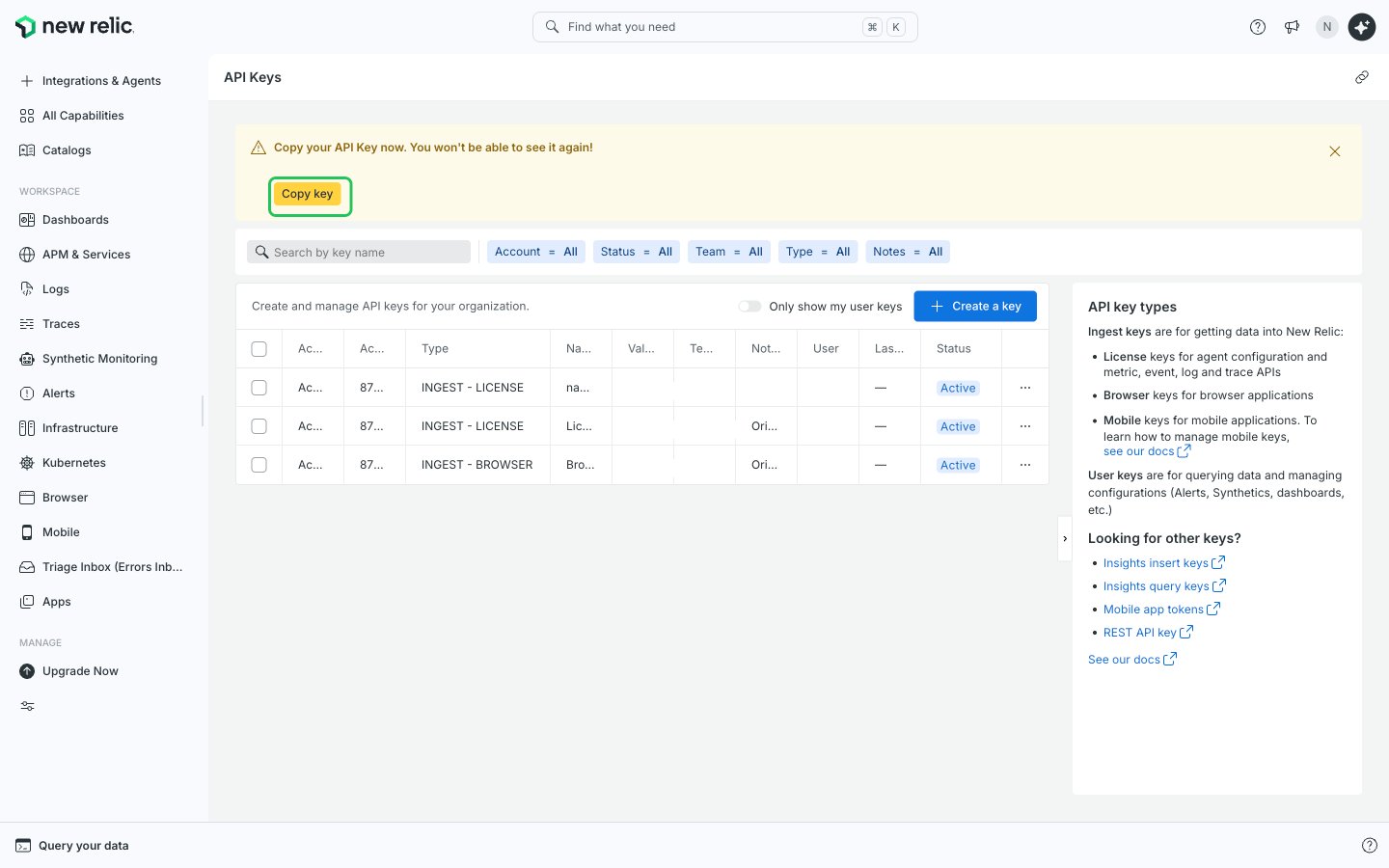
- Click Copy key in the banner to copy the new license key. Copy it now: the banner says you won’t be able to see it again.
Step 3: Enter your region and license key in the Connect UI
- Open the form where you need to authenticate with New Relic Ingest.
- Select your Data Center Region and enter your key in the License Key field.
- Submit the form. The connection is saved without checking the key: if the key is wrong, the first API request returns an authentication error.