Overview
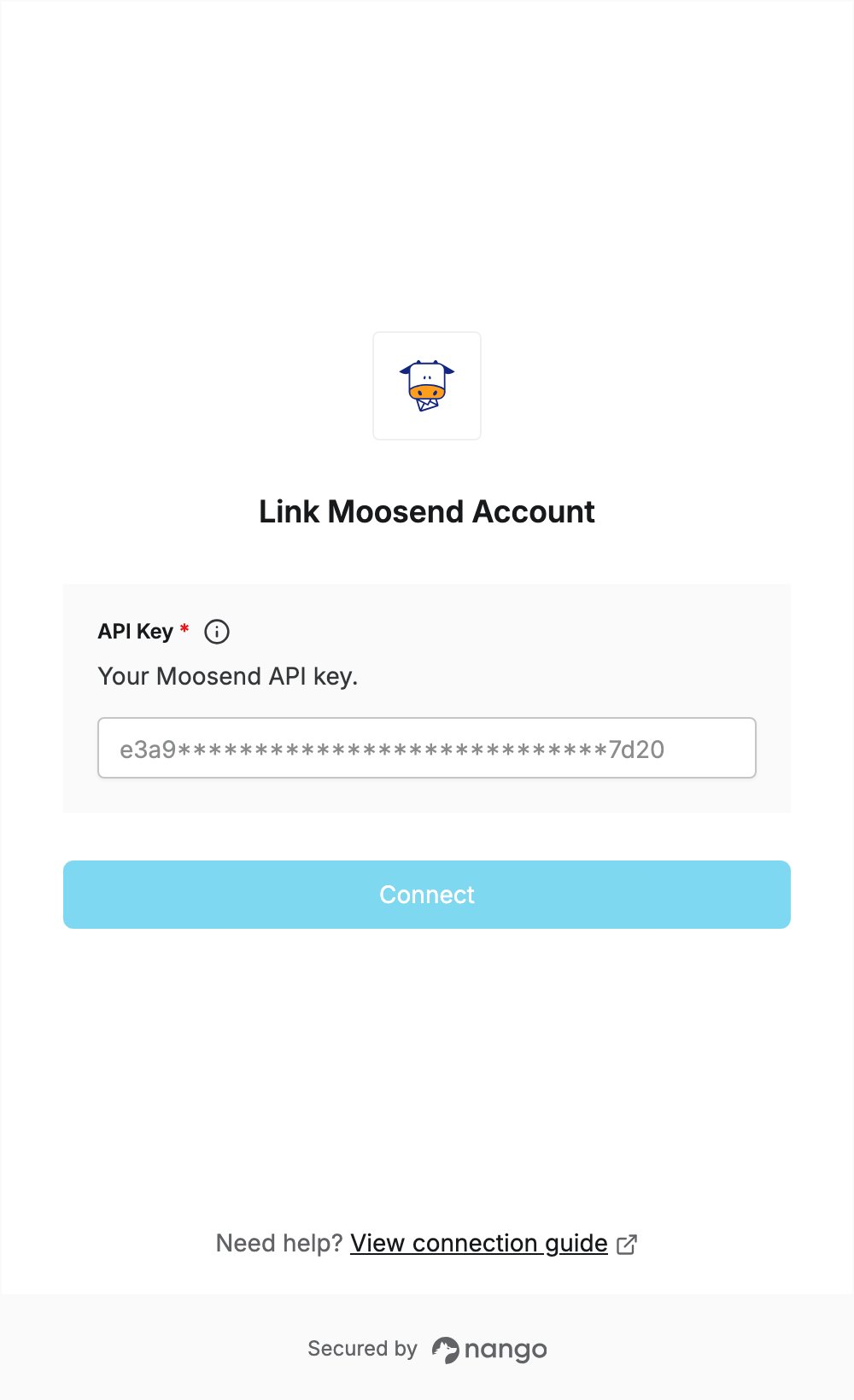
To authenticate with Moosend, you need:- API Key — your Moosend account’s API key.
Prerequisites
- A Moosend account. You can start a free trial without a credit card.
- The account owner or admin role. Only account owners and admins can see the API key.
Step 1: Copy your API key
- Log in to Moosend.
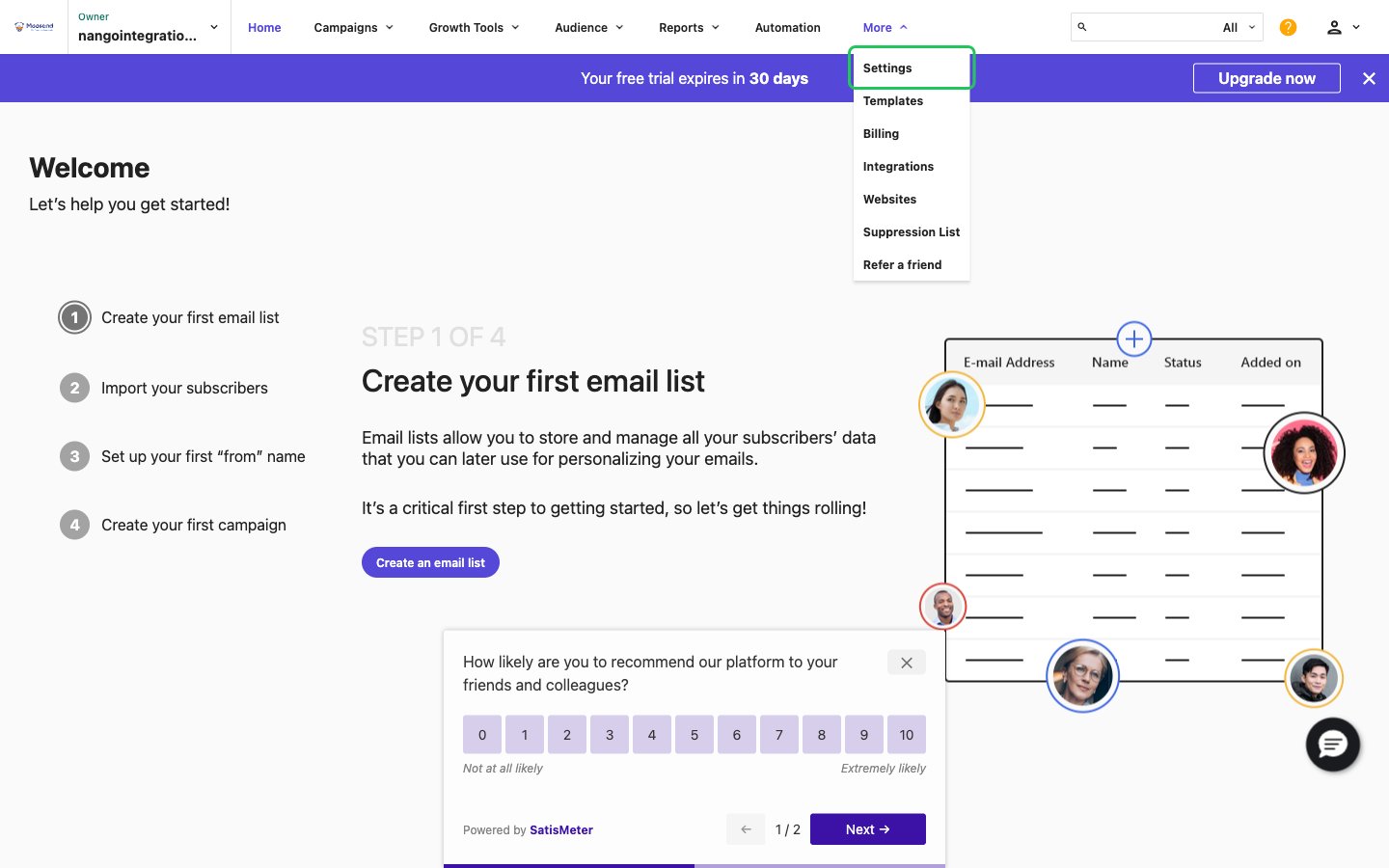
- In the top menu bar, click More, then Settings.
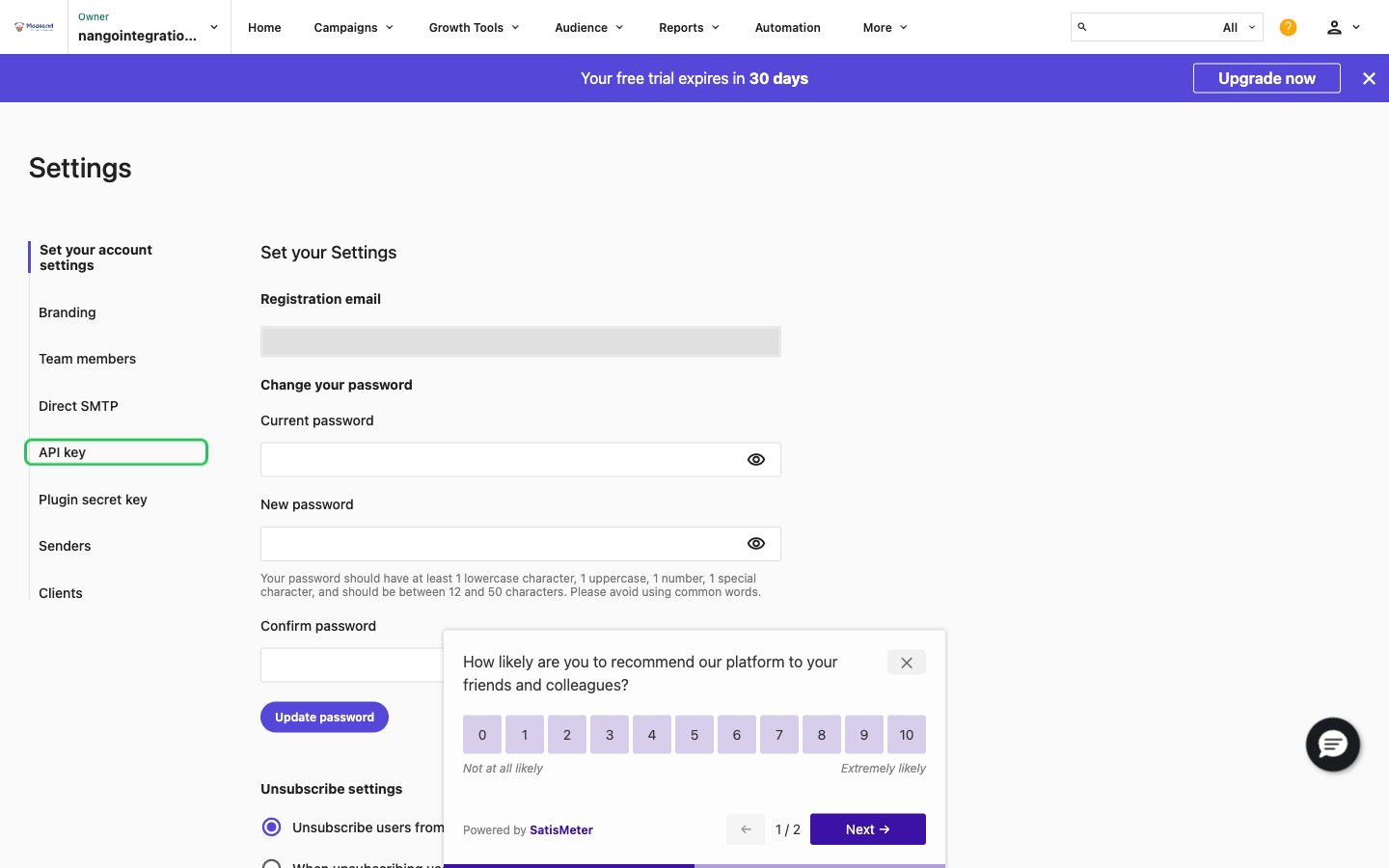
- On the Settings page, click API key in the left menu.
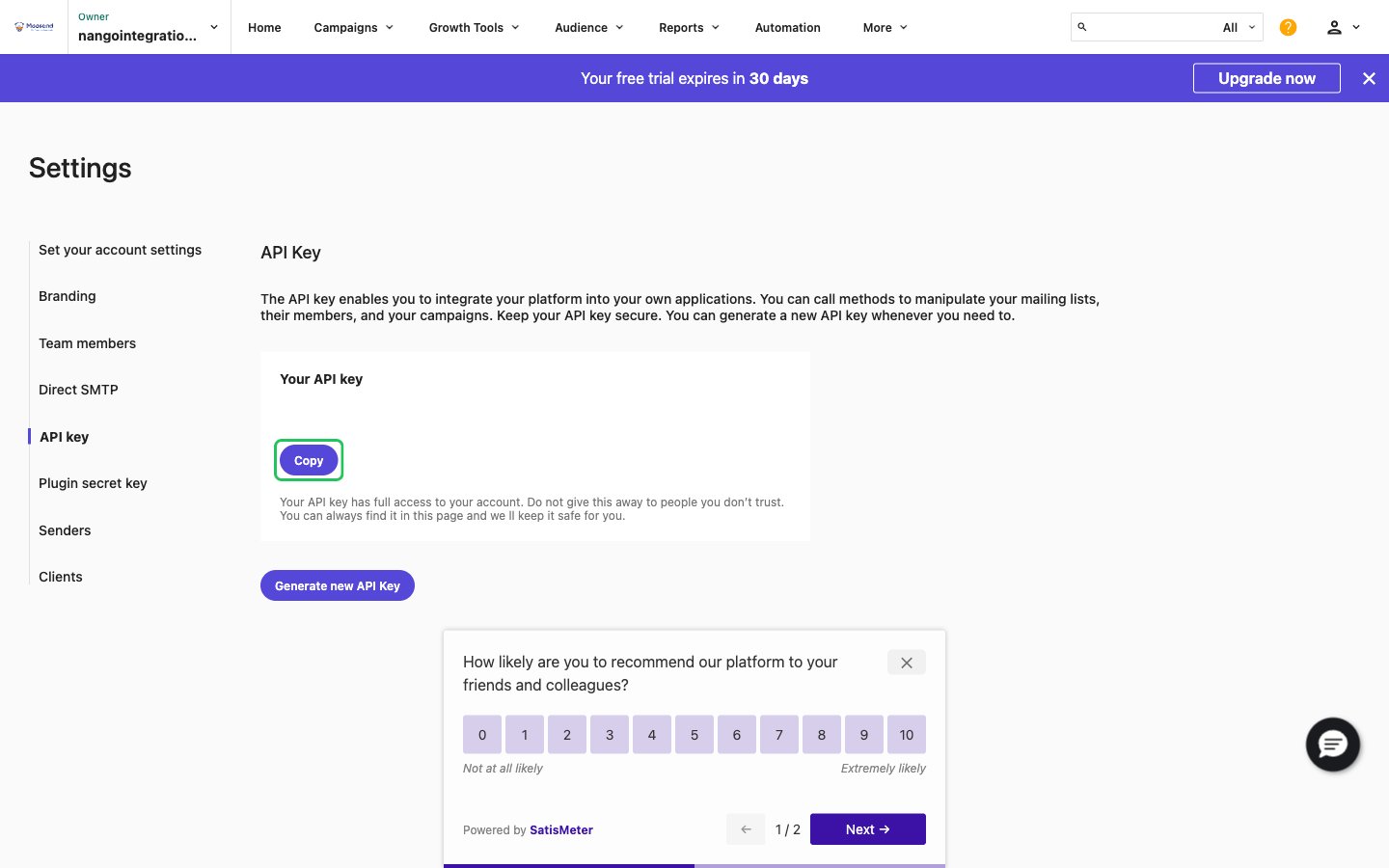
- Under Your API key, click Copy. If the key is compromised, click Generate new API Key to replace it.
Step 2: Enter your API key in the Connect UI
- Open the form where you need to authenticate with Moosend.
- Paste the key you copied in Step 1 into the API Key field.
- Submit the form, and you should be successfully authenticated.