

Overview
To connect with Modjo AI, you need an API Key from your Modjo AI settings. This guide shows you how to create one.Prerequisites
- You must have Administrator or Manager permissions in Modjo AI.
Step 1: Generate your API key
- Log in to Modjo AI.
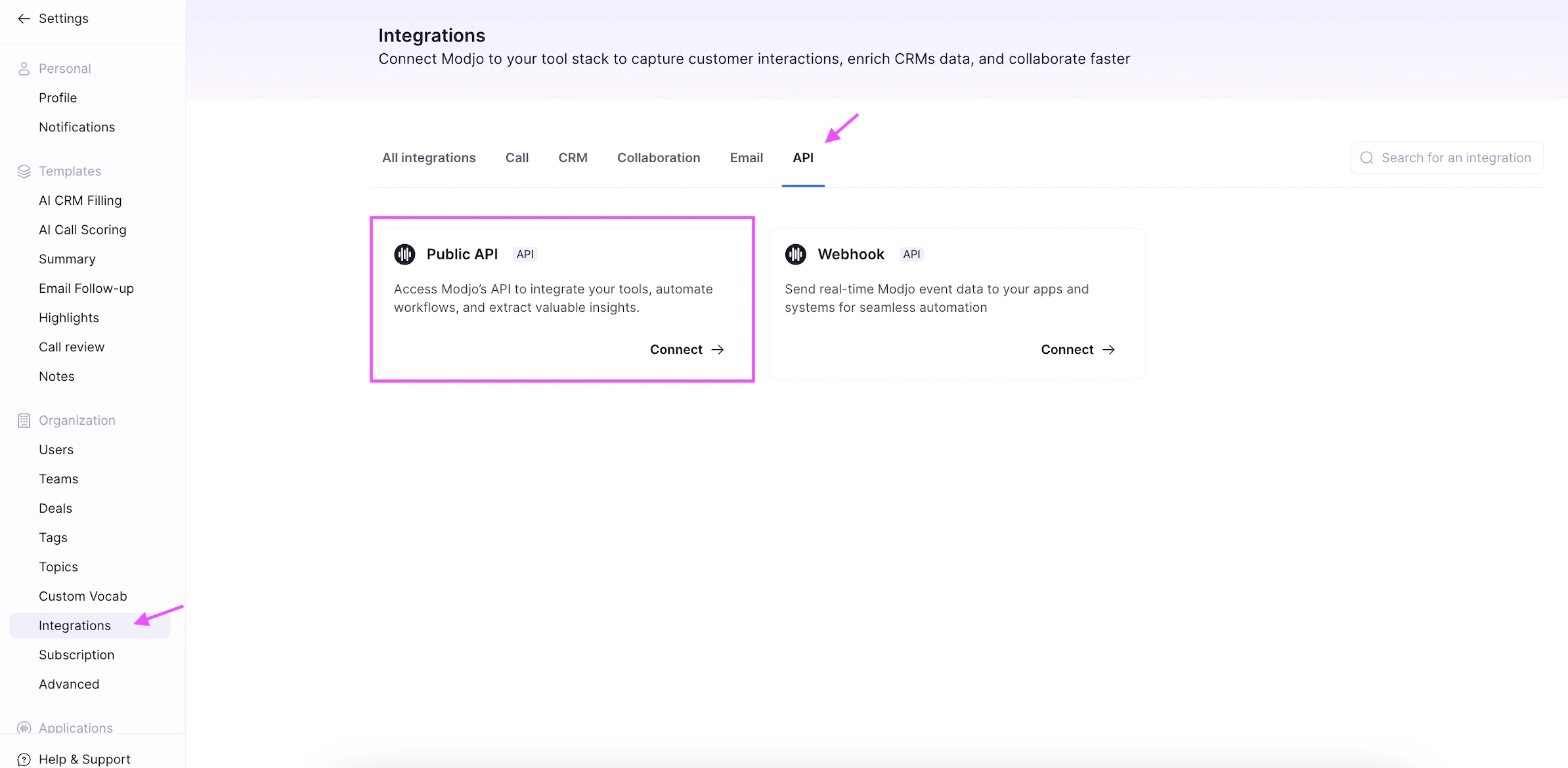
- Go to Settings > Integrations.
- Find the Public API card and click Connect.
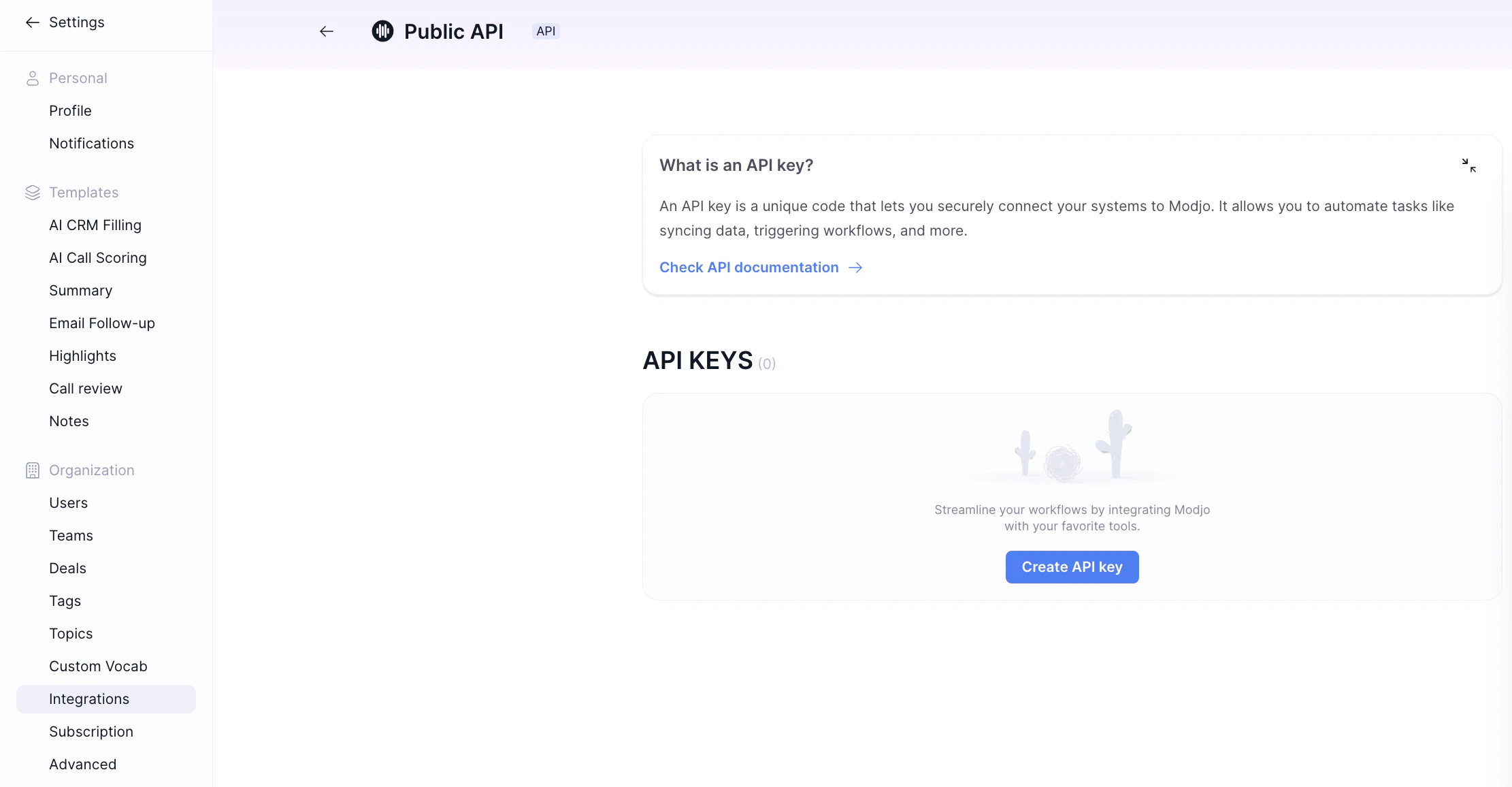
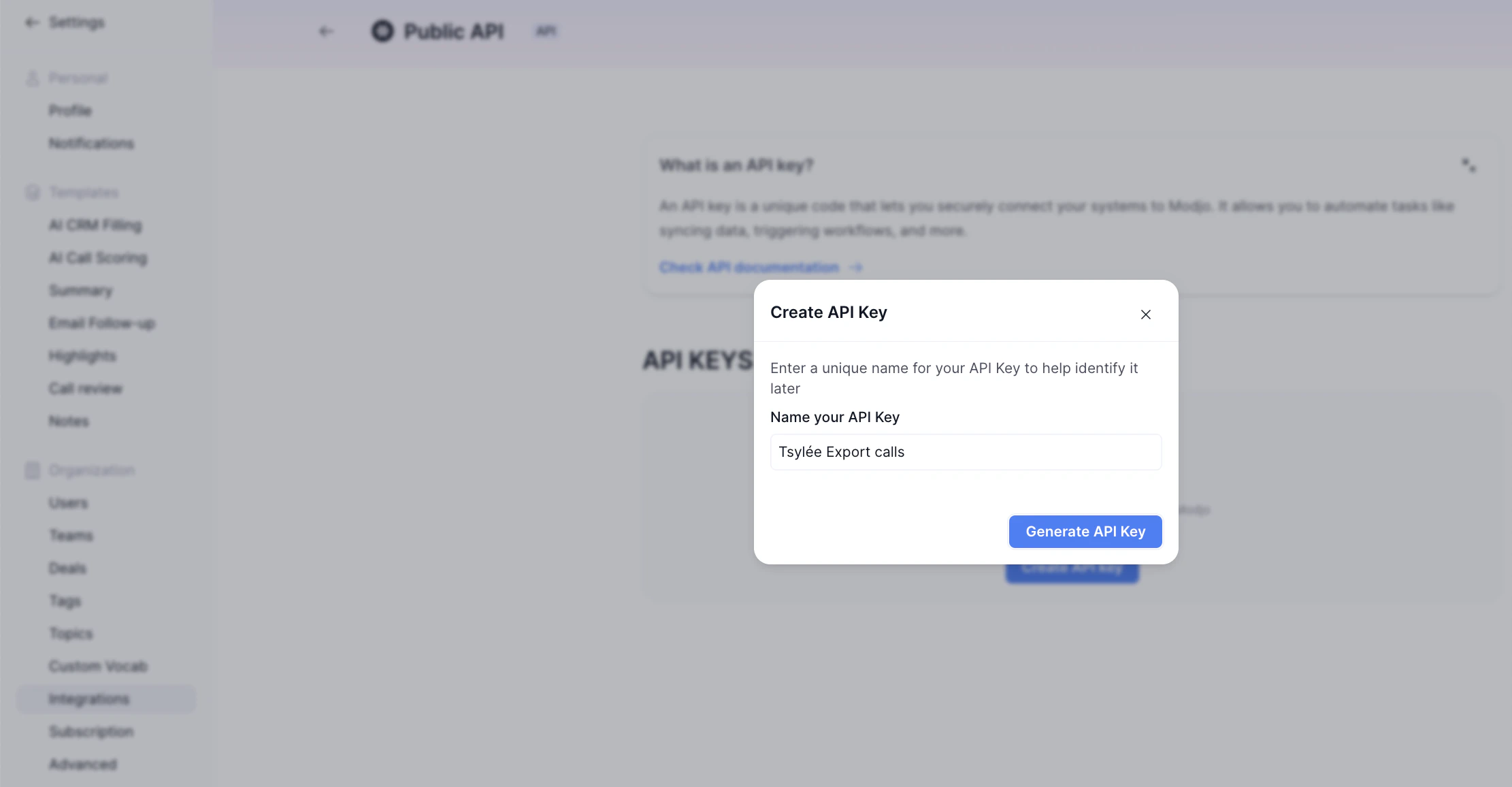
- Create a new API key.
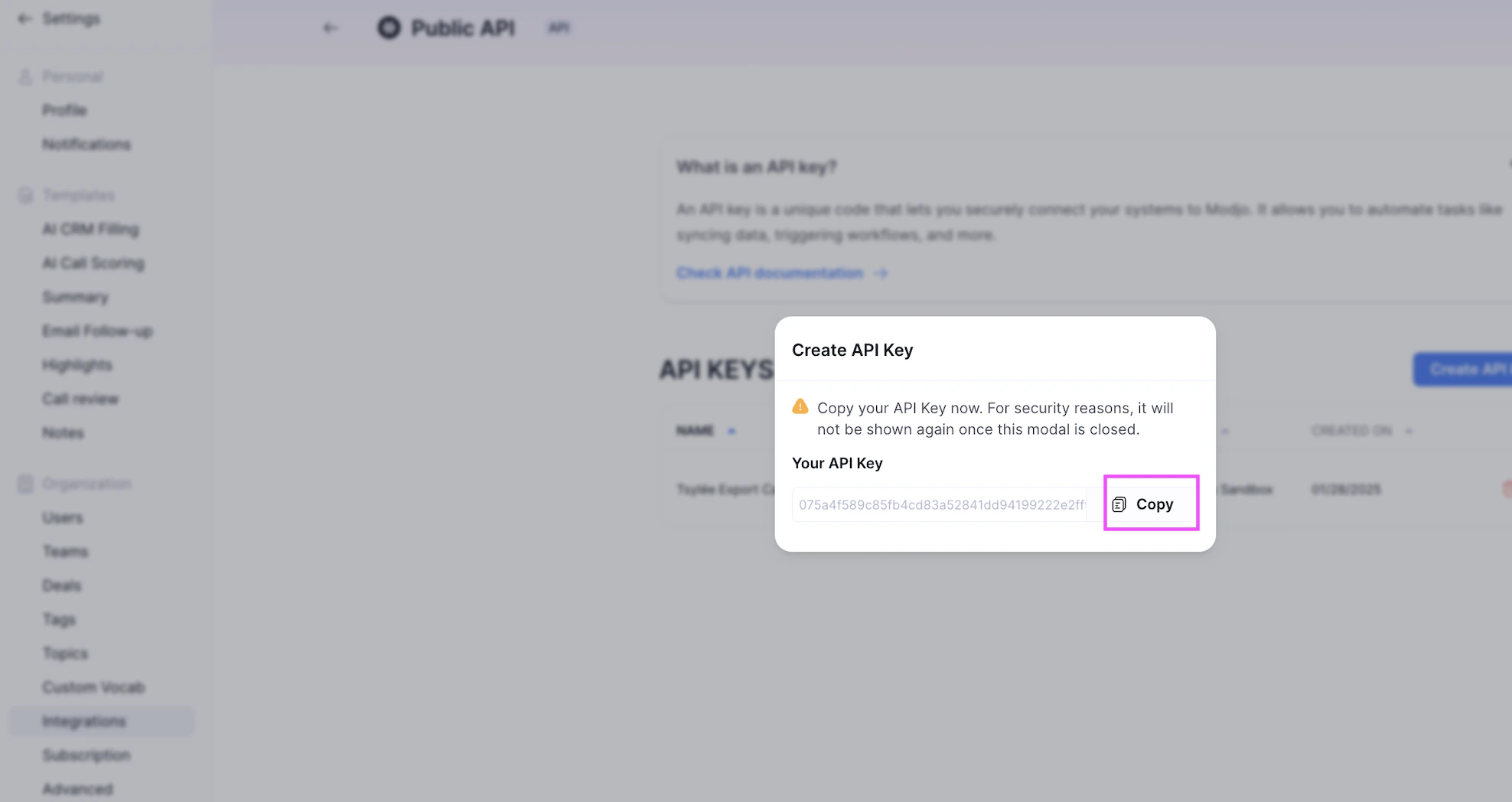
- Click Copy and store the key somewhere safe. Modjo AI shows it only once.
Step 2: Enter your API key in the Connect UI
- Open the form where you need to authenticate with Modjo AI (v2).
- Enter your API Key.
- Click Connect.