Overview
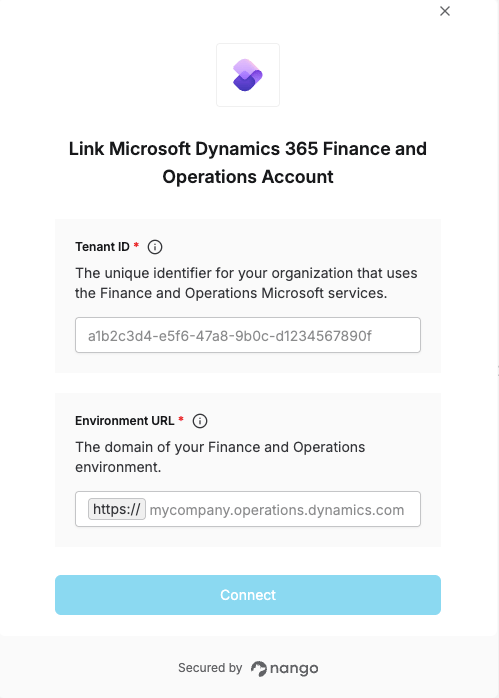
To connect Microsoft Dynamics 365 Finance and Operations in Nango, you need to provide:- Tenant ID — The unique identifier for your organization that uses Microsoft services.
- Environment URL — The domain of your Finance and Operations environment.
Prerequisites
- You must have an active Microsoft Entra ID (Azure AD) account with access to a Finance and Operations environment.
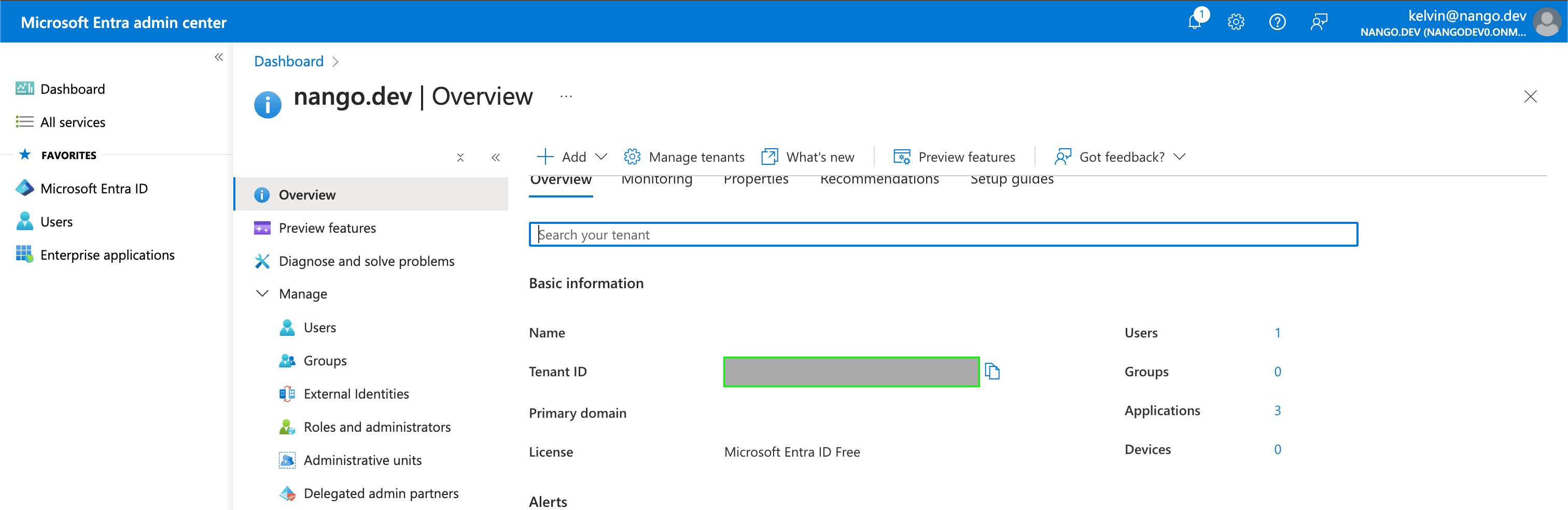
Step 1: Finding your Tenant ID
- Your Tenant ID can be found in the Tenant ID field on the Overview page within your Azure account.
Step 2: Finding your Environment URL
Sign in to your Finance and Operations environment, then copy its domain from the browser’s address bar — everything afterhttps:// and before the first / (for example, mycompany.operations.dynamics.com).
Step 3: Authorize the connection
- Open the form where you need to authenticate with Microsoft Dynamics 365 Finance and Operations.
- Enter the Tenant ID and Environment URL in their designated fields.
- Submit the form, then log in with your Microsoft account and grant the requested permissions.