Overview
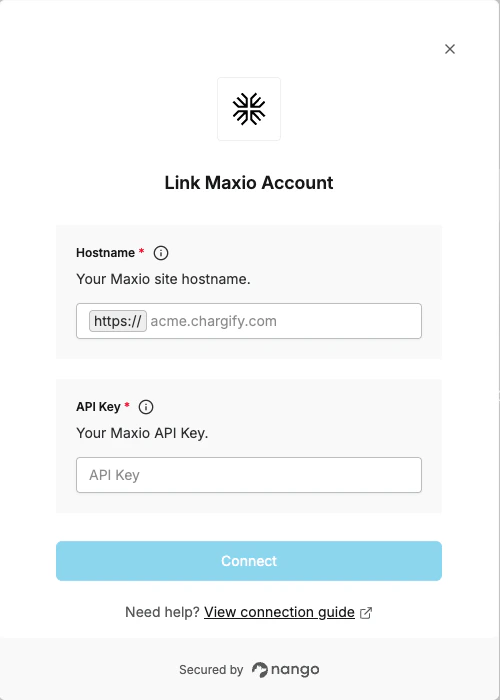
To authenticate with Maxio, you will need:- Hostname – The hostname of your Maxio site (e.g.
acme.chargify.comfor US oracme.ebilling.maxio.comfor EU). - API Key – A key that grants secure access to the Maxio API.
Prerequisites
- An active Maxio account with API access
Instructions
Step 1: Finding your hostname
Your hostname is the full domain of your Maxio site:- US sites:
<site>.chargify.com(e.g.acme.chargify.com) - EU sites:
<site>.ebilling.maxio.com(e.g.acme.ebilling.maxio.com)
Step 2: Retrieving your API key
- Log in to your Maxio dashboard.
- Navigate to Config -> Integrations -> API Keys.
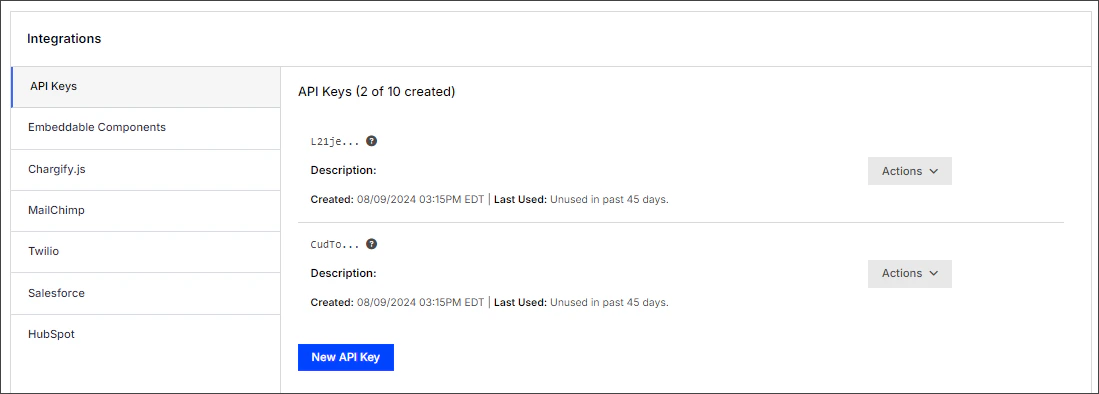
- Click New API Key to create a key, or copy an existing one.
- Store it securely.
Step 3: Enter credentials in the Connect UI
Once you have your Hostname and API Key:- Open the form where you need to authenticate with Maxio.
- Enter your Hostname and API Key in their respective fields.
- Submit the form to complete authentication.