Overview
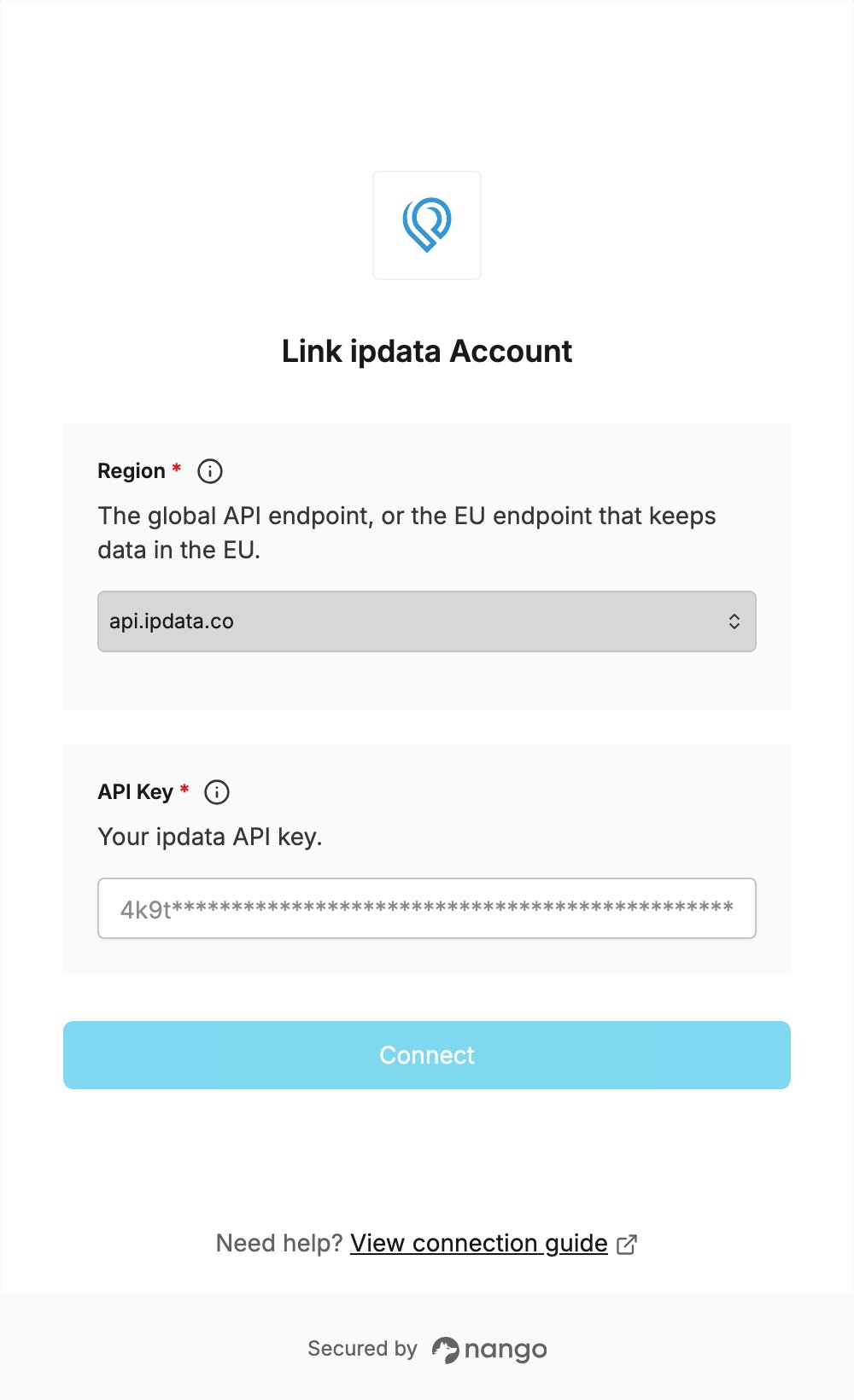
To authenticate with ipdata, you need:- Region — the ipdata API endpoint to send requests to.
- API Key — an ipdata API key.
Prerequisites
- An ipdata account. If you don’t have one, you can sign up for a free API key.
Step 1: Choose your region
ipdata has a global API endpoint and a dedicated EU endpoint that keeps the end user data you send in the EU. The EU endpoint is backed by EU datacenters in Frankfurt, Paris and Ireland. Select the value that matches where your data should be processed:
See Getting started for details.
Step 2: Create an API key
- Log in to the ipdata dashboard. The Overview page shows your default key under Your API Key; you can copy that one, or create a dedicated key as below.
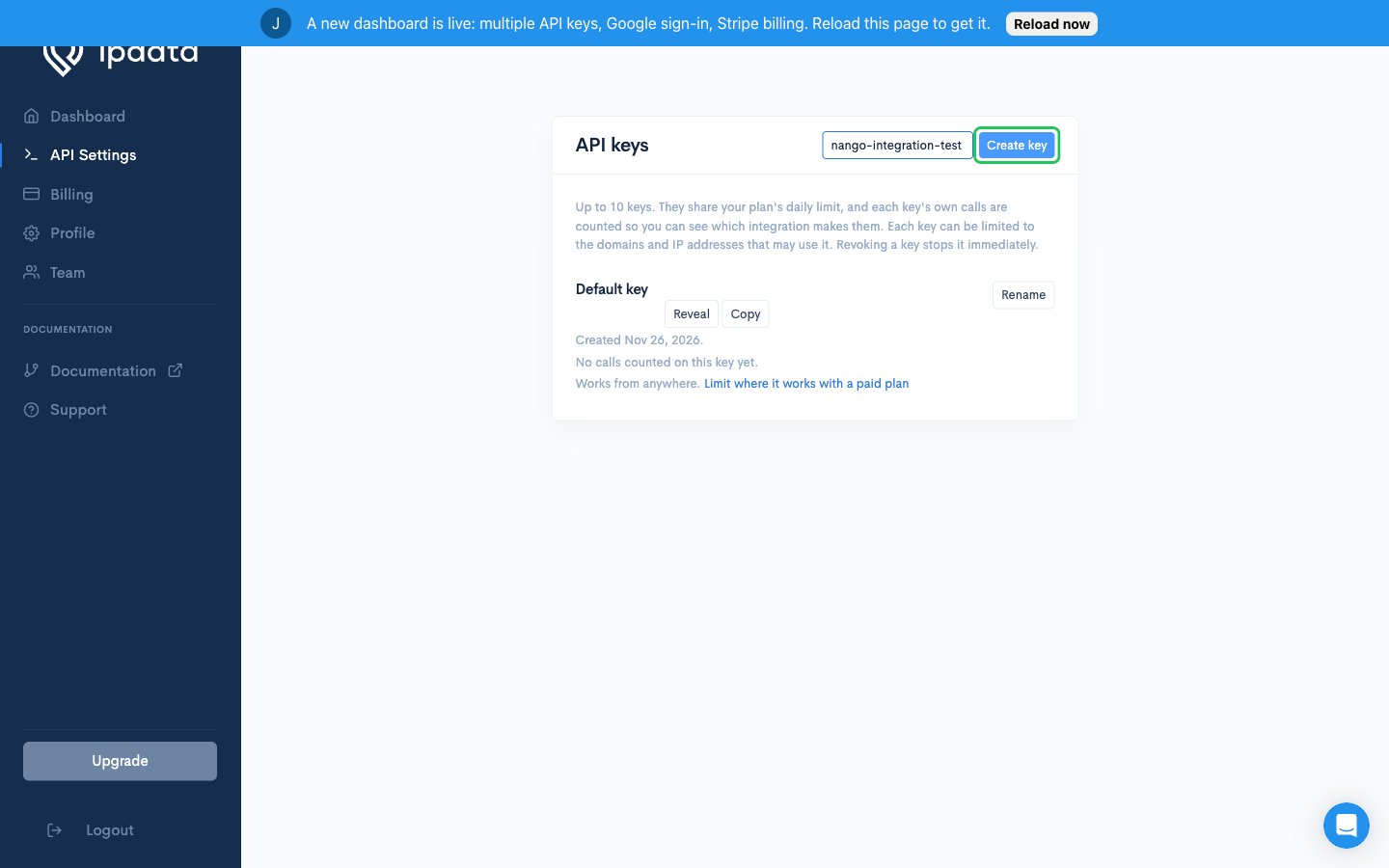
- Click API Settings in the left sidebar.
- Enter a name for the new key and click Create key.
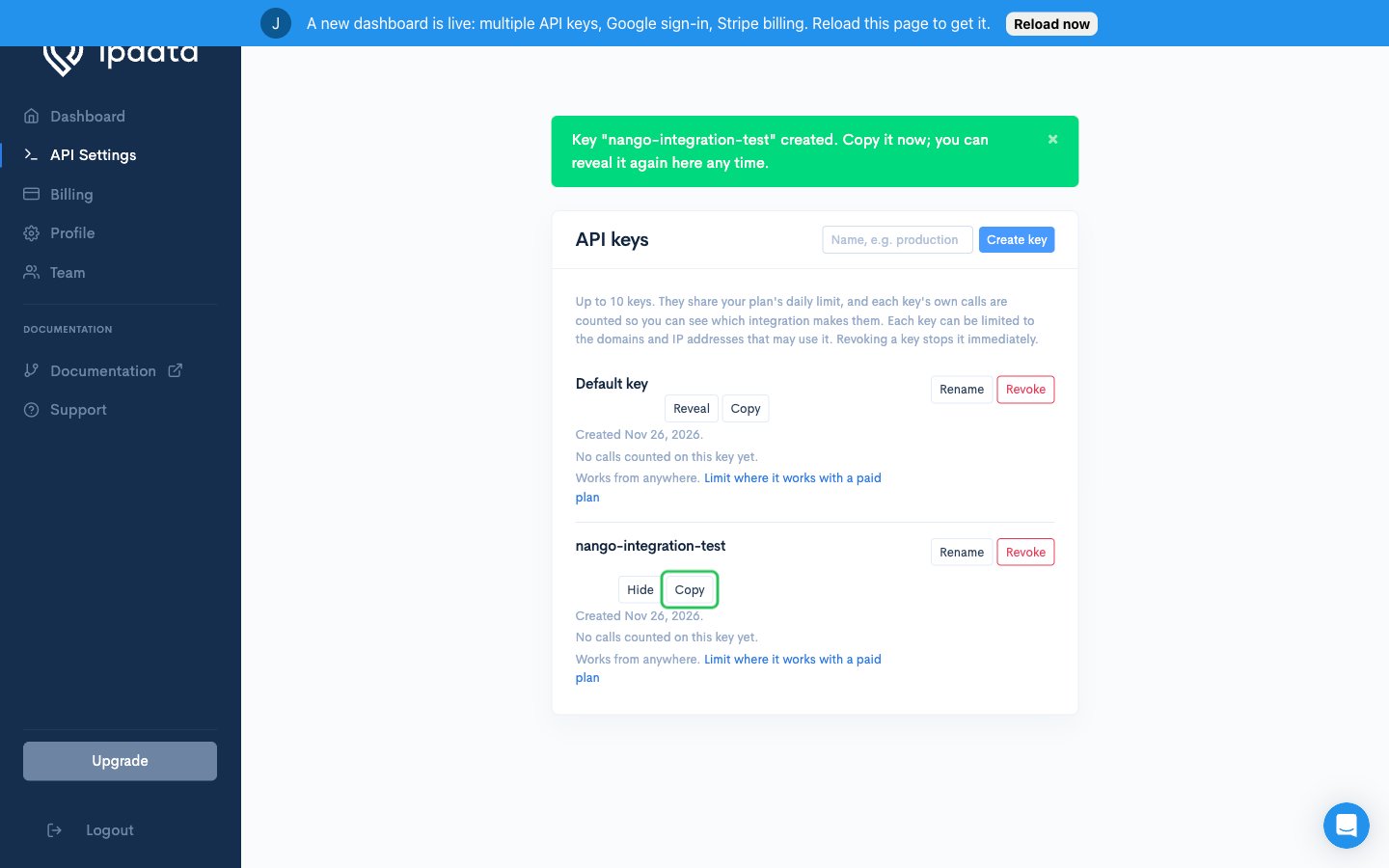
- Click Copy next to the new key to copy it.
Step 3: Enter your credentials in the Connect UI
- Open the form where you need to authenticate with ipdata.
- Select your Region and enter your API Key in the designated fields.
- Submit the form, and you should be successfully authenticated.