Overview
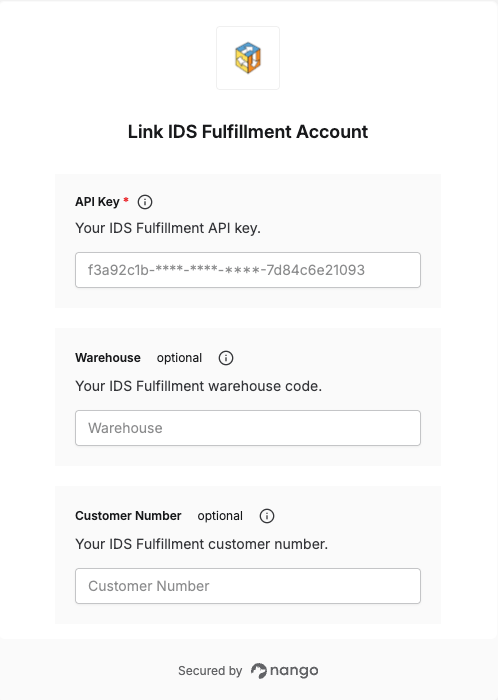
To authenticate with IDS Fulfillment, you will need:- API Key — Grants API access to your IDS Fulfillment account.
- Warehouse (optional) — The warehouse code to scope requests to.
- Customer Number (optional) — Your customer number to scope requests to.
Instructions
Step 1: Finding your API key warehouse and customer number
IDS Fulfillment issues these directly to you when your account is onboarded. Contact your IDS Fulfillment account representative if you don’t have them yet.Step 2: Enter your credentials in the Connect UI
Once you have your API Key:- Open the form where you need to authenticate with IDS Fulfillment.
- Enter your API Key, and optionally your Warehouse and Customer Number.
- Submit the form, and you should be successfully authenticated.