Overview
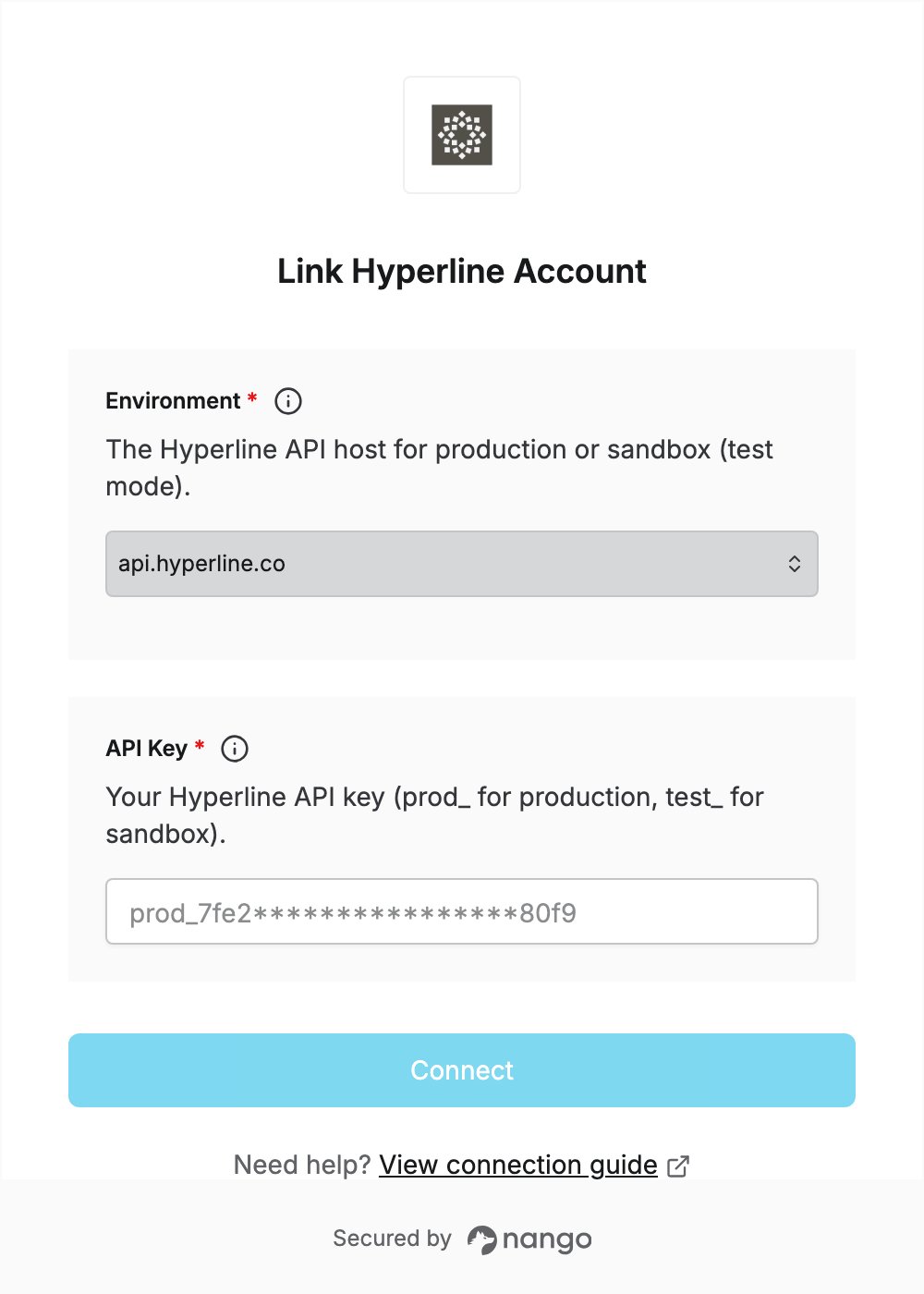
To authenticate with Hyperline, you need:- Environment — the Hyperline API host: production or sandbox (test mode).
- API Key — a Hyperline API key for that environment.
Prerequisites
- A Hyperline account with admin access. Only Hyperline admins can create API keys.
Step 1: Choose your environment
Hyperline has separate production and sandbox environments. Select the one your API key belongs to:
A sandbox key only works with
sandbox.api.hyperline.co, and a production key only with api.hyperline.co.
Step 2: Create an API key
- Sign in to Hyperline as an admin. For a sandbox key, switch your account to test mode first.
- Go to Settings, section API.
- Click + New API key.
- Enter a name for the key and select its scopes. In most cases you need read/write access.
- Copy the key and store it somewhere safe. You won’t be able to see it again in Hyperline.
prod_ and sandbox keys with test_. See Authentication for details.
Step 3: Enter your credentials in the Connect UI
- Open the form where you need to authenticate with Hyperline.
- Select your Environment and enter your API Key in the designated fields.
- Submit the form, and you should be successfully authenticated.