

Overview
To authenticate with Huntress, you will need:- API Key - A Huntress API key that starts with
hk_. - API Secret - A Huntress API secret that starts with
hs_.
Prerequisites
- You must have access to the Huntress console.
- Your Huntress user must have the permissions required for the API resources you want to access.
Instructions
Step 1: Generate user API credentials
- Log in to the Huntress Platform as a user with Admin privileges.
- Open the hamburger menu in the upper-right corner and select API Credentials.
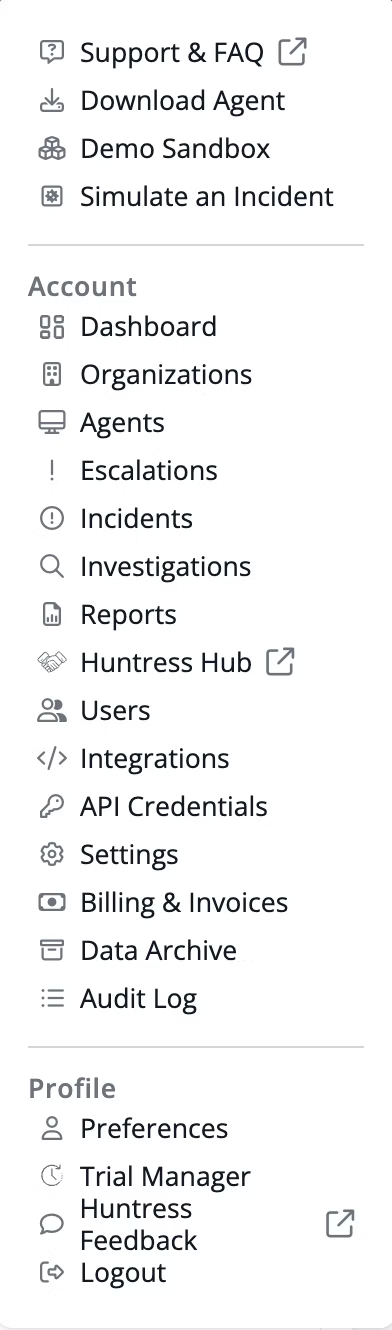
- In the User API Credentials section, click Add.

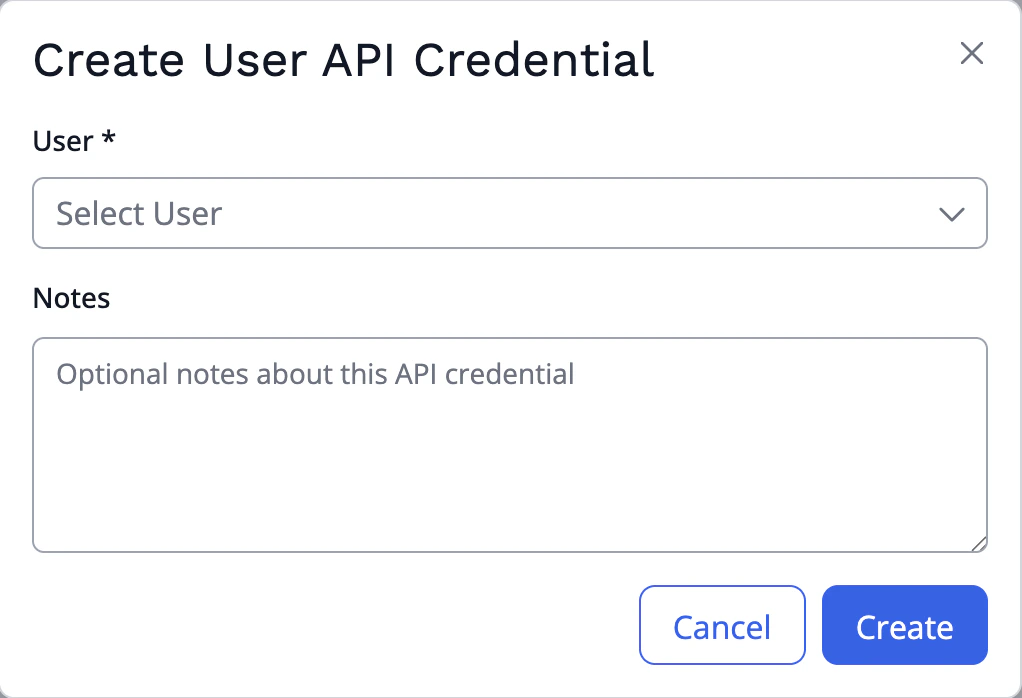
- Select the user that should own the credential, add any notes, and click Create.
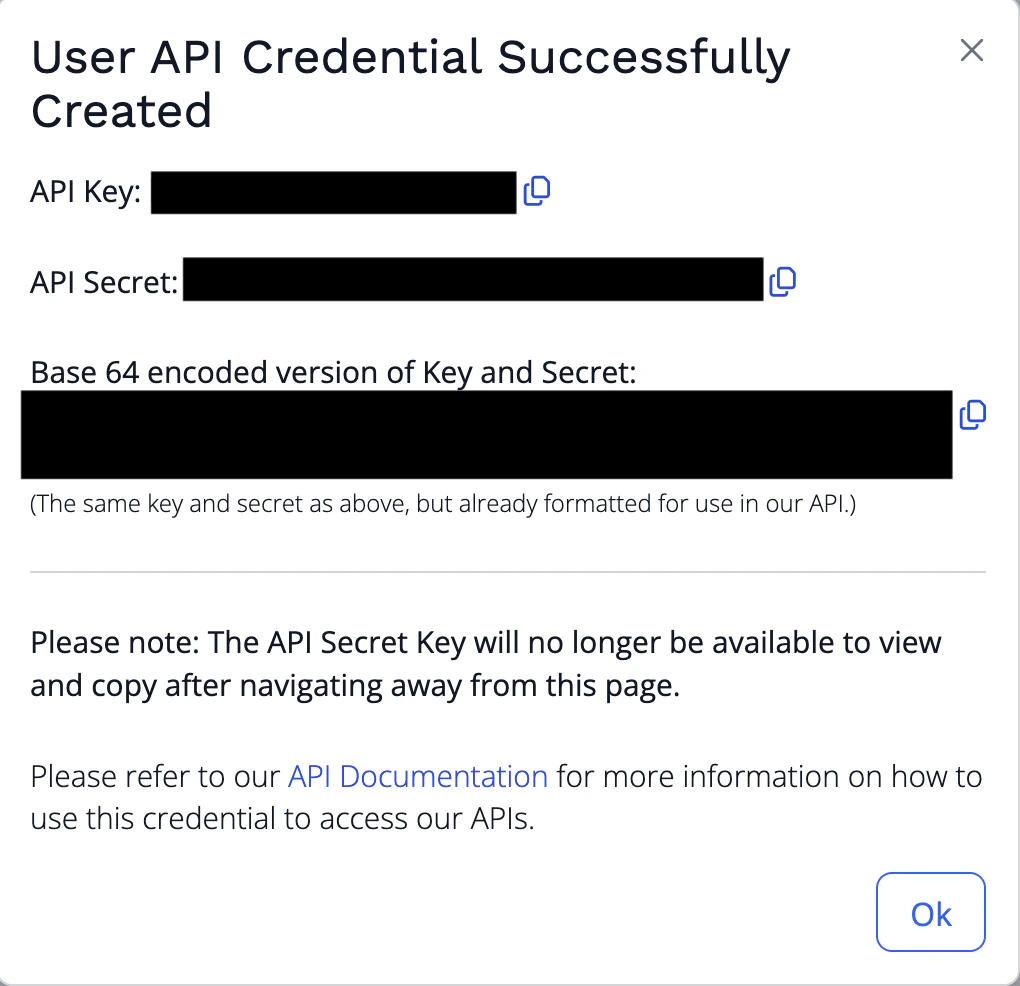
- Copy the generated API Key and API Secret and store them securely. The API Secret is no longer available after you navigate away from this page.
Step 2: Enter credentials in the Connect UI
Once you have your API Key and API Secret:- Open the form where you need to authenticate with Huntress.
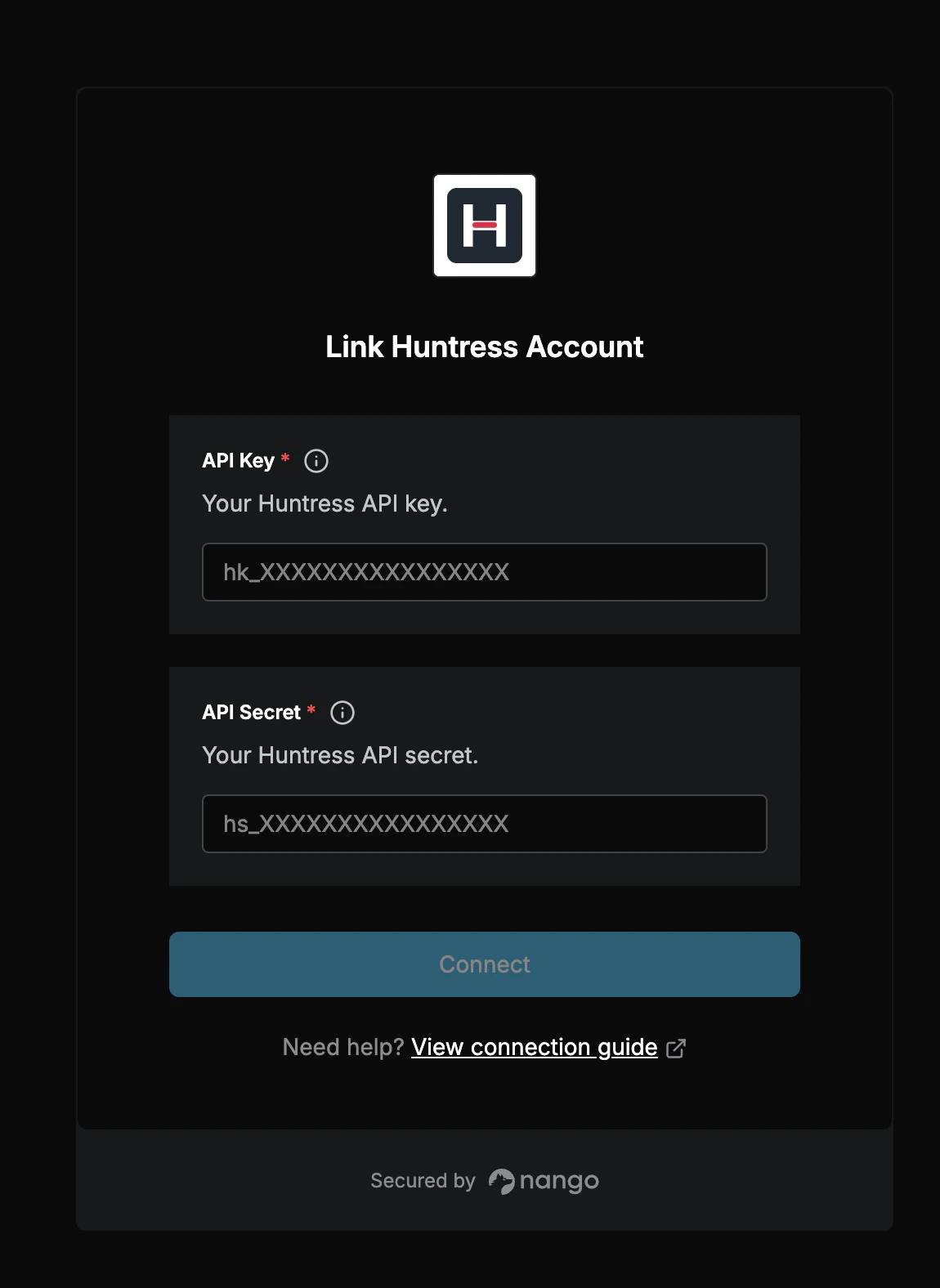
- Enter your API Key in the API Key field.
- Enter your API Secret in the API Secret field.
- Submit the form, and you should be successfully authenticated.