Overview
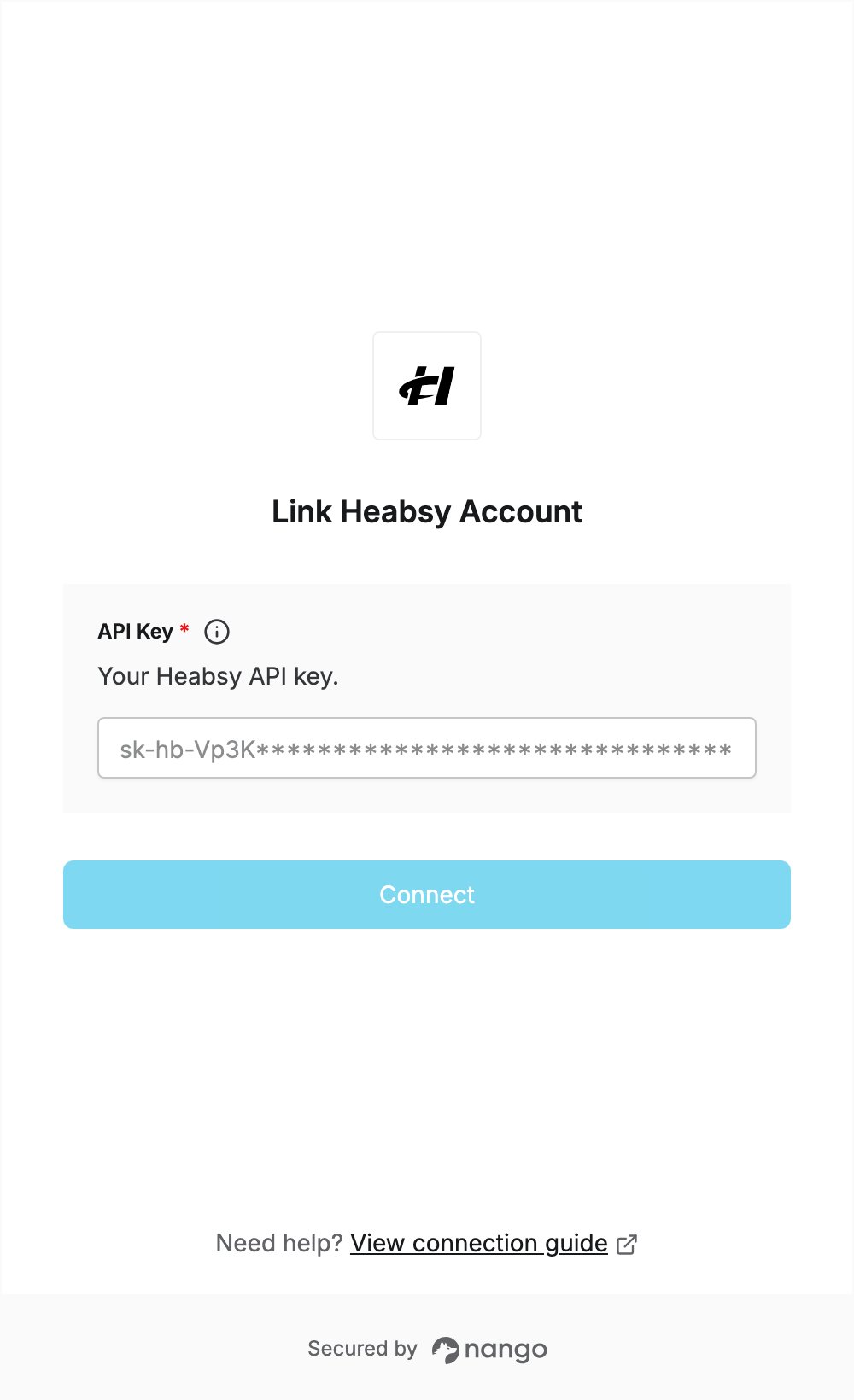
To authenticate with Heabsy, you need:- API Key — a key from the Heabsy Platform console.
Prerequisites
- A Heabsy Platform account. You can sign up here with Google, GitHub or email.
Step 1: Create an API key
- Sign in to the Heabsy Platform console.
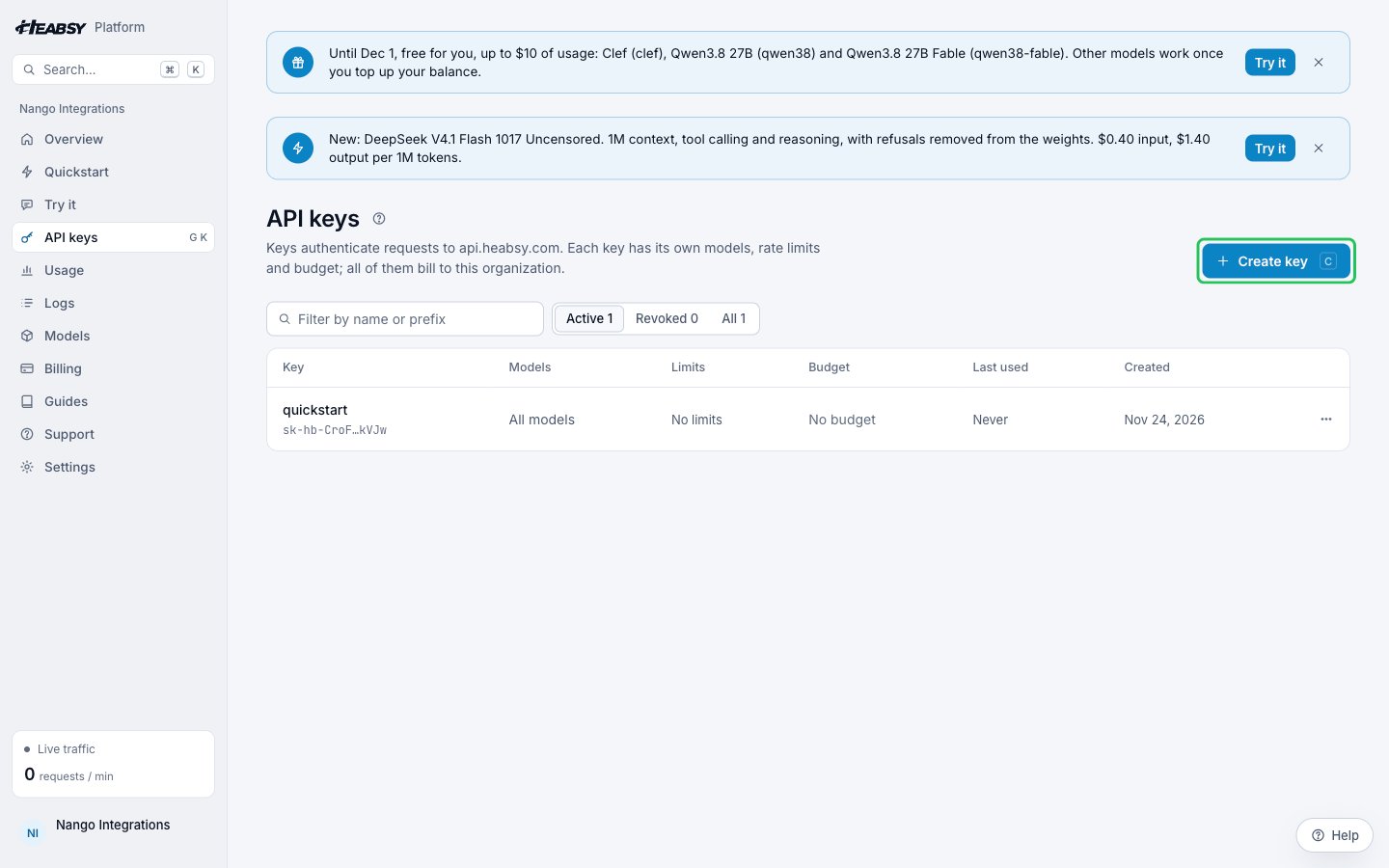
- In the left sidebar, click API keys, then click Create key.
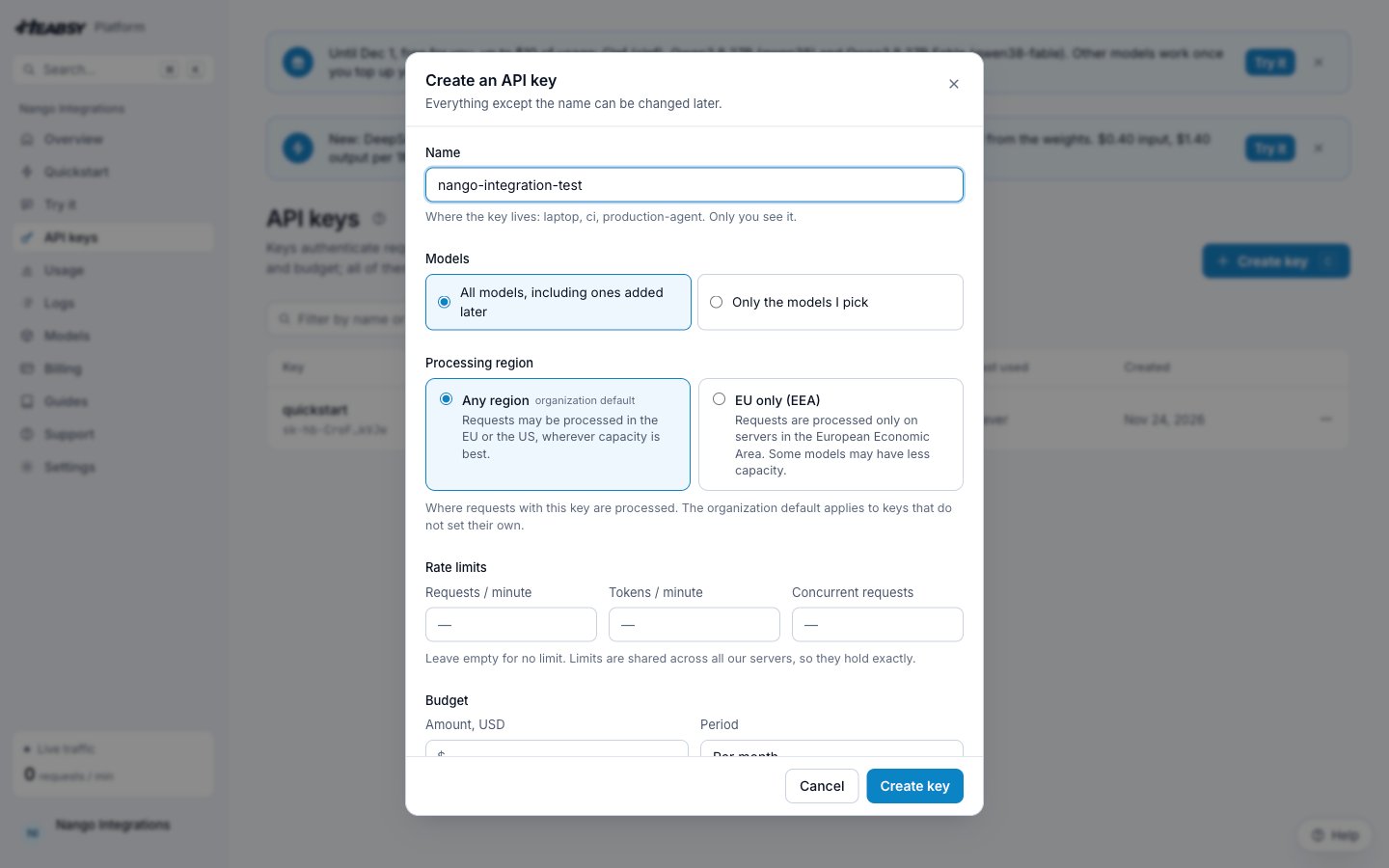
- Enter a name for the key. Optionally restrict its models, rate limits, budget or expiry, then click Create key.
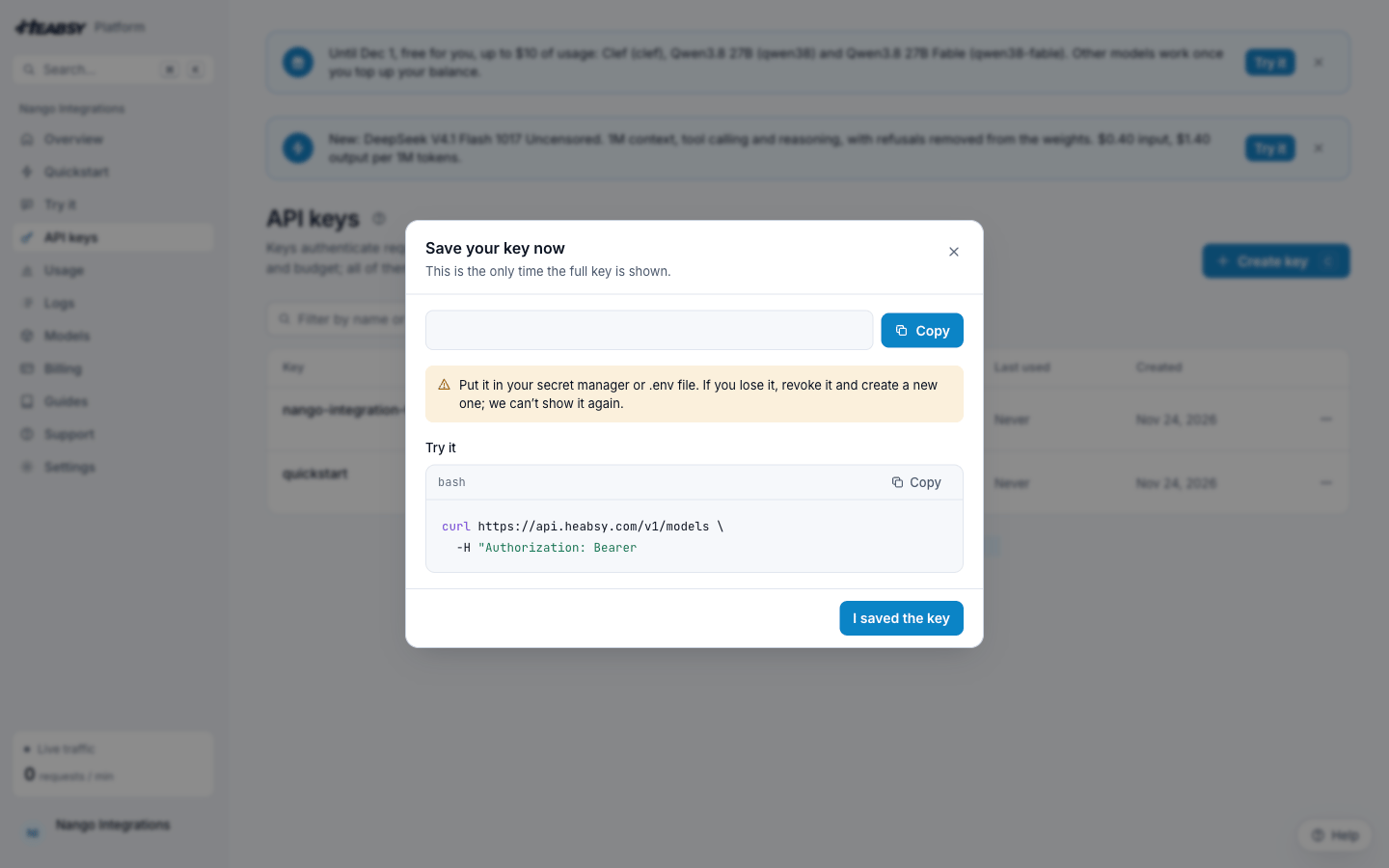
- In the Save your key now dialog, click Copy, then click I saved the key. The key is shown only once.
Step 2: Enter your API key in the Connect UI
- Open the form where you need to authenticate with Heabsy.
- Enter your API Key in the designated field.
- Submit the form, and you should be successfully authenticated.