Overview
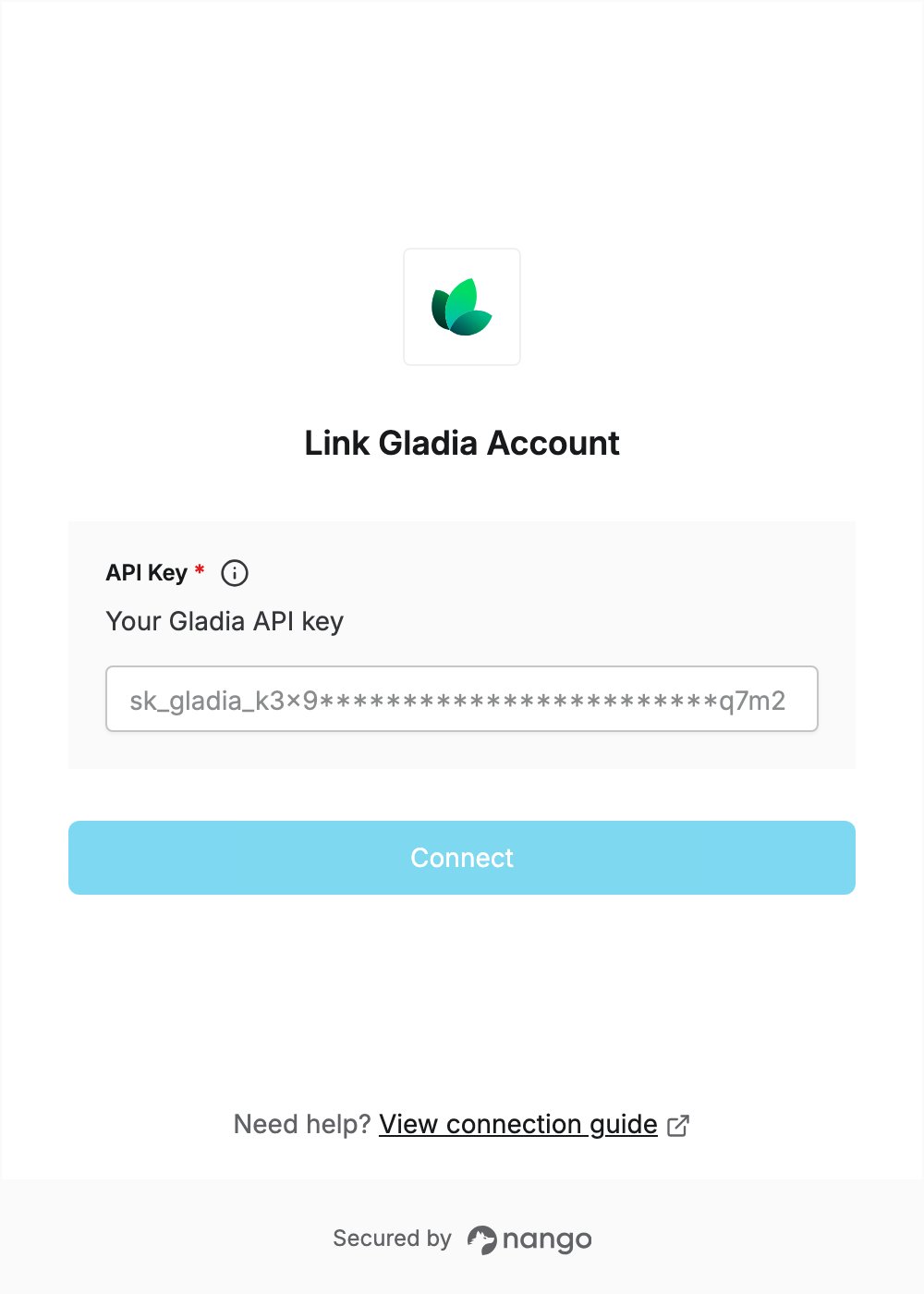
To authenticate with Gladia, you need:- API Key — a Gladia API key that starts with
sk_gladia_.
Prerequisites
- A Gladia account. New accounts get a one-time credit grant to try the service; sign up here.
Step 1: Create an API key
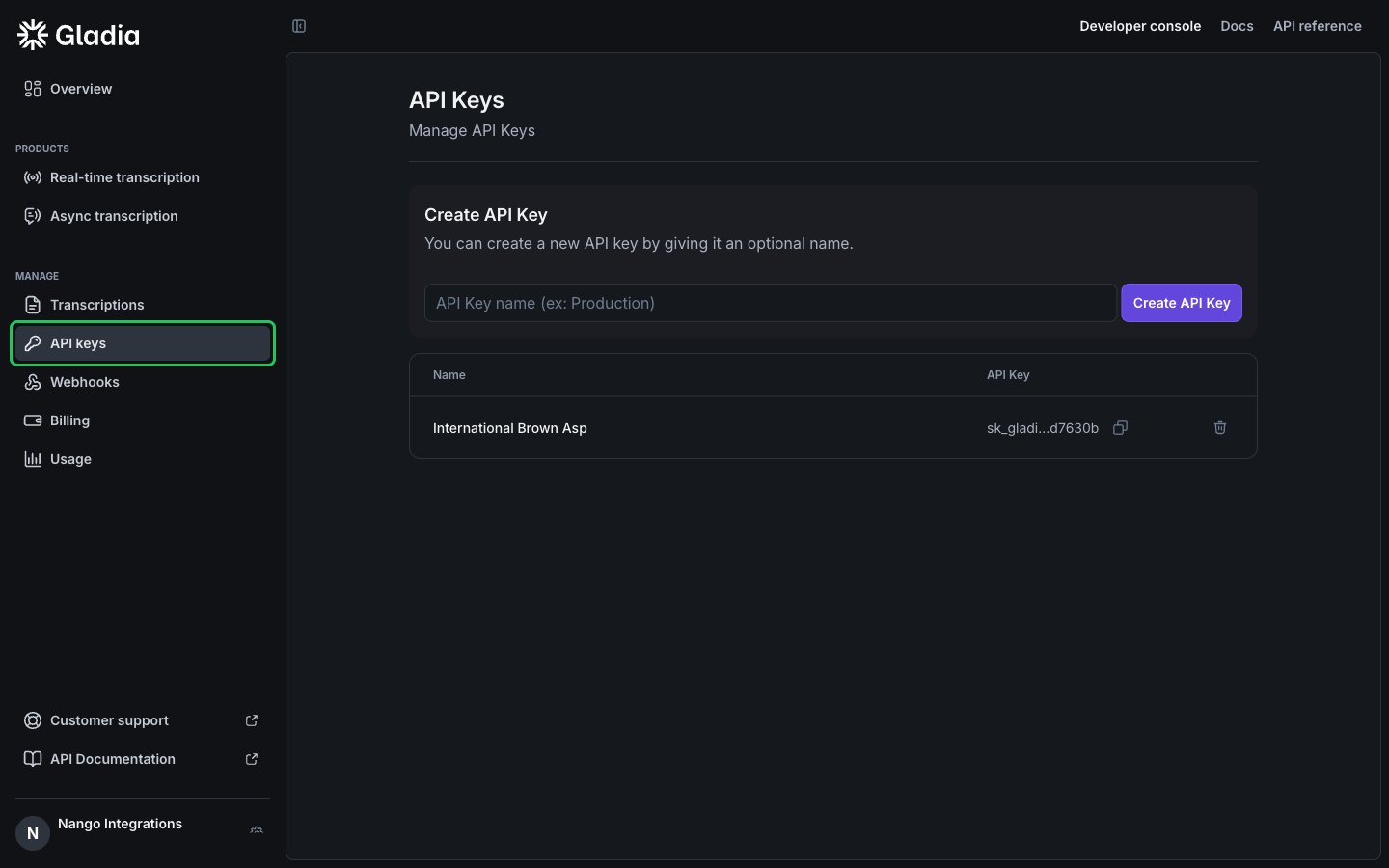
- Sign in to Gladia and click API keys under Manage in the left sidebar.
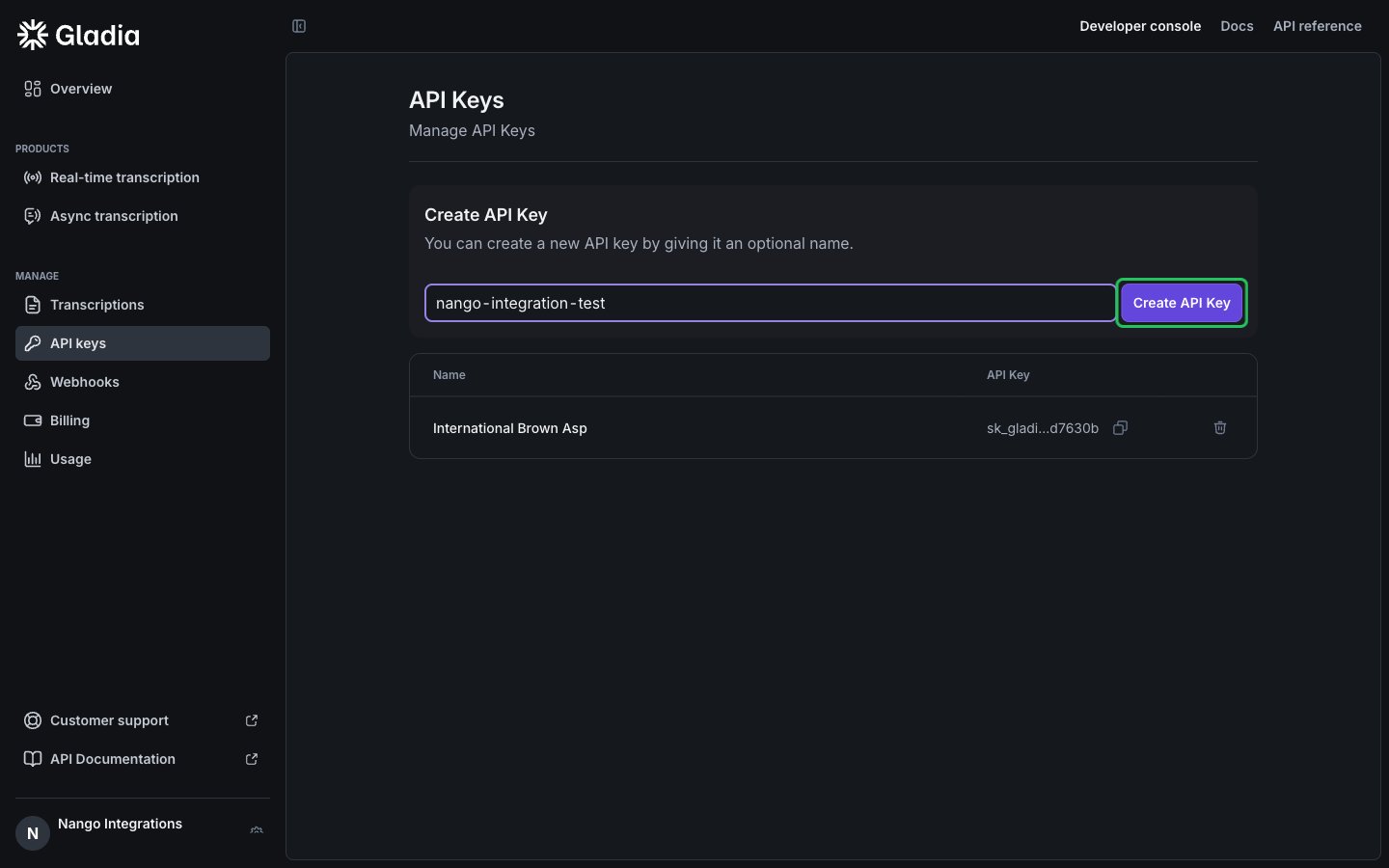
- Under Create API Key, enter a name for the key (optional) and click Create API Key. There are no permissions or scopes to choose.
Gladia also creates a default API key when you sign up. You can use it instead of creating a new one.
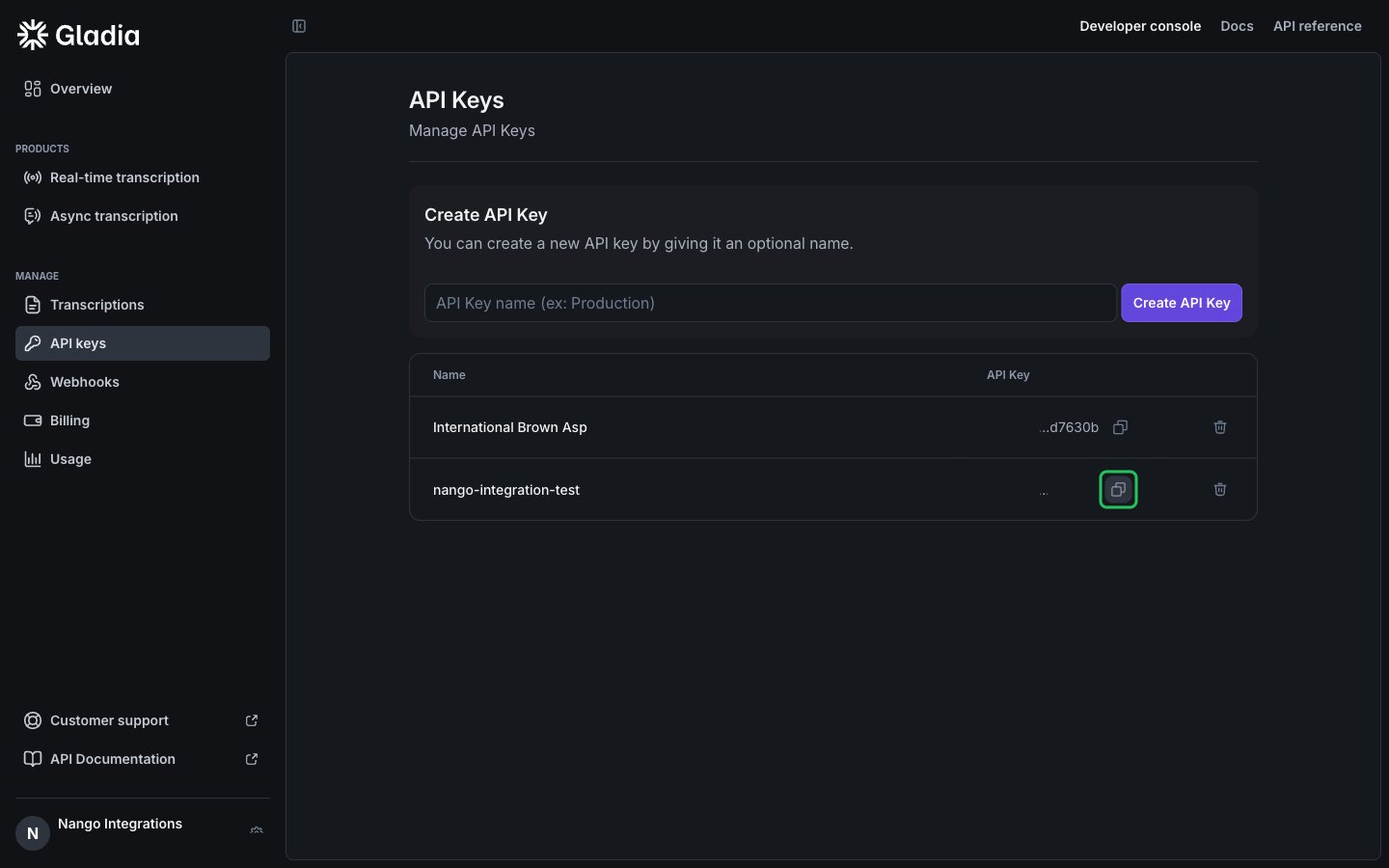
- Find the new key in the list and click the copy icon next to it to copy the full key.
Step 2: Enter your API key in the Connect UI
- Open the form where you need to authenticate with Gladia.
- Enter your API Key in the designated field.
- Click Connect.