Overview
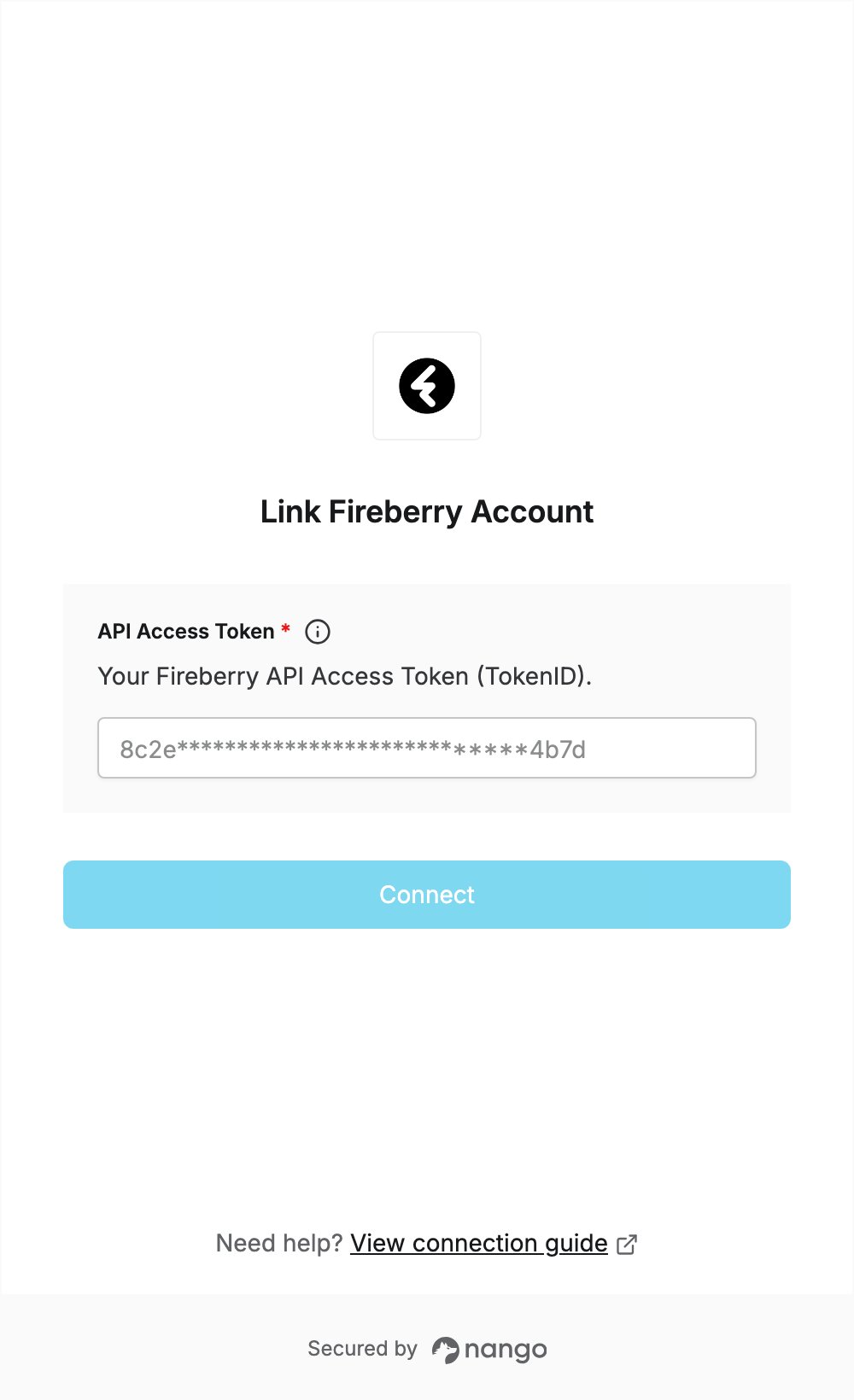
To authenticate with Fireberry, you need:- API Access Token — the personal token (TokenID) shown in your Fireberry profile.
Prerequisites
- A Fireberry account. The free plan includes API access.
Step 1: Copy your API access token
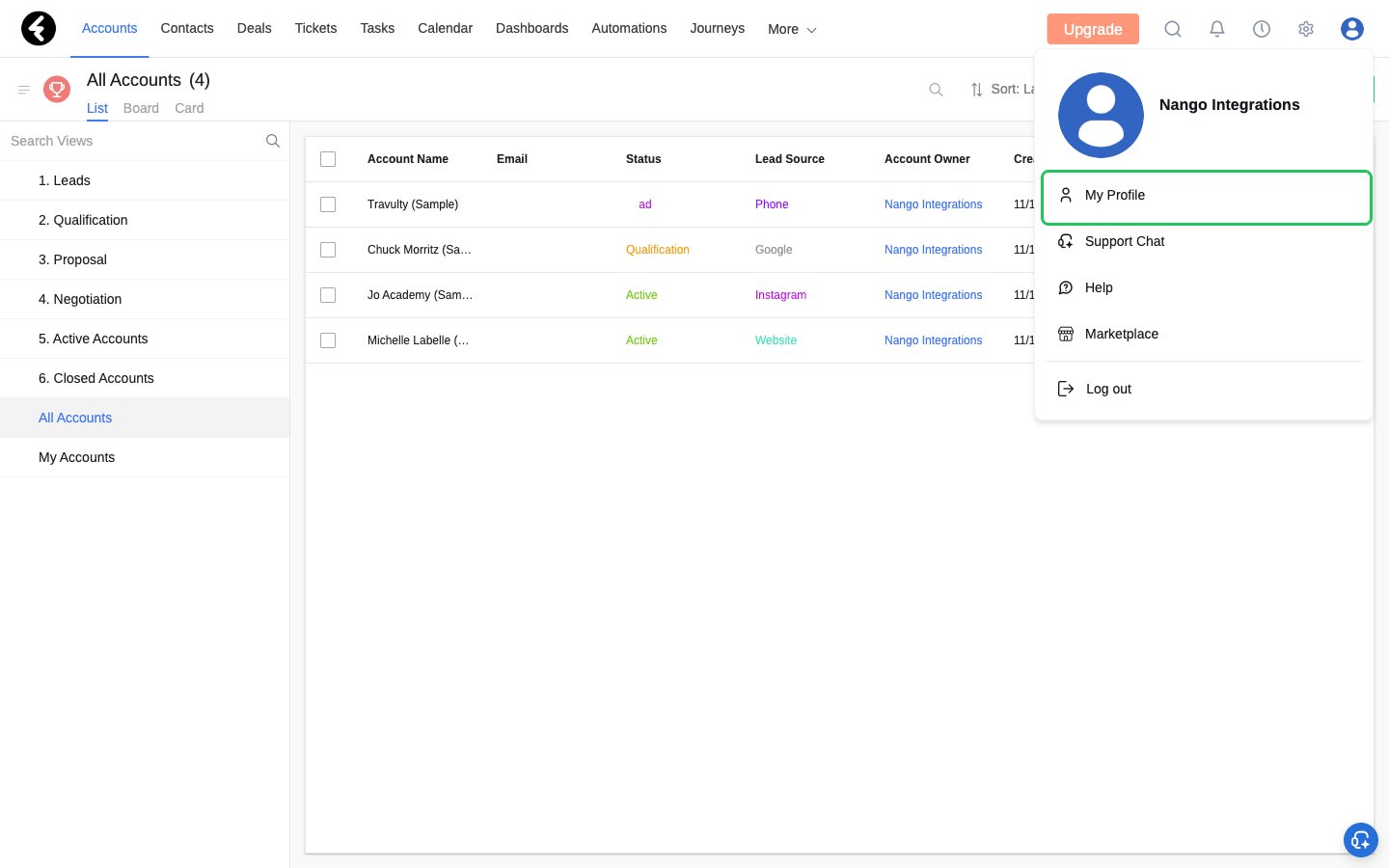
- Log in to Fireberry, click your profile picture in the top right corner, and select My Profile.
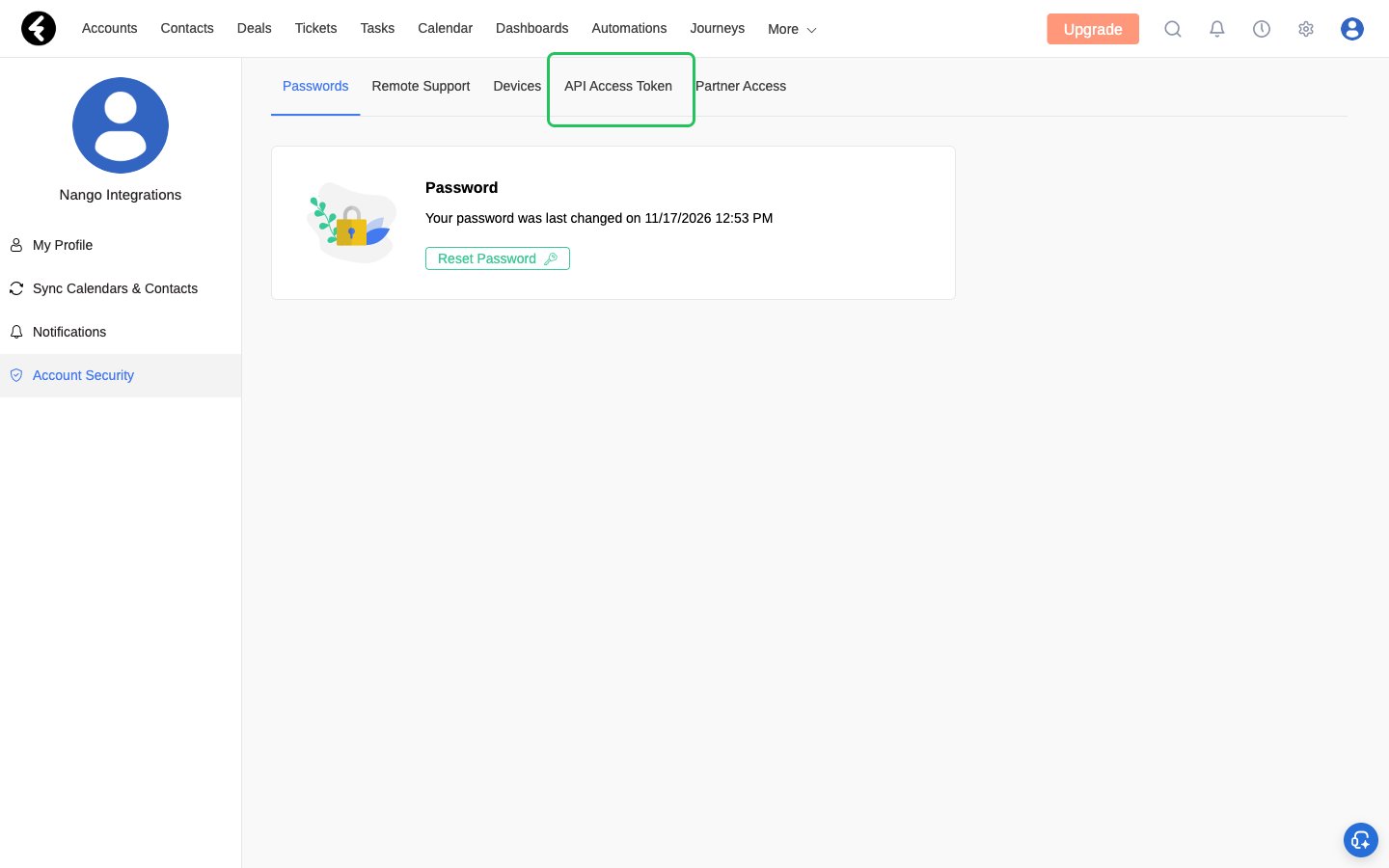
- In the left sidebar, click Account Security, then open the API Access Token tab.
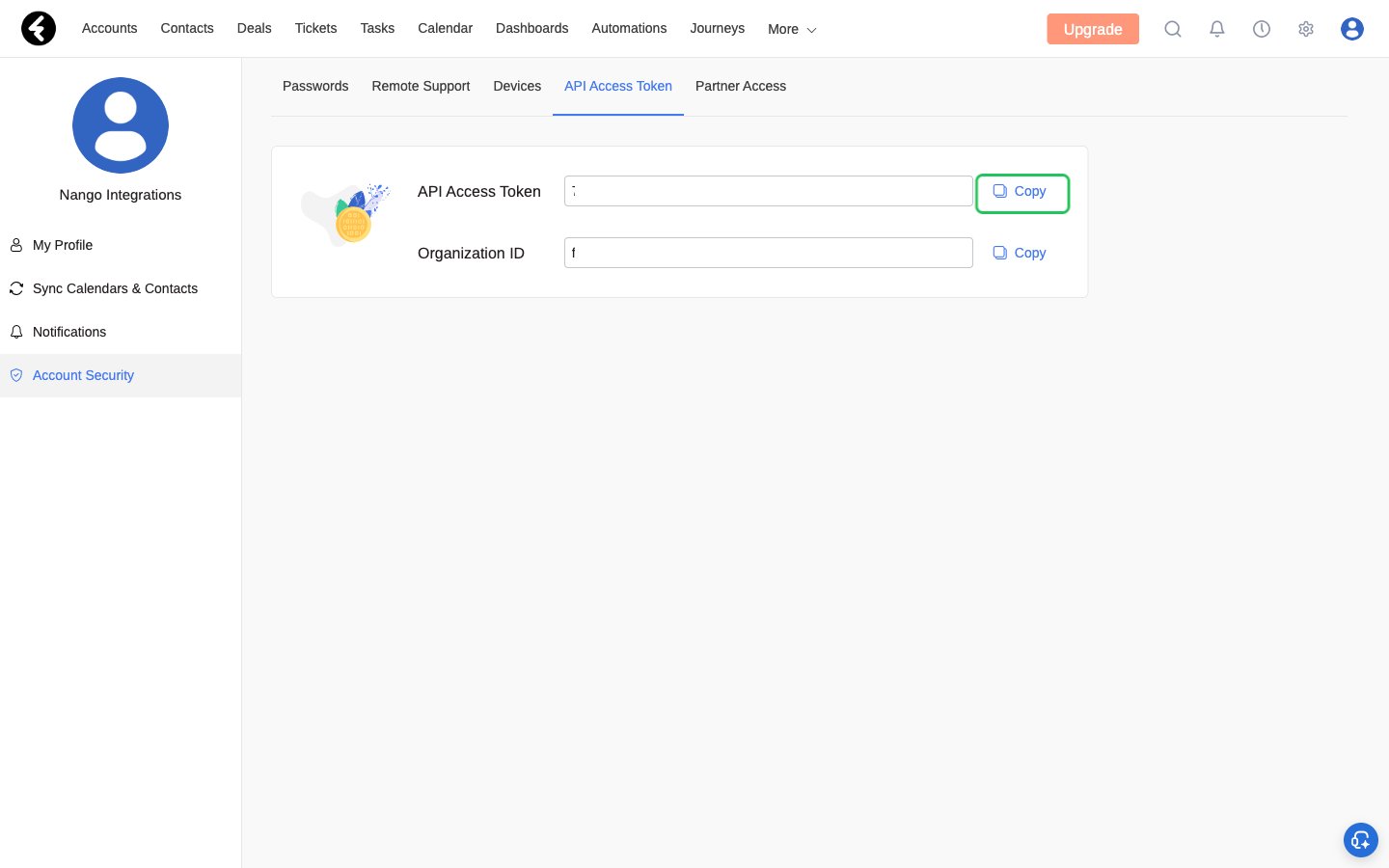
- Your API Access Token (TokenID) is shown on this tab. Click Copy next to it.
Step 2: Enter your API access token in the Connect UI
- Open the form where you need to authenticate with Fireberry.
- Enter your token in the API Access Token field.
- Submit the form, and you should be successfully authenticated.