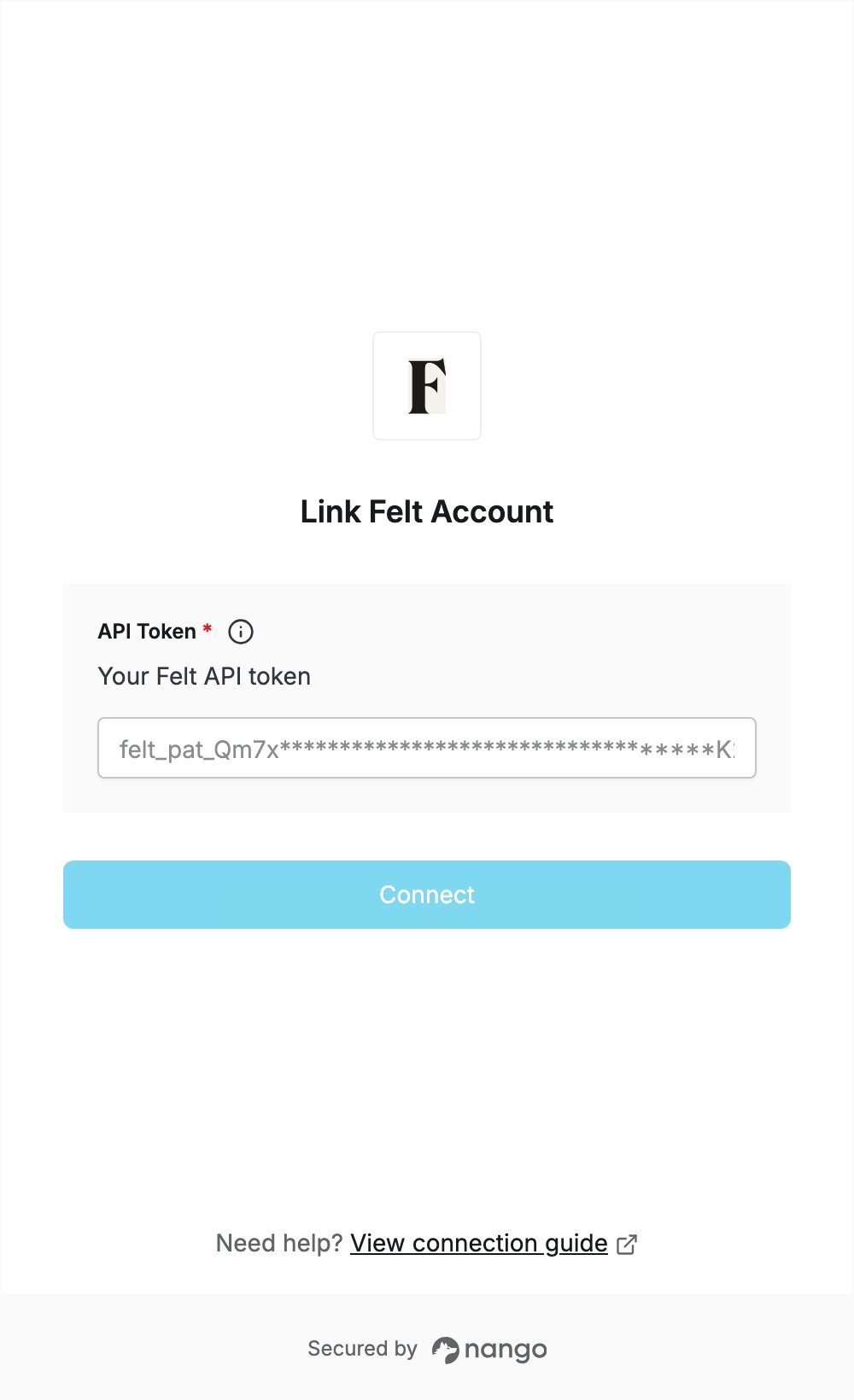
Overview
To authenticate with Felt, you need:- API Token — a token you generate in the Developers tab of your Felt workspace settings.
Prerequisites
- A Felt workspace on the Business or Enterprise plan. The REST API is only available on these plans. New workspaces get a 7-day Business trial with no credit card.
Step 1: Generate an API token
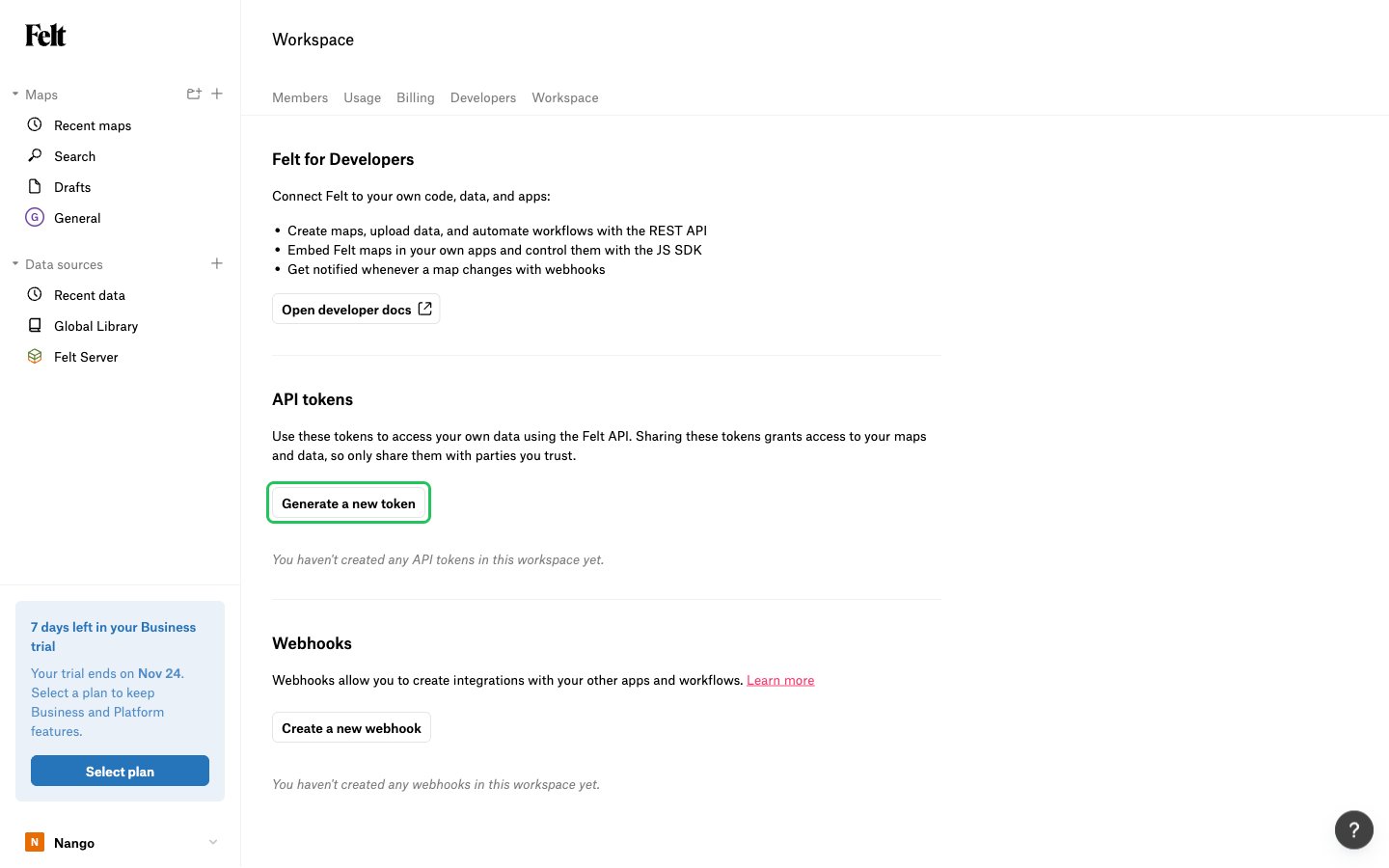
- Log in to Felt, open Workspace settings and go to the Developers tab.
- Under API tokens, click Generate a new token.
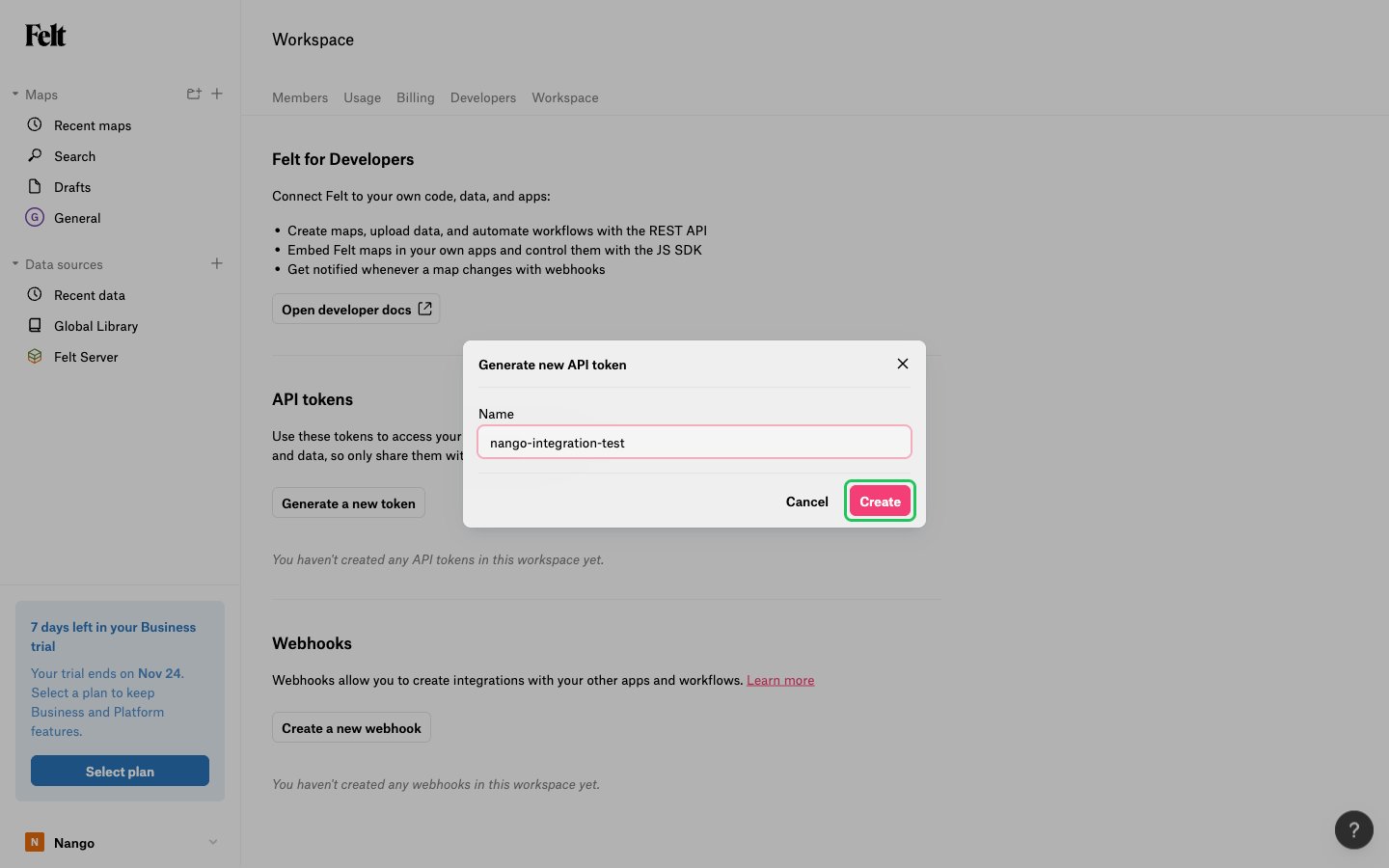
- Enter a unique Name for the token (for example, the name of your app), then click Create.
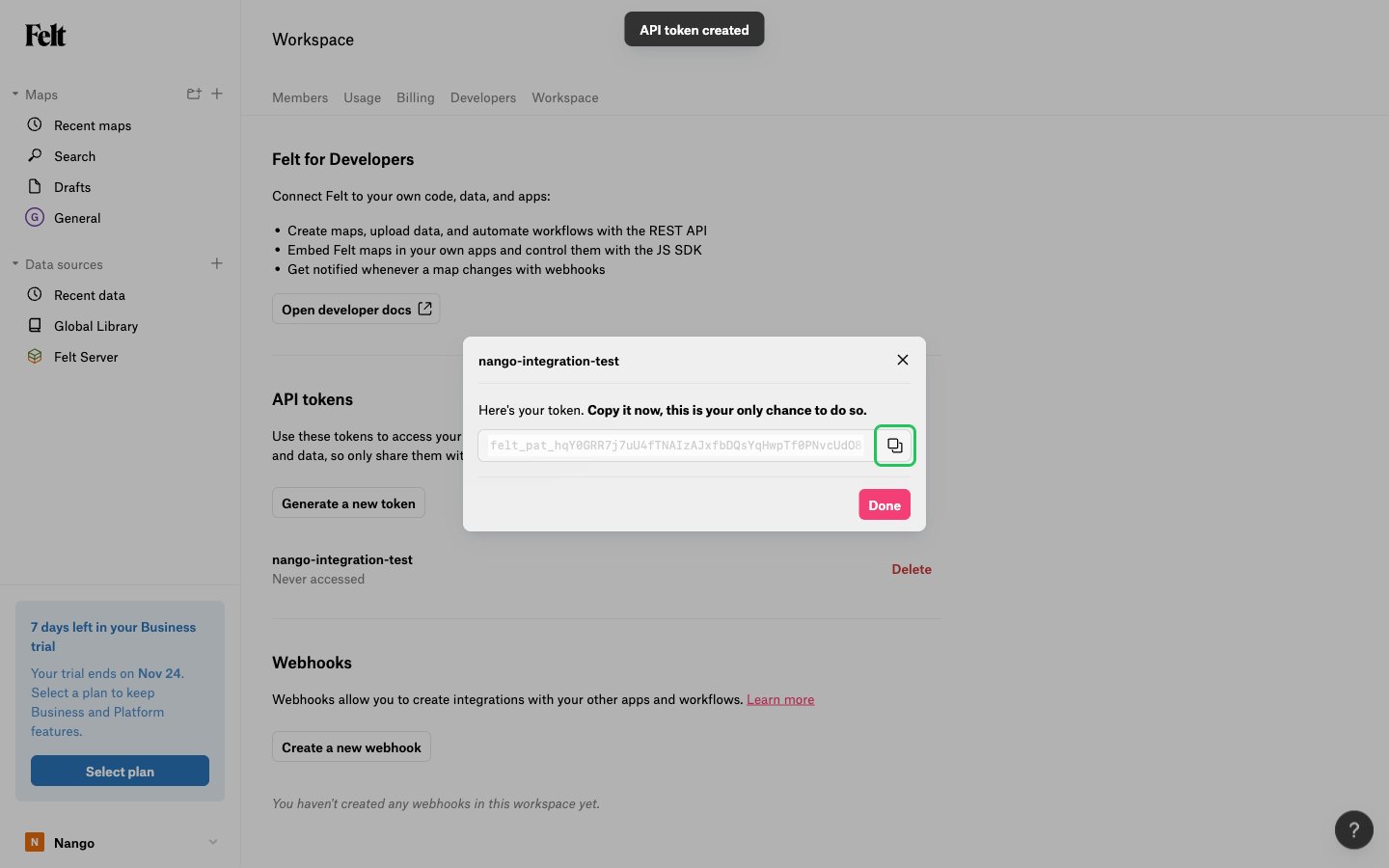
- Copy the token with the copy button, then click Done. Felt shows the token only once.
Step 2: Enter your API token in the Connect UI
- Open the form where you need to authenticate with Felt.
- Enter your API token in the API Token field.
- Submit the form, and you should be successfully authenticated.