Overview
To authenticate with Feathery, you need:- Client ID and Client Secret: the credentials of a Feathery OAuth app.
- Region: the Feathery region your account is hosted in.
Prerequisites
- A Feathery account on a paid plan. The developer API requires a paid plan.
- The Admin role in Feathery. Only Admins can create OAuth apps.
Step 1: Create an OAuth app
- Log in to Feathery as an Admin.
- Open your Feathery settings and go to the Developer tab.
- Open OAuth apps and choose New OAuth app.
- Name the app after the integration and choose the Live or Test mode.
- Choose the app’s access (scopes), and choose when the secret expires.
- Click Create, then copy the Client ID (it starts with
fthr_cid_) and the Client secret (it starts withfthr_cs_).
Feathery only shows the client secret once. Save it somewhere secure before closing the dialog.
Step 2: Select your region
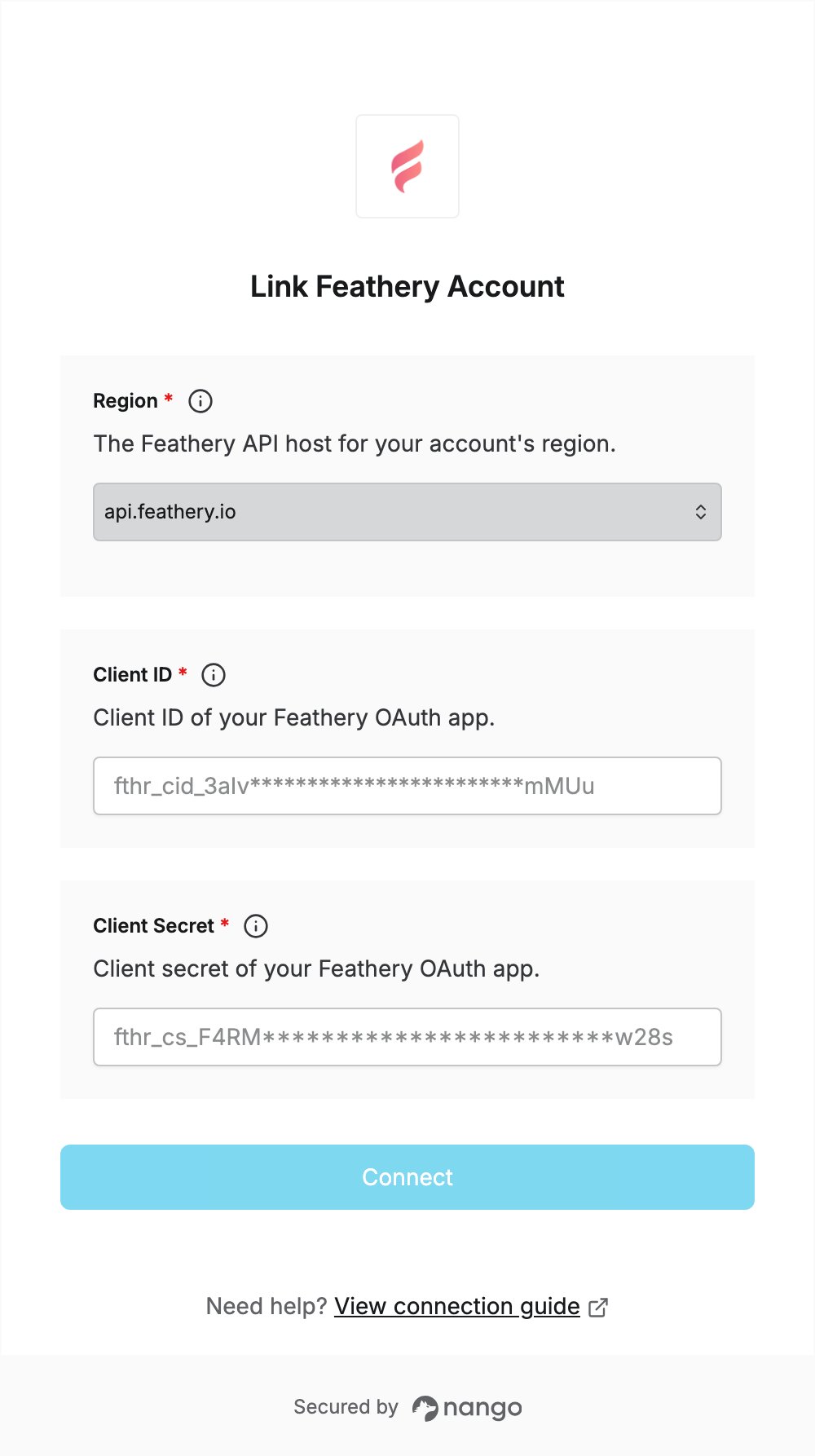
Feathery hosts each account in one region, and each region has its own API host. Select the Region your account is hosted in:
If you aren’t sure which region your account is in, ask your Feathery Admin.
Step 3: Enter your credentials in the Connect UI
- Open the form where you need to authenticate with Feathery.
- Select your Region, then enter your Client ID and Client Secret.
- Submit the form. Nango requests an access token from Feathery, so a wrong, revoked or expired client ID or secret is rejected right away.