Overview
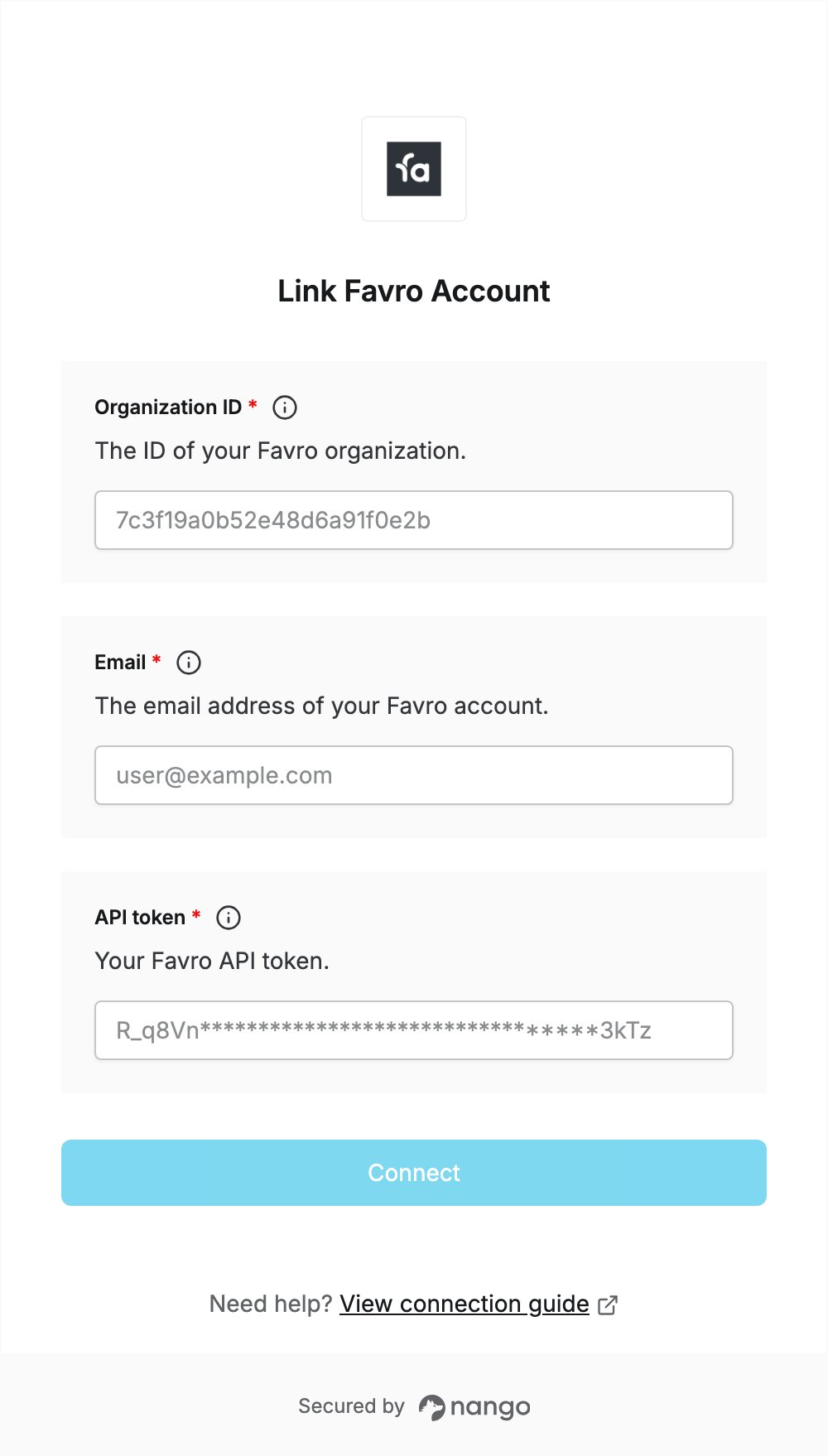
To authenticate with Favro, you need:- Organization ID — the ID of your Favro organization.
- Email — the email address you log in to Favro with.
- API token — an API token created in your Favro profile.
Prerequisites
- A Favro account. You can sign up for a 14-day free trial.
Step 1: Create an API token
- Log in to Favro with your email. You’ll enter this email in the Email field of the Connect UI.
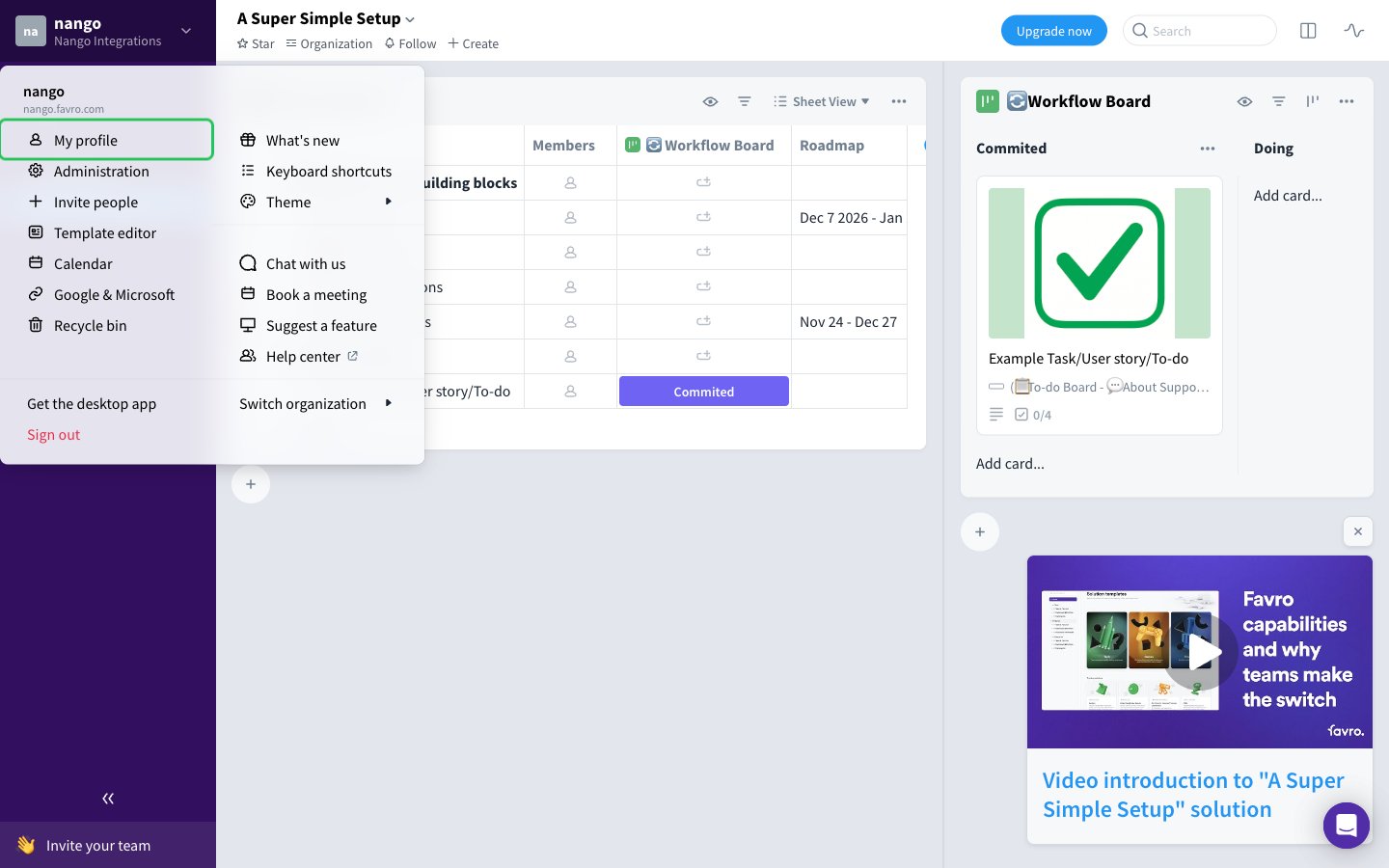
- Click your organization name at the top left to open the main menu, then choose My profile.
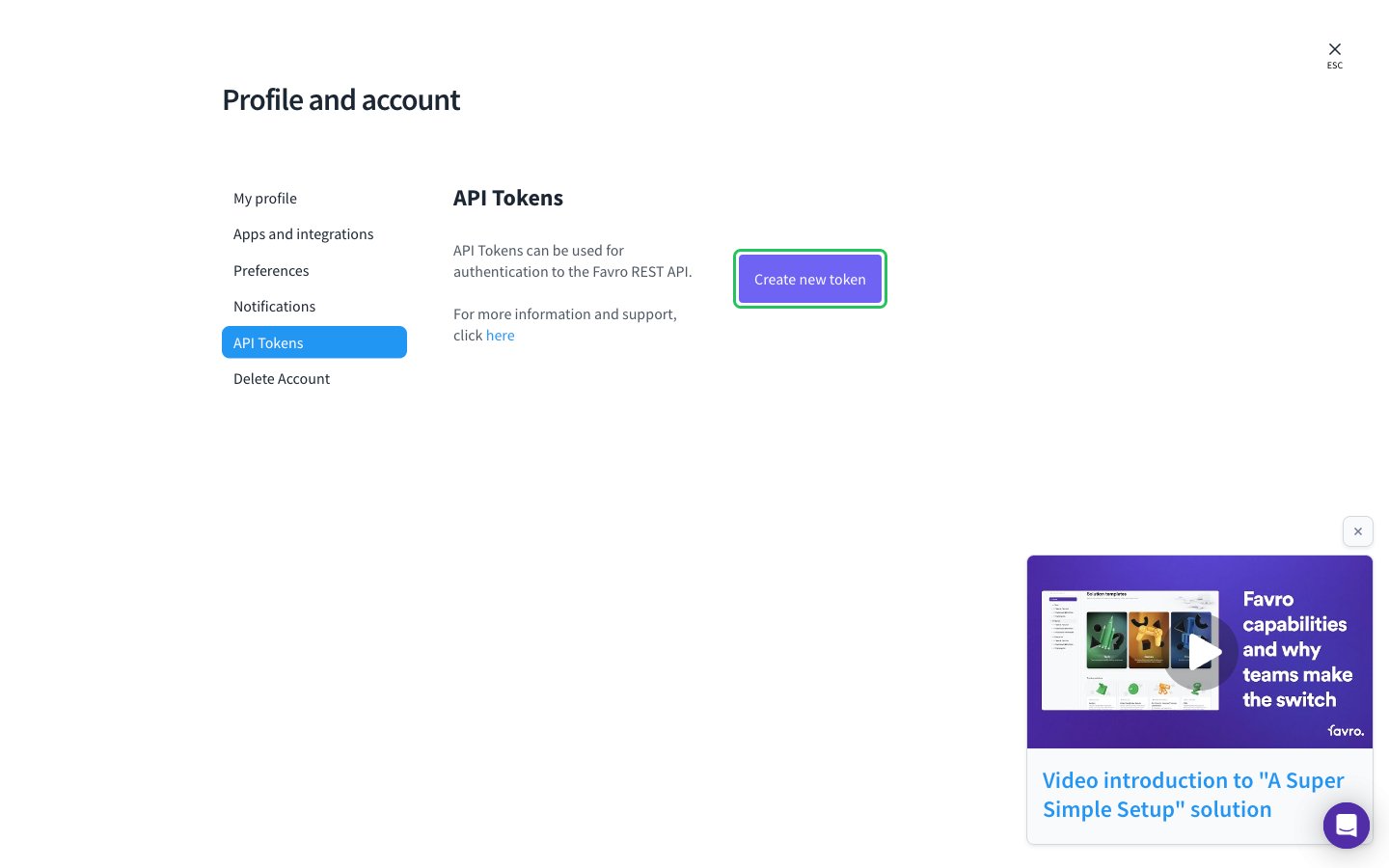
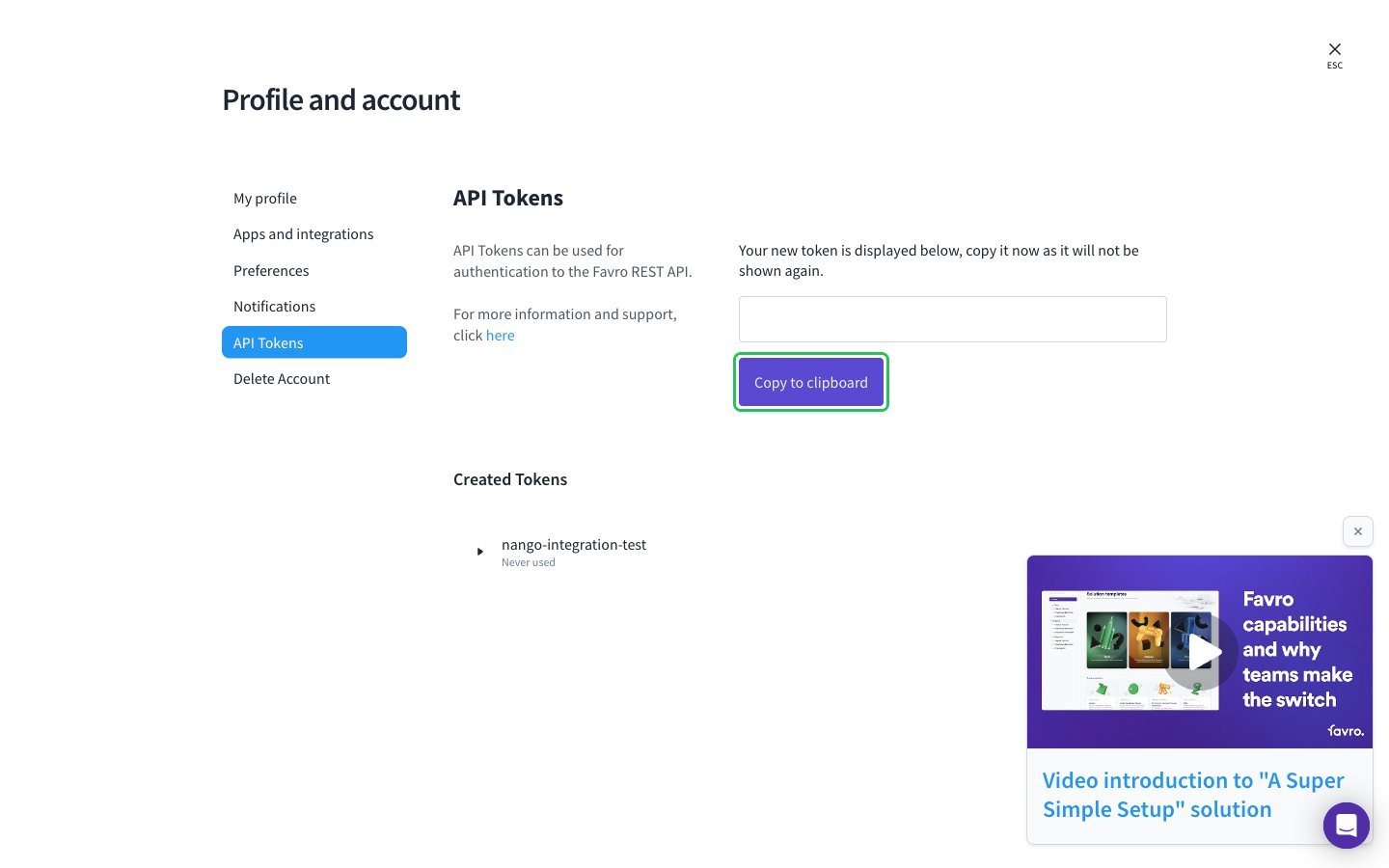
- In Profile and account, open the API Tokens tab and click Create new token.
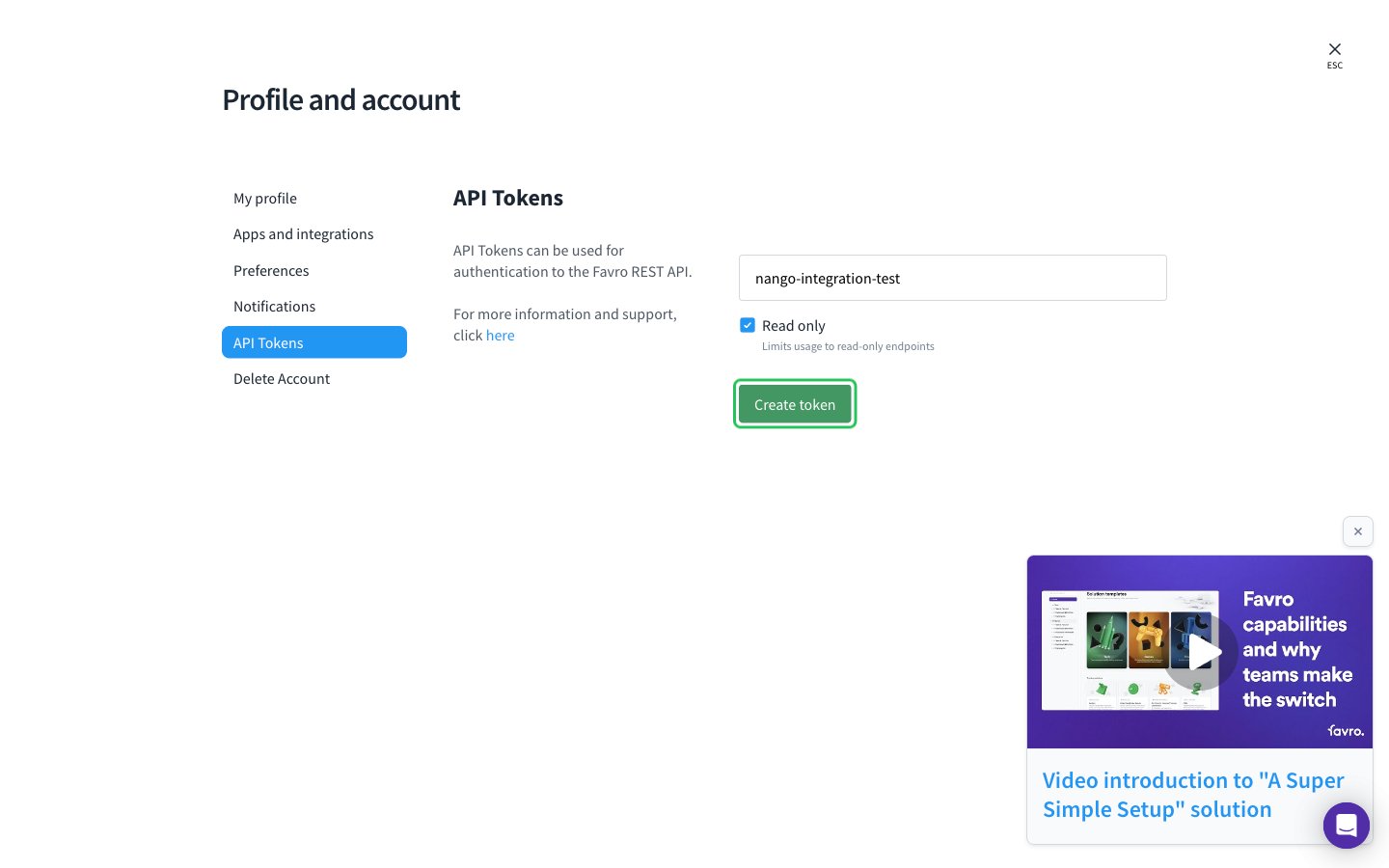
- Enter a name for the token. Optionally tick Read only to limit the token to read-only endpoints. Then click Create token.
- Click Copy to clipboard and store the token securely.
Step 2: Find your organization ID
- Open your organization in Favro.
- Copy the ID from the browser address bar: it is the part after
/organization/inhttps://favro.com/organization/<ORGANIZATION-ID>/....
Step 3: Enter your credentials in the Connect UI
- Open the form where you need to authenticate with Favro.
- Enter your organization ID in the Organization ID field.
- Enter your Favro login email in the Email field.
- Enter your API token in the API token field.
- Submit the form, and you should be successfully authenticated.