Overview
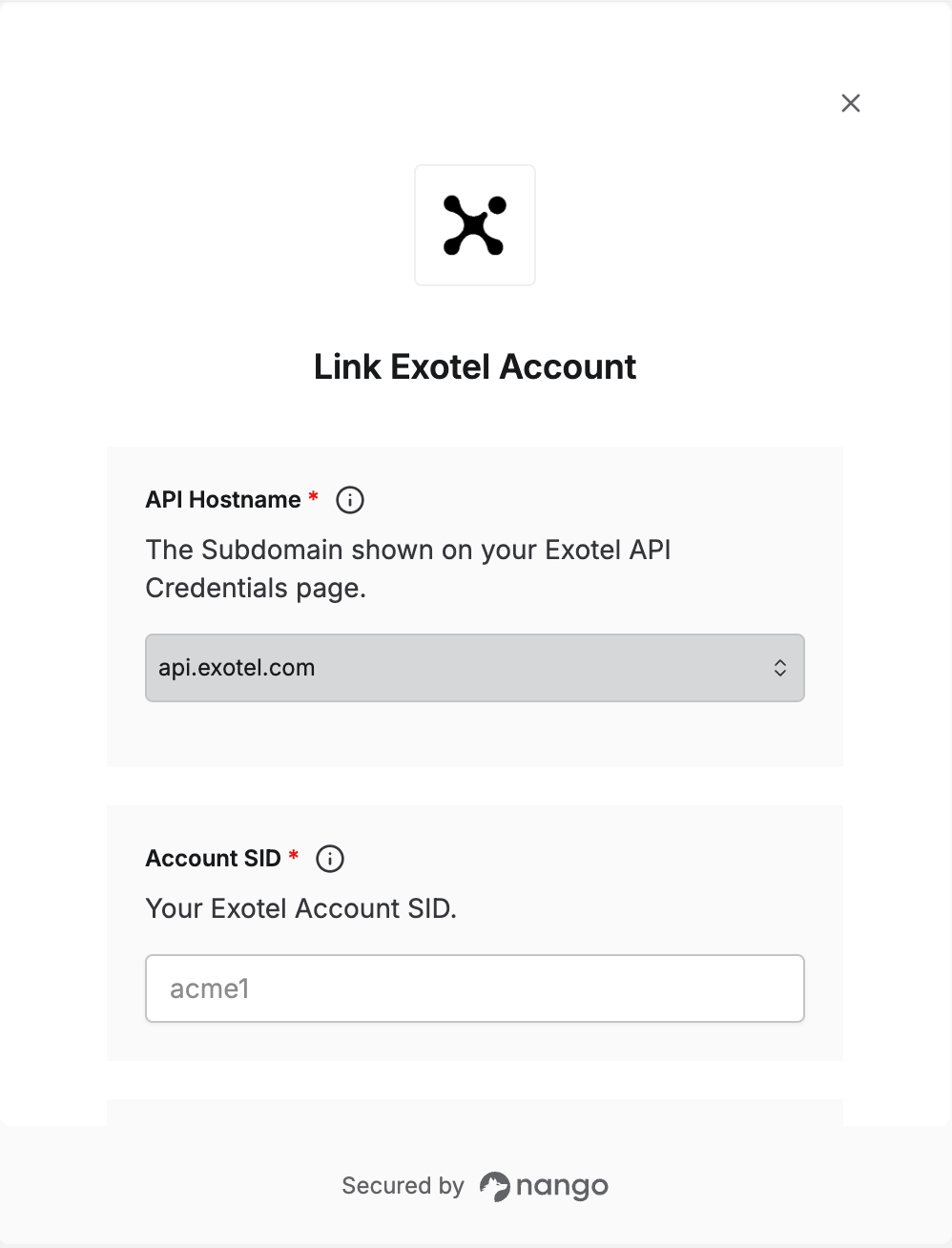
To connect with Exotel, you need:- API Hostname — the API host for your account’s region.
- Account SID — your Exotel account identifier.
- API Key and API Token — your Exotel API credentials.
Prerequisites
- An Exotel account. If you don’t see Developer in the dashboard menu, ask your account administrator for access.
Step 1: Find your API credentials
- Log in to the Exotel Dashboard.
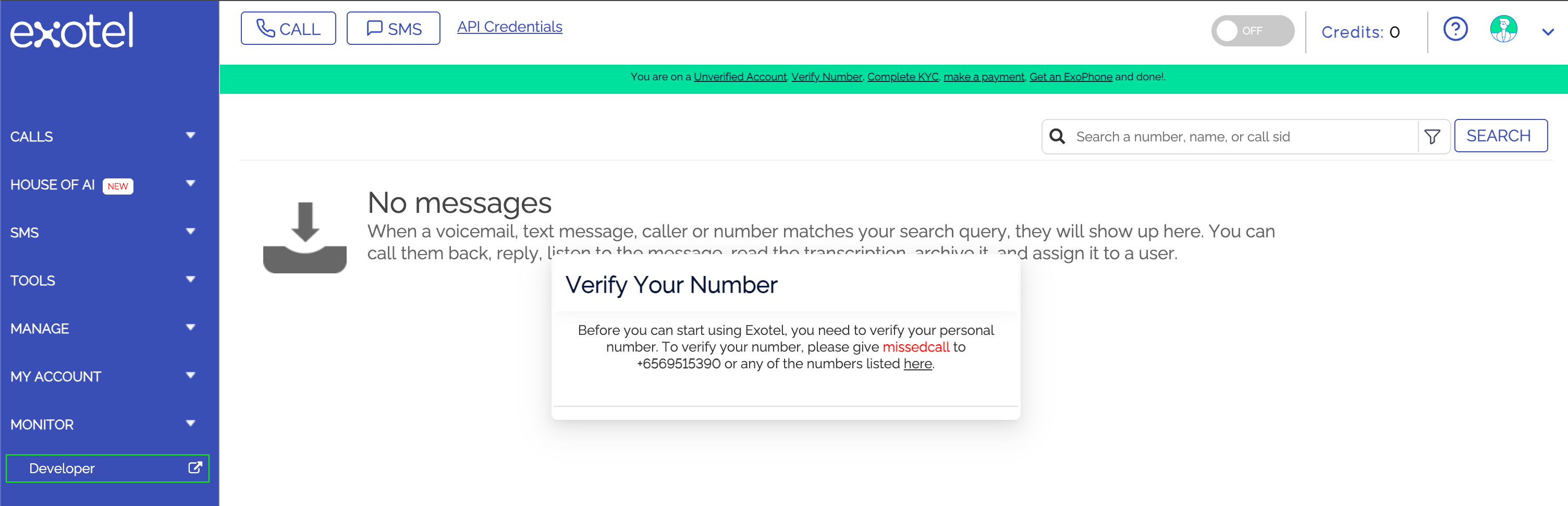
- At the bottom left, click Developer. The developer portal opens in a new tab on Developer Settings > API Settings.
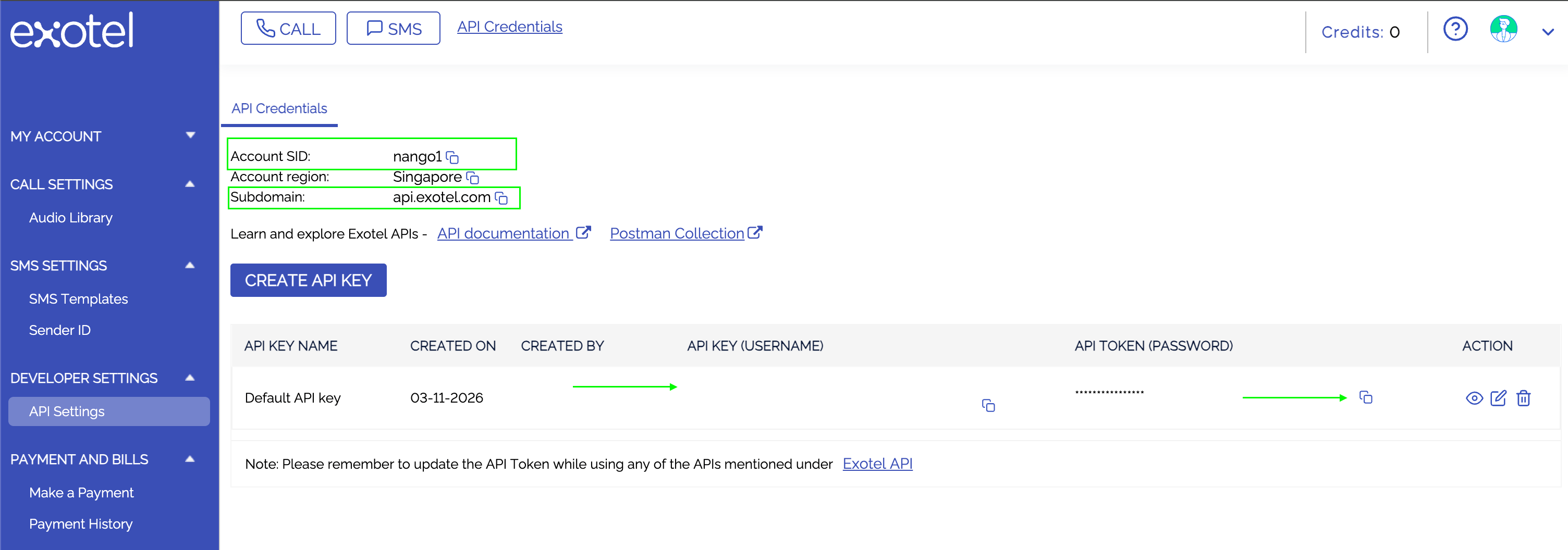
- On the API Credentials tab, copy your Account SID.
- In the API keys table, copy the API Key (Username) and API Token (Password). The token is masked, so use its copy icon. If the table is empty, click Create API Key first.
- Copy the Subdomain shown on the same tab, such as
api.exotel.com. This is the API Hostname you will pick.
Step 2: Enter your credentials in the Connect UI
- Open the form where you need to authenticate with Exotel.
- Select your API Hostname and enter your Account SID, API Key, and API Token.
- Click Connect.