Overview
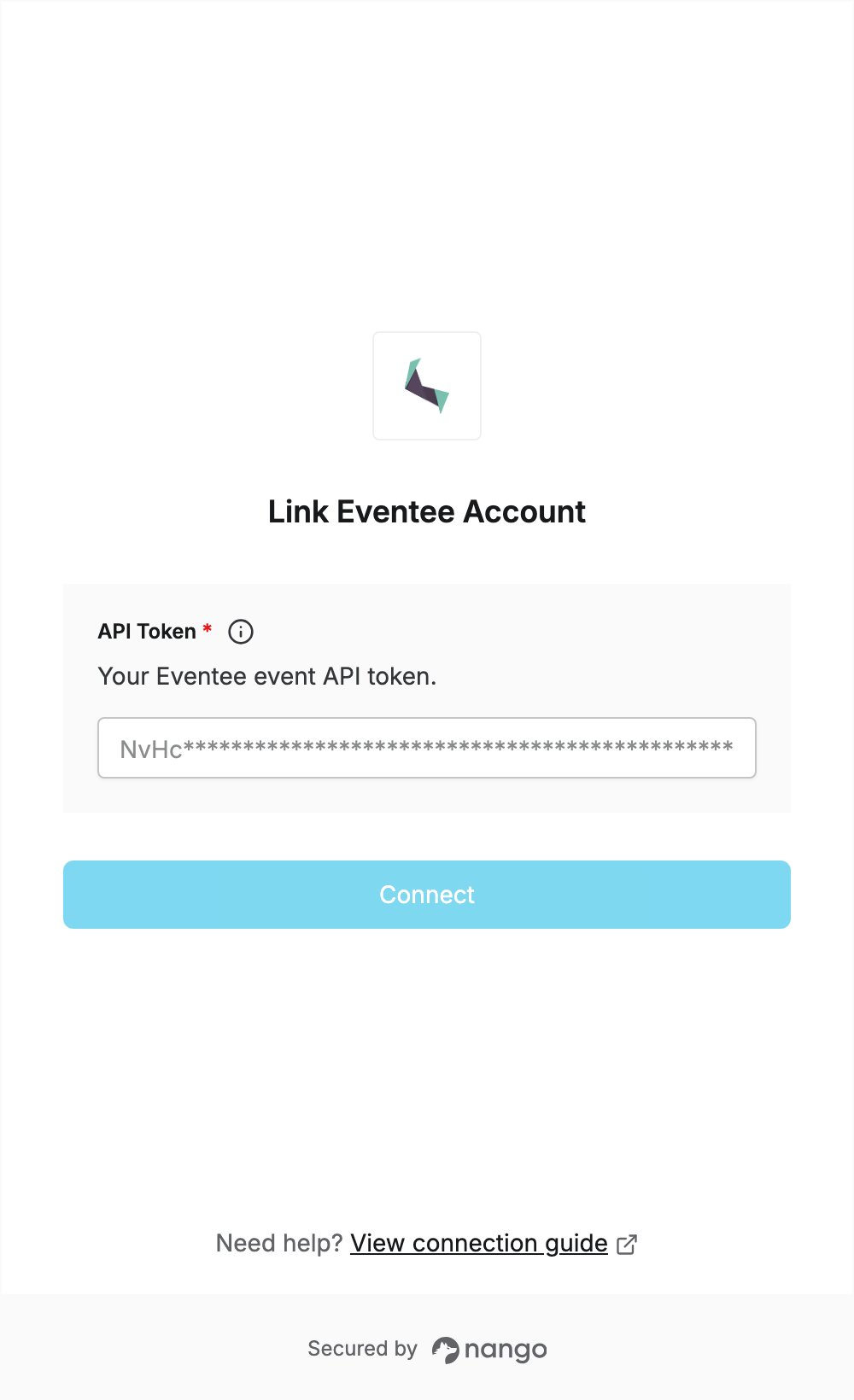
To authenticate with Eventee, you need:- API Token — the Public API token of your Eventee event.
Prerequisites
- An Eventee account with an event. Every event has its own API token, so the connection gives access to that one event.
Step 1: Generate an API token
- Sign in to the Eventee admin and open your event.
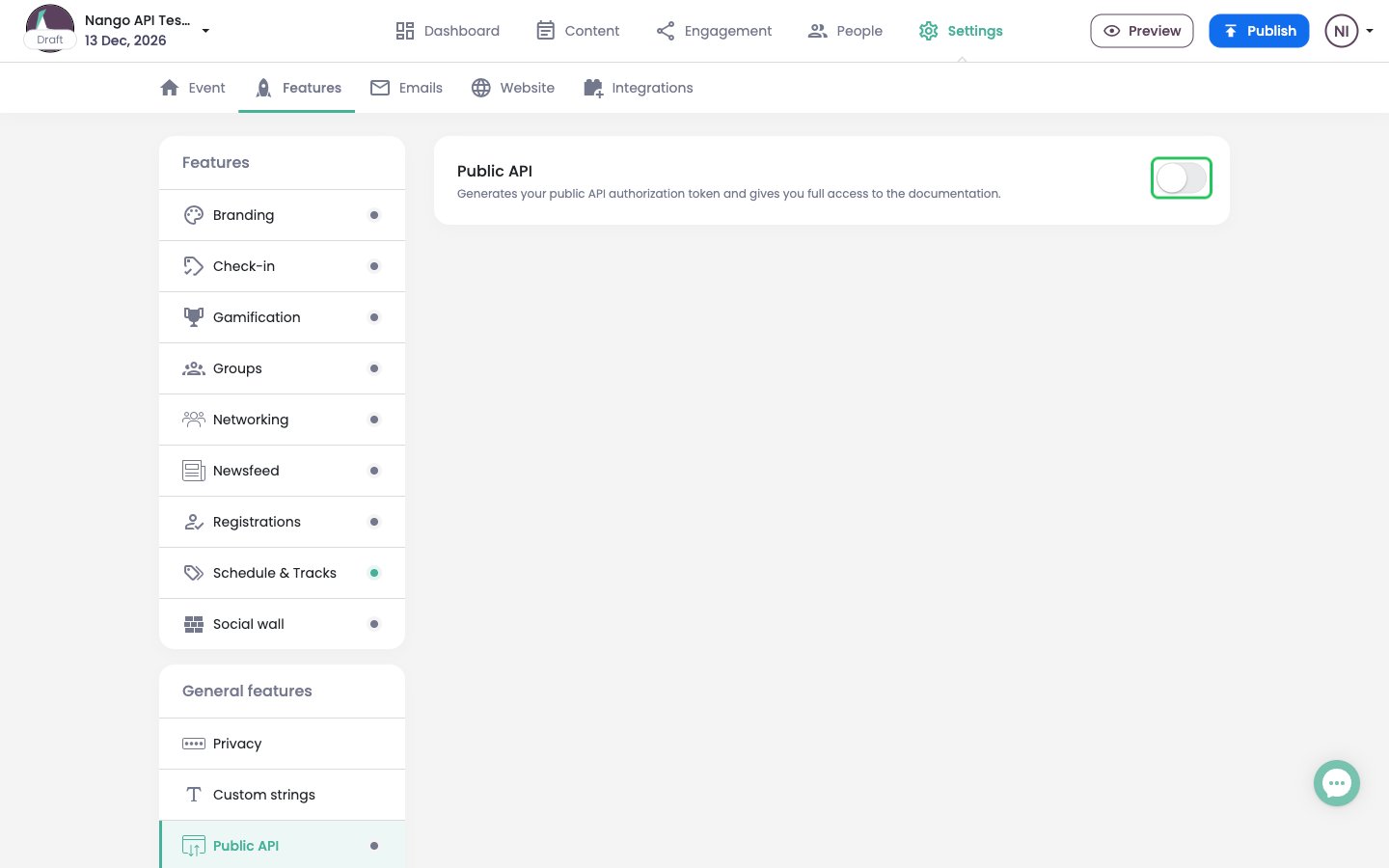
- Click Settings in the top navigation, open the Features tab, then select Public API under General features.
- Turn on the Public API switch.
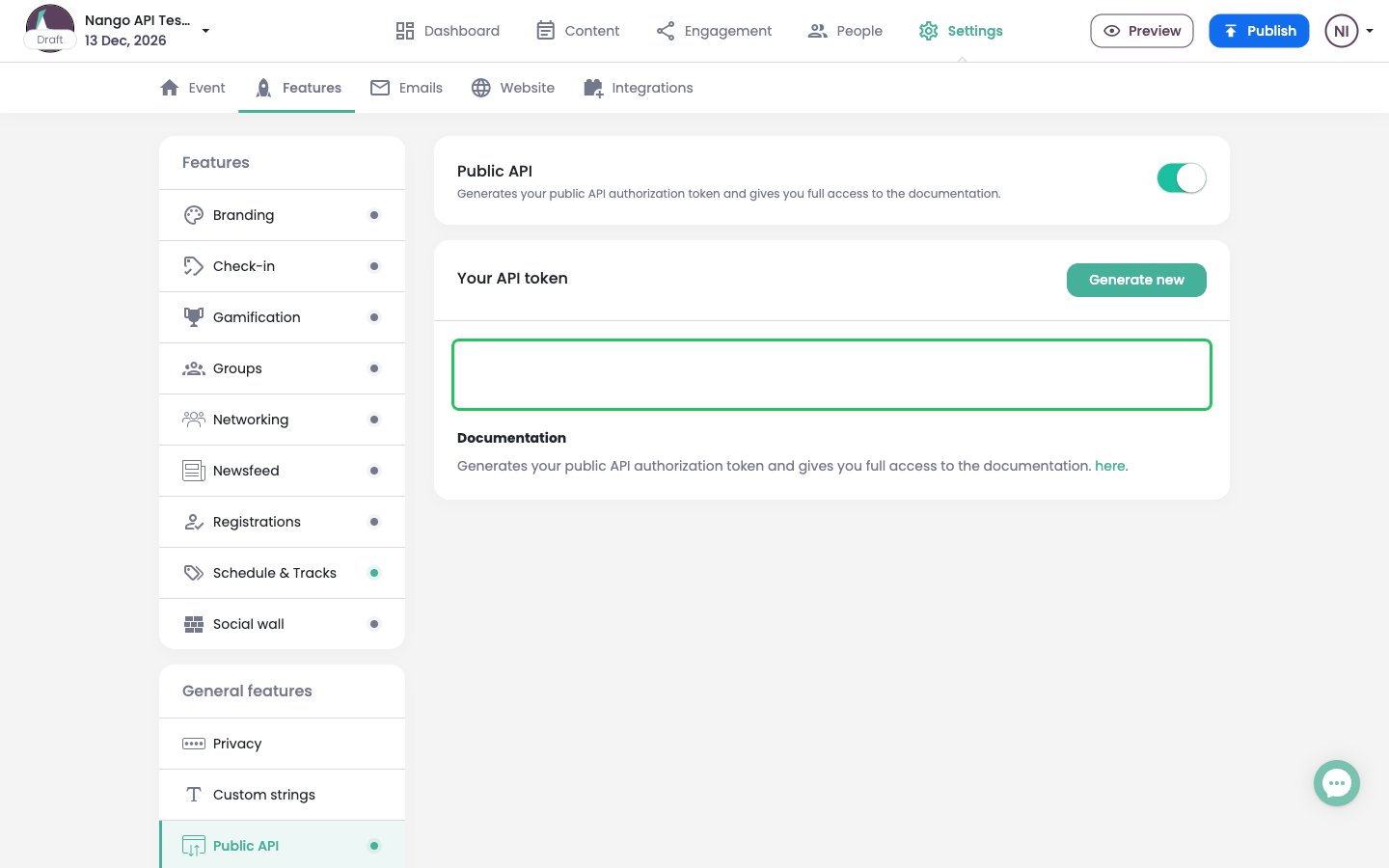
- Copy the token shown under Your API token. Clicking Generate new creates a new token and invalidates the old one, so only use it to rotate the token.
Step 2: Enter your API token in the Connect UI
- Open the form where you need to authenticate with Eventee.
- Paste the token you copied in Step 1 into the API Token field.
- Submit the form, and you should be successfully authenticated.