Overview
To authenticate with Enigma, you need:- API Key — a personal or service API key from Enigma Console.
Prerequisites
- An Enigma account on a plan with API access: Pro, Max, or Enterprise.
Step 1: Create an API key
- Sign in to Enigma Console, then go to Settings, then Account, then API keys.
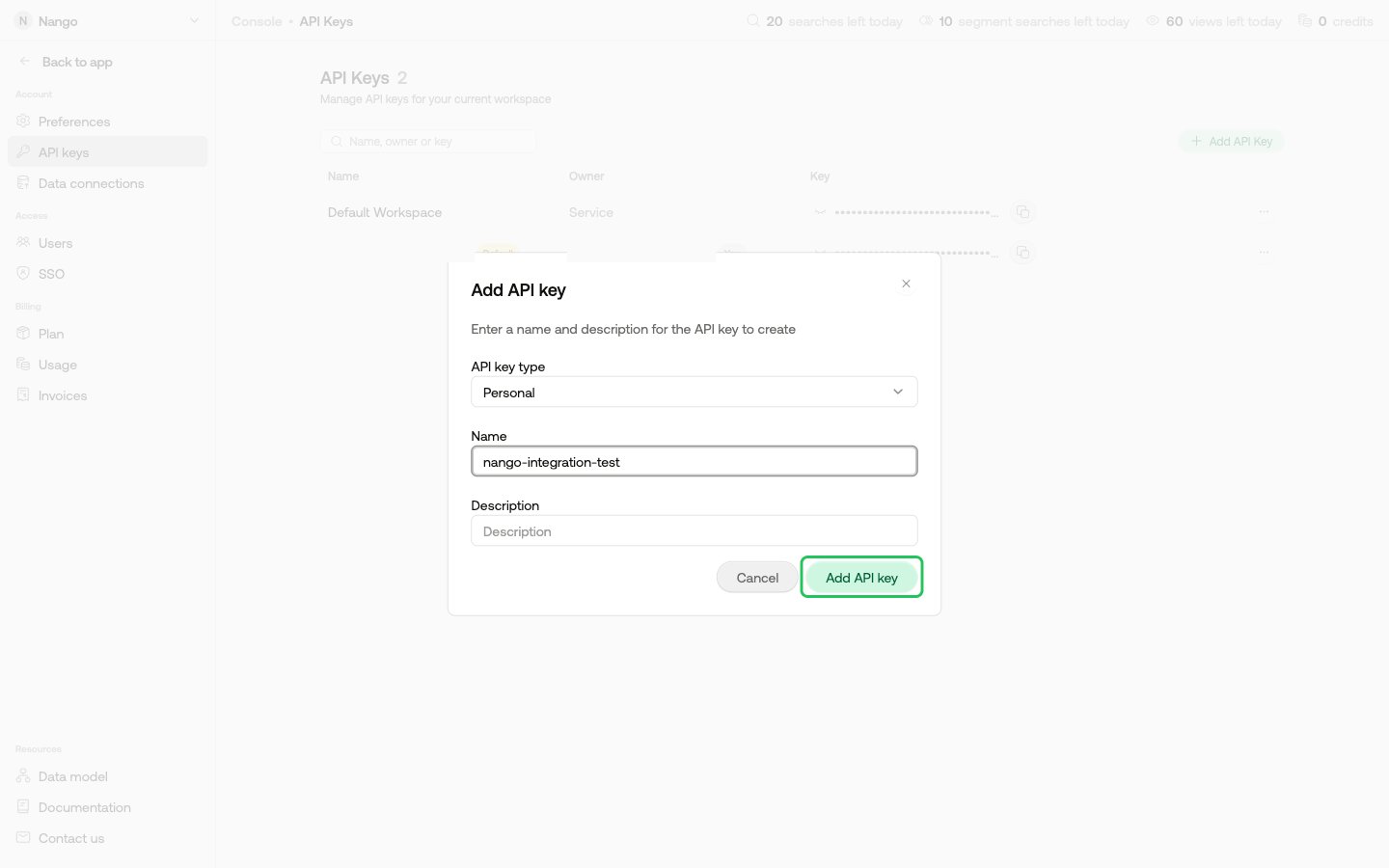
- Click Add API Key and pick the API key type:
- Service: belongs to the workspace and keeps working when the person who created it leaves. Use it for production systems.
- Personal: belongs to you. Your workspace also has a default personal key you can use instead.
- Enter a Name (and a Description for a service key), then click Add API key.
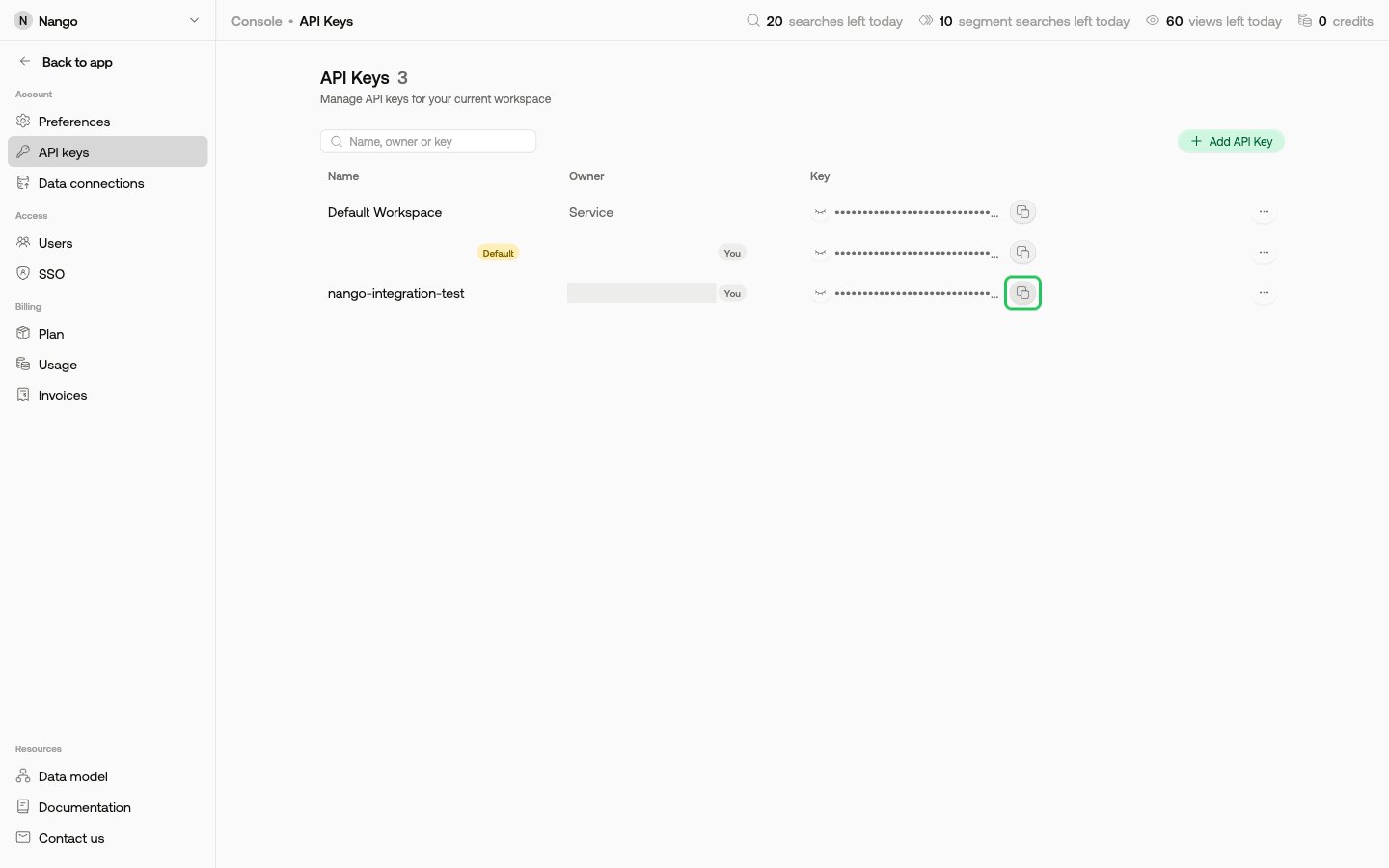
- Click the copy button next to your new key in the Key column to copy it.
Step 2: Enter your API key in the Connect UI
- Open the form where you need to authenticate with Enigma.
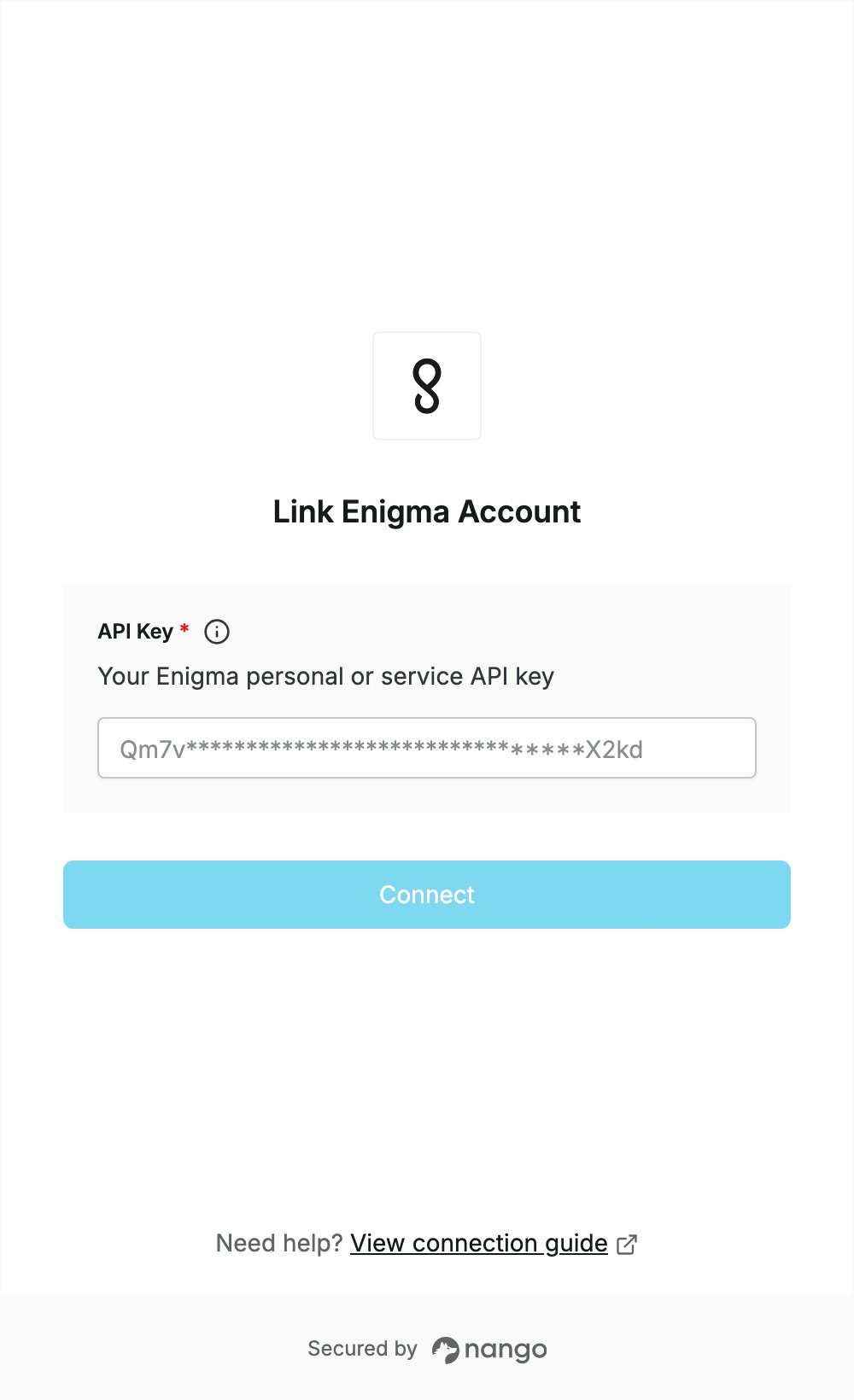
- Enter your API key in the API Key field.
- Submit the form, and you should be successfully authenticated.