Overview
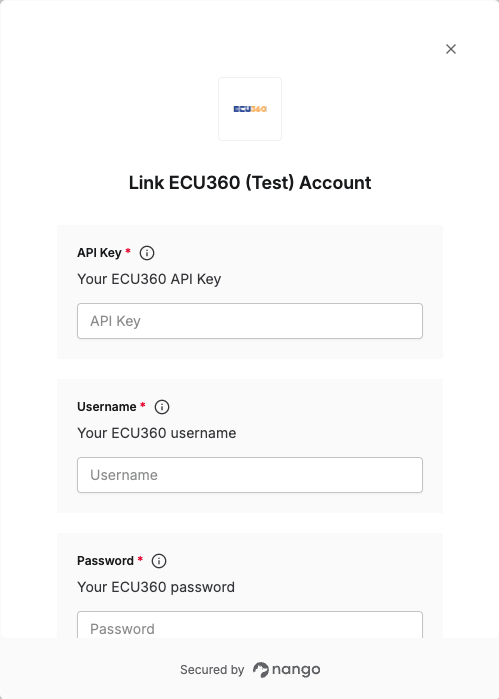
To authenticate with ECU360 (Test), you will need:- API Key - Your ECU360 API key for authentication.
- Username - Your ECU360 username.
- Password - Your ECU360 password.
Prerequisites:
- You must have an active ECU360 account
- You must have access to your ECU360 account credentials
Instructions:
Step 1: Finding your Credentials
Your Username and Password are the same credentials you use to log in to your ECU360 account. You’ll need these along with your API key to authenticate.Step 2: Obtaining your API Key
Contact the support team to obtain your API key. The API key is required to generate a session used to authenticate your requests.Step 3: Enter credentials in the Connect UI
Once you have your API Key, Username, and Password:- Open the form where you need to authenticate with ECU360 (Test).
- Enter your API Key, Username, and Password in their respective fields.
- Submit the form, and you should be successfully authenticated.