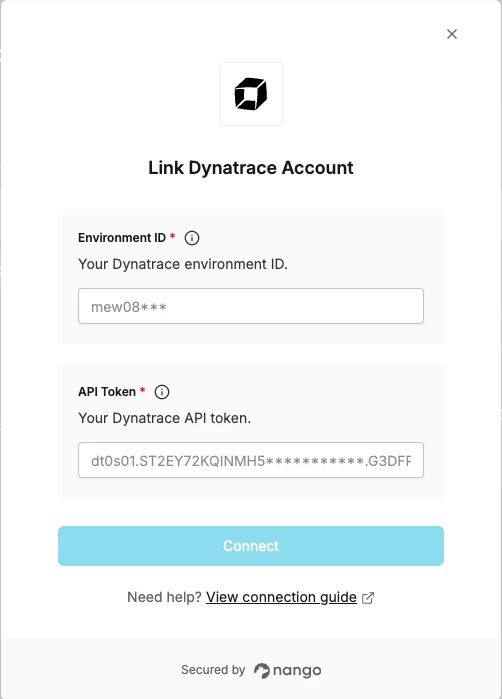
Overview
To authenticate with Dynatrace, you need:- Environment ID - The subdomain of your Dynatrace SaaS environment.
- API Token - A Dynatrace API token with the required scopes.
Prerequisites
- Access to a Dynatrace SaaS environment
- Permission to manage access tokens (requires the
apiTokens.writescope or an admin account)
Instructions
Step 1: Find your environment ID
Your Dynatrace environment URL follows the pattern:https://abc12345.apps.dynatrace.com, your environment ID is abc12345.
Step 2: Generate an API token
- Log in to your Dynatrace account. If you have more than one environment, select the one you want to connect to.
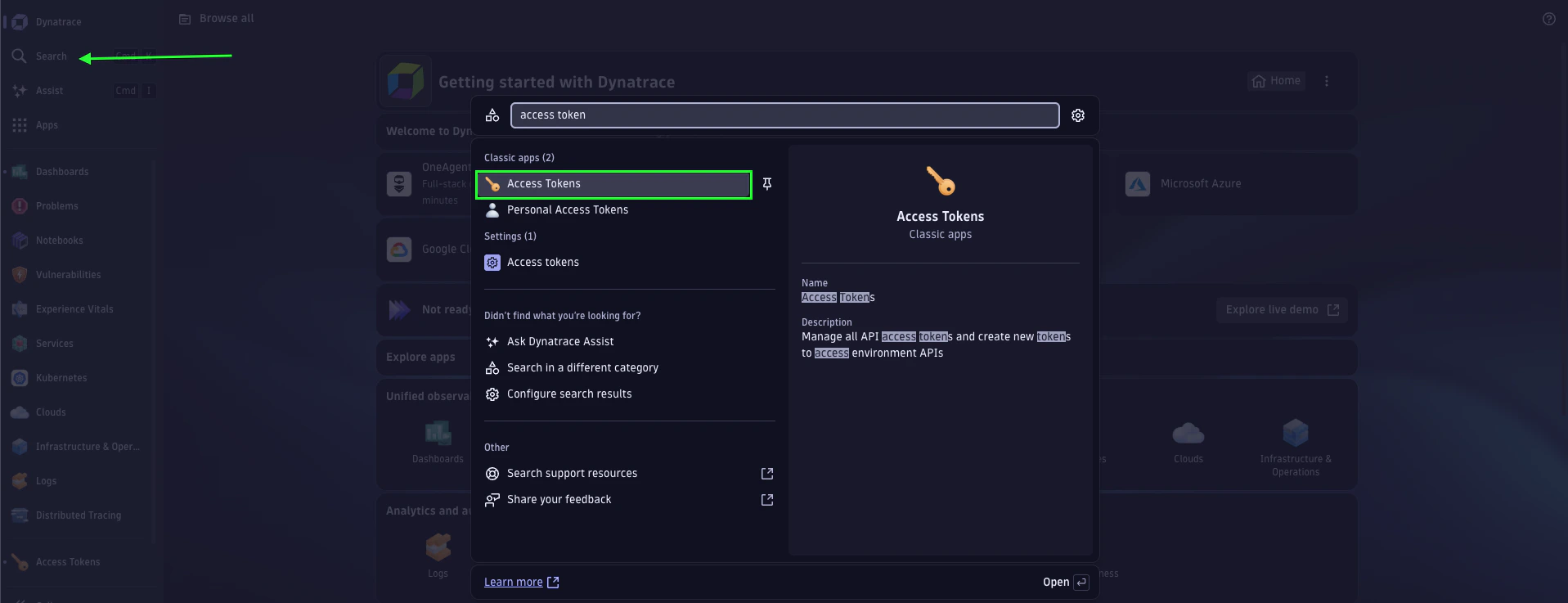
- Use the search bar to find Access Tokens.
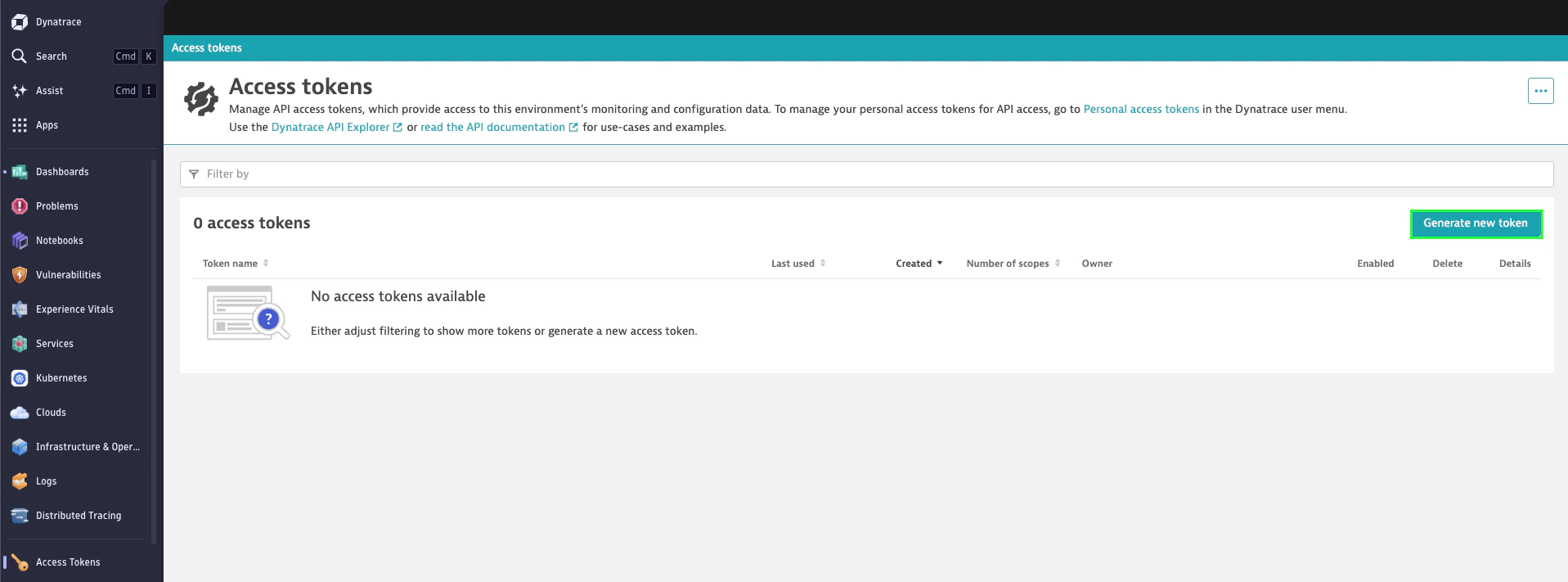
- Select Generate new token.
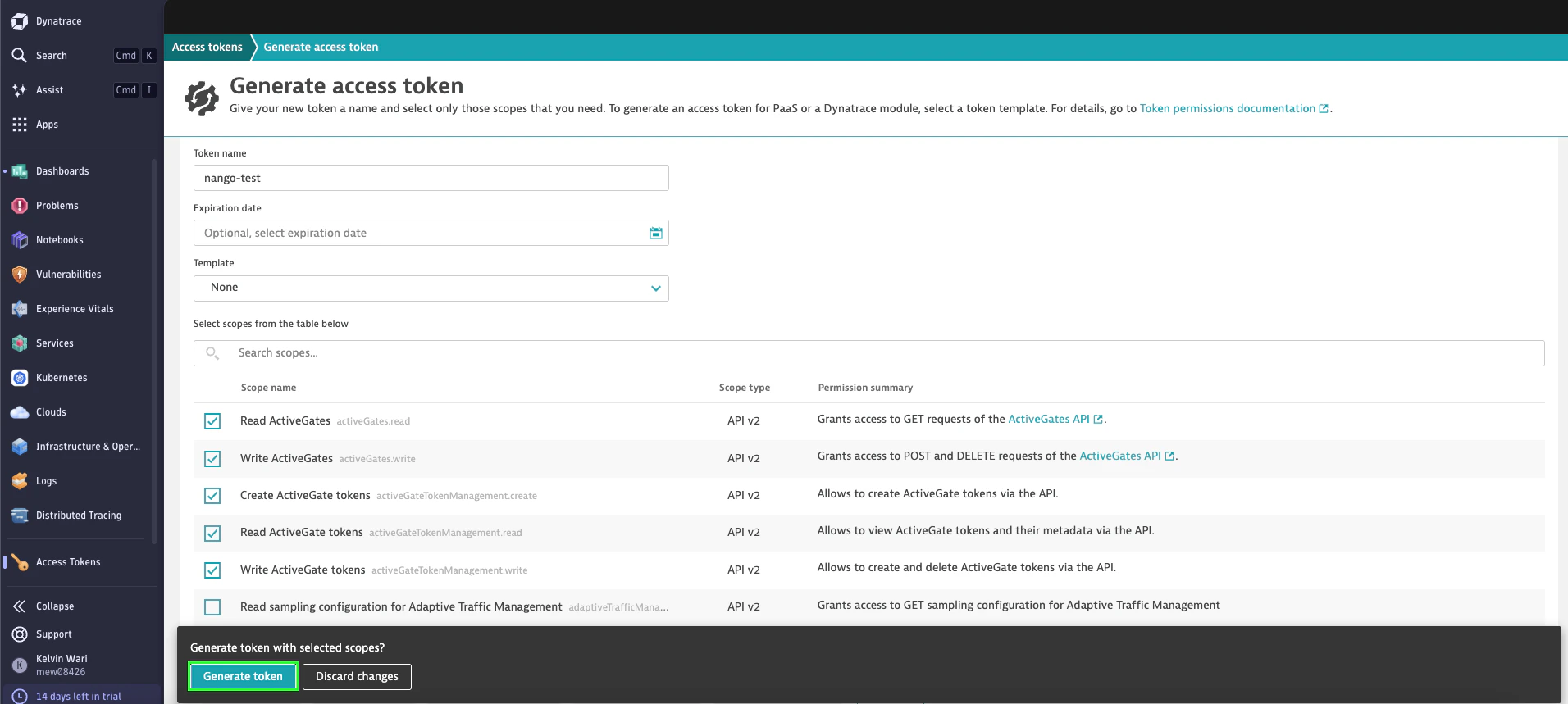
- Enter a name for your token. Use a meaningful name that identifies the application using it.
- Select the required scopes for your integration. For common scopes, see the full scope reference for all available scopes.
- Select Generate token.
- Copy the generated token immediately.
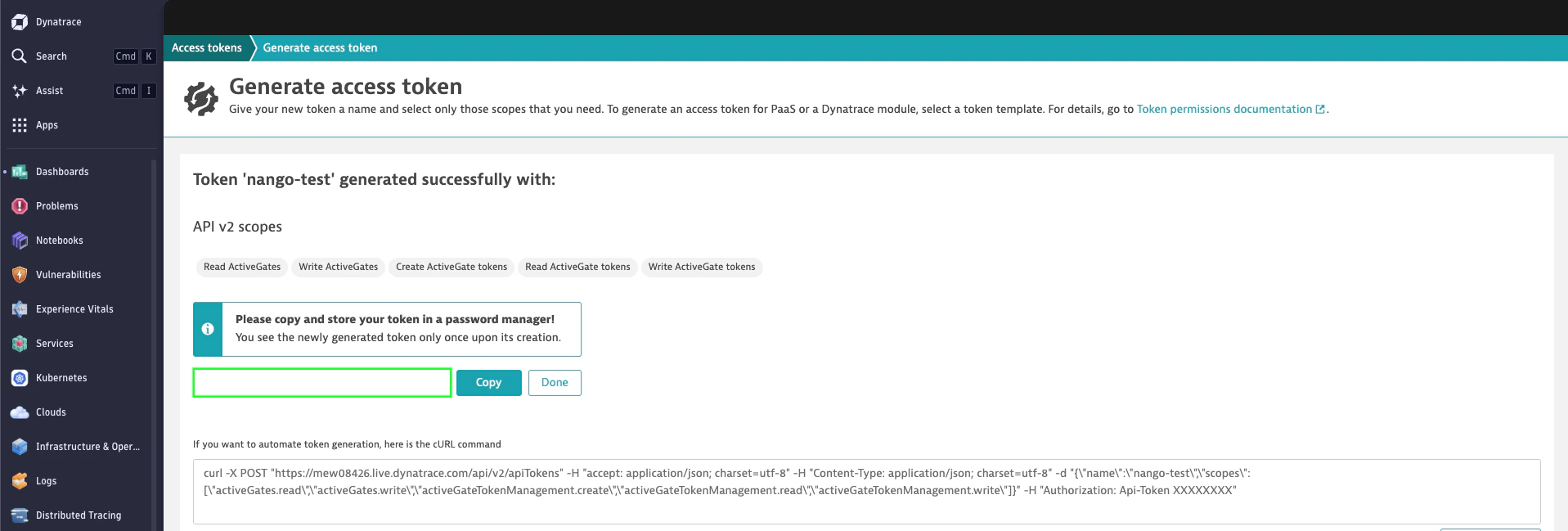
The token is shown only once. Copy it and store it securely — it cannot be retrieved after you close the dialog. If lost, you must generate a new token.
Step 3: Enter credentials in the Connect UI
- Open the form where you need to authenticate with Dynatrace.
- Enter your Environment ID and API Token in their respective fields.
- Submit the form, and you should be successfully authenticated.