Overview
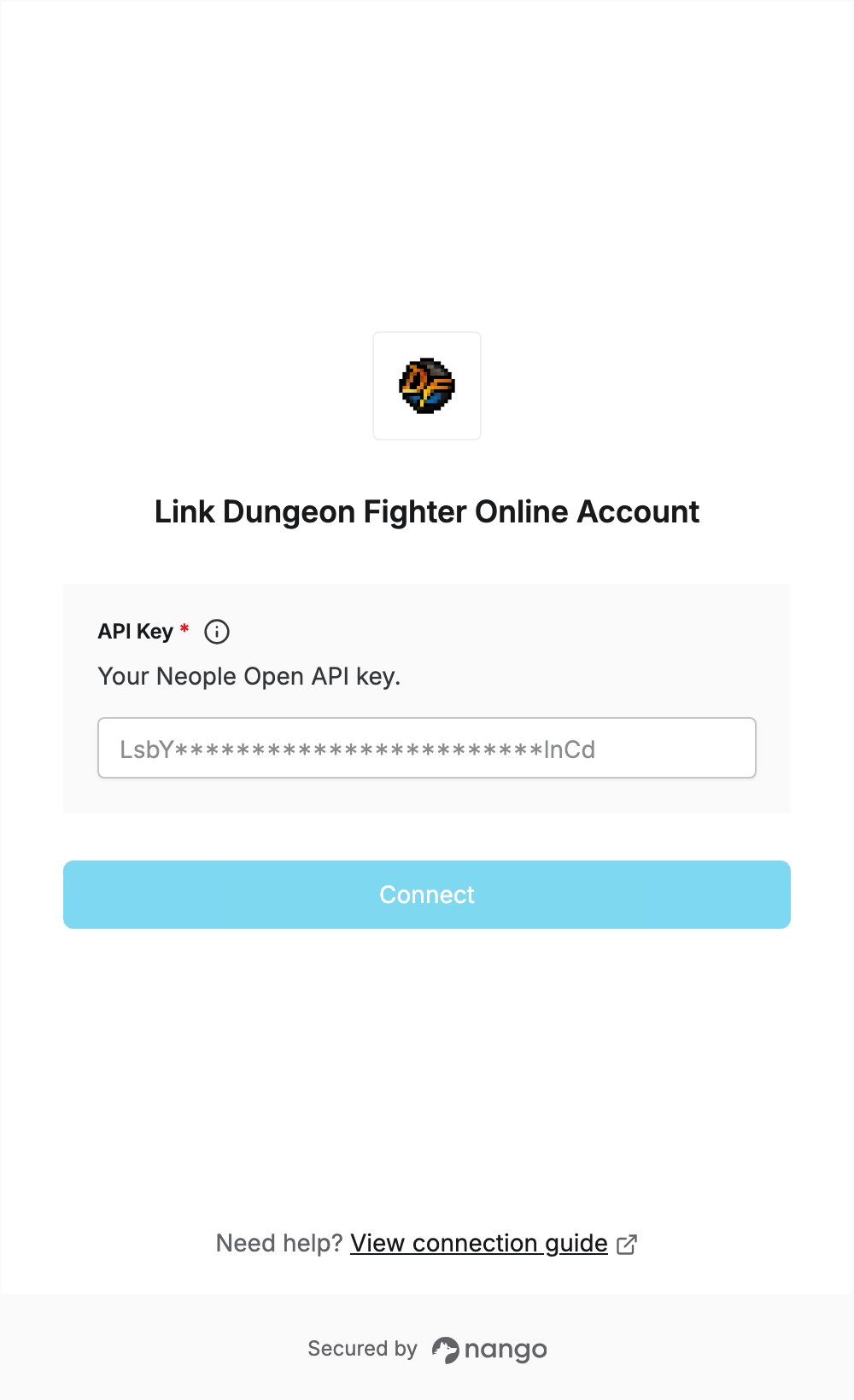
To authenticate with Dungeon Fighter Online, you need:- API Key — the API key of an application you register on Neople Developers.
Prerequisites
- A Facebook, Google or Naver account to sign in to Neople Developers. The site is in Korean.
Step 1: Register an application and copy your API key
- Go to Neople Developers and click 로그인 (Login). Sign in with your Facebook, Google or Naver account. On your first sign-in, accept the terms of service and the privacy consent.
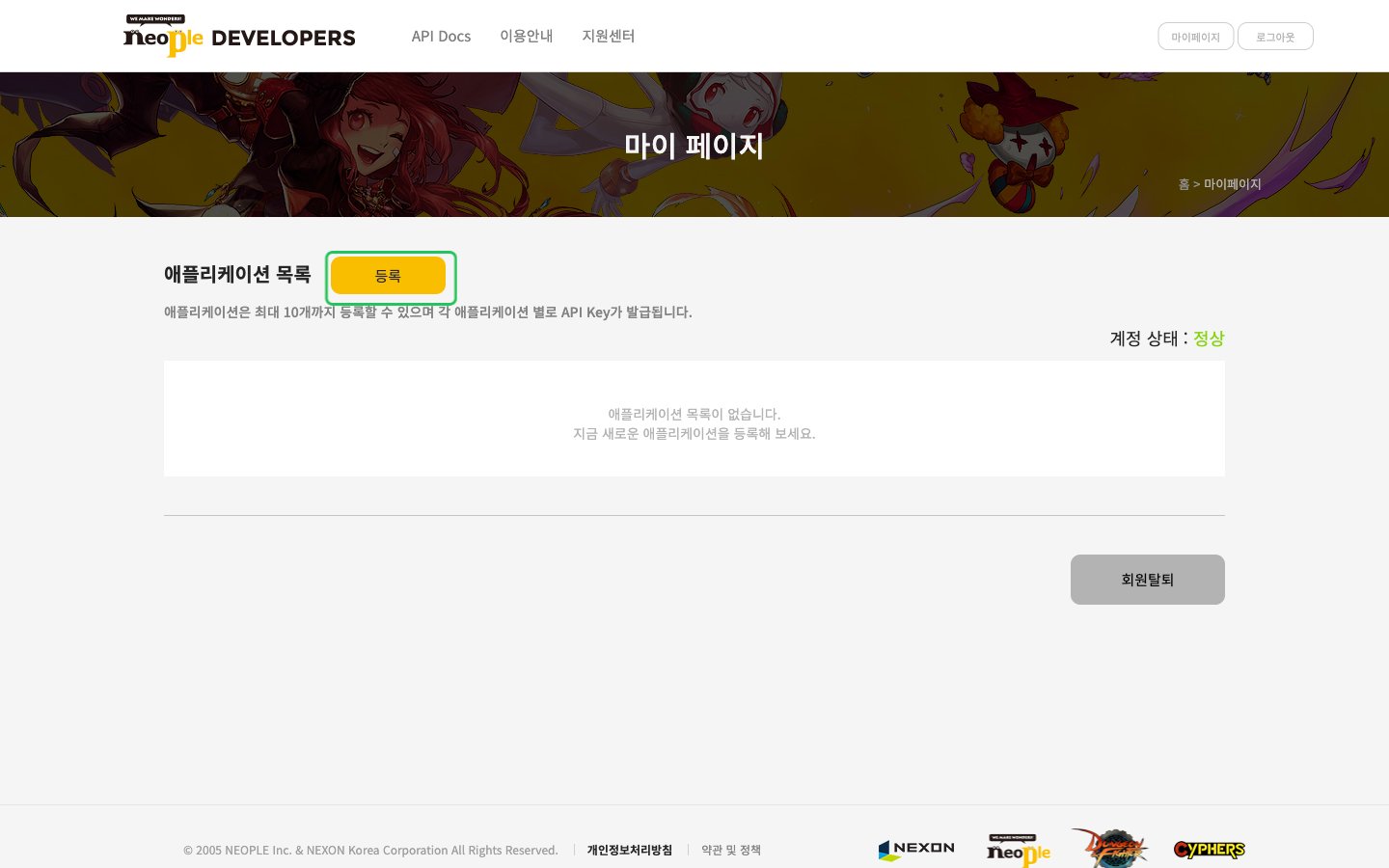
- Open 마이페이지 (My Page). The 애플리케이션 목록 (Application list) opens. Click 등록 (Register).
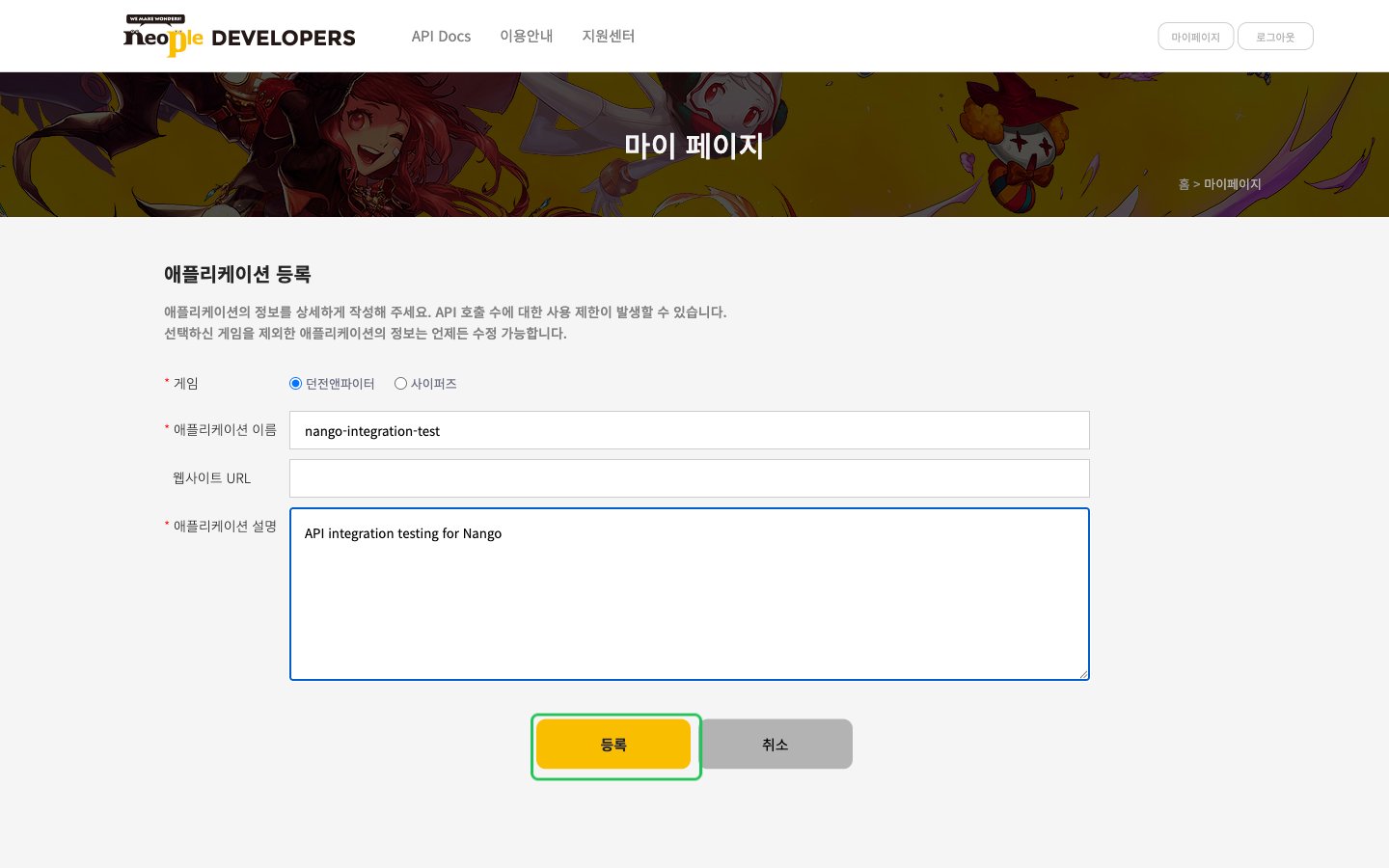
- Select 던전앤파이터 (Dungeon Fighter) as the game, enter an application name using only letters and numbers, and a description. Click 등록 (Register), then 확인 (OK).
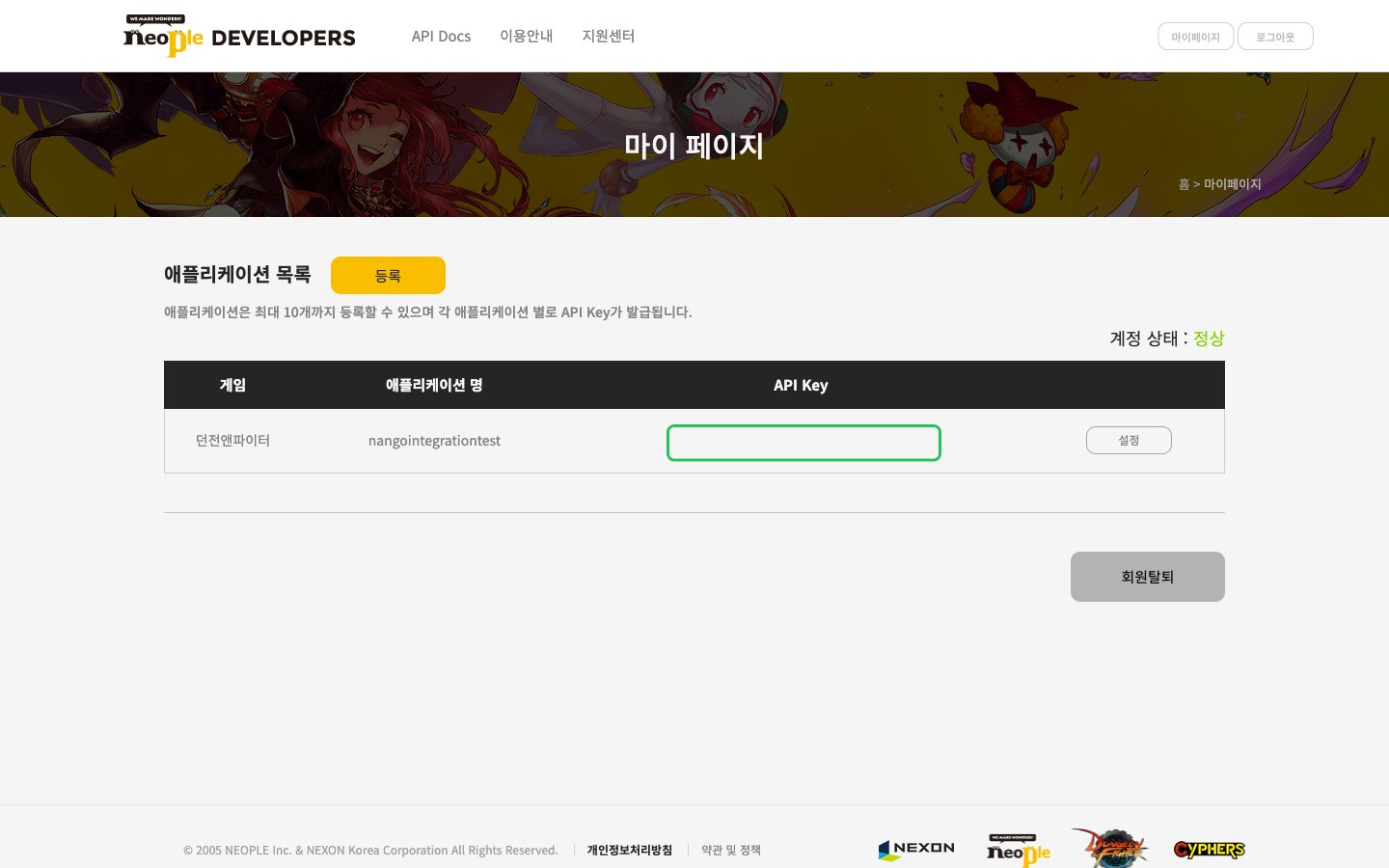
- The new application appears in the Application list. Copy the key from its API Key column. You can also find it later under 설정 (Settings).
Step 2: Enter your API key in the Connect UI
- Open the form where you need to authenticate with Dungeon Fighter Online.
- Enter your API key in the API Key field.
- Submit the form, and you should be successfully authenticated.