Overview
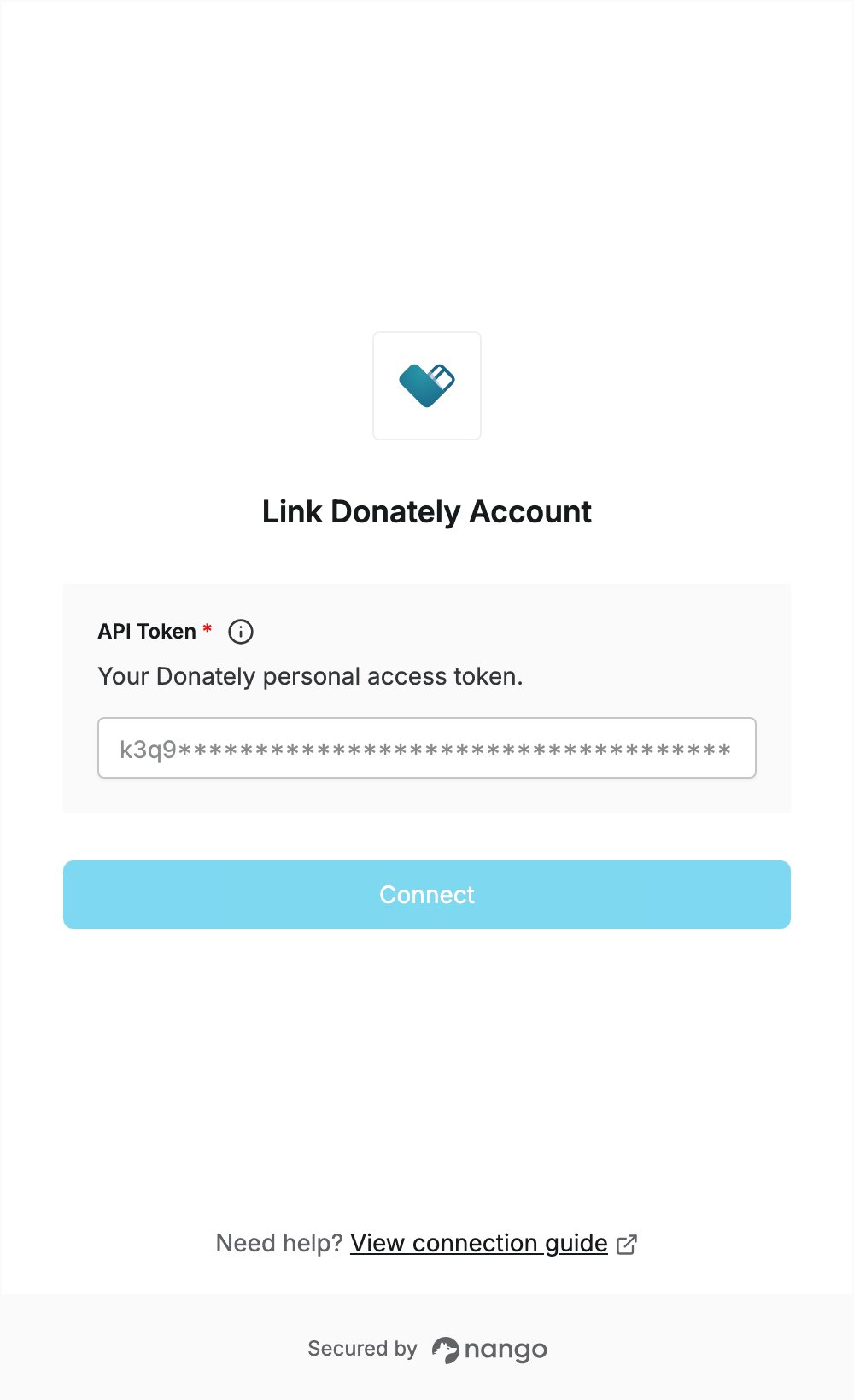
To authenticate with Donately, you need:- API Token — your Donately personal access token.
Prerequisites
- A Donately account. Sign up if you don’t have one.
Step 1: Copy your API token
- Sign in to the Donately dashboard.
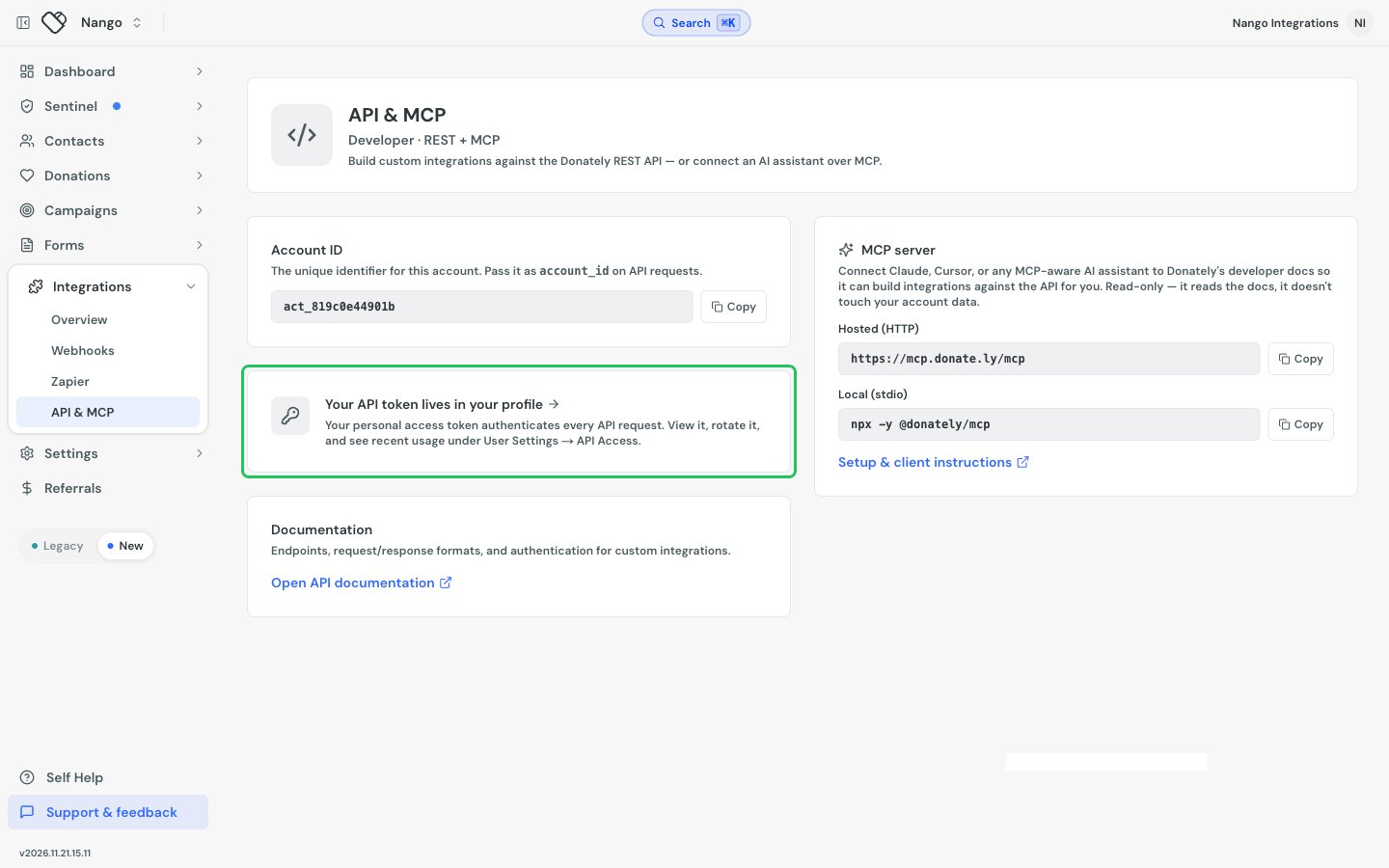
- In the left sidebar, expand Integrations and click API & MCP.
- Click the Your API token lives in your profile card. This opens User Settings -> API Access.
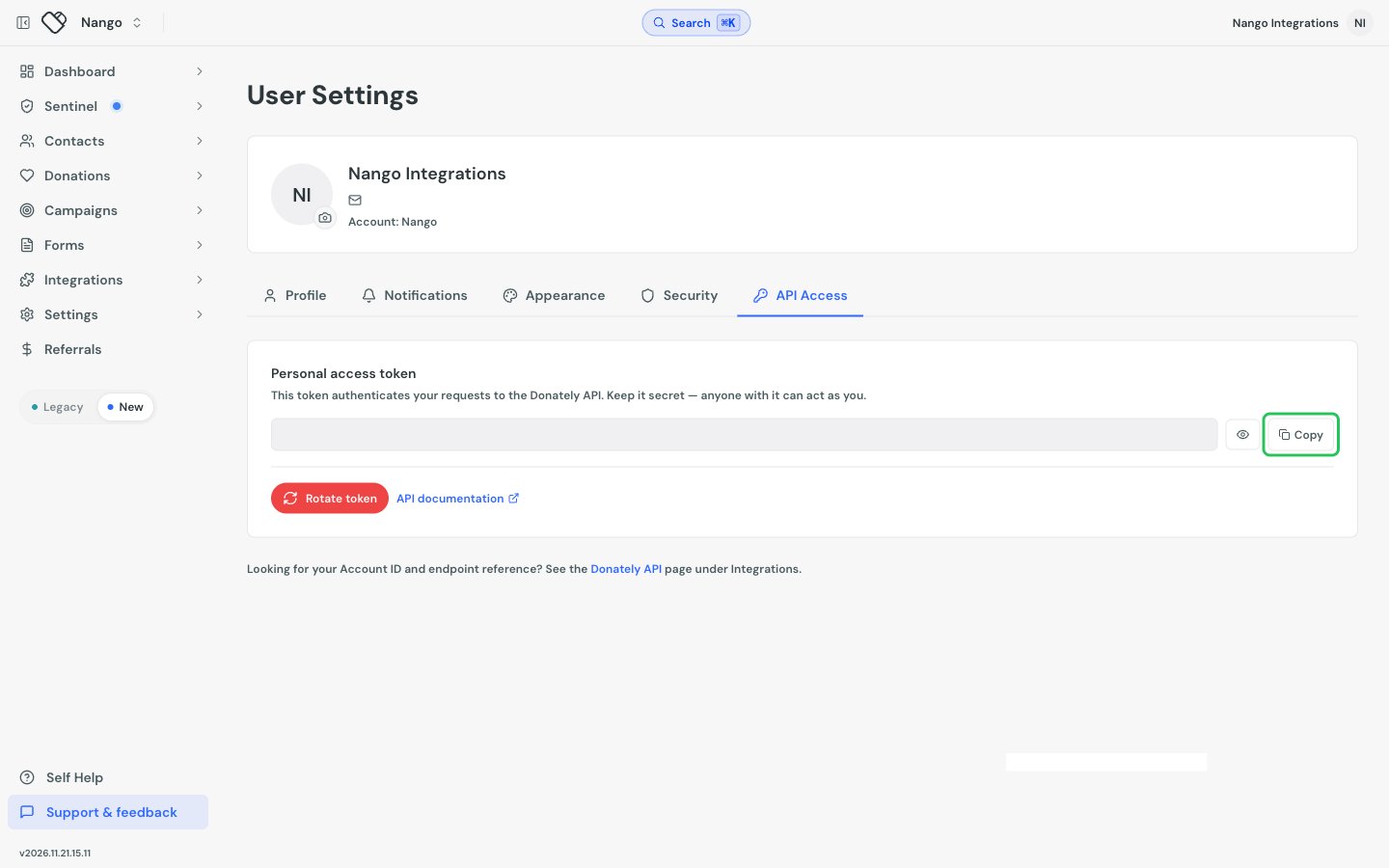
- Under Personal access token, click Copy to copy your API token.
Step 2: Enter your API token in the Connect UI
- Open the form where you need to authenticate with Donately.
- Paste your API token into the API Token field.
- Click Connect. Nango checks the token with Donately before saving the connection.