Overview
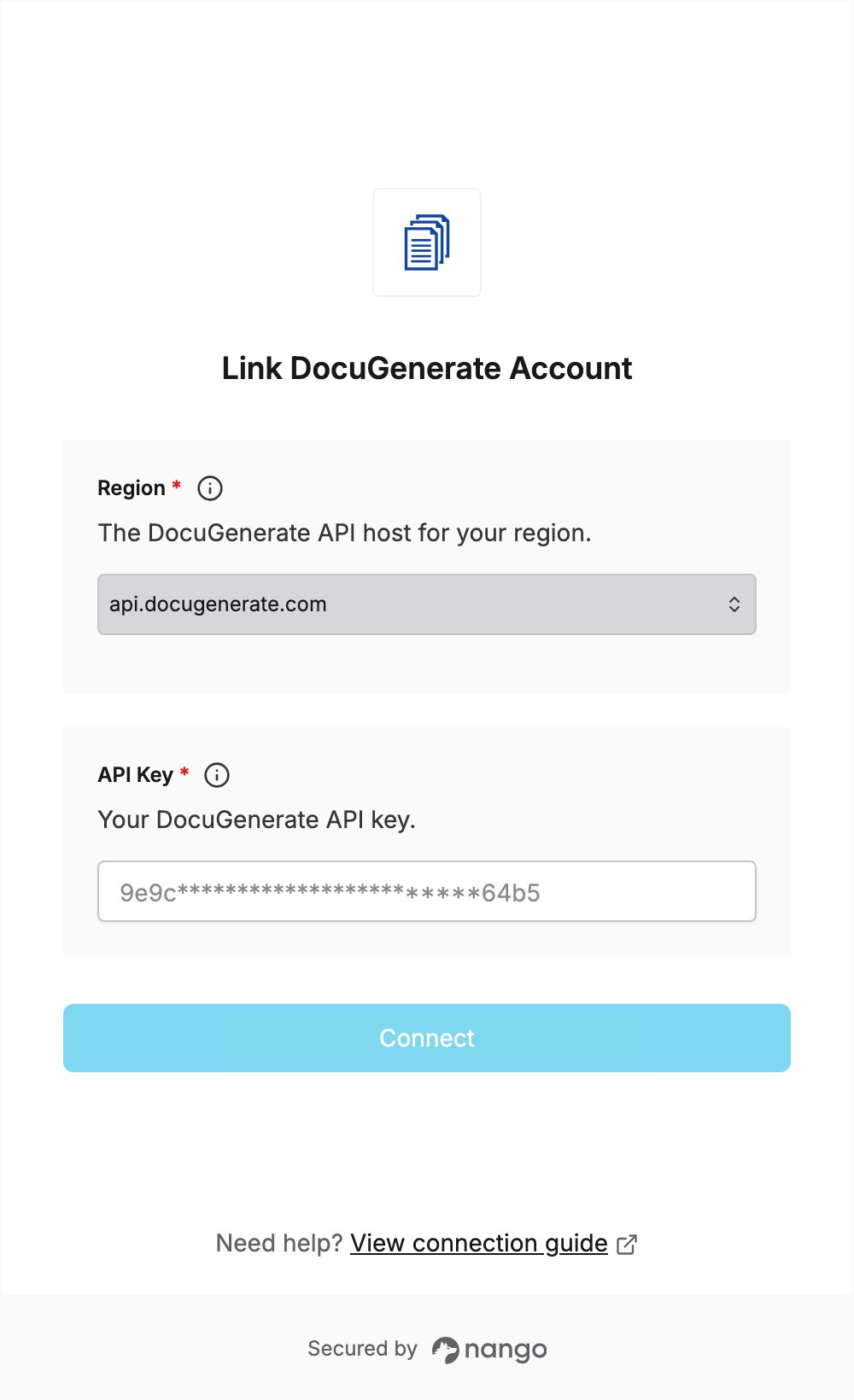
To authenticate with DocuGenerate, you need:- Region — the DocuGenerate API host for the region where your templates and documents are processed.
- API Key — your DocuGenerate API key.
Prerequisites
- A DocuGenerate account. The Free plan includes full API access, and you can sign up without a credit card.
Step 1: Choose your region
DocuGenerate processes templates and documents in the region whose API host you call. Select the value for your region:
See Can I use regional API endpoints? for details.
Step 2: Generate an API key
Your account has a single API key, and generating a new one immediately stops the current key from working. If you already have a key in use, don’t generate a new one: open Settings → Developers and copy the existing key with the copy icon (step 4).- Log in to DocuGenerate.
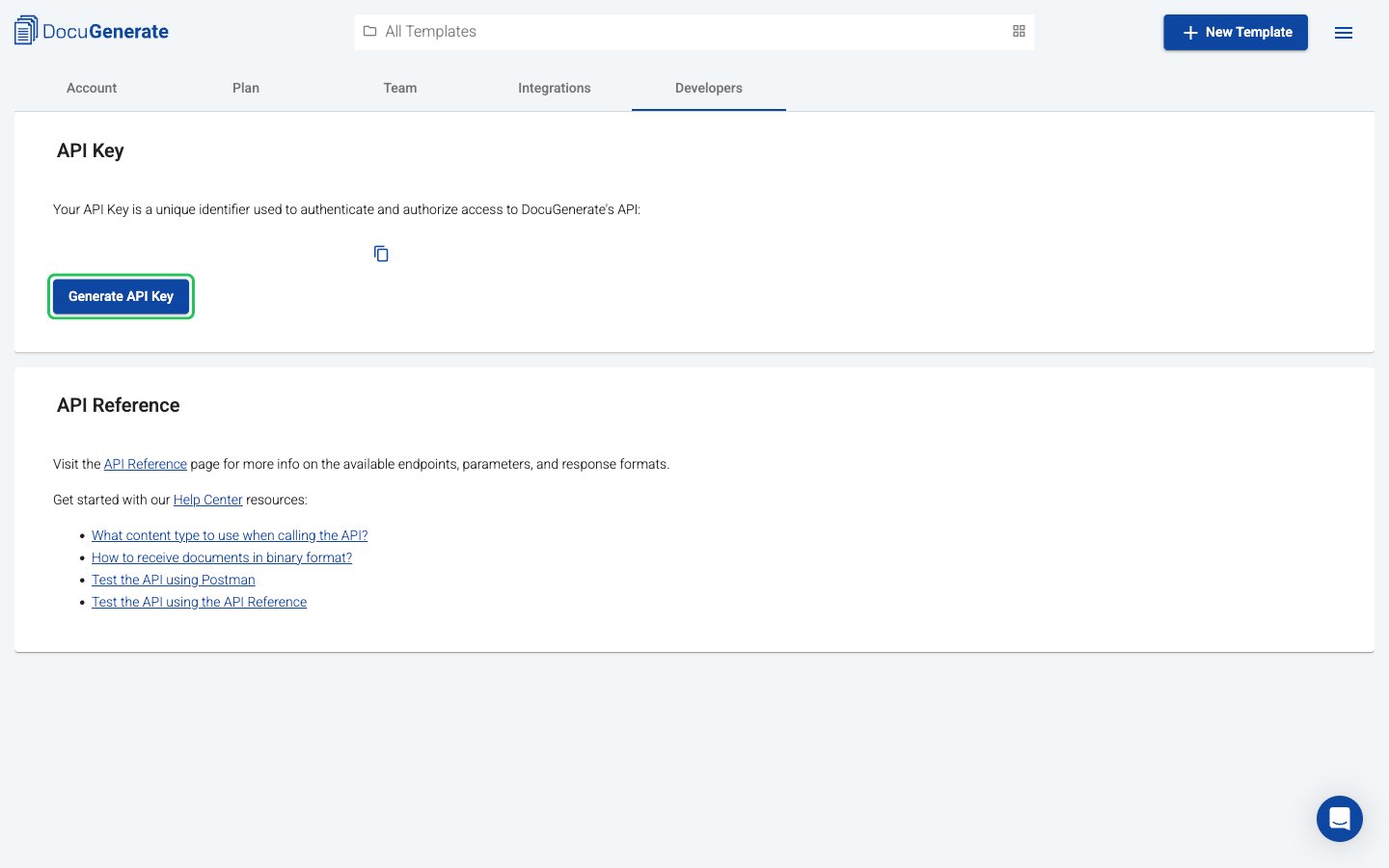
- Open Settings and select the Developers tab. If you don’t have a key yet, click Generate API Key.
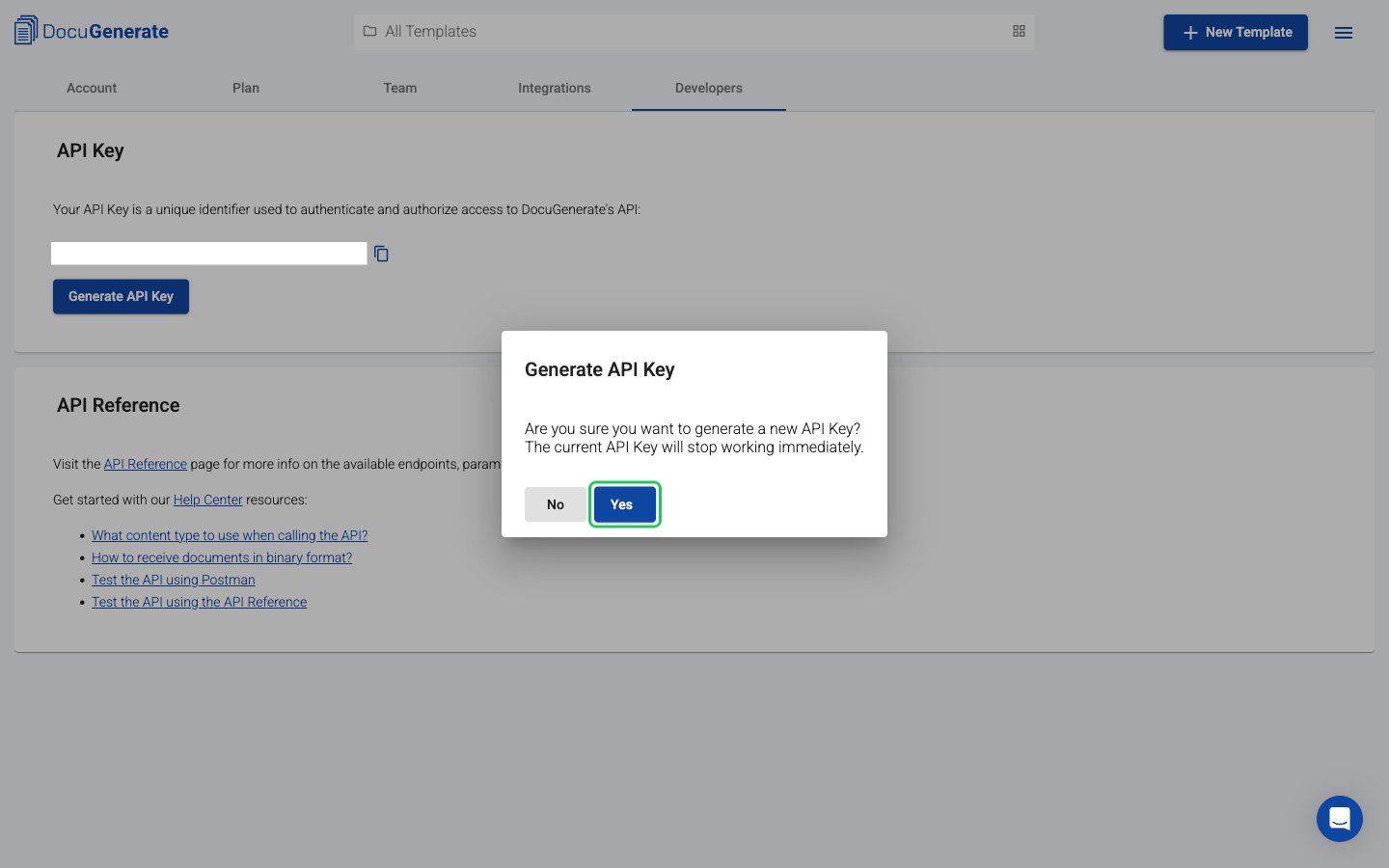
- Click Yes to confirm. The dialog warns that the current API key stops working immediately.
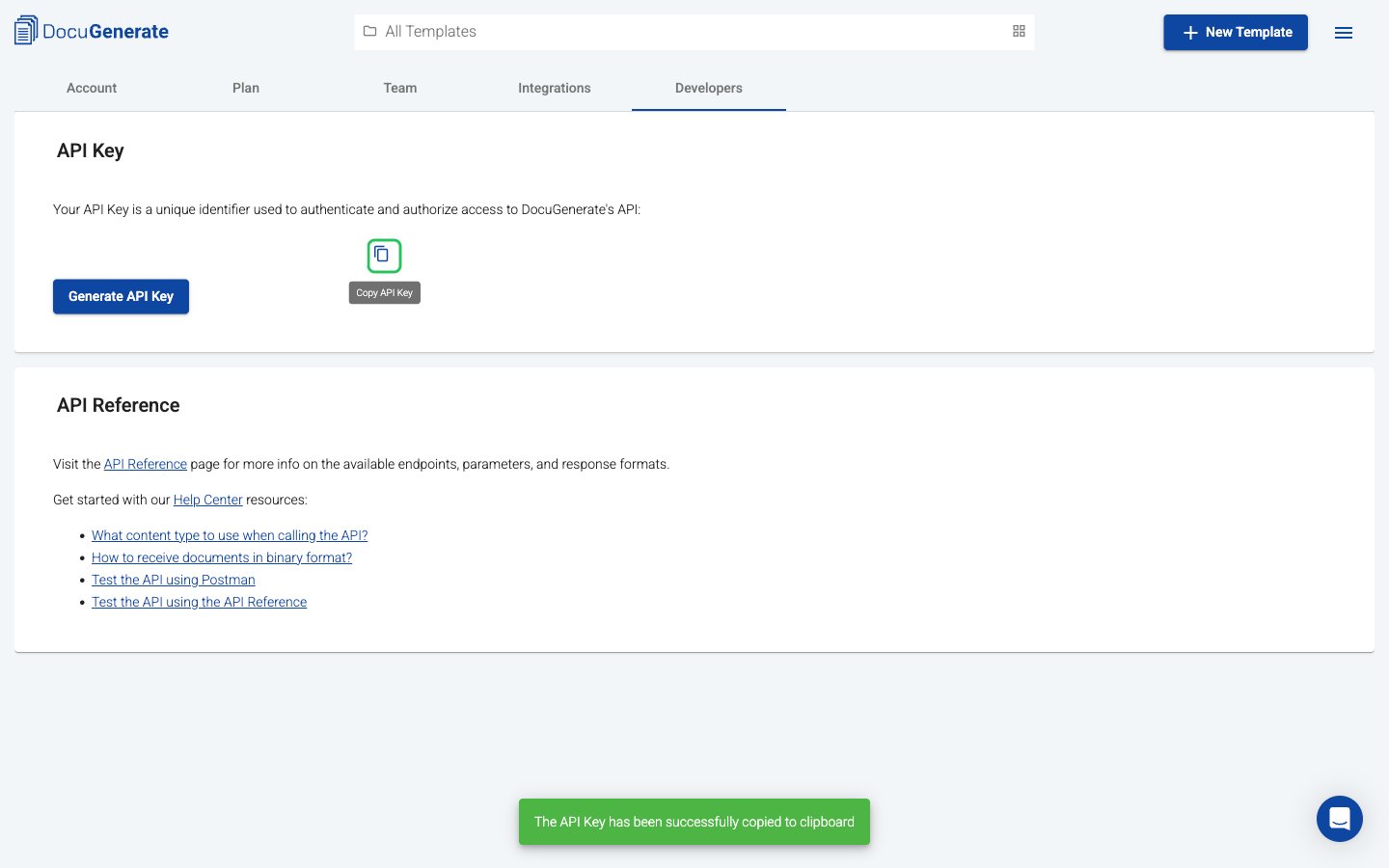
- Click the copy icon next to the API key to copy it, and store it in a secure location.
Step 3: Enter your credentials in the Connect UI
- Open the form where you need to authenticate with DocuGenerate.
- Select your Region and enter your API Key in the designated fields.
- Submit the form, and you should be successfully authenticated.