Overview
To authenticate with DataScope, you need:- API Key - a DataScope API key.
Prerequisites
- A DataScope account. You can sign up for free.
Step 1: Create your API key
- Sign in to DataScope.
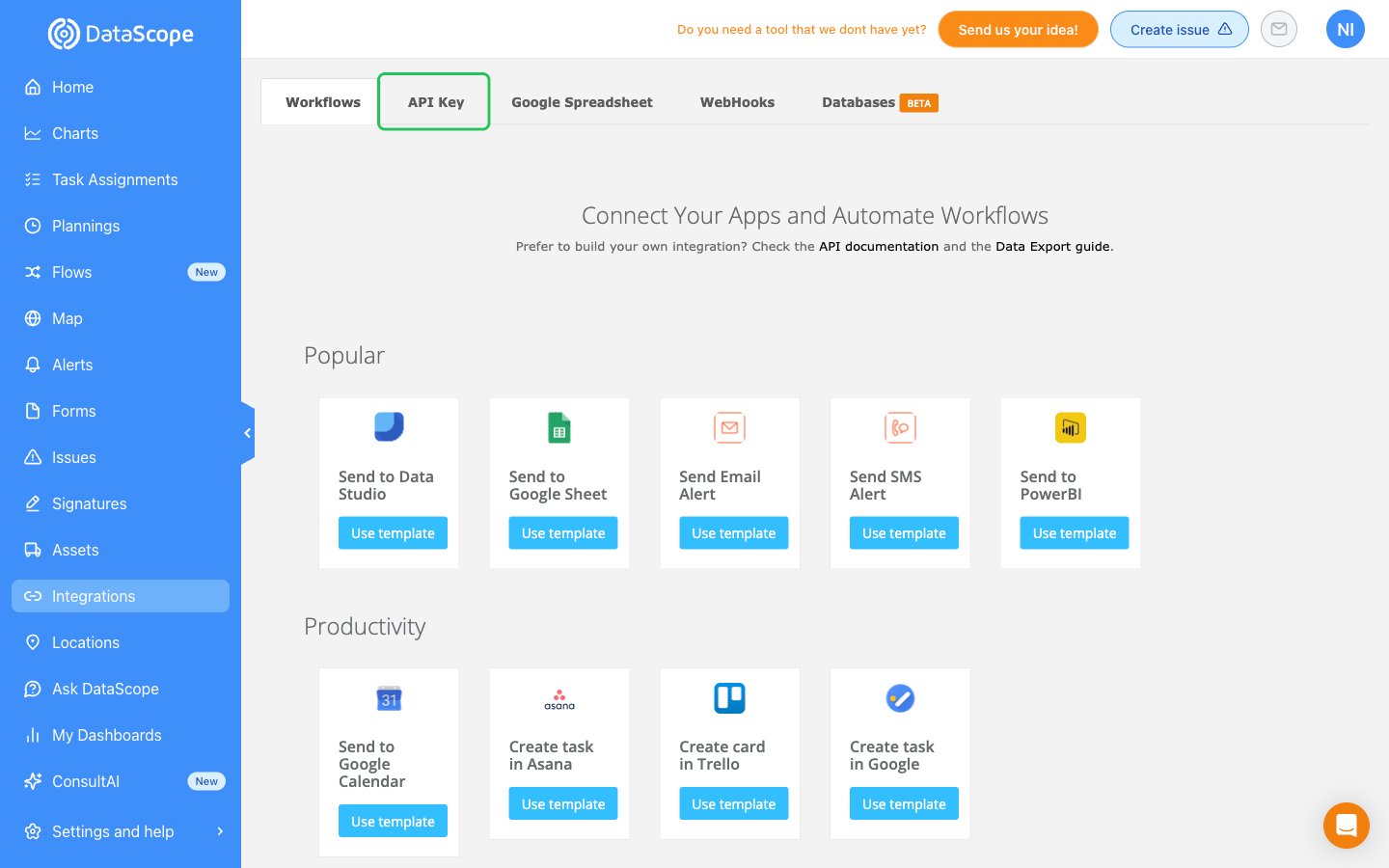
- Click Integrations in the left menu, then open the API Key tab.
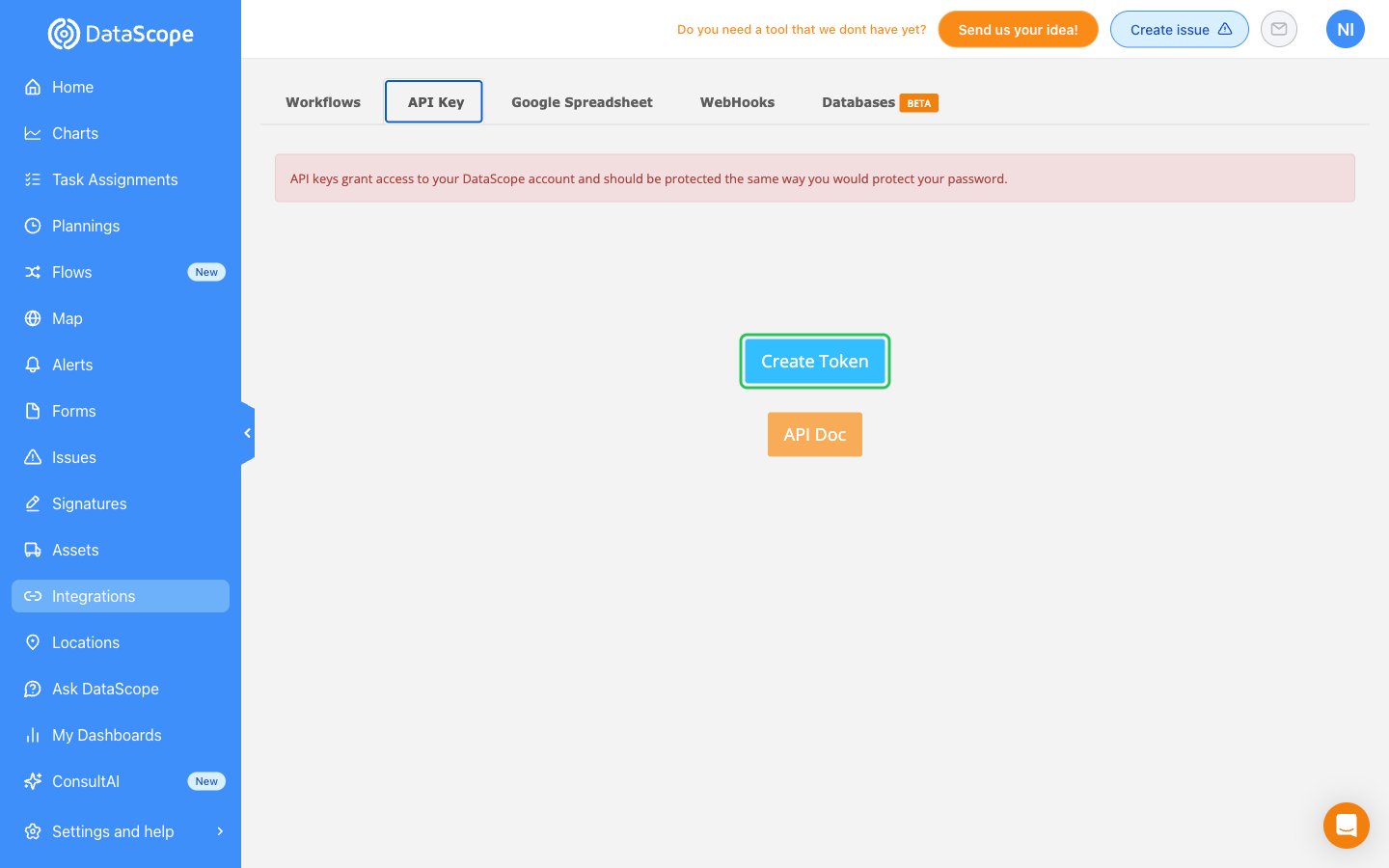
- Click Create Token and confirm the prompt. If a key already exists, the button reads Renew Token instead, and renewing replaces the current key.
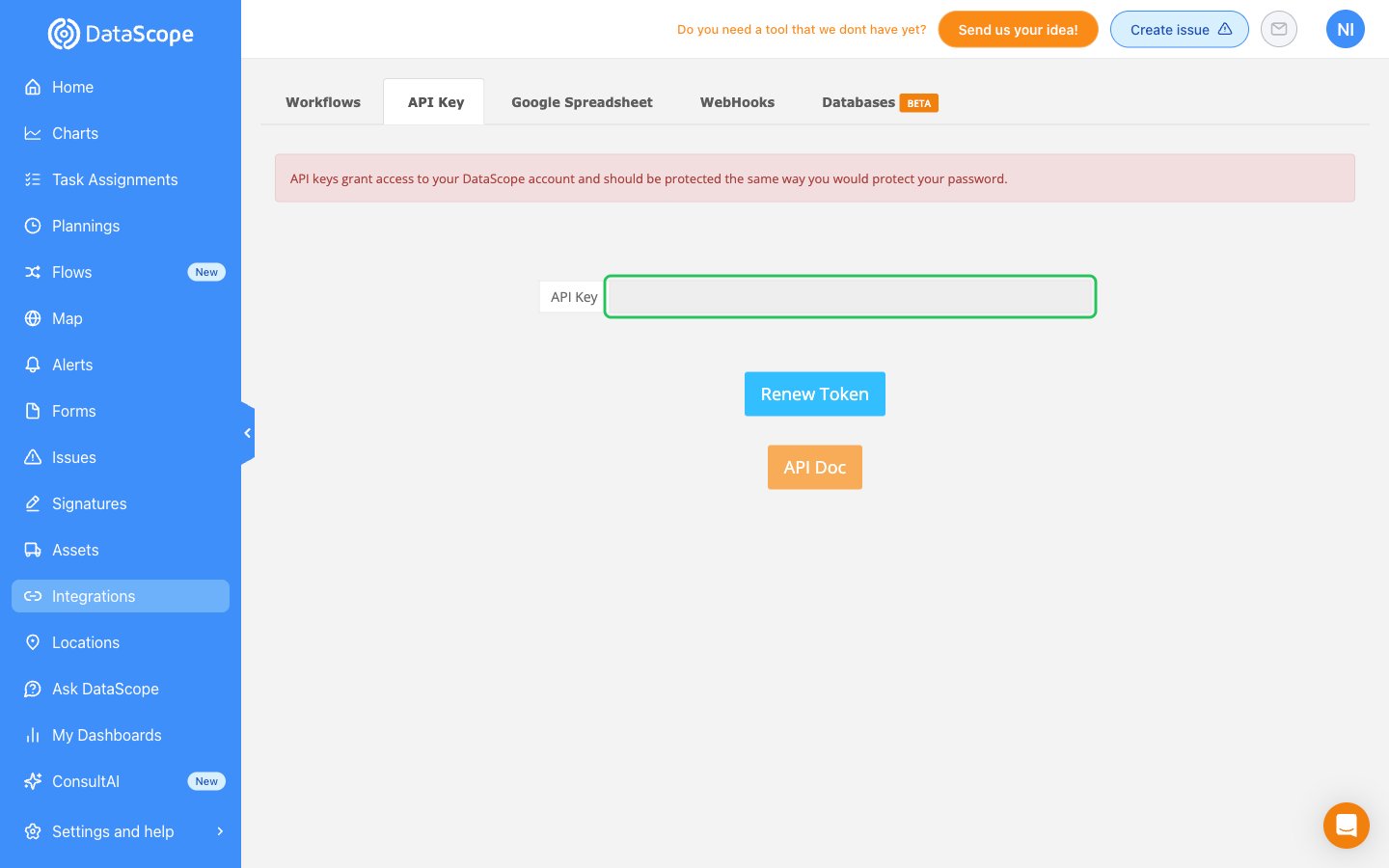
- Copy the value from the API Key field and store it securely.
Step 2: Enter your API key in the Connect UI
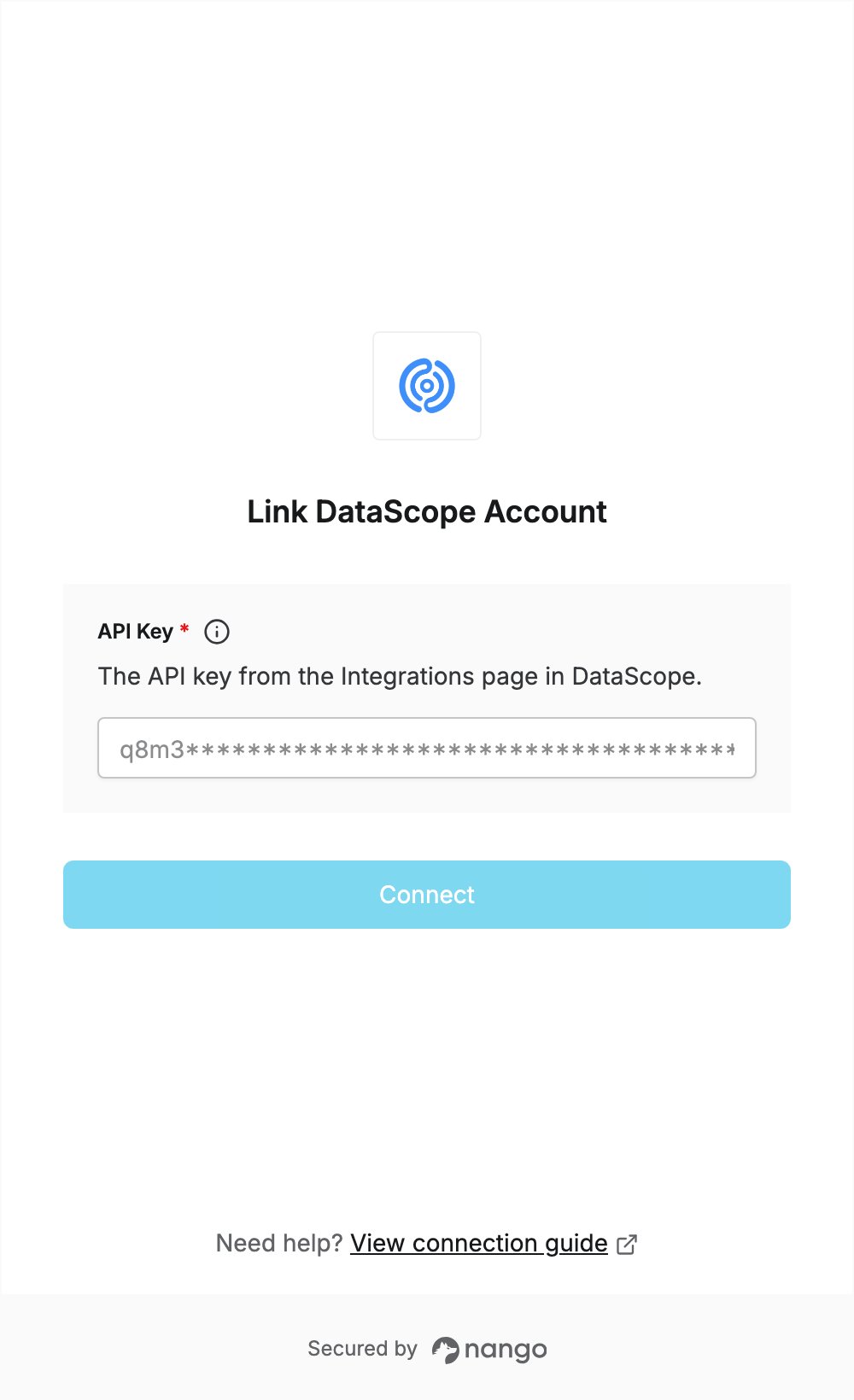
- Open the form where you need to authenticate with DataScope.
- Enter your API Key in the designated field.
- Click Connect. Nango checks the key with DataScope and rejects it if it is wrong.