Overview
To authenticate with CSVbox, you need:- API Key - The API key of your CSVbox account.
- Secret API Key - The API secret key issued alongside it.
Prerequisites
- A CSVbox account. The free Sandbox plan works.
Instructions
Step 1: Generate your API keys
- Log in to the CSVbox dashboard.
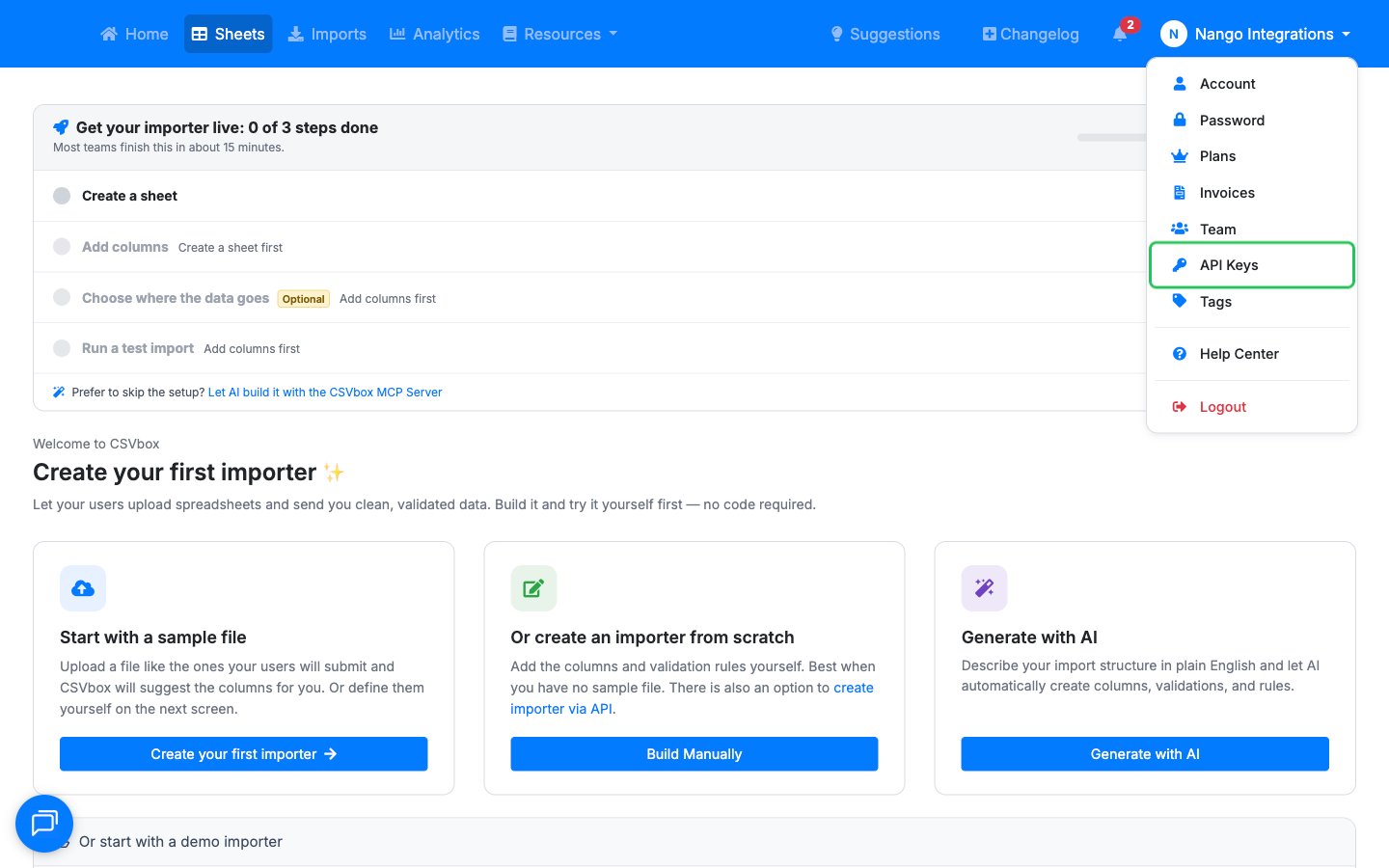
- Click your profile name in the top-right corner, then choose API Keys.
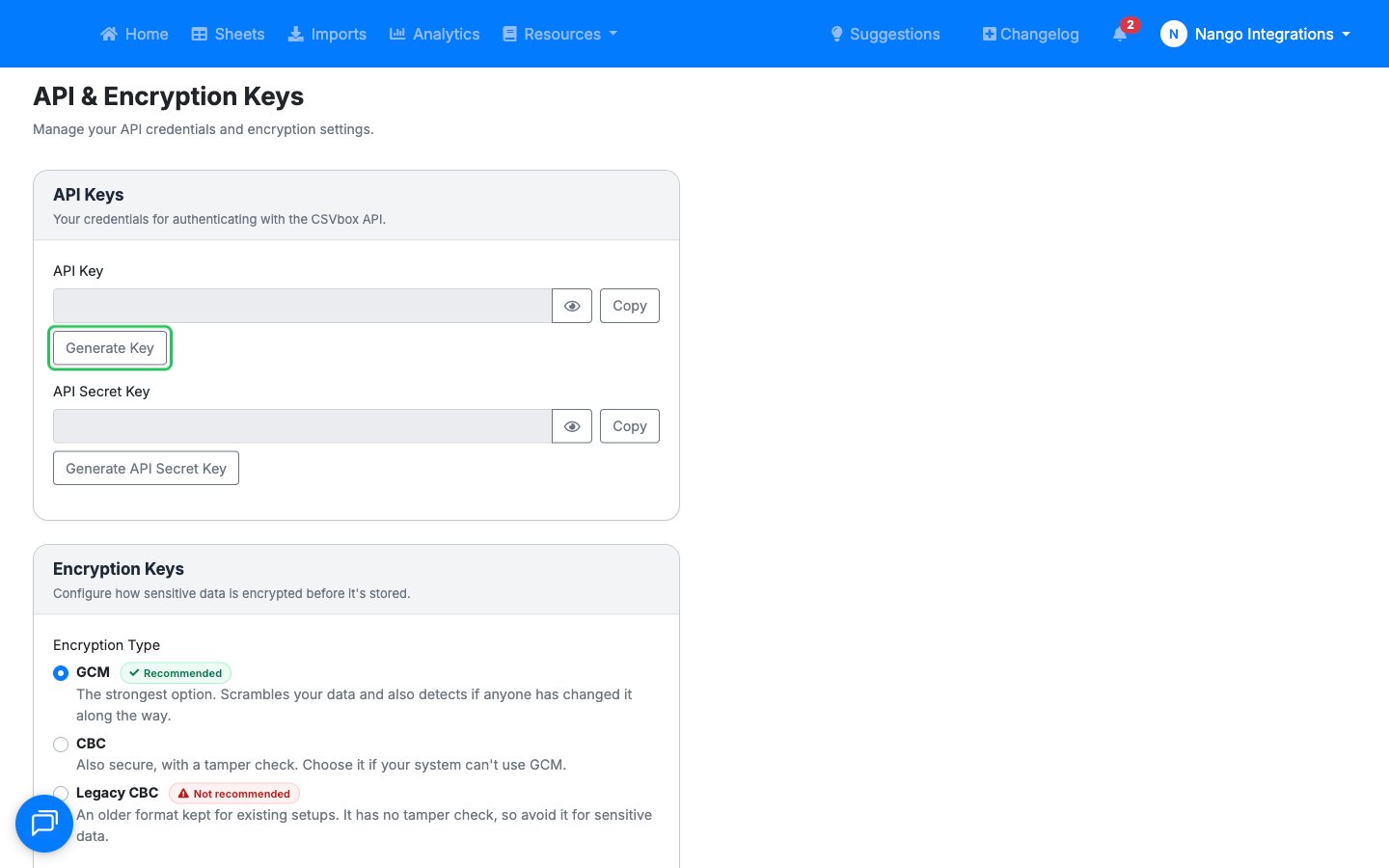
- On the API & Encryption Keys page, in the API Keys section, click Generate Key to create your API Key. If a key already exists, the button reads Regenerate Key: skip this step and copy the existing key.
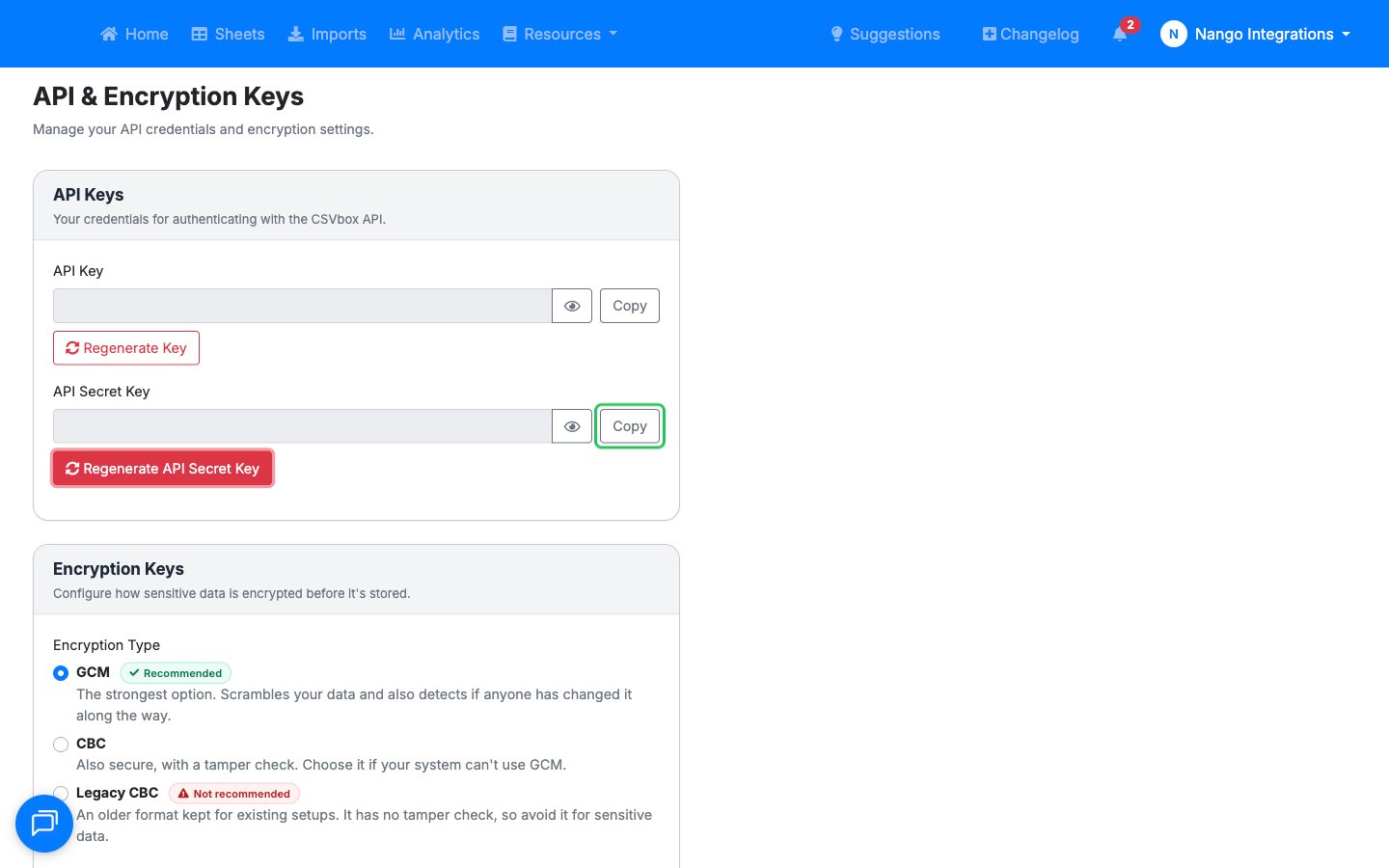
- If the API Secret Key field is empty, click Generate API Secret Key.
- Use the Copy buttons to copy the API Key and the API Secret Key.
Step 2: Enter credentials in the Connect UI
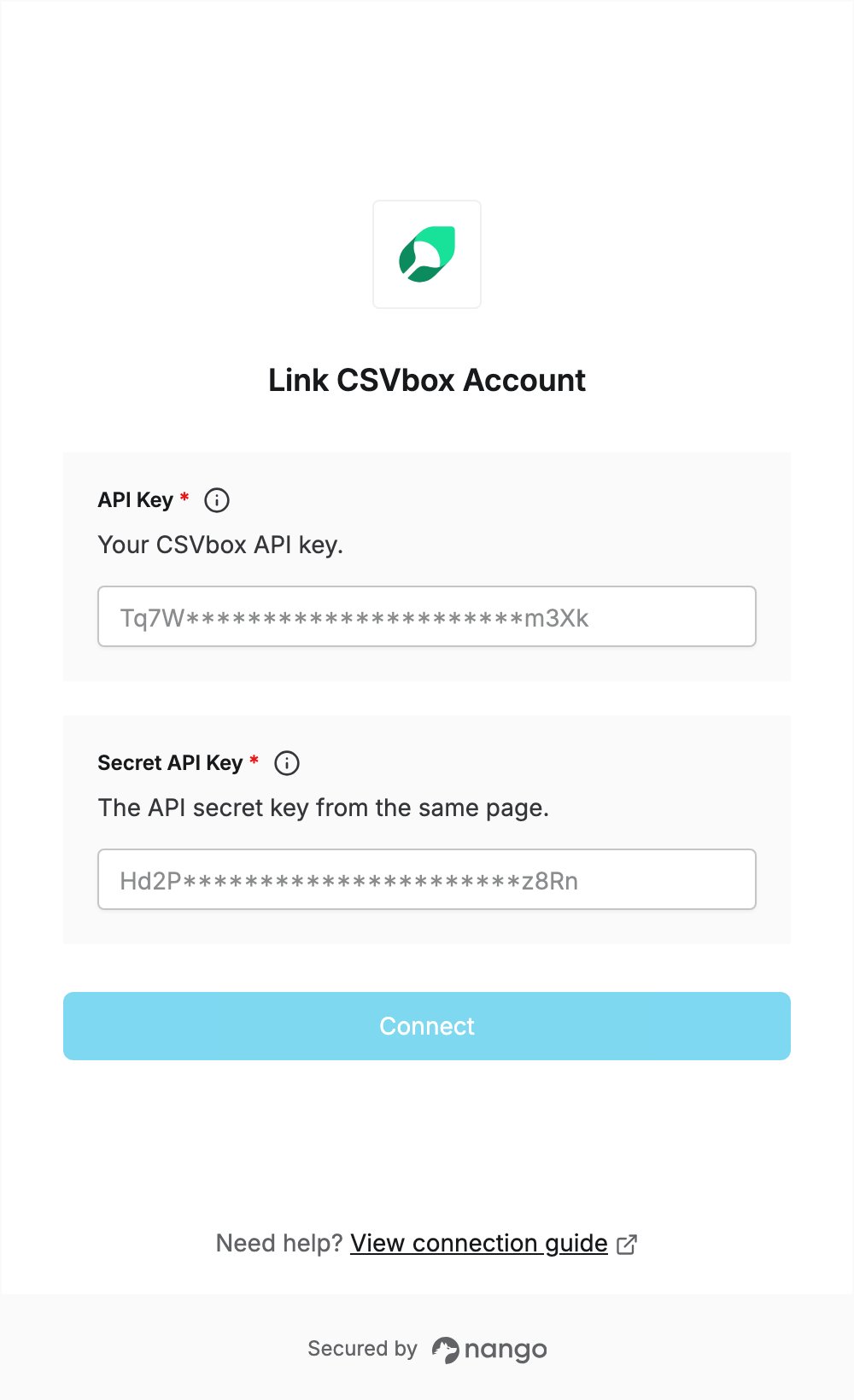
Once you have both keys:- Open the form where you need to authenticate with CSVbox.
- Enter the API Key in the API Key field.
- Enter the API Secret Key in the Secret API Key field.
- Submit the form. Nango checks the keys with CSVbox, and you are connected once they are accepted.