Overview
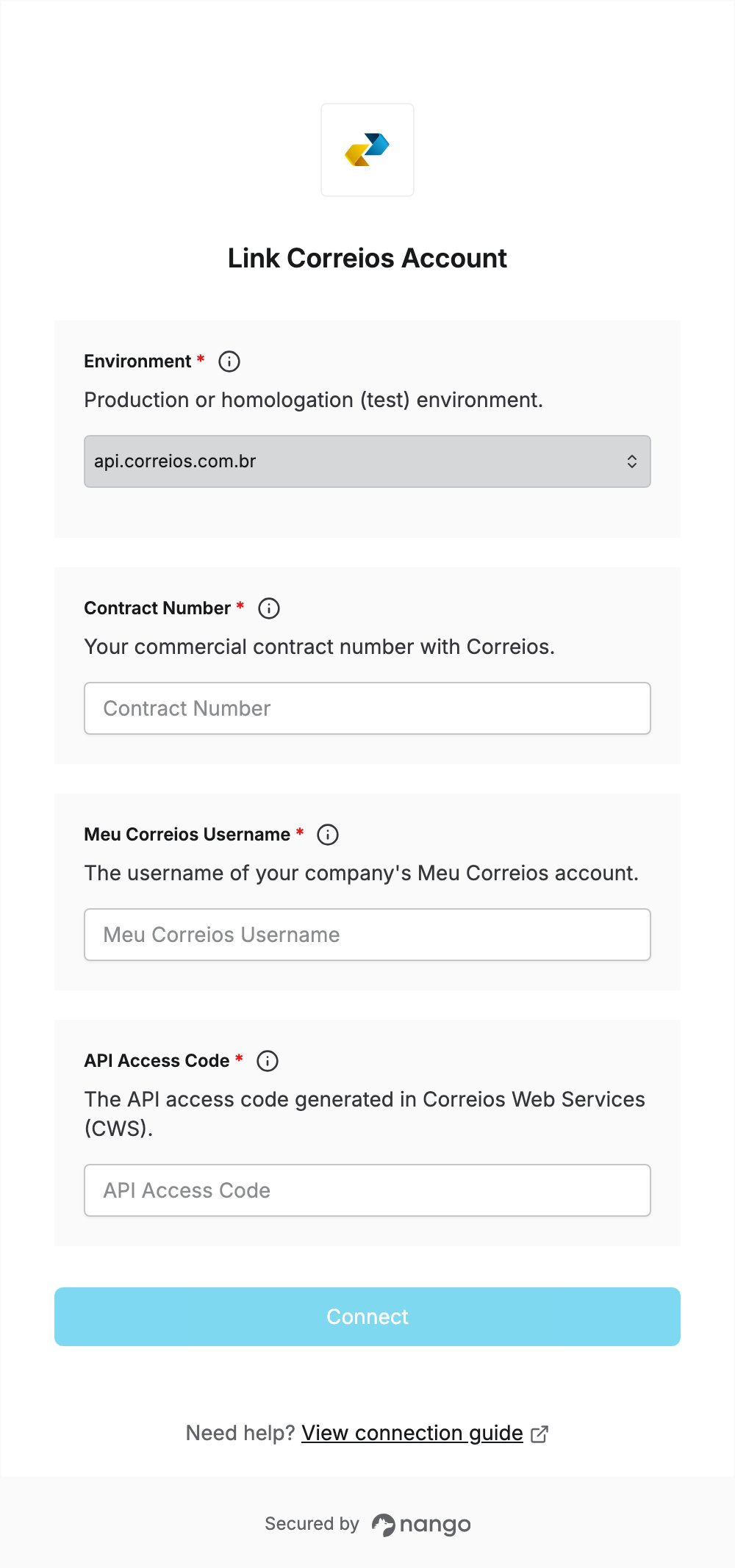
To authenticate with Correios, you need:- Meu Correios Username - the login of your company’s Meu Correios account.
- API Access Code - an access code generated in Correios Web Services (CWS).
- Contract Number - your commercial contract number with Correios.
Prerequisites
- A company (CNPJ) Meu Correios account.
- A commercial contract with Correios, with the APIs you need enabled on it.
Step 1: Create an API access code
- Log in to Correios Web Services (CWS) with your Meu Correios account.
- Open Gestão de acesso a APIs and generate an API access code.
- Copy the access code and keep it safe: it is used as the password for the API.
Step 2: Find your contract number
- Find your commercial contract number in CWS or in your contract with Correios.
- Use the production environment (
api.correios.com.br) unless Correios has set you up for homologation (apihom.correios.com.br).
Step 3: Enter your credentials in the Connect UI
- Open the form where you need to authenticate with Correios.
- Choose the Environment, then enter your Meu Correios Username, API Access Code and Contract Number.
- Submit the form, and you should be successfully authenticated.