Overview
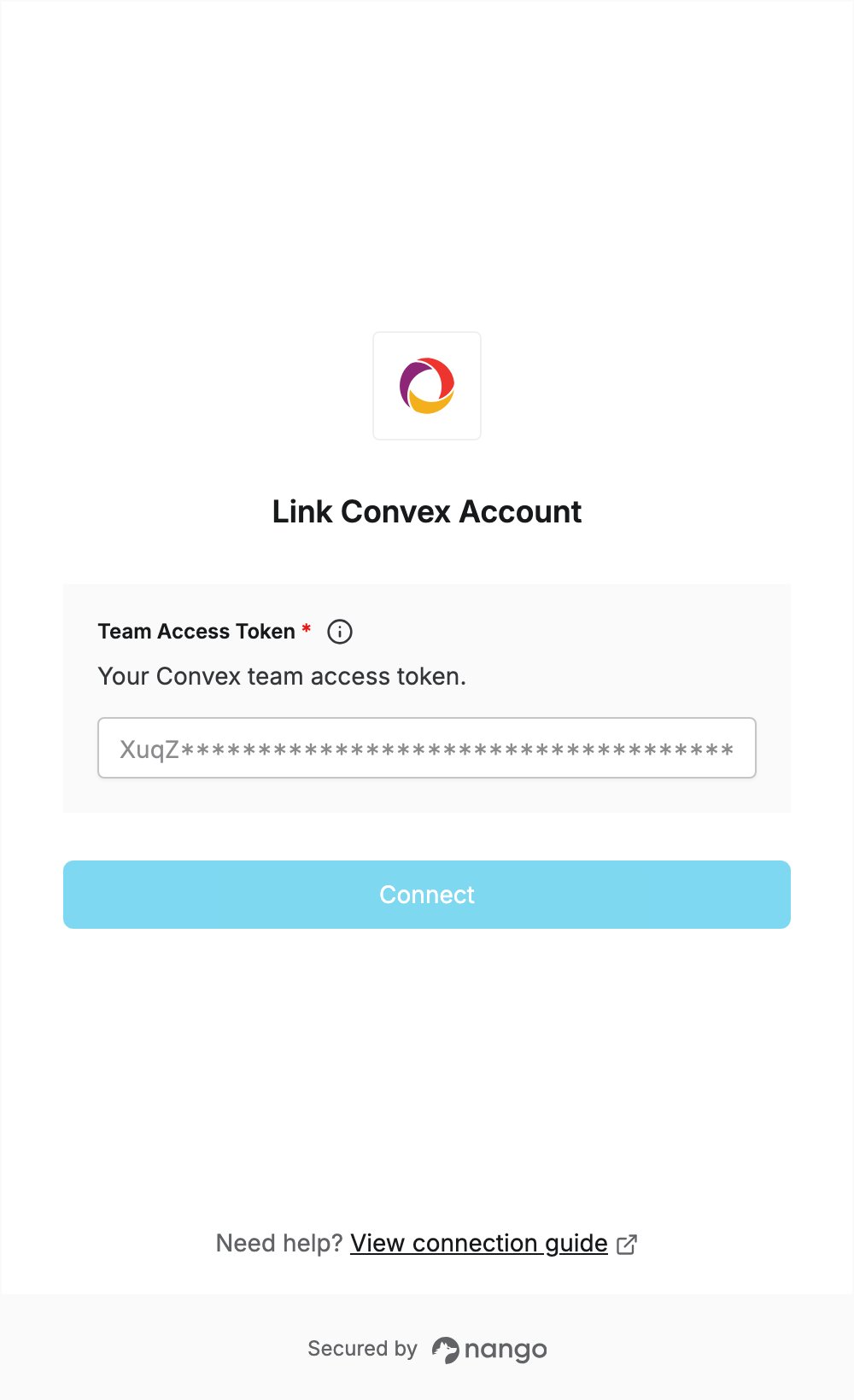
To authenticate with Convex, you need:- Team Access Token — a Convex team access token for the Management API.
Prerequisites
- A Convex account with access to the Management API. Convex’s pricing page lists the Management API on the Professional plan and above, not on the Free & Starter plan.
Step 1: Create a team access token
- Sign in to the Convex dashboard.
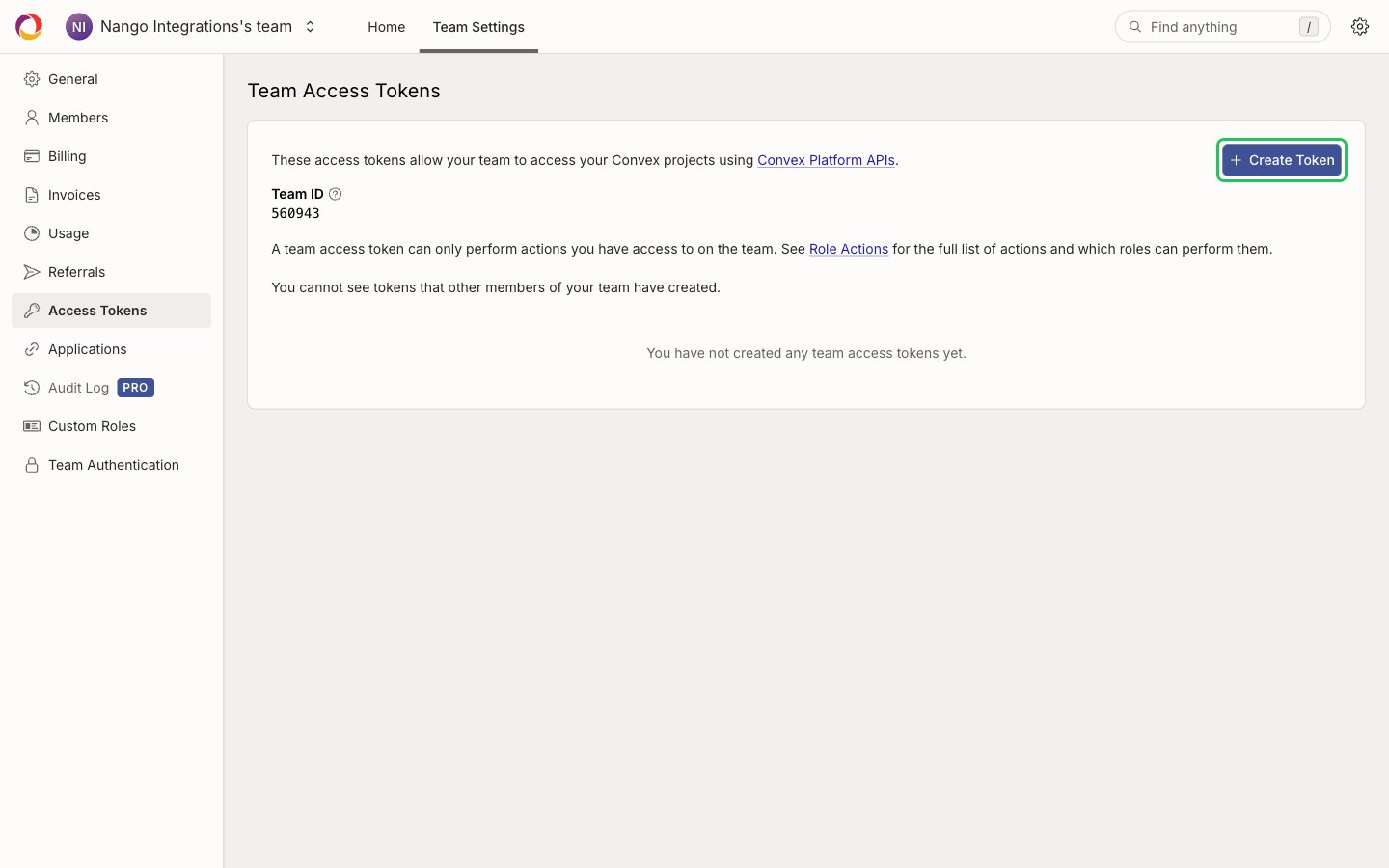
- Click Team Settings in the top navigation, then Access Tokens in the left sidebar. This page also shows your Team ID, which most Management API endpoints need.
- Click Create Token.
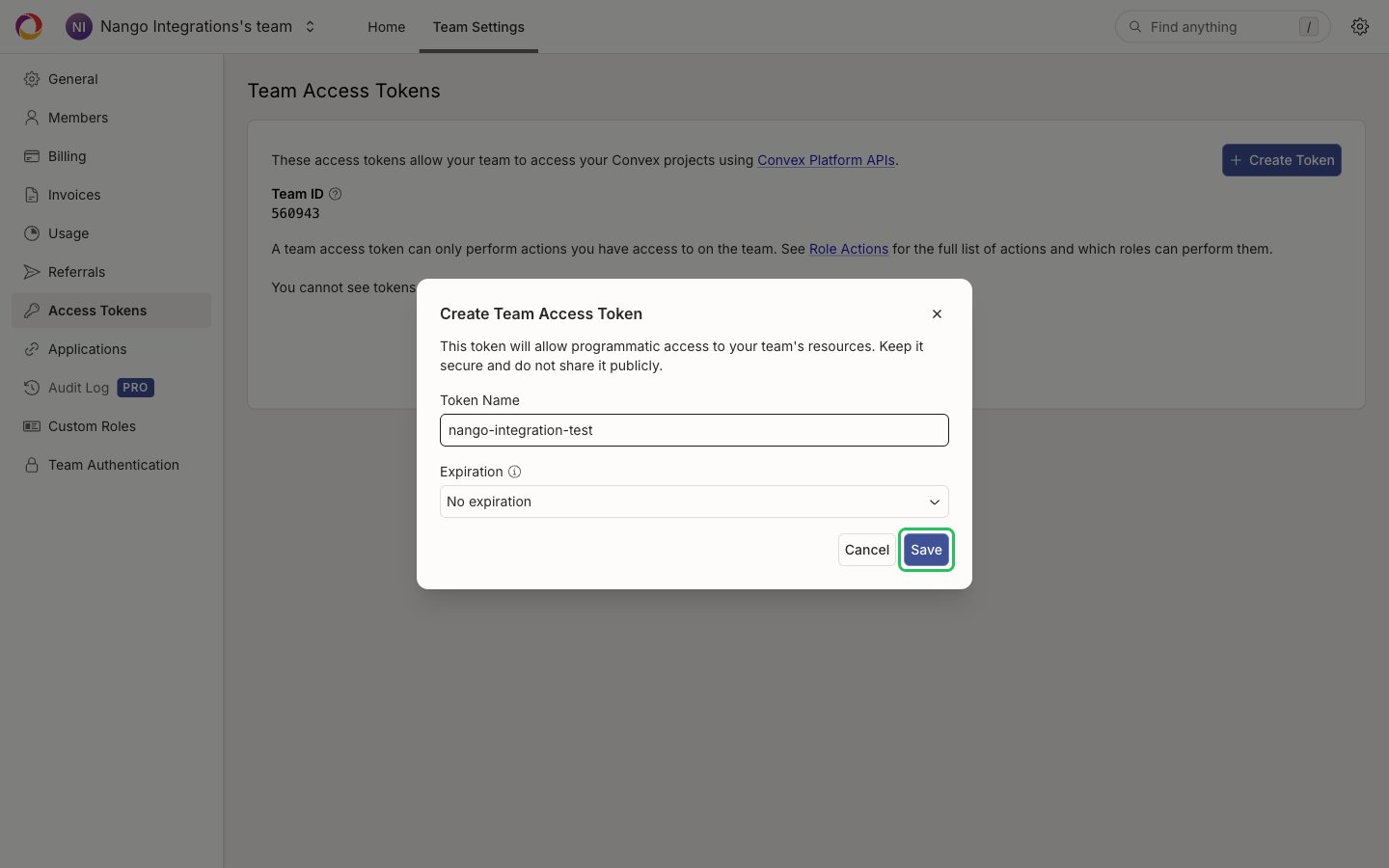
- Enter a Token Name, optionally choose an Expiration, and click Save.
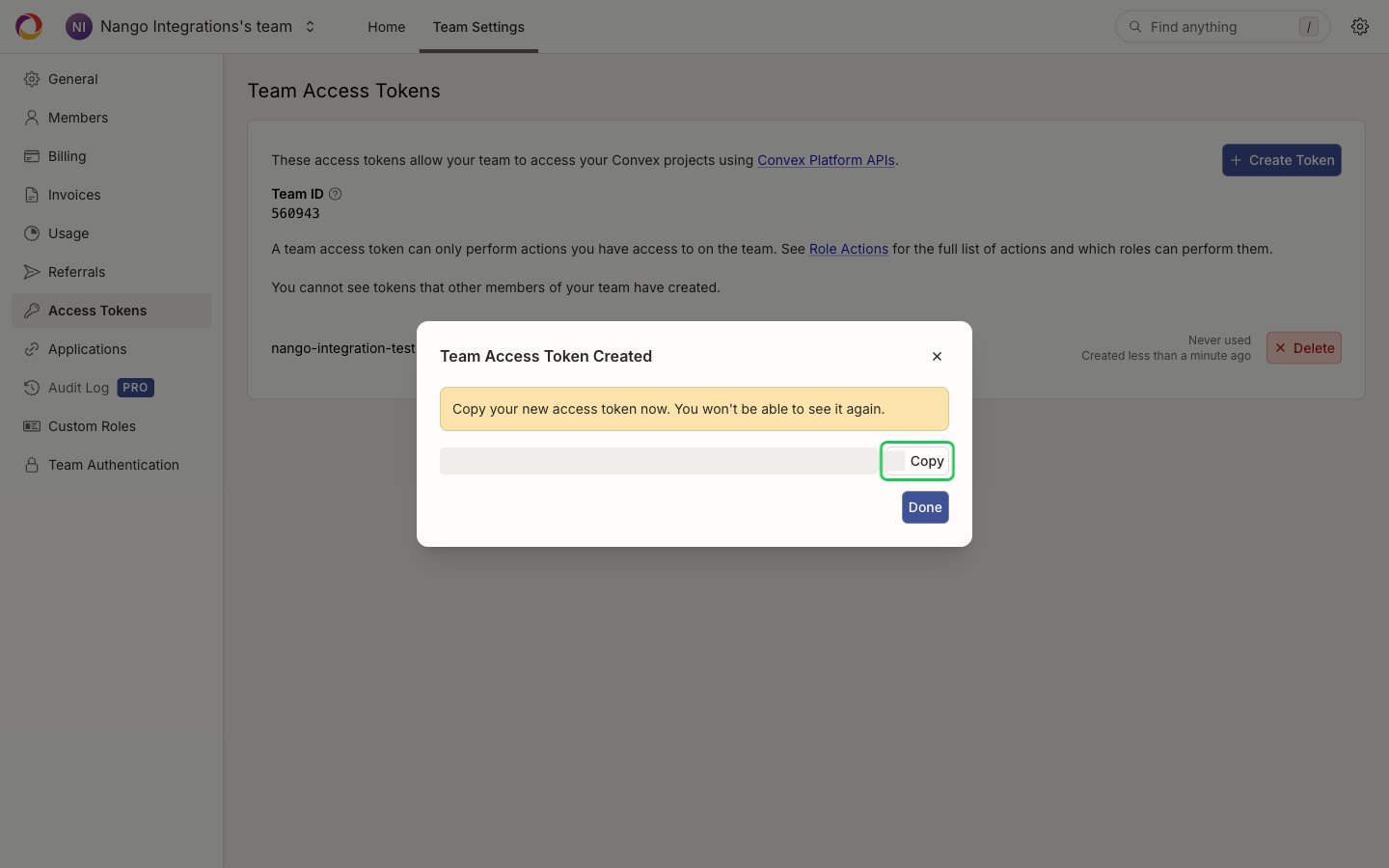
- Click Copy to copy the token. Convex shows it only once.
Step 2: Enter your team access token in the Connect UI
- Open the form where you need to authenticate with Convex.
- Enter your Team Access Token in the designated field.
- Submit the form, and you should be successfully authenticated.