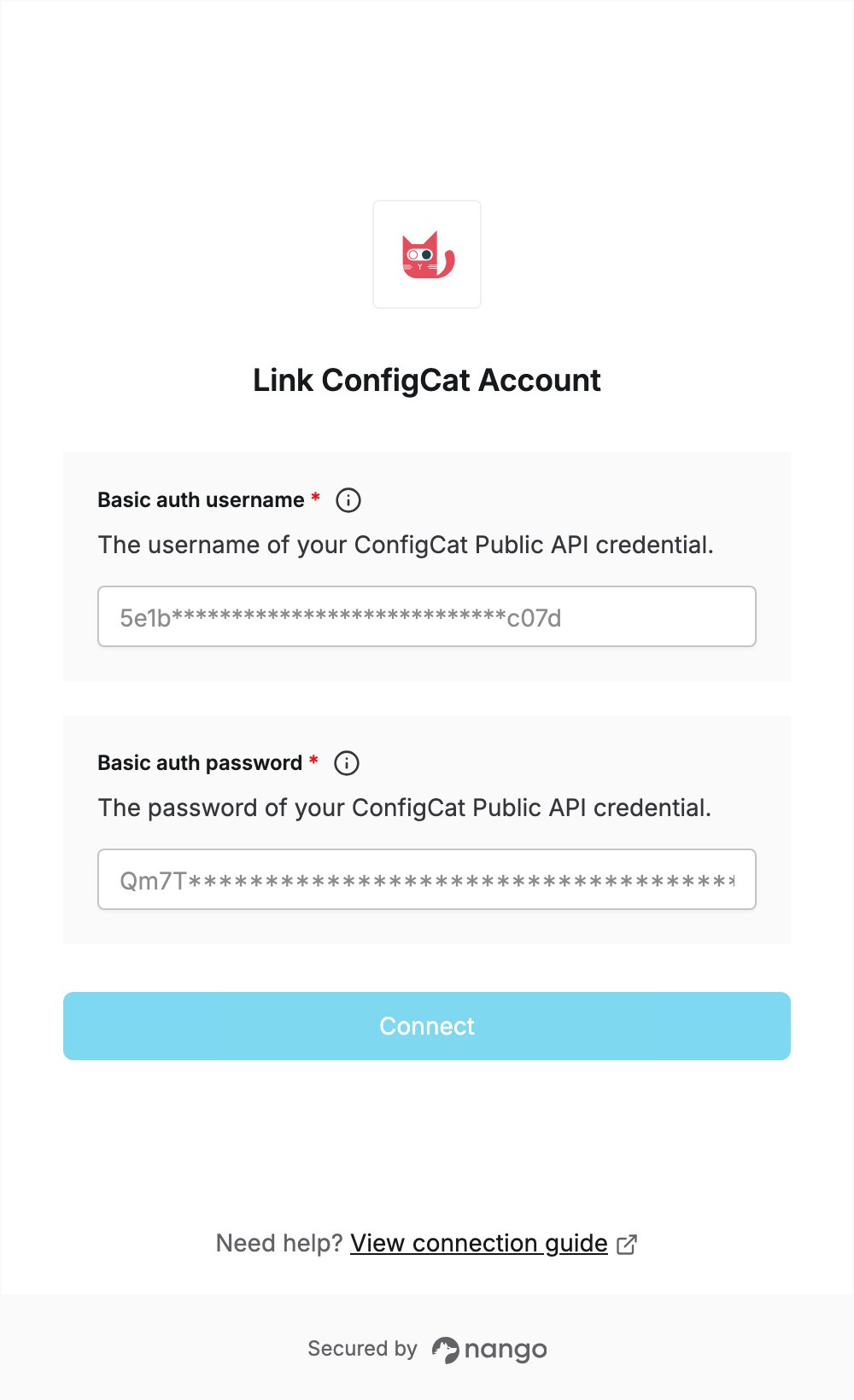
Overview
To authenticate with ConfigCat, you need:- Basic auth username — the user name of a ConfigCat Public API credential.
- Basic auth password — the password generated with that credential.
Prerequisites
- A ConfigCat account.
Step 1: Create your Public API credential
- Log in to the ConfigCat Dashboard.
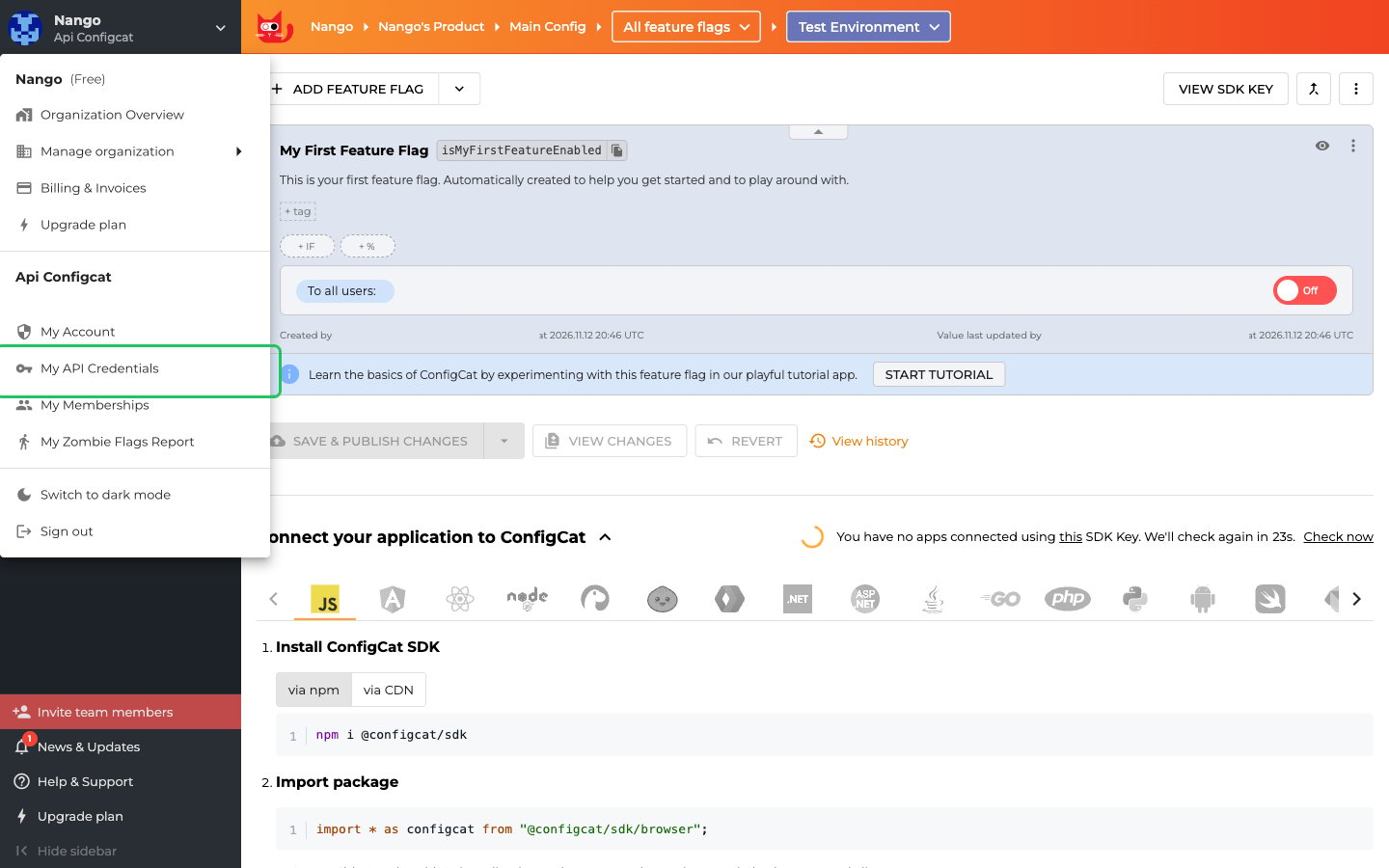
- Click your organization and user name in the top-left of the sidebar to open the account menu, then select My API Credentials.
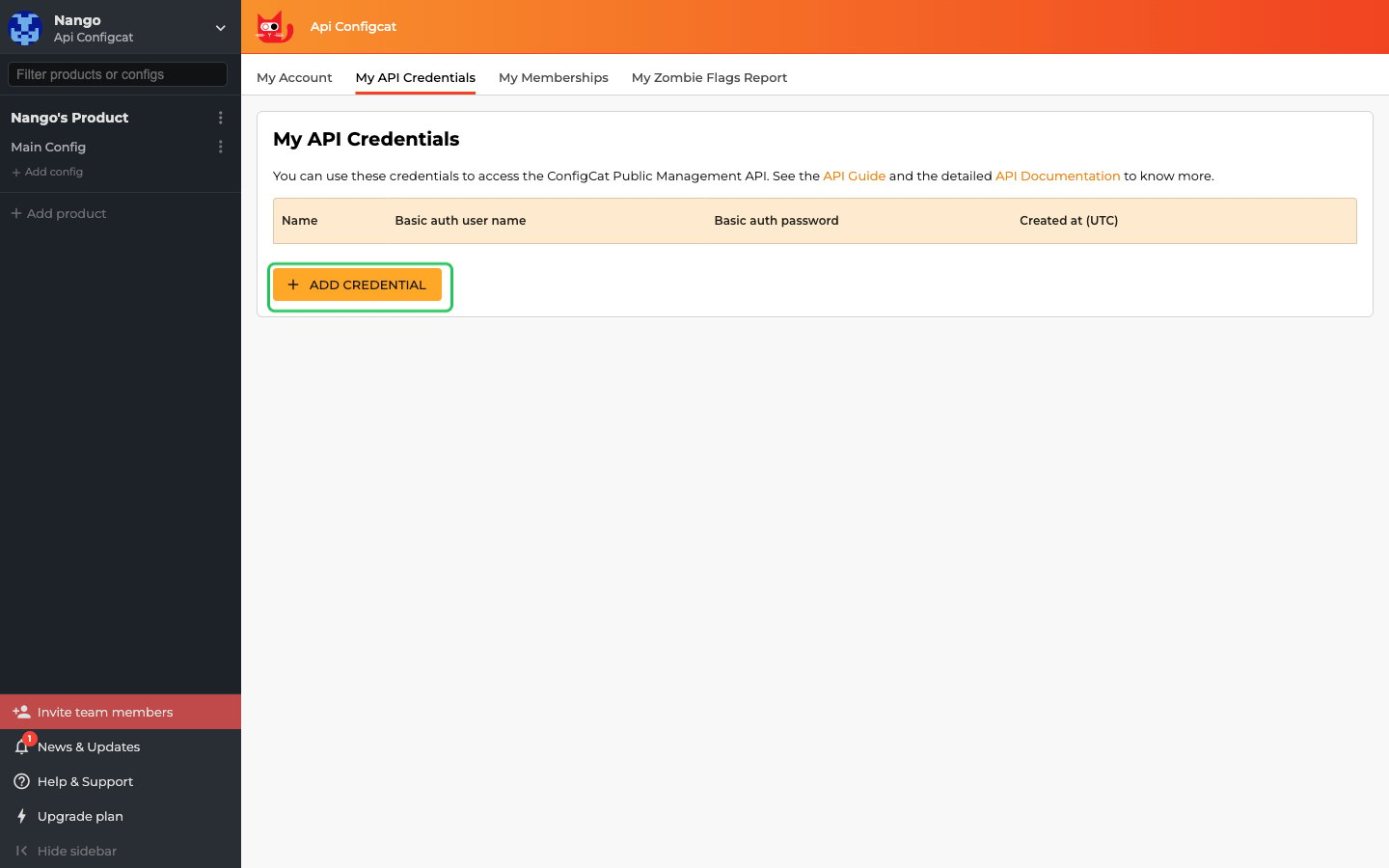
- On the My API Credentials page, click Add credential.
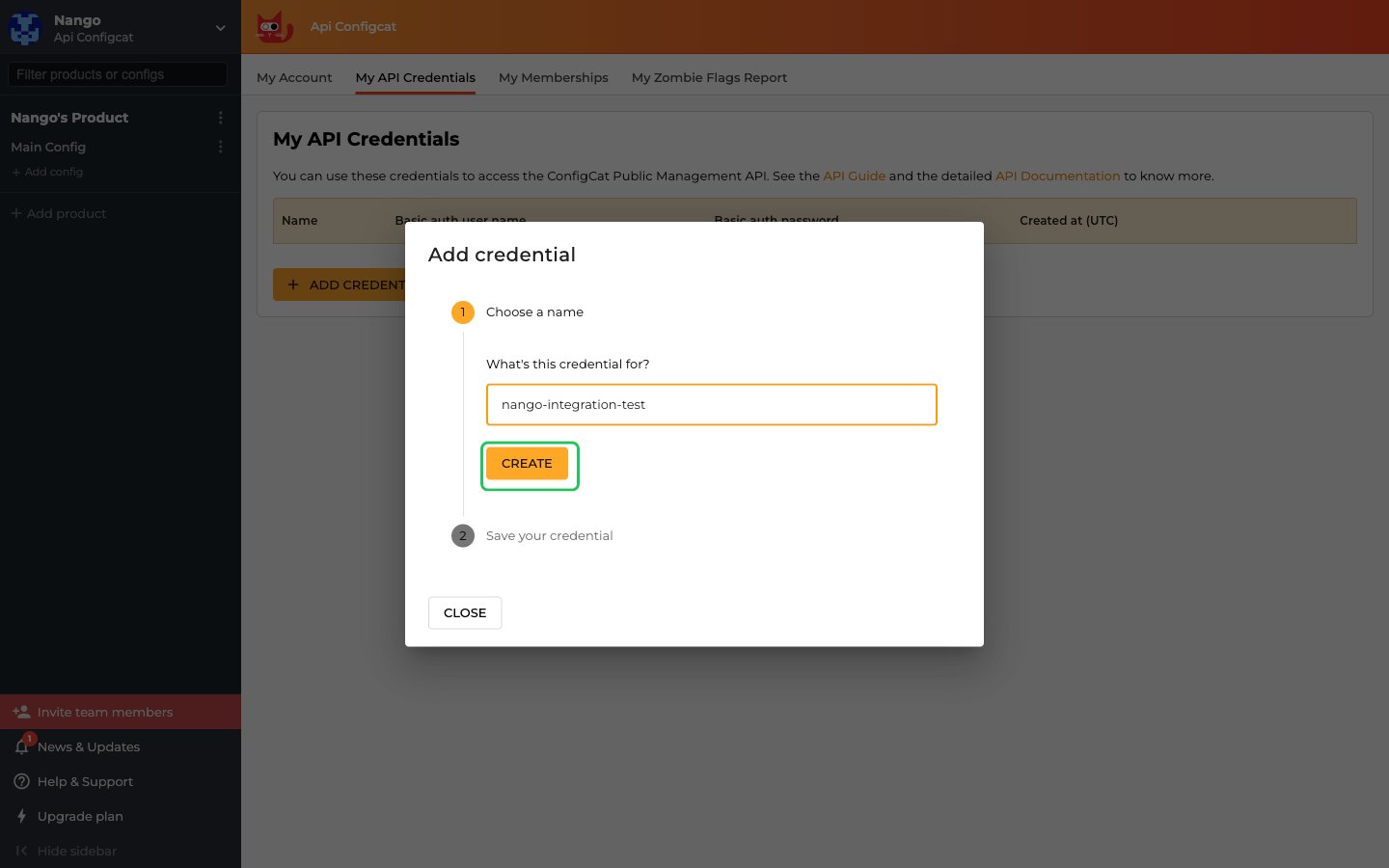
- Enter a name for the credential (for example,
Nango) and click Create.
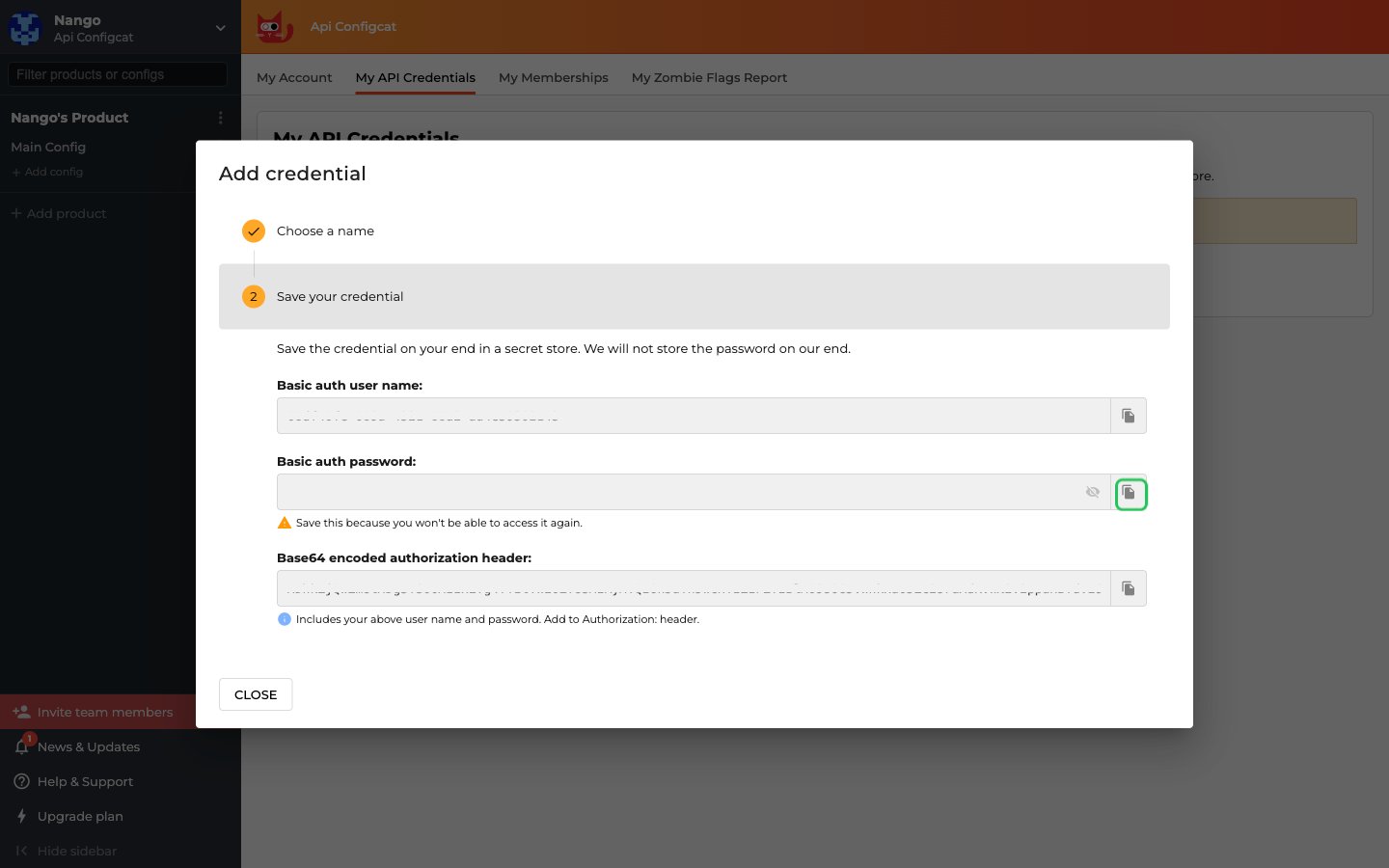
- Copy the Basic auth user name and the Basic auth password. Store the password securely before you close the dialog.
Step 2: Enter your credentials in the Connect UI
- Open the form where you need to authenticate with ConfigCat.
- Enter the Basic auth user name in the Basic auth username field.
- Enter the Basic auth password in the Basic auth password field.
- Submit the form, and you should be successfully authenticated.