Overview
To authenticate with Codacy, you need:- Account API Token — an account API token from the Access management tab of your Codacy account.
Prerequisites
- A Codacy account. If you don’t have one, sign up with your Git provider (GitHub, GitLab or Bitbucket).
Step 1: Create an account API token
- Sign in to Codacy.
- Open your account from the avatar menu and go to the Access management tab.
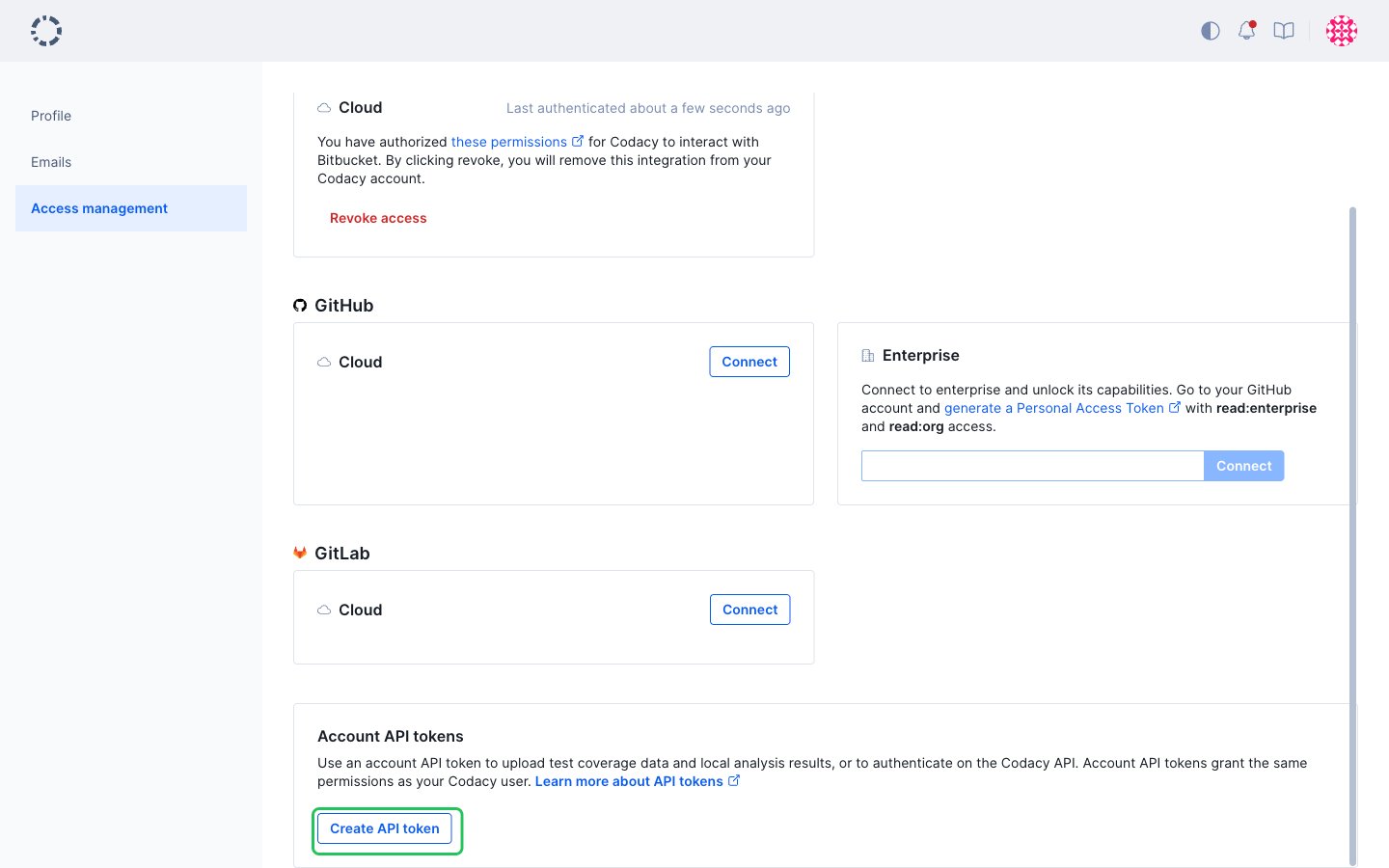
- Under Account API tokens, click Create API token.
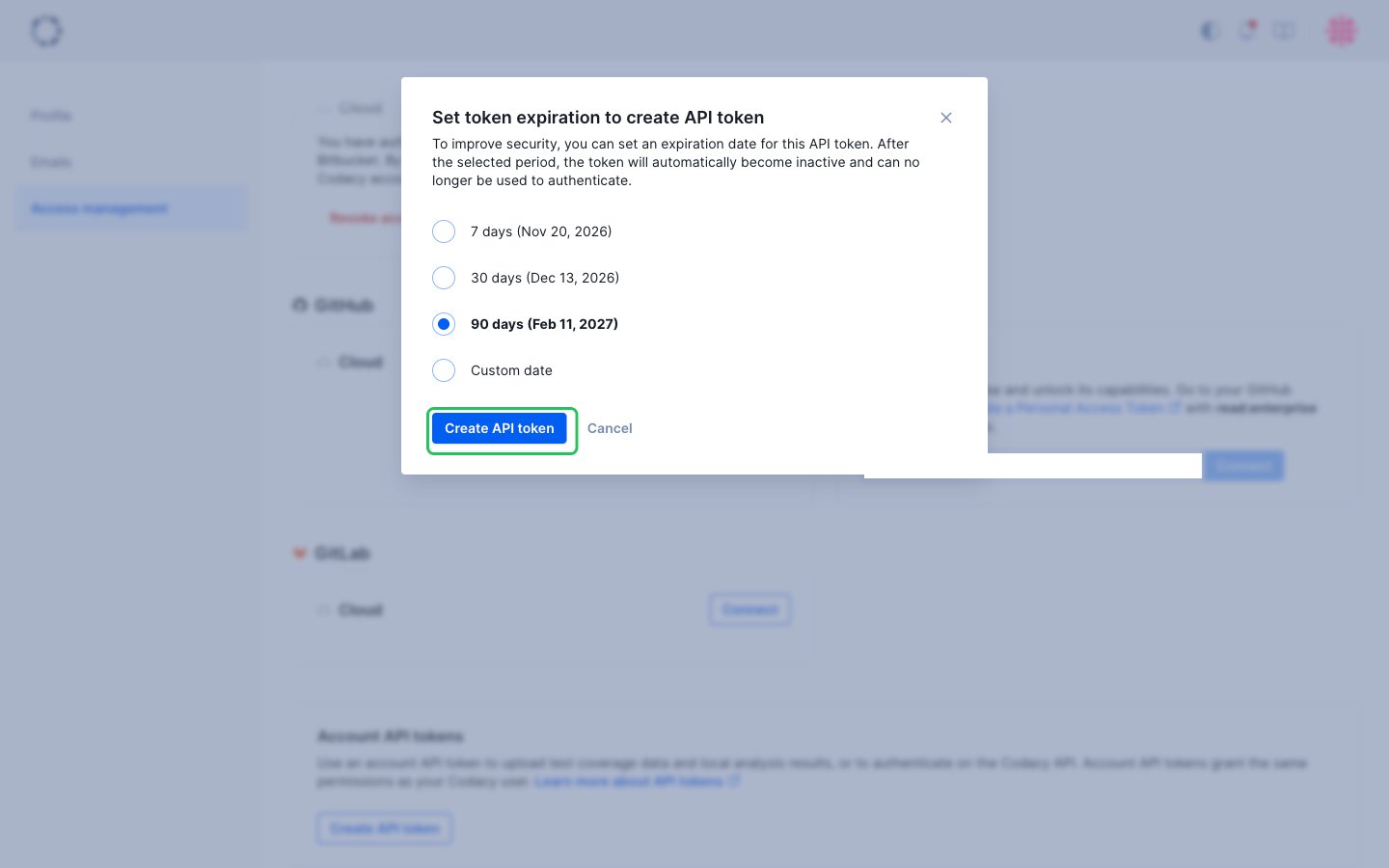
- Choose an expiration: 7, 30 or 90 days, or a custom date up to one year from creation. Then click Create API token.
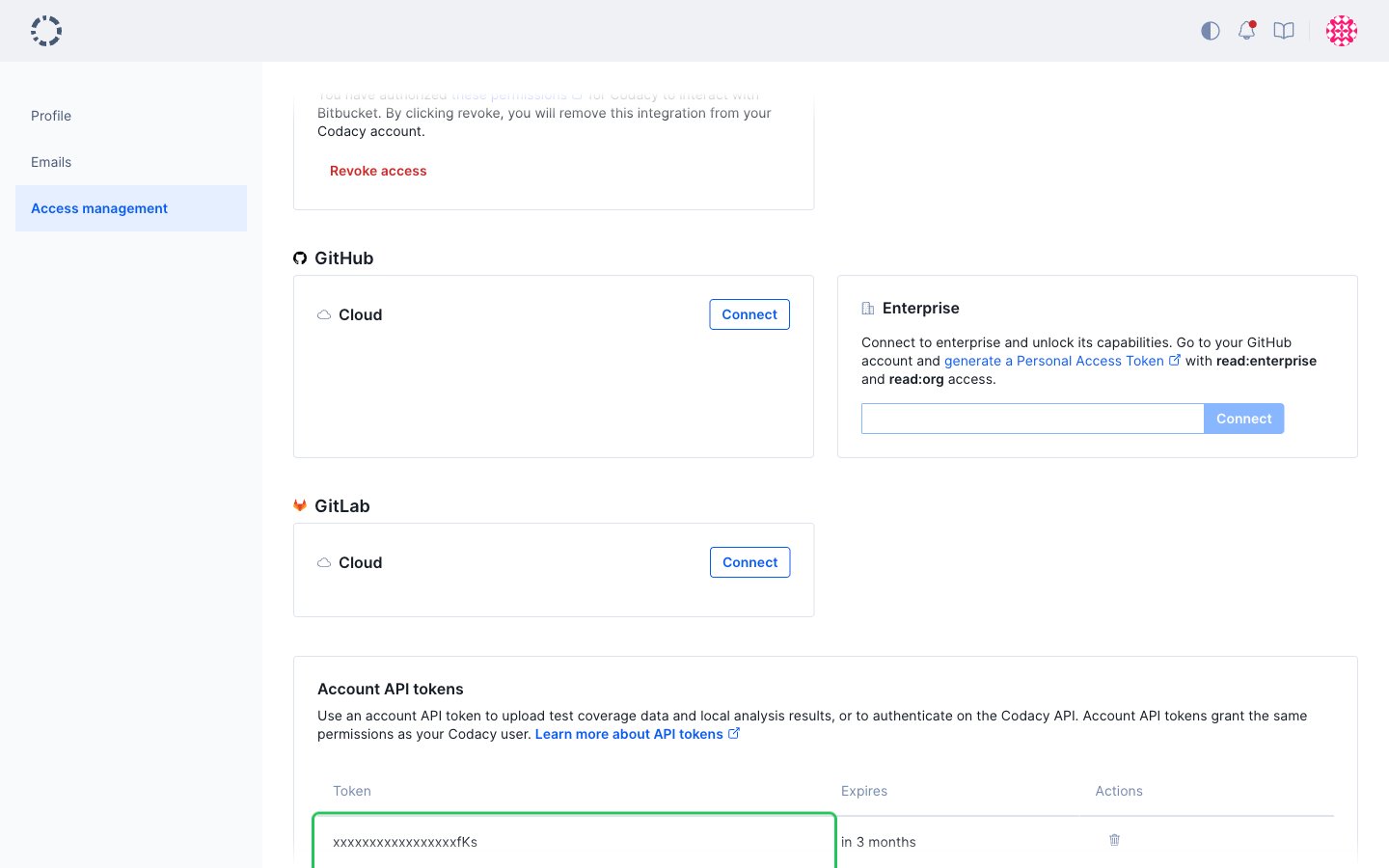
- The new token appears in the Account API tokens table. Click the token to copy it to your clipboard. Codacy shows the token value only once, right after you create it.
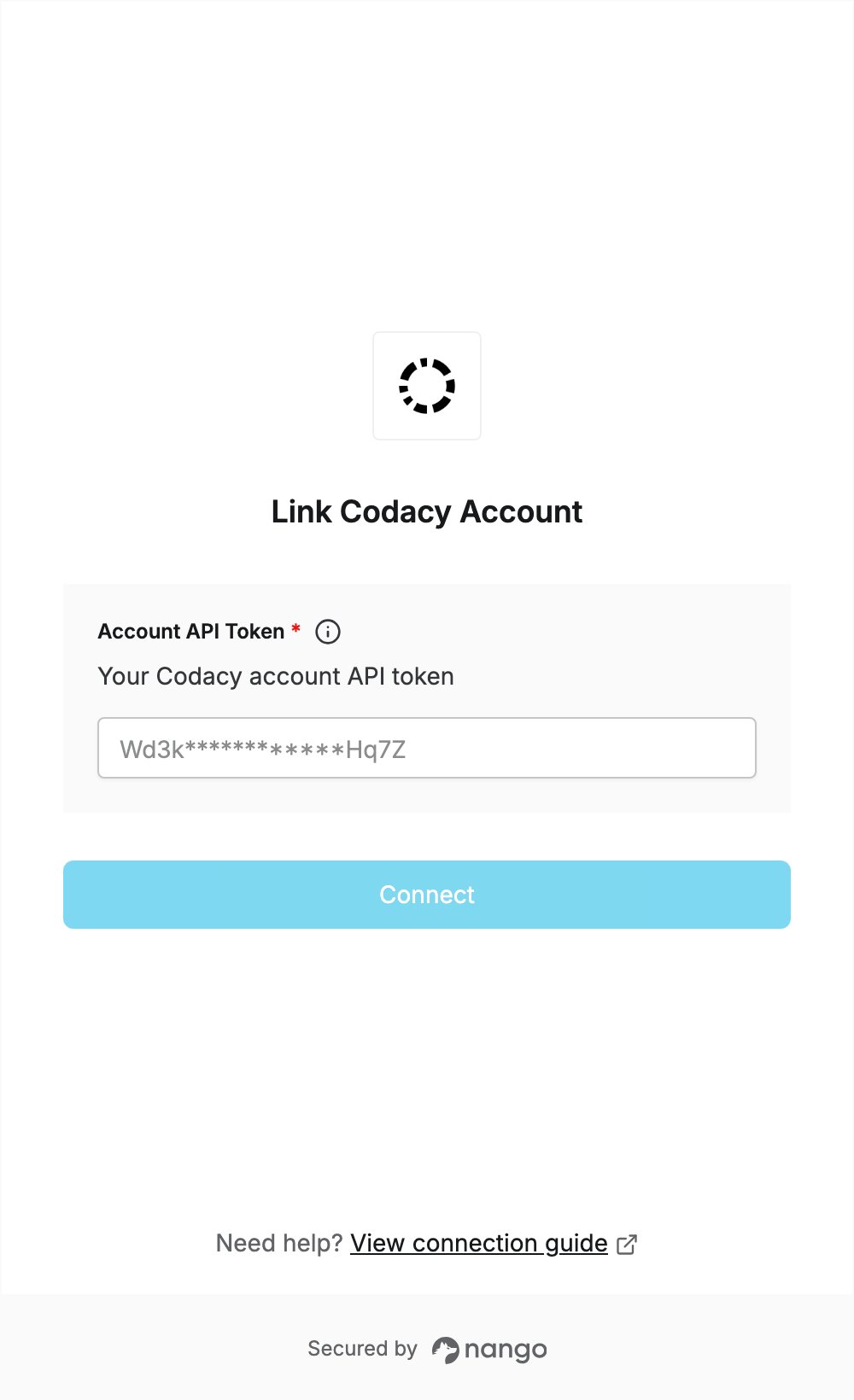
Step 2: Enter your account API token in the Connect UI
- Open the form where you need to authenticate with Codacy.
- Enter your token in the Account API Token field.
- Submit the form, and you should be successfully authenticated.