Overview
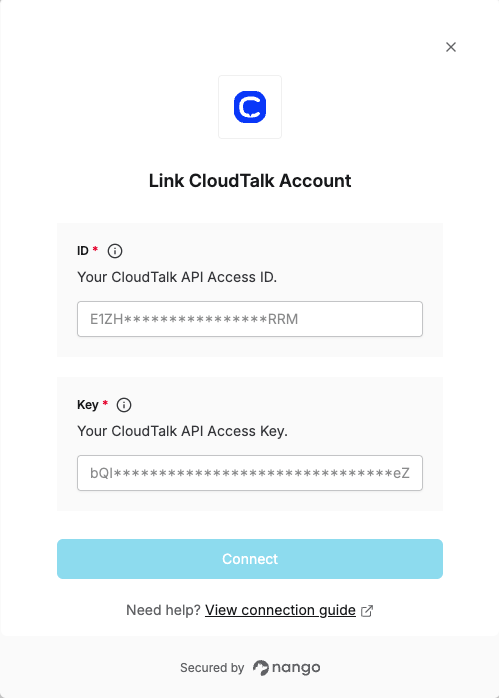
To authenticate with CloudTalk, you will need:- ID – Your CloudTalk API Access Key ID; used as the Basic Auth username.
- Key – Your CloudTalk API Access Key Secret; used as the Basic Auth password. Keep it secure.
Prerequisites
- A CloudTalk account with API access.
Instructions
Step 1: Getting your API credentials
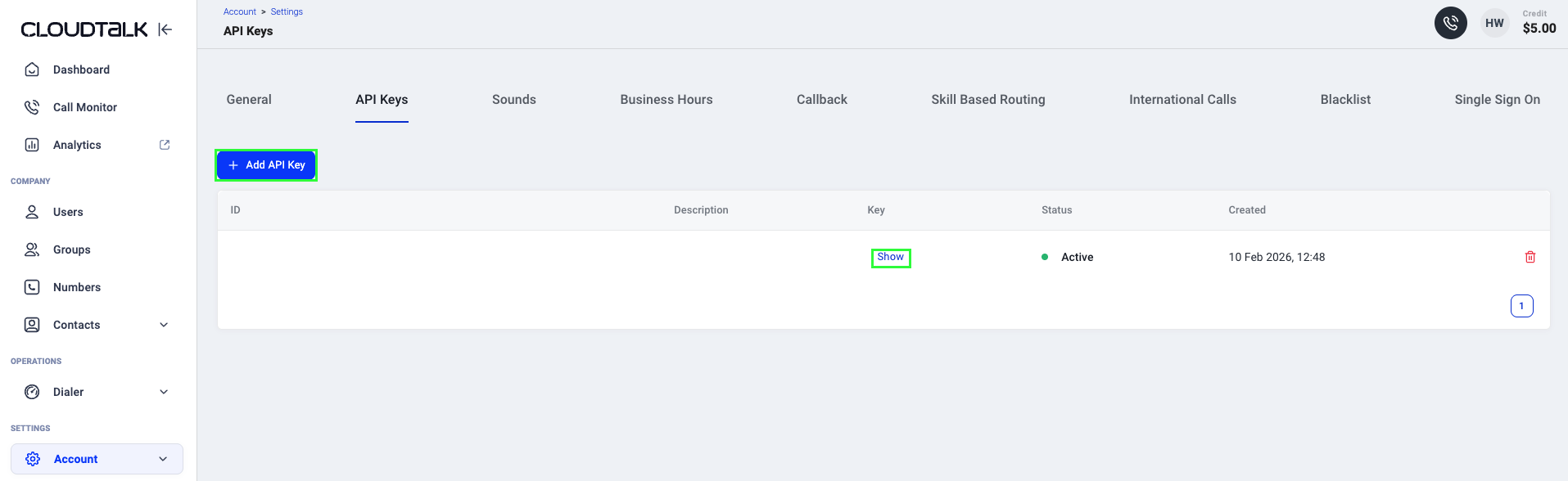
- Log in to your CloudTalk Dashboard and go to the API Keys page.
- Click + Add API Key to create a new API key.
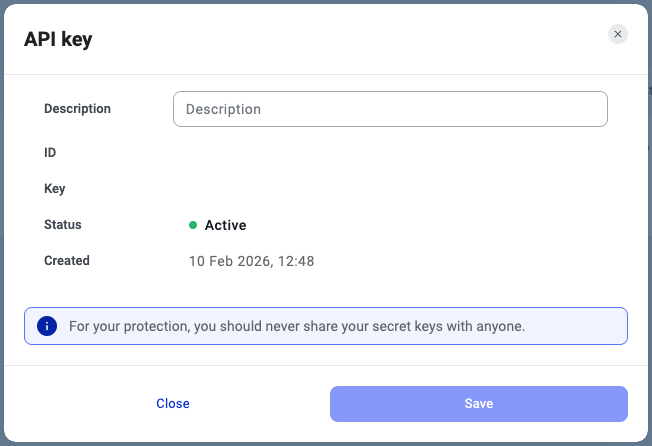
- Click Show to reveal both the ID and the Key, then copy them.
Step 2: Enter credentials in the Connect UI
Once you have your ID and Key:- Open the form where you need to authenticate with CloudTalk.
- Enter your ID and Key in their respective fields.
- Submit the form, and you should be successfully authenticated.