Overview
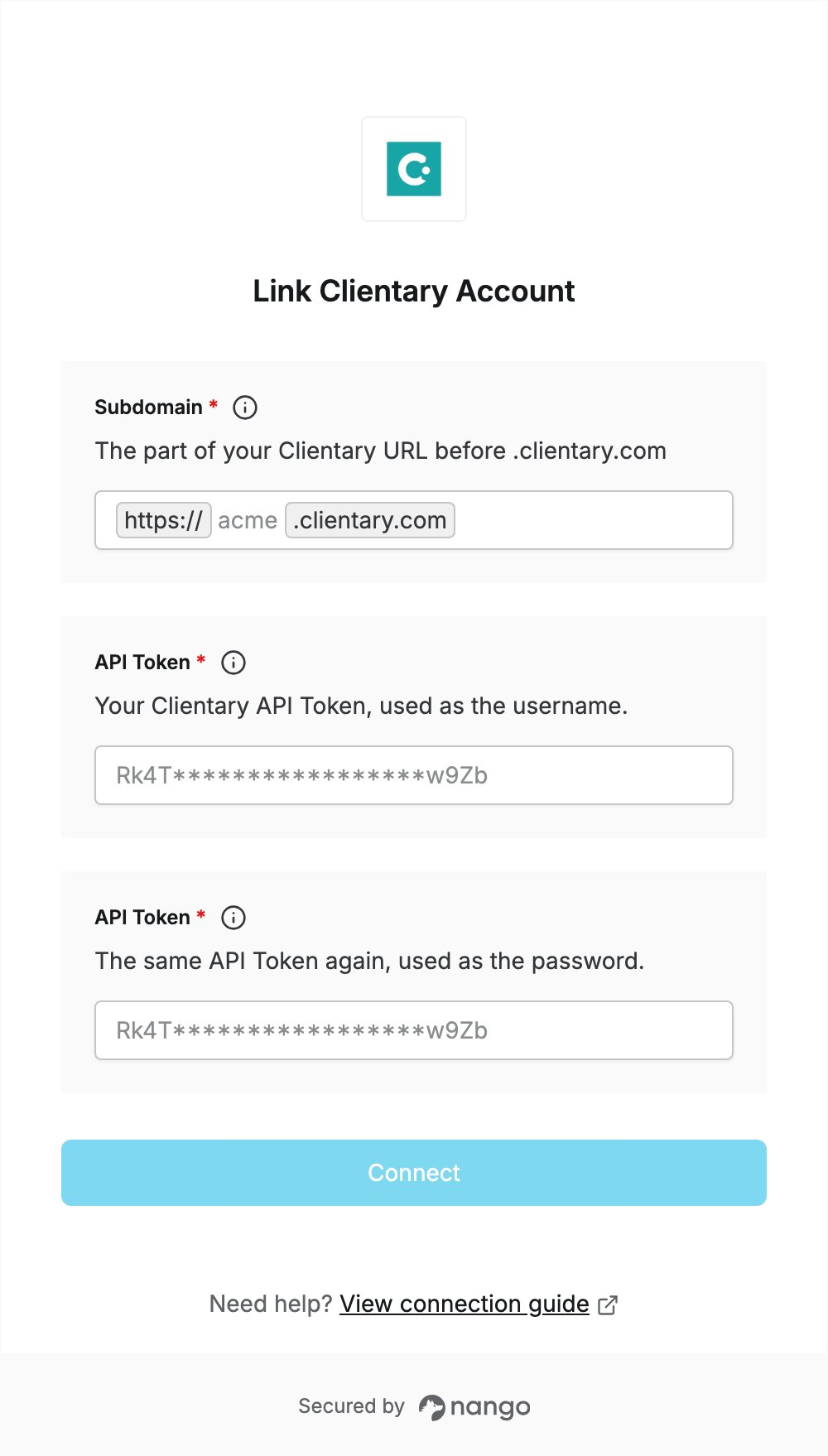
To authenticate with Clientary, you need:- Subdomain — the part of your Clientary URL before
.clientary.com. - API Token — the personal API Token from your Clientary user profile, entered as both the username and the password.
Prerequisites
- A Clientary account. Every plan comes with a 14-day free trial, no credit card required.
Step 1: Find your subdomain
Your subdomain is the part of your Clientary URL before.clientary.com: for https://acme.clientary.com, enter acme.
Step 2: Generate your API token
Every user in a Clientary account has their own API Token.- Log in to your Clientary account at
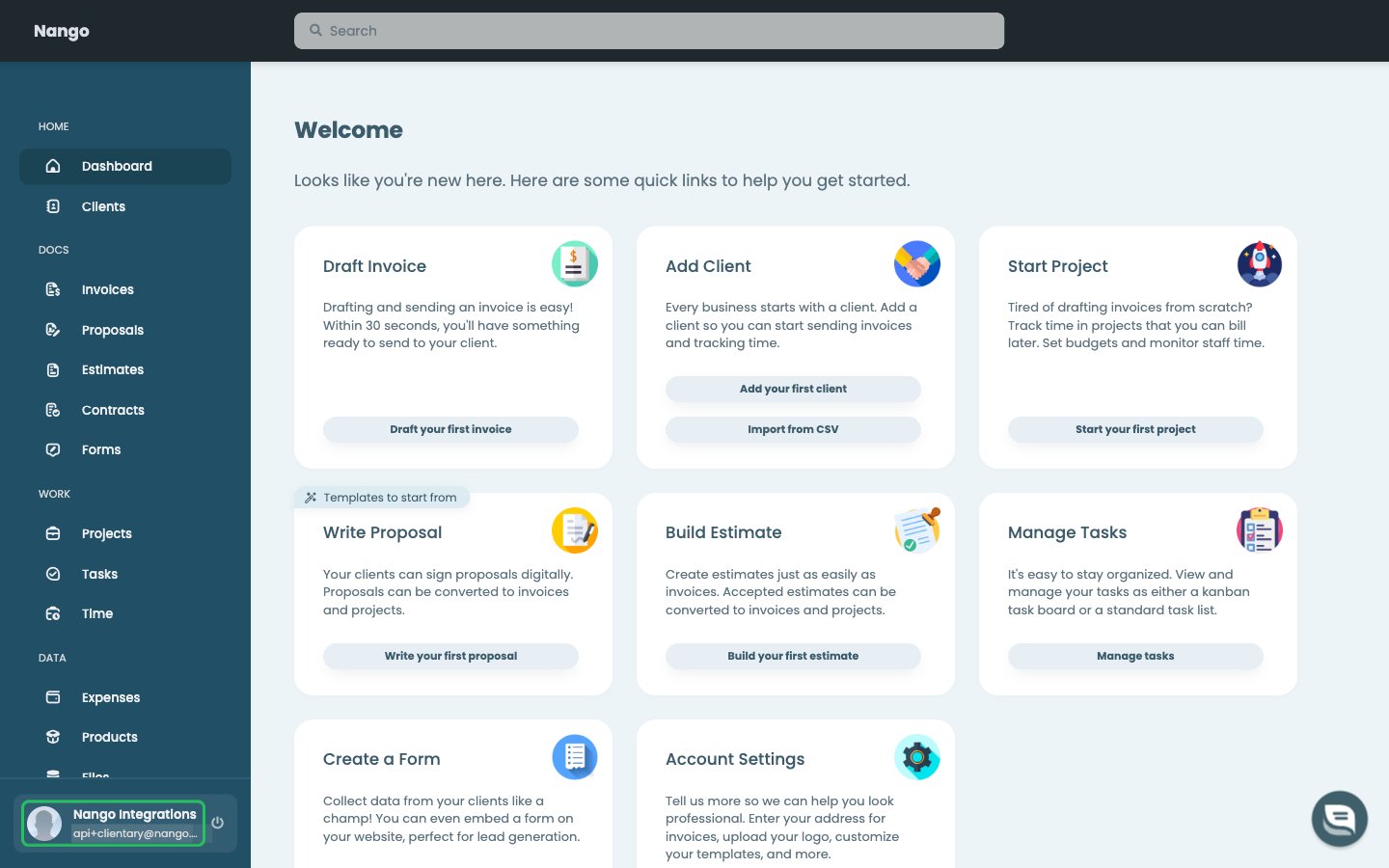
https://<subdomain>.clientary.com. - Click your name at the bottom of the left sidebar to open your user profile.
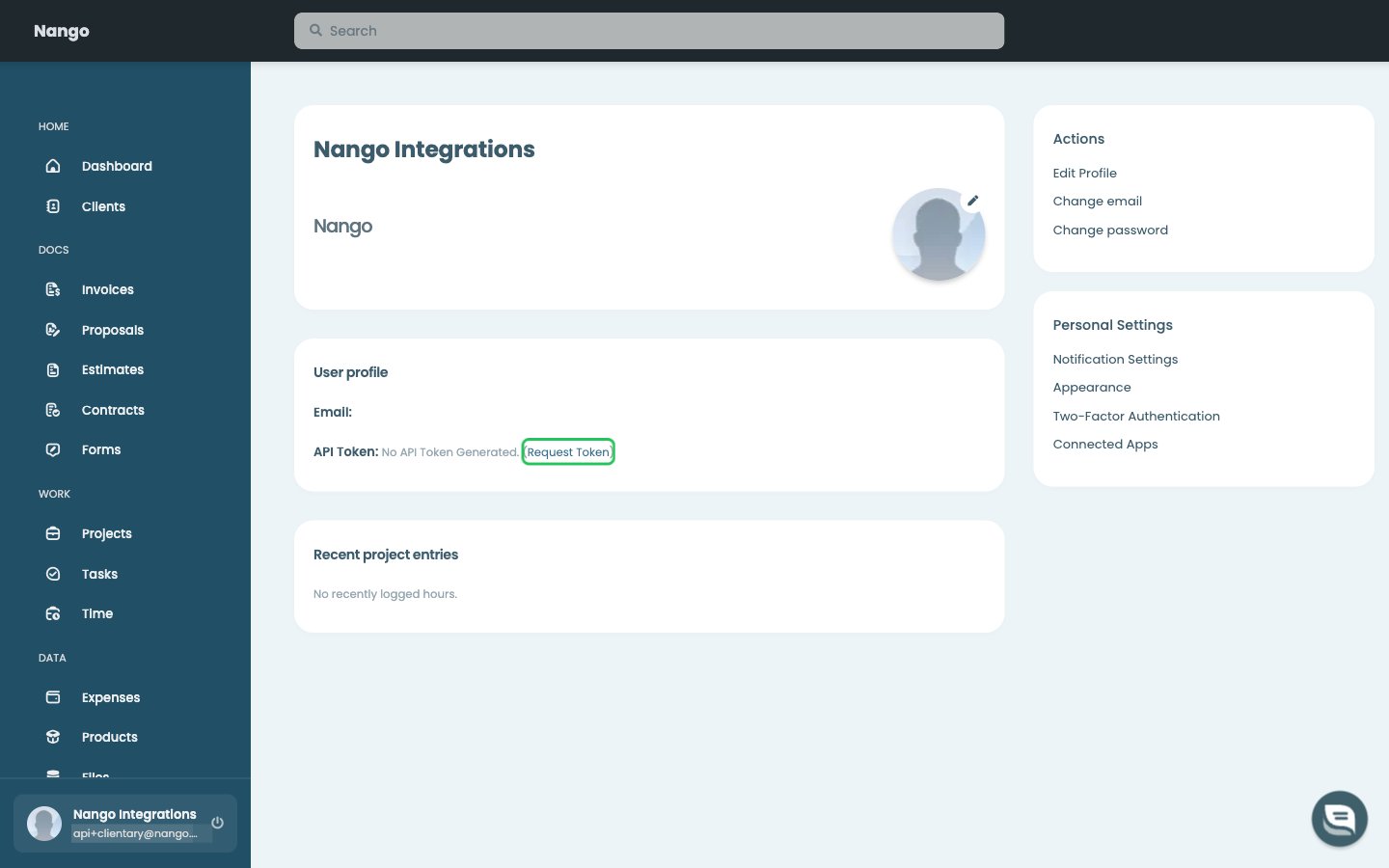
- Next to API Token, click Request Token (or Regenerate if you already have one).
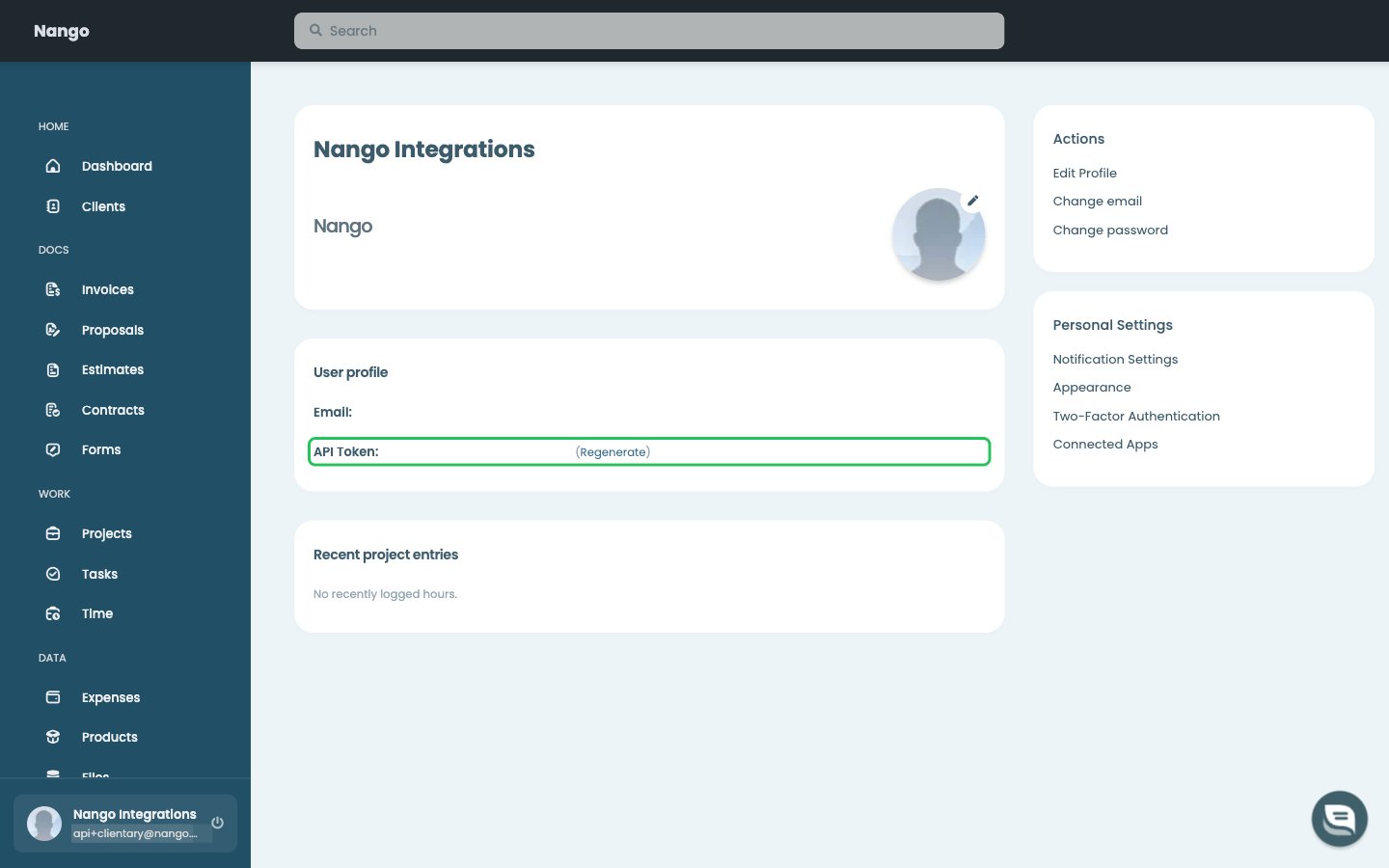
- Copy the API Token shown on your user profile.
Step 3: Enter your credentials in the Connect UI
- Open the form where you need to authenticate with Clientary.
- In Subdomain, enter your subdomain from Step 1 (for example,
acme). - In the first API Token field (the username), paste the API Token from Step 2.
- In the second API Token field (the password), paste the same API Token again.
- Submit the form. Nango checks that both API Token fields hold the same token and that Clientary accepts it before saving the connection.