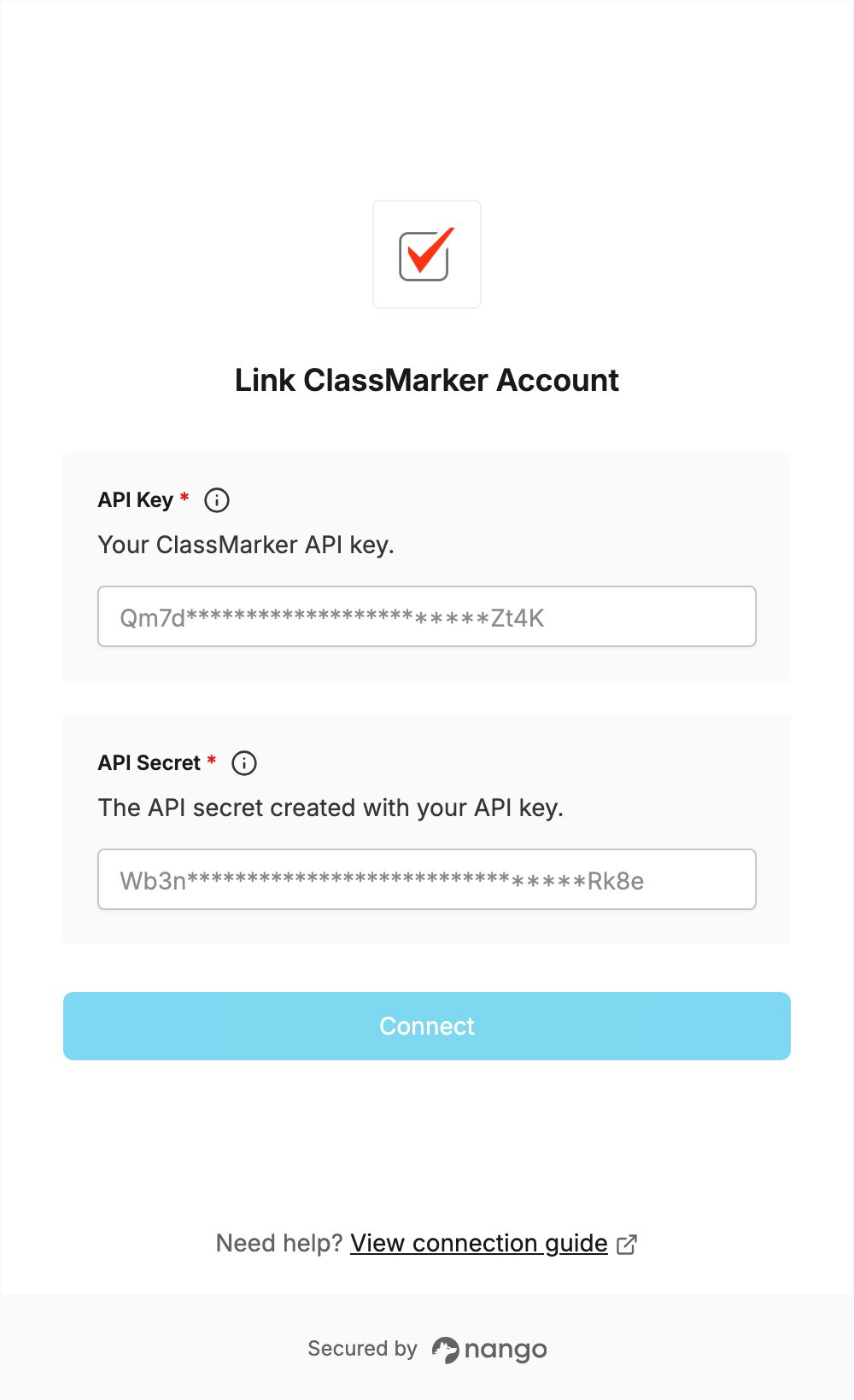
Overview
To authenticate with ClassMarker, you need:- API Key - the API key you create in your ClassMarker account.
- API Secret - the secret ClassMarker creates together with the API key.
Prerequisites
- A ClassMarker account. Register if you don’t have one.
- API access: ClassMarker refuses API requests from accounts that are not upgraded.
Step 1: Open the API settings
- Log in to ClassMarker and click your name in the top right to open My Account.
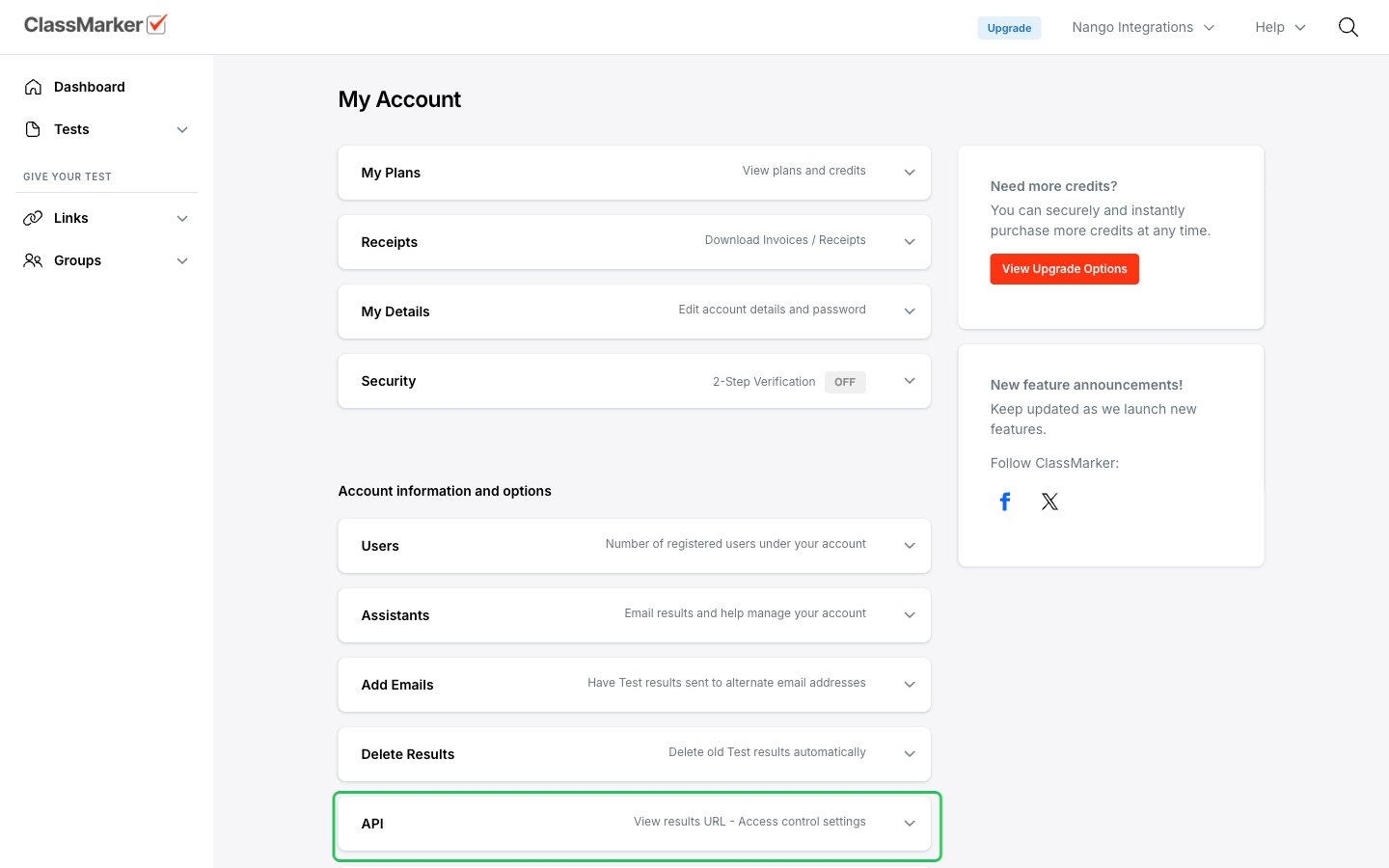
- Click API, then click View API Keys. This opens My Account > Webhooks / API Keys.
Step 2: Create an API key
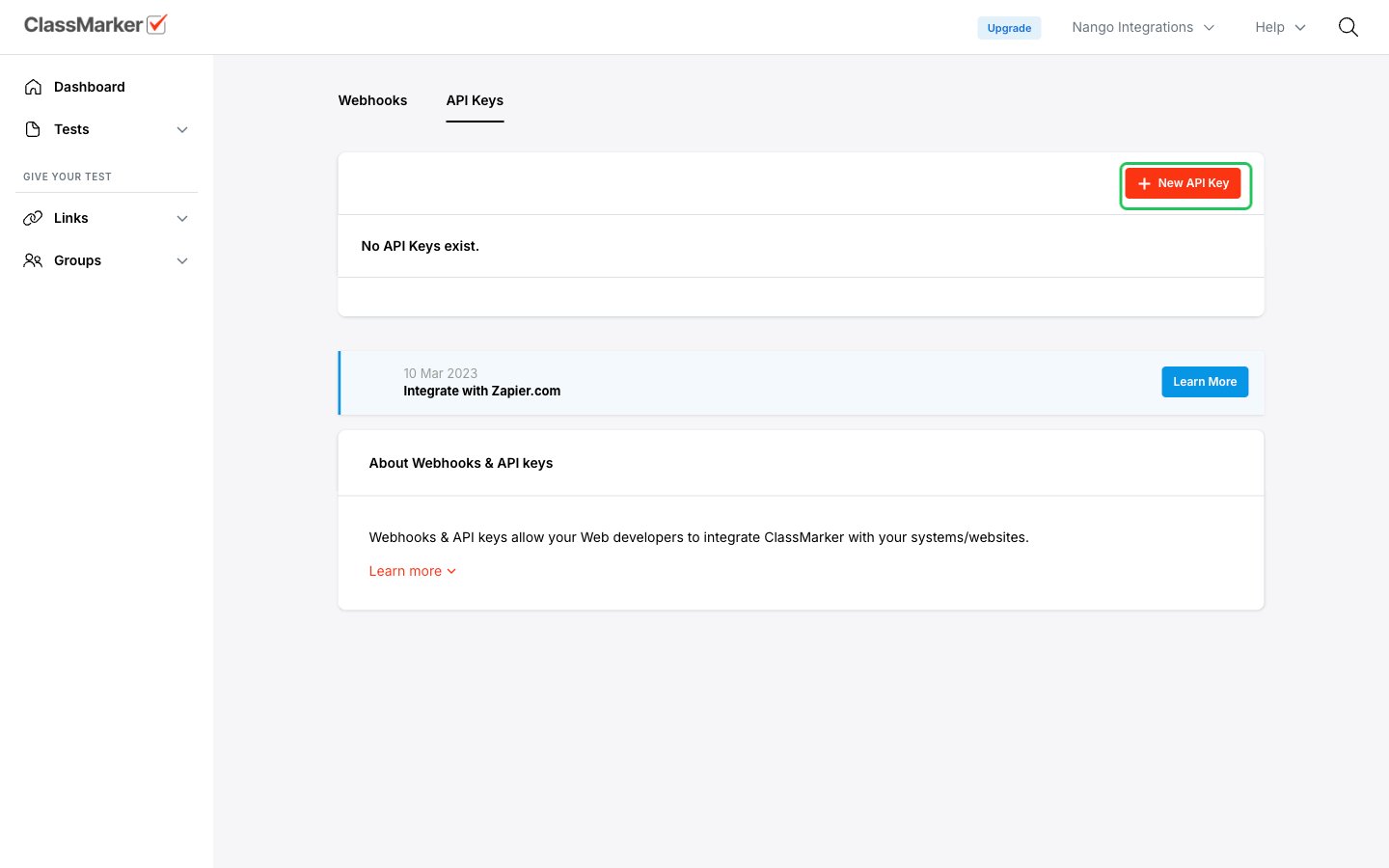
- On the API Keys tab, click New API Key.
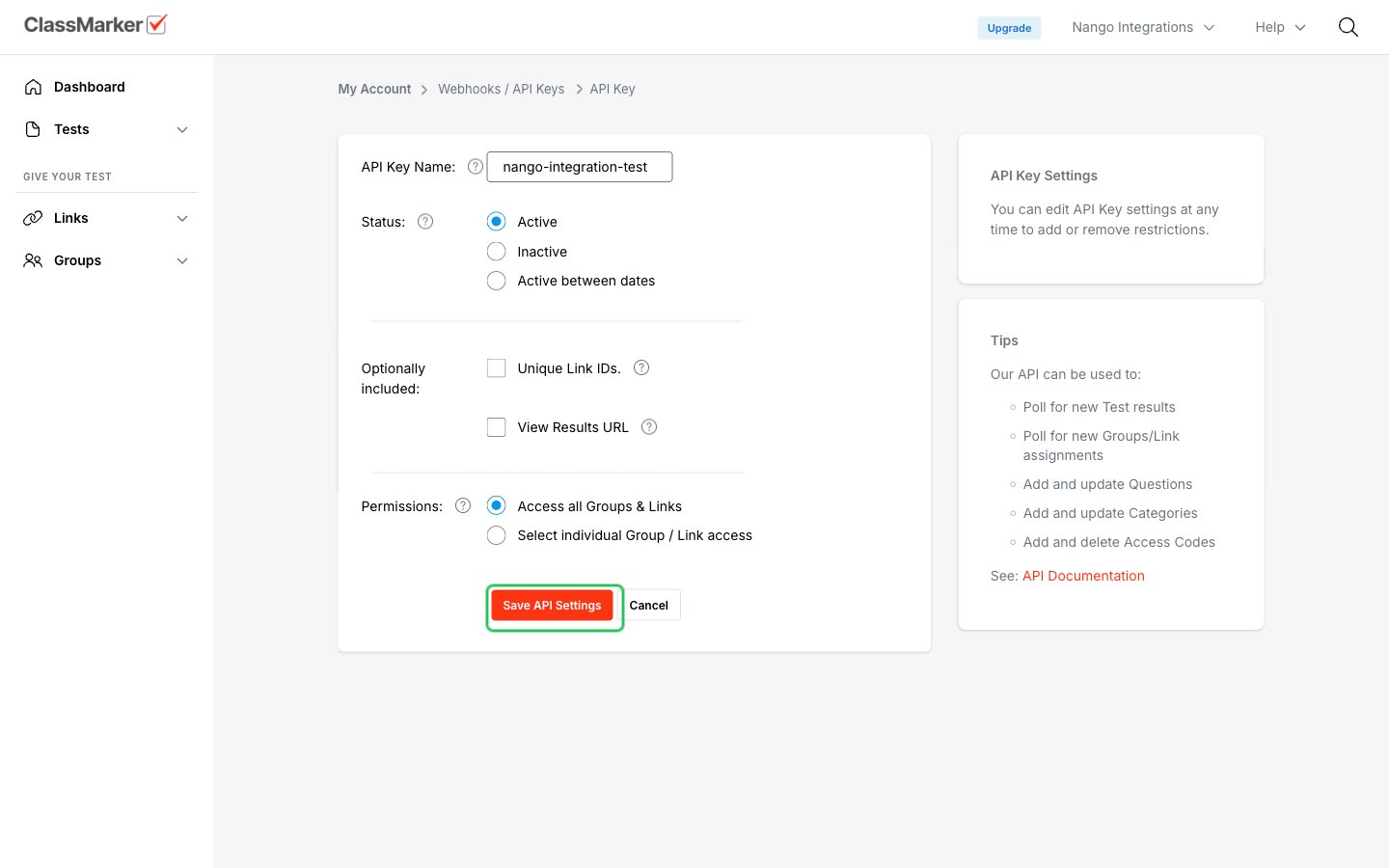
- Enter an API Key Name, keep Status set to Active, and under Permissions choose Access all Groups & Links or select the groups and links the key can access.
- Click Save API Settings.
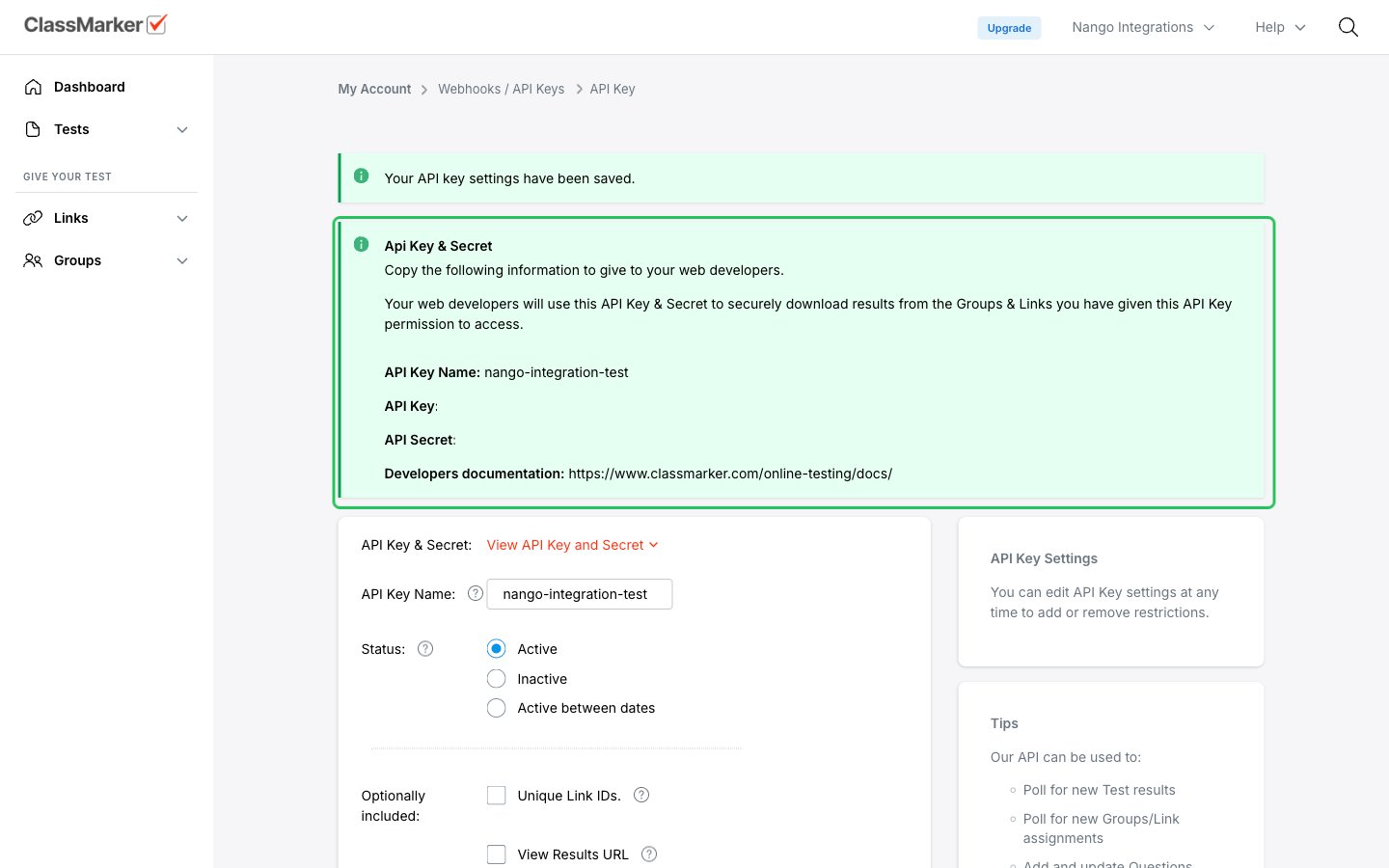
Step 3: Copy your API key and secret
- After saving, click View API Key and Secret.
- Copy the API Key and the API Secret.
Step 4: Enter your credentials in the Connect UI
- Open the form where you need to authenticate with ClassMarker.
- Paste the API Key from Step 3 into the API Key field.
- Paste the API Secret from Step 3 into the API Secret field.
- Submit the form, and you should be successfully authenticated.