

Overview
To authenticate with Cisco Duo Admin API, you need:- Integration Key - The integration key for your Duo Admin API application.
- Secret Key - The secret key for your Duo Admin API application.
- API Hostname - The API hostname for your Duo Admin API application, for example
api-xxxxxxxx.duosecurity.com.
Prerequisites
- You must be a Duo administrator with the Owner role to create or update an Admin API application.
Instructions
Step 1: Find your Integration Key, Secret Key, and API Hostname
- Log in to the Duo Admin Panel.
- Go to Applications > Application Catalog.
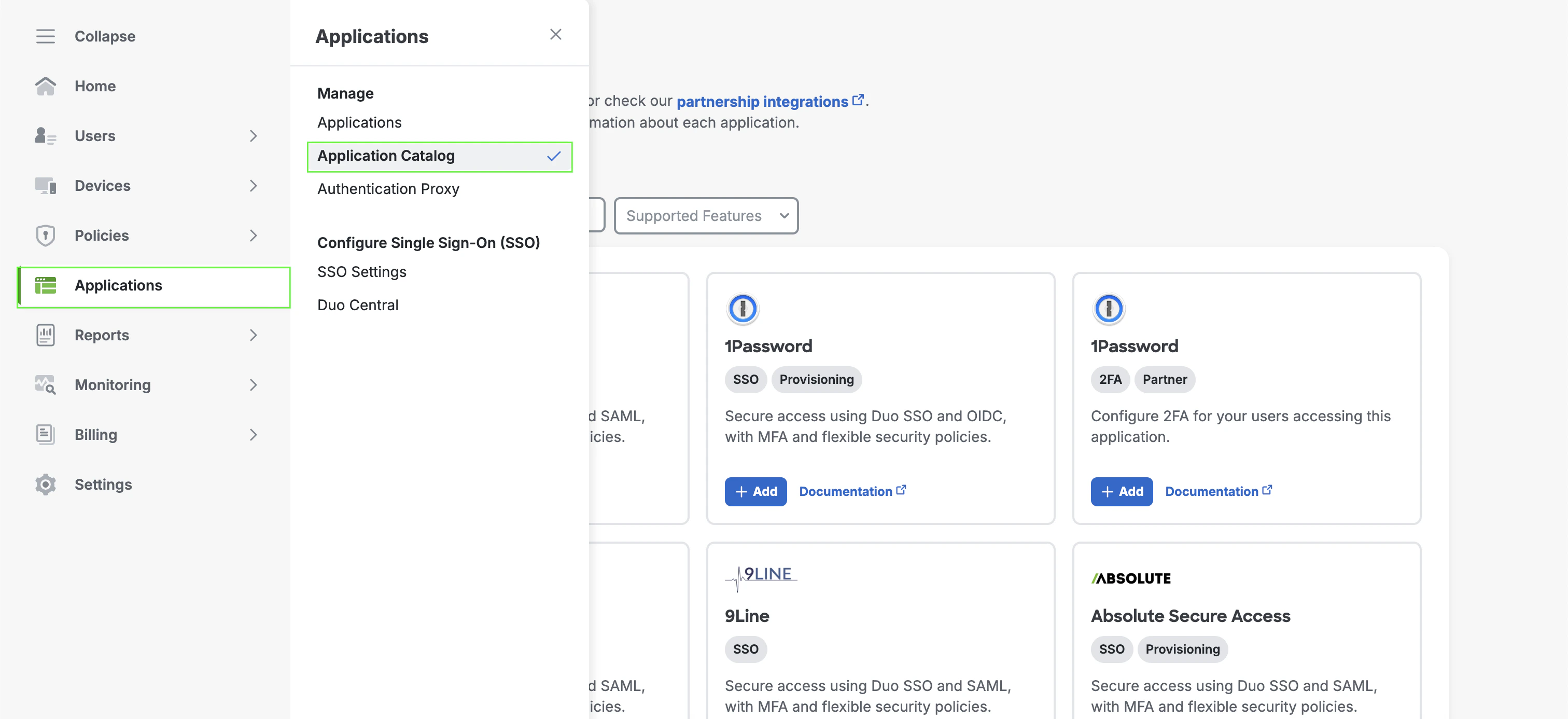
- Add Admin API or open your existing Admin API application.
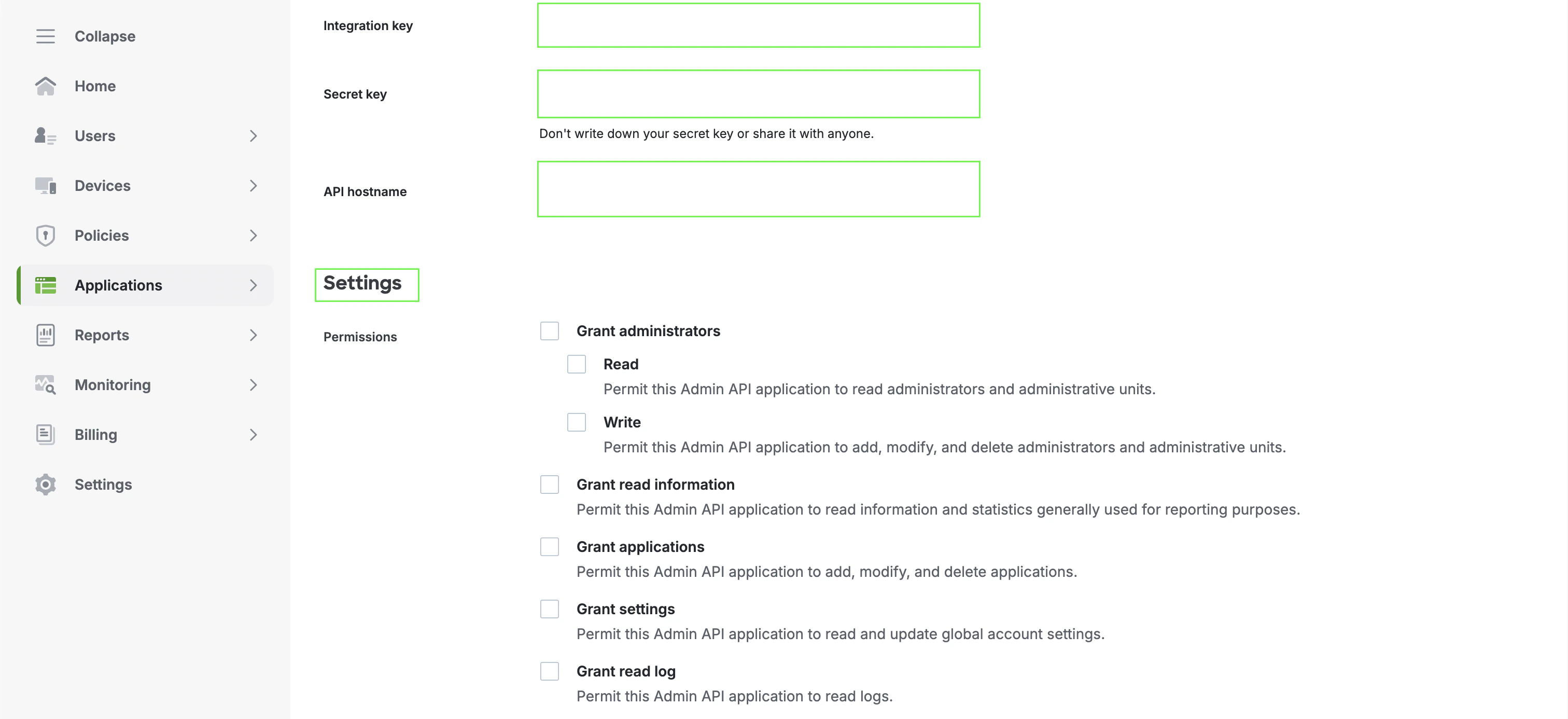
- Configure the permissions your integration needs.
- Copy the Integration key, Secret key, and API hostname from the application details page.
Step 2: Enter credentials in the Connect UI
Once you have your Duo Admin API credentials:- Open the form where you need to authenticate with Cisco Duo Admin API.
- Enter your Integration Key, Secret Key, and API Hostname in their respective fields.
- Submit the form, and you should be successfully authenticated.
