Overview
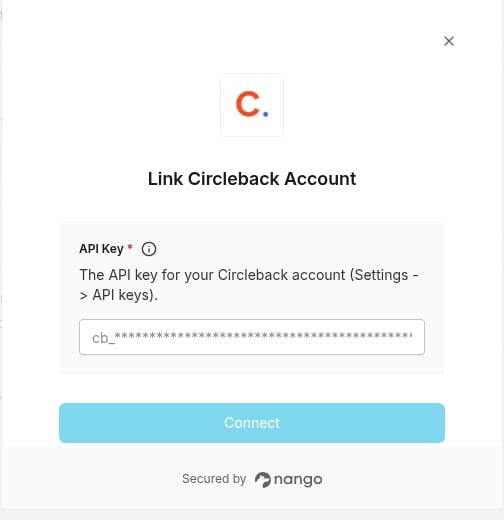
To authenticate with Circleback, you need:- API Key — a personal API key (
cb_<secret>) created in Circleback settings. Requests made with it read the meetings of the Circleback user who created it.
Prerequisites
- A Circleback account with access to the meetings you want to sync. Each person connects their own key; there is no workspace-wide key that reads other users’ meetings.
Step 1: Obtaining your API key
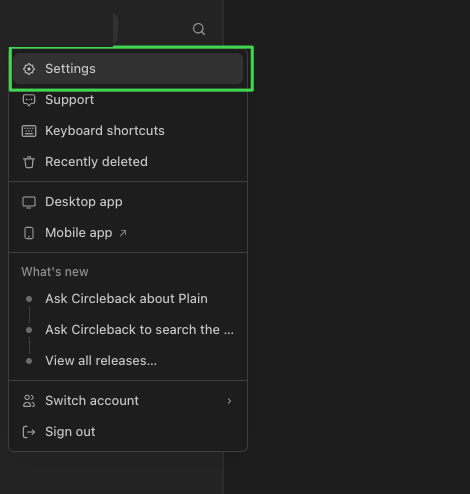
- Log in to Circleback and open Settings from the account menu.
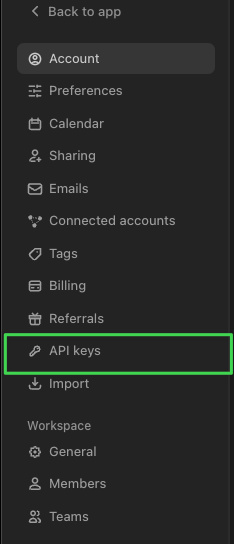
- Select API keys in the settings sidebar.
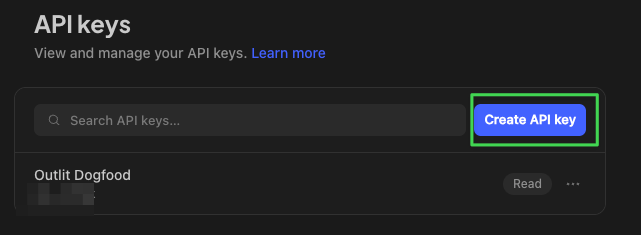
- Click Create API key. Circleback shows the full secret (
cb_...) once at creation time; the key list only shows masked previews afterwards, and a deleted key cannot be retrieved.
- Copy the secret somewhere secure until you have pasted it into Nango.
Treat this API key as a password: never put it in source code, URLs, logs, or client-side applications. Nango stores it encrypted and only uses it server-side to call the Circleback API on your behalf.
Step 2: Enter your API key in the Connect UI
Once you have your API key:- Open the form where you need to authenticate with Circleback.
- Enter your API Key in the designated field.
- Submit the form, and you should be successfully authenticated.